
IMPORTANT
VOUS AVEZ BESOIN DU PLAN D'ABONNEMENT SUIVANT
Les dépôts sont disponibles à partir du ‘Studio d'experts’ plan.
Ces options ne pas être disponible pour vous lorsque vous ne disposez pas de ce régime ou d'un régime supérieur.

Aller à ‘Calendrier’
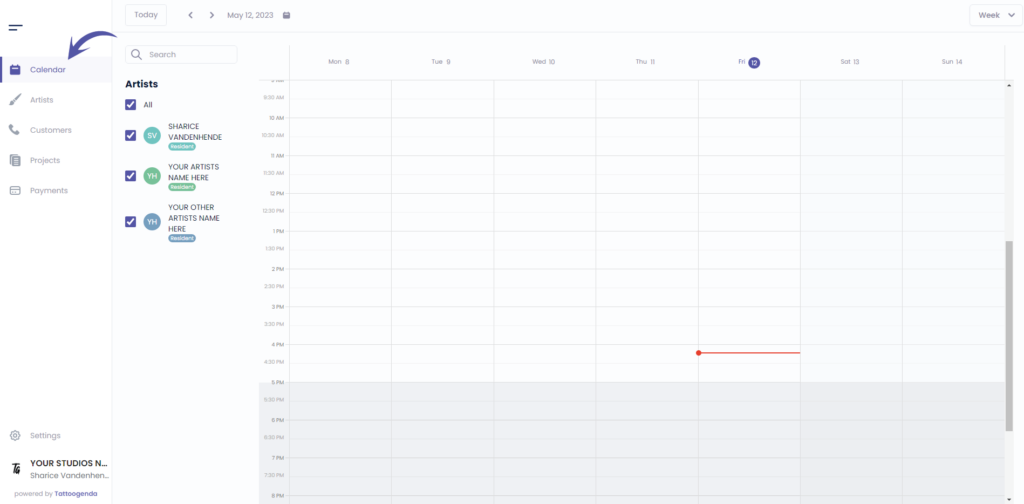
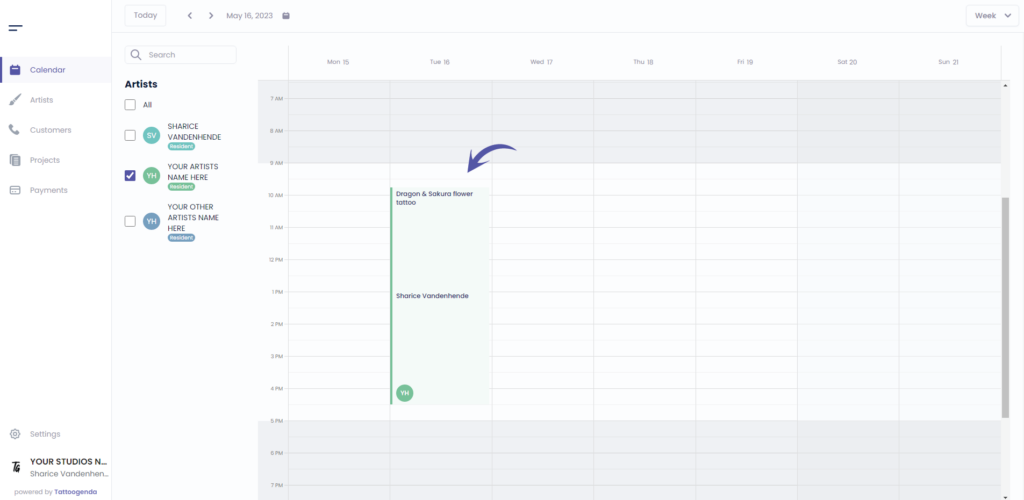
Cliquez sur votre rendez-vous
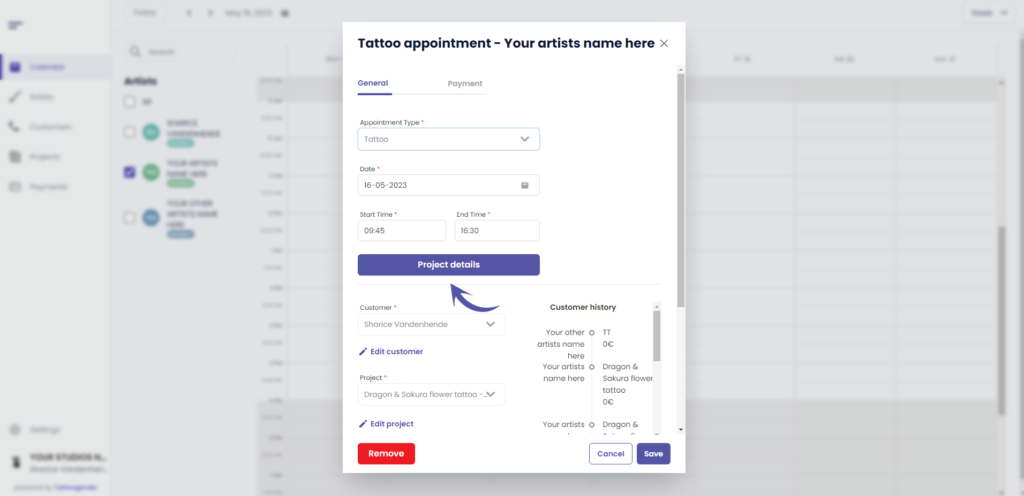
Cliquez sur ‘Détails du projet’
Aller à ‘Prix’
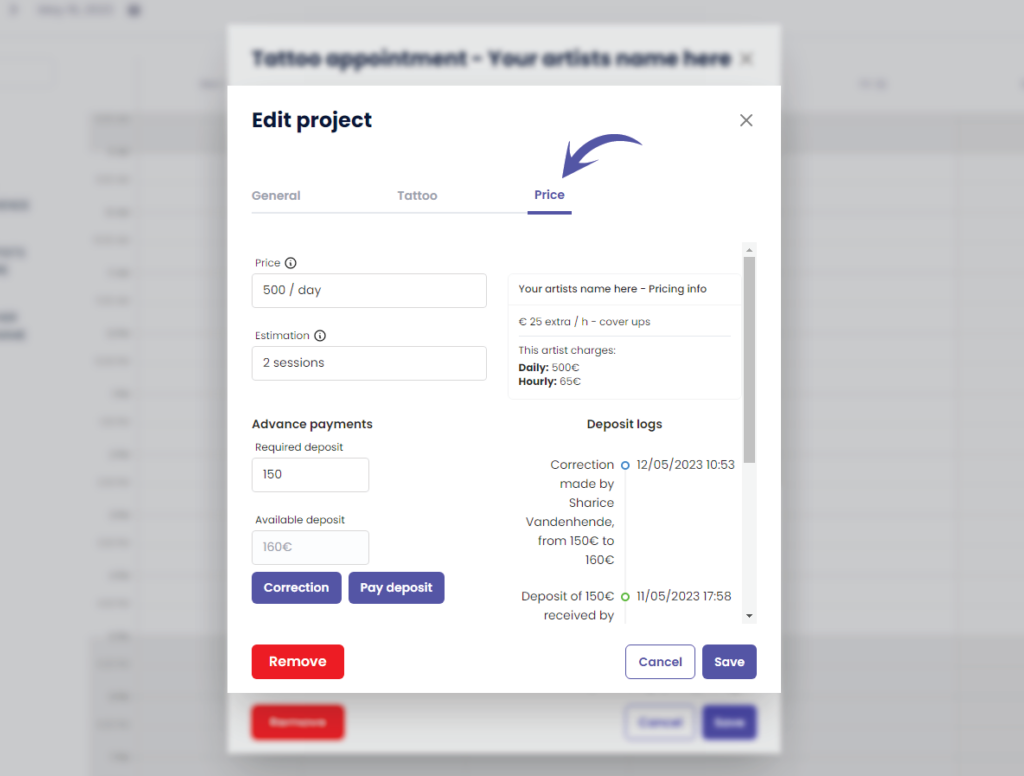
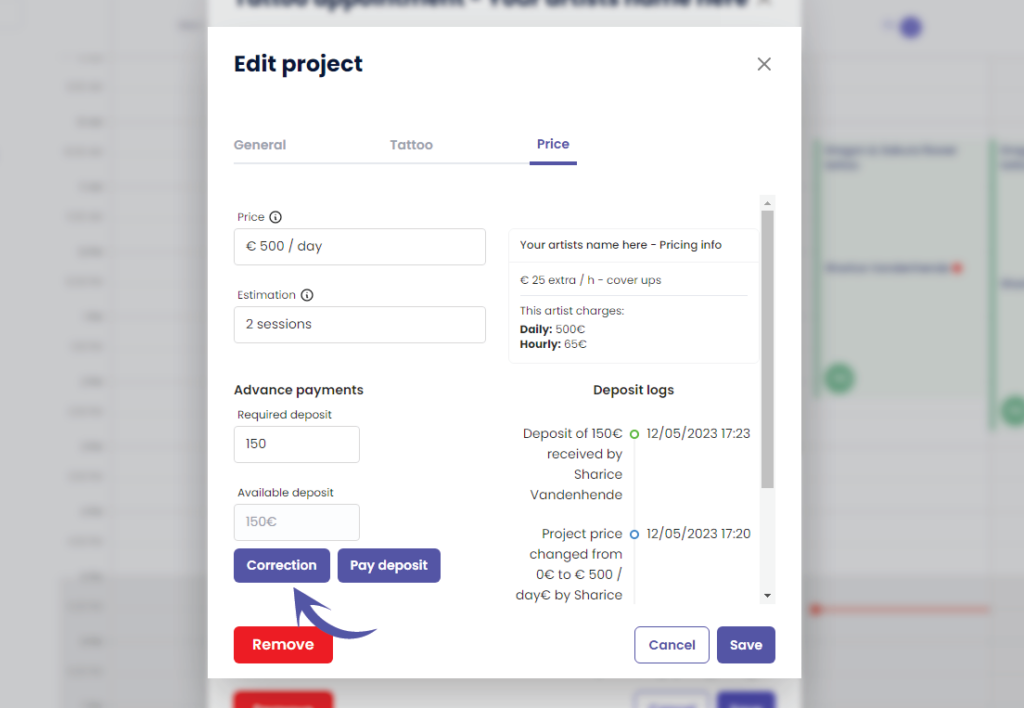
Cliquez sur ‘Correction’.
The Correction button is only available for shopmanagers (the one creating the TG account) and receptionist users with ‘edit payment’ rights.
An artist never has this correction button. Unless you have the Single Artist subscription plan, in that case you are artist as well as manager.
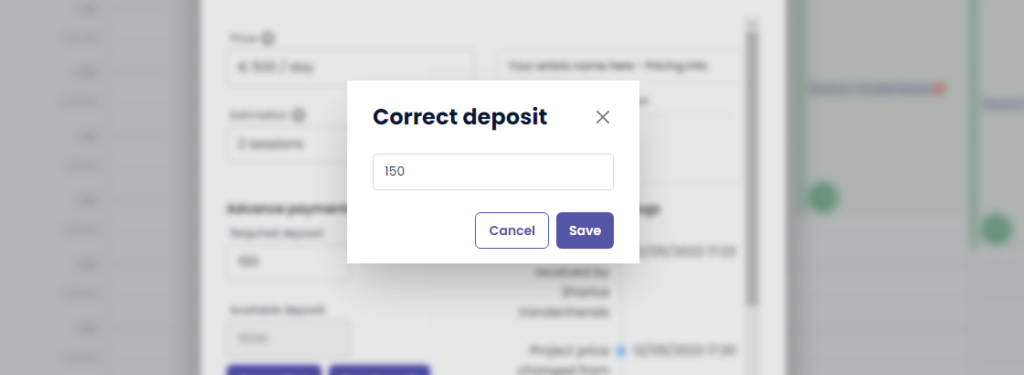
This will take you to the following pop up screen
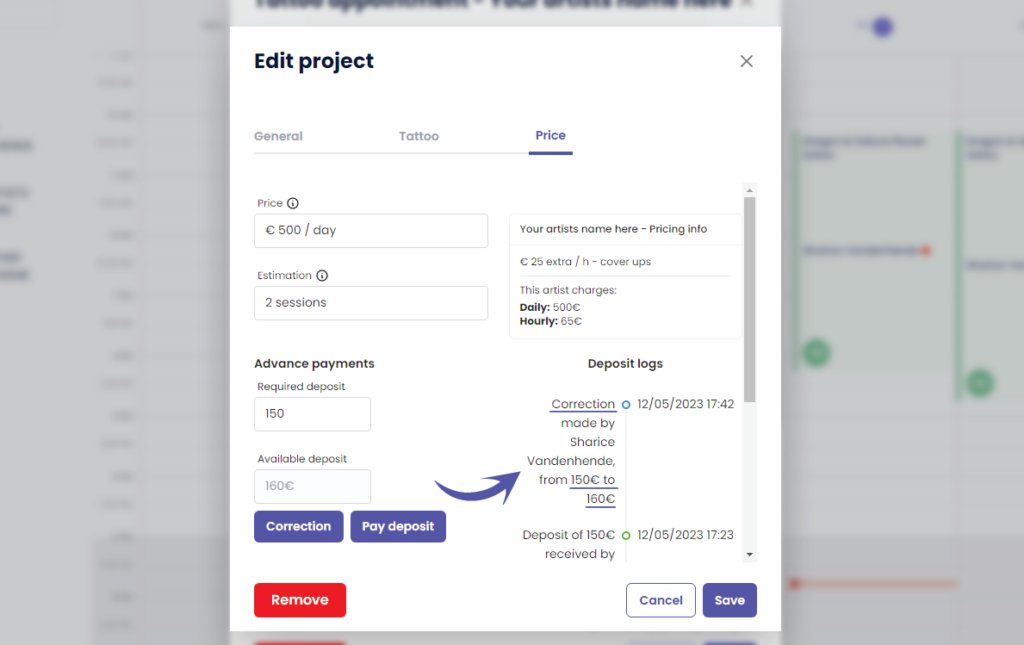
Notice that the current deposit amount is already prefilled
(par exemple 150 €)
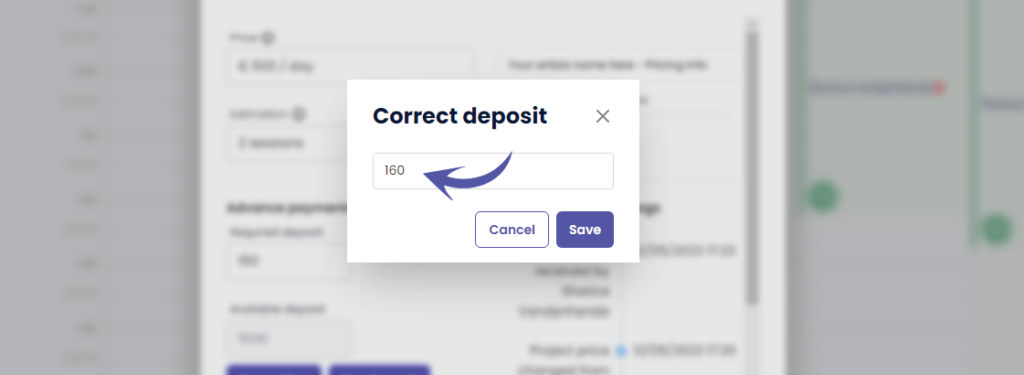
Change the deposit into the desired correction amount
A correction replaces the current amount with this amount!
( e.g. In this example we will change it to €160 )
After you click save, you will see that ‘Available deposit’ has changed to the value you have entered
( e.g. We changed it to €160 )
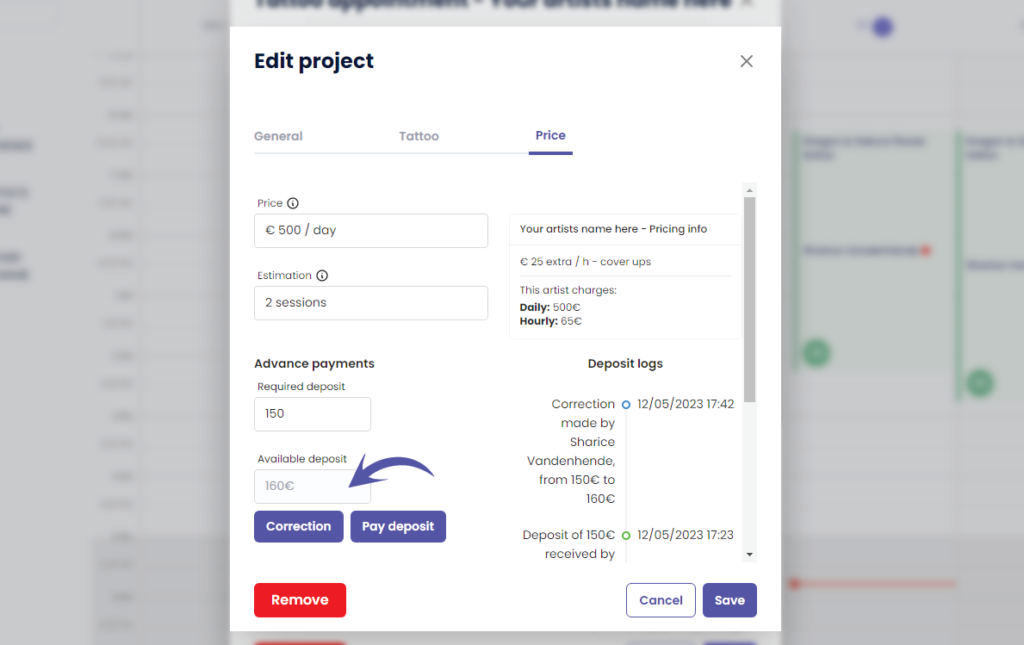
Vous pouvez voir ce qui suit dans le ‘Journaux de dépôt’
Who made the correction
How much was the original deposit amount
How much is the new deposit amount
WHY USE A CORRECTION?
A correction can be made when you have made a typo and you do not want it registered into the payments logs
This means that the received deposit amount into your payment logs per day and per artist will simply be replaced into the corrected amount without it logging that a correction was made. The correction will therefore only be registered into your projects deposit logs.
Click on the following articles to learn more about payment logs per day, per artist an per week
Vous avez encore un problème ou une question ?
Vous trouverez ci-dessous un petit lien intitulé ‘Toujours bloqué ? Comment pouvons-nous vous aider ?’
Rédigé par
Sharice Vandenhende
Par Tattoogenda


 English
  Dutch
Dutch  Dutch (Belgium)
  French
  German
  Spanish