
IMPORTANTE
NECESITA EL SIGUIENTE PLAN DE SUSCRIPCIÓN
Los depósitos están disponibles a partir del ‘Estudio de expertos’ plan.
Estas opciones no estar disponible para usted cuando no disponga de este plan o de un plan superior.

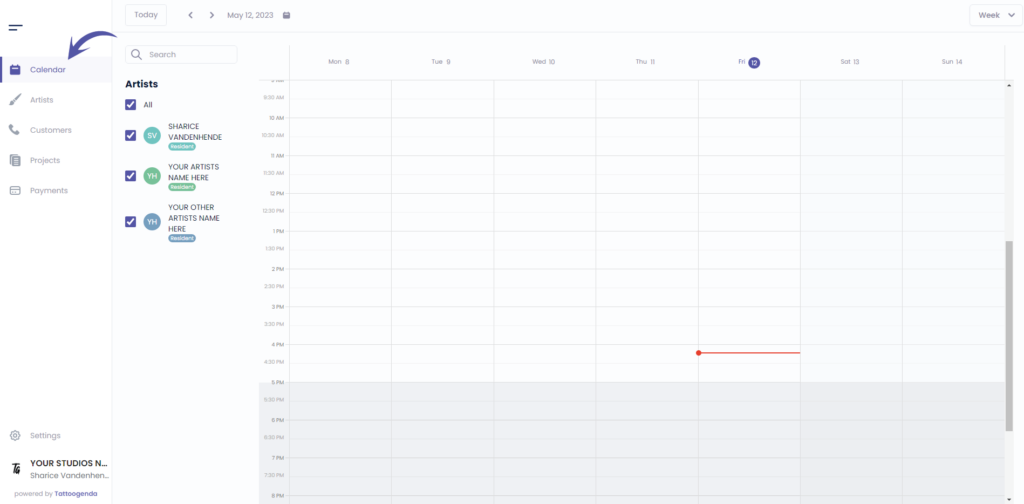
Ir a ‘Calendario’
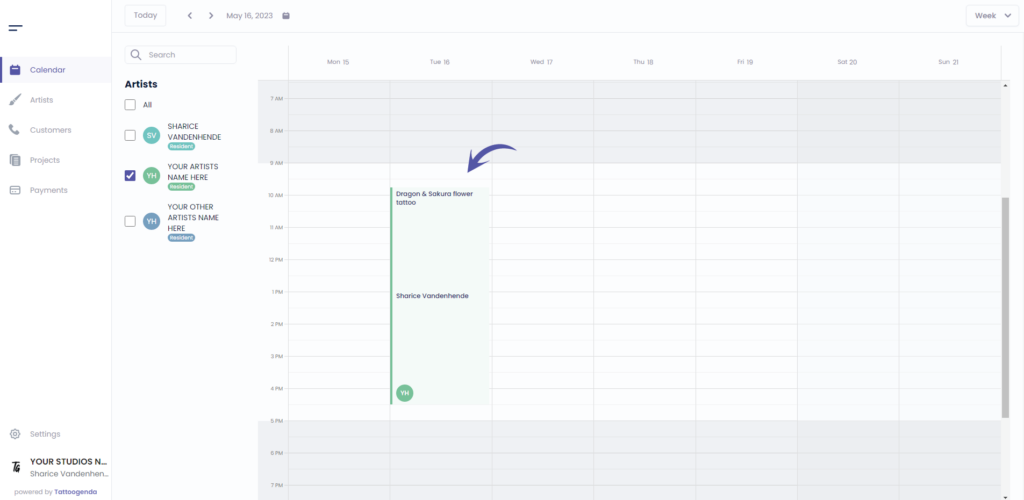
Haga clic en su cita
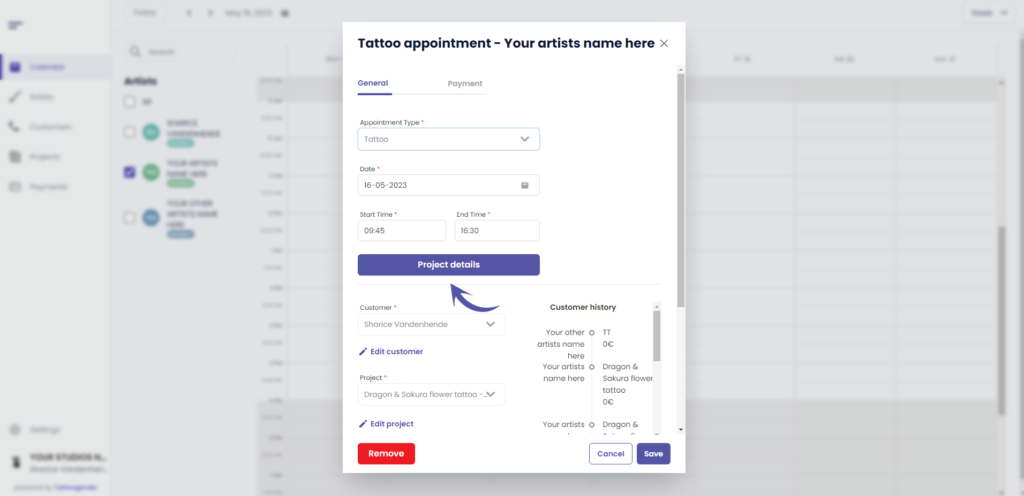
Haga clic en ‘Project details’
Ir a ‘Price’
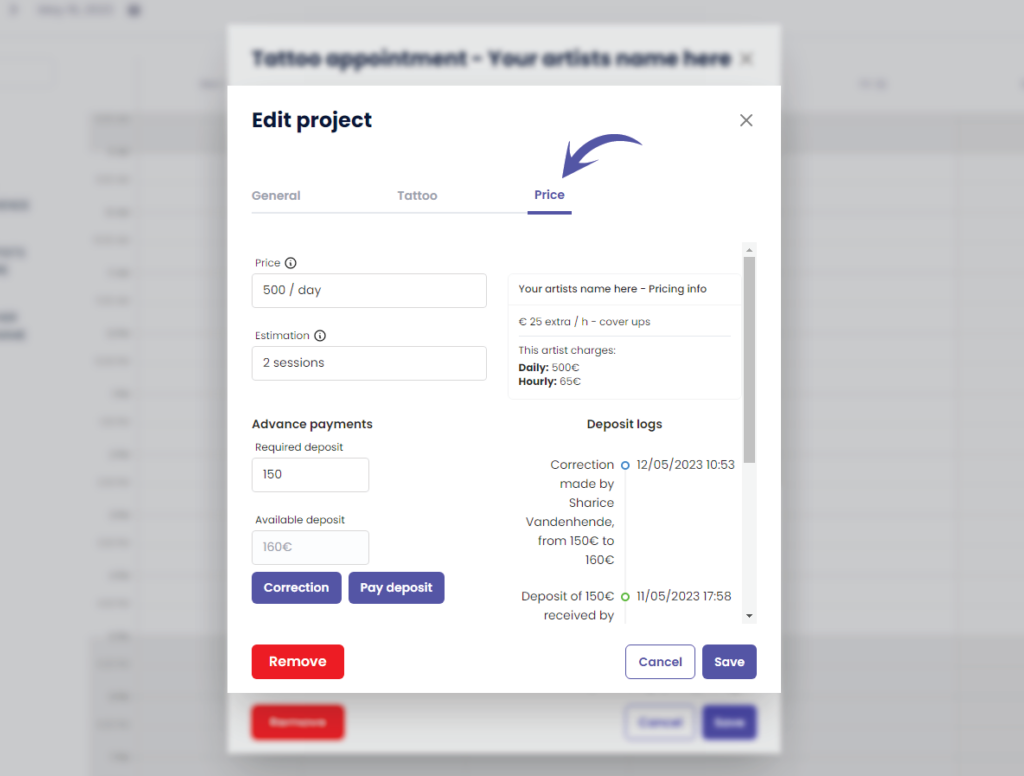
Haga clic en ‘Correction’.
The Correction button is only available for shopmanagers (the one creating the TG account) and receptionist users with ‘edit payment’ rights.
An artist never has this correction button. Unless you have the Single Artist subscription plan, in that case you are artist as well as manager.
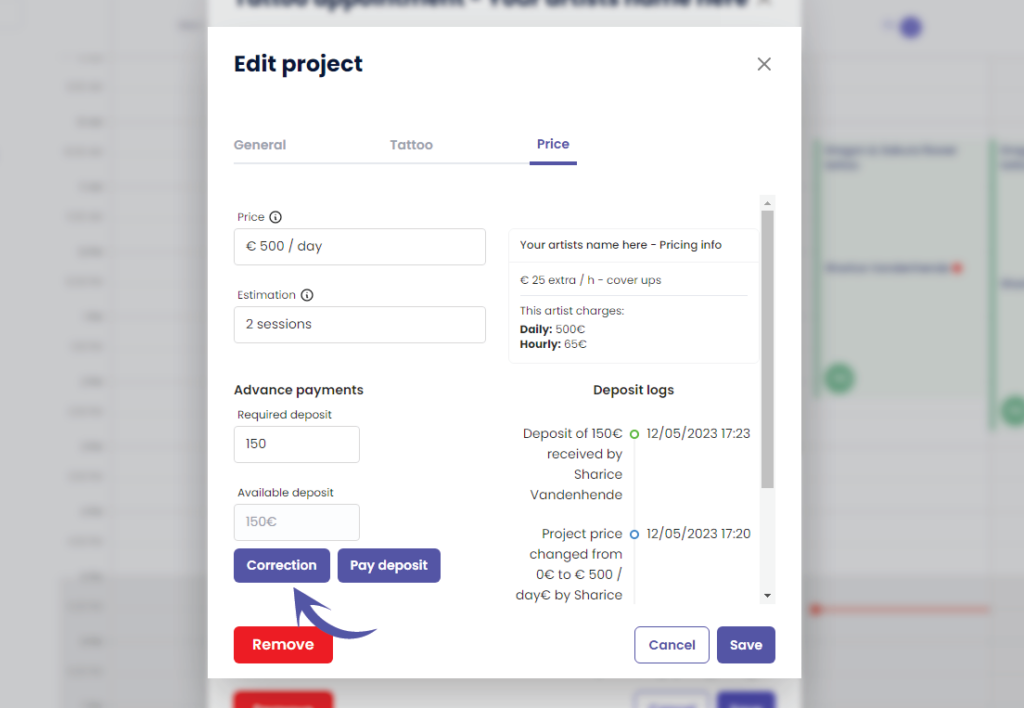
This will take you to the following pop up screen
Notice that the current deposit amount is already prefilled
( por ejemplo, 150 euros )
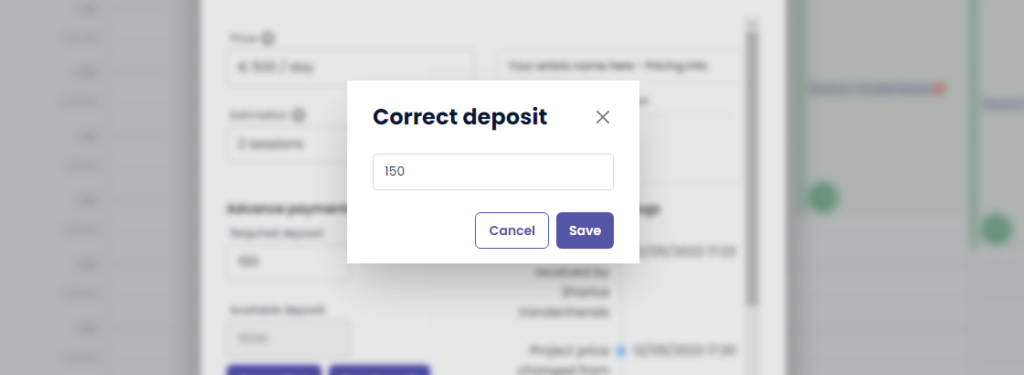
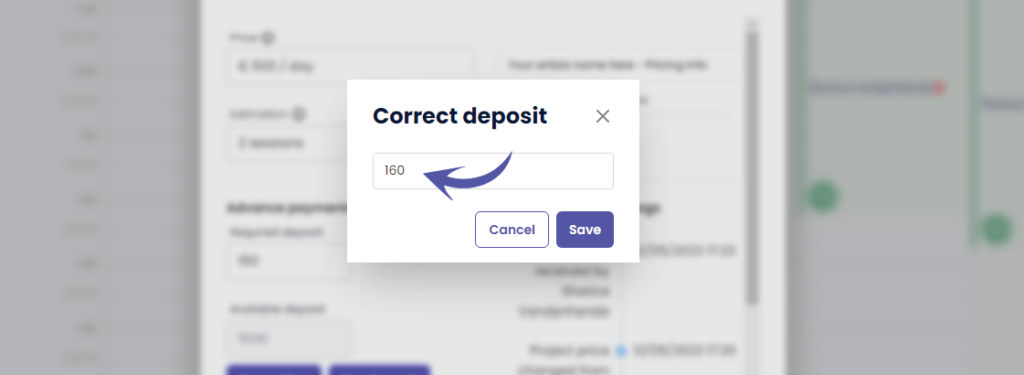
Change the deposit into the desired correction amount
A correction replaces the current amount with this amount!
( e.g. In this example we will change it to €160 )
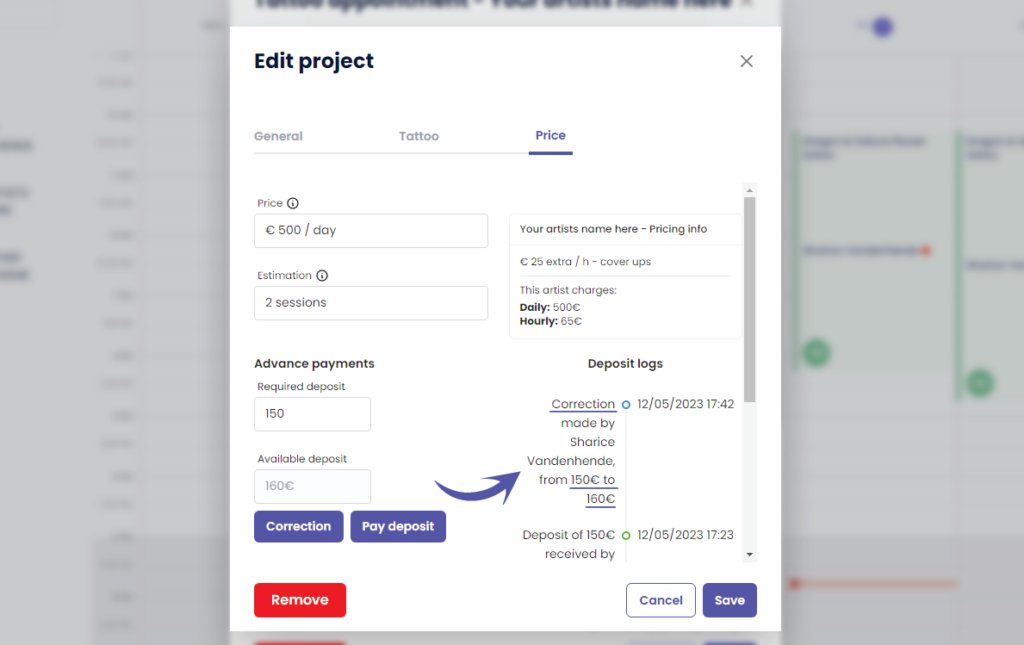
After you click save, you will see that ‘Available deposit’ has changed to the value you have entered
( e.g. We changed it to €160 )
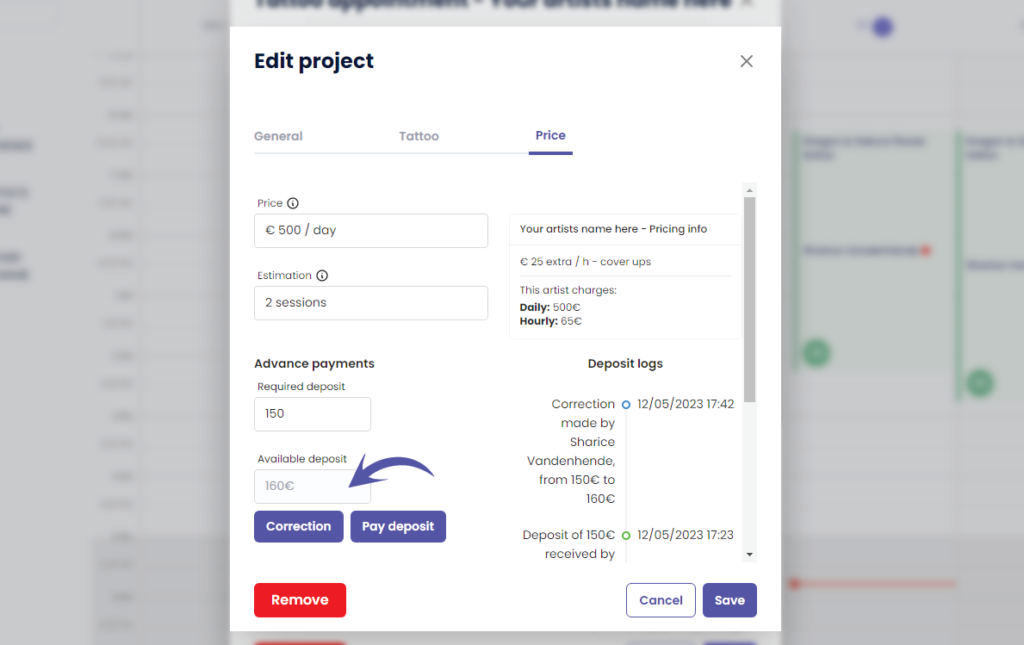
You can see the following in the ‘Deposit logs’
Who made the correction
How much was the original deposit amount
How much is the new deposit amount
WHY USE A CORRECTION?
A correction can be made when you have made a typo and you do not want it registered into the payments logs
This means that the received deposit amount into your payment logs per day and per artist will simply be replaced into the corrected amount without it logging that a correction was made. The correction will therefore only be registered into your projects deposit logs.
Click on the following articles to learn more about payment logs per day, per artist an per week
¿Todavía tiene un problema o una pregunta?
A continuación encontrará un pequeño enlace llamado ‘¿Sigues atascado? ¿Cómo podemos ayudarle?’
Escrito por
Sharice Vandenhende
Por Tattoogenda


 English
  Dutch
Dutch  Dutch (Belgium)
  French
  German
  Spanish