

IMPORTANTE
NECESITA EL SIGUIENTE PLAN DE SUSCRIPCIÓN
Deposit reminders are only available in the ‘Expert studio’ plan.
Estas opciones no estar disponible para usted cuando no disponga de este plan.
TATTOOGENDA & STRIPE OR MOLLIE
Deposits will only work if your Tattoogenda has been linked to Stripe or Mollie.
If you have not connected Stripe or Mollie you will see the following reminder into your notifications.

Click on the articles to learn more about finding your current subscription plan and how to connect Stripe (or Mollie) with Tattoogenda
En tu Software de estudio Tattoogenda,
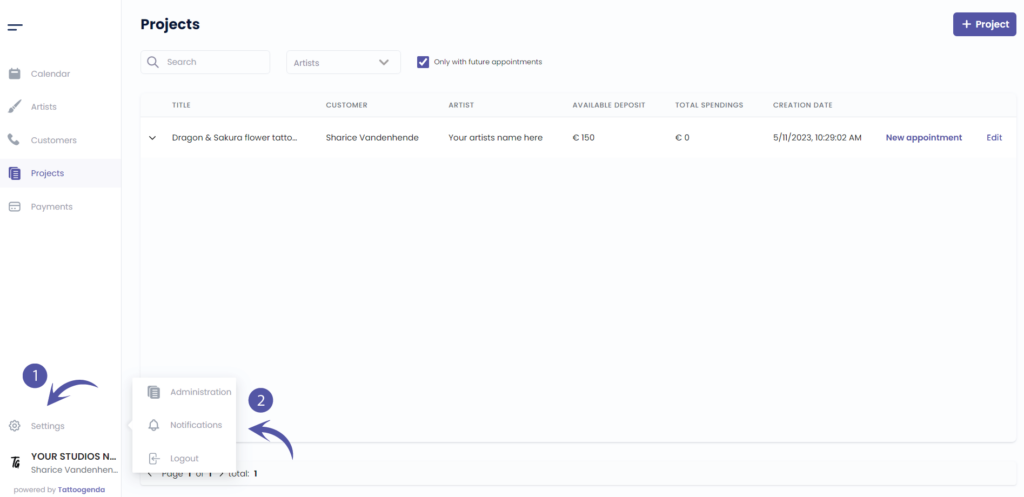
you can find your settings on the bottom left of your screen, above your studio name.
Vaya a su configuración y elija ‘Notificaciones’
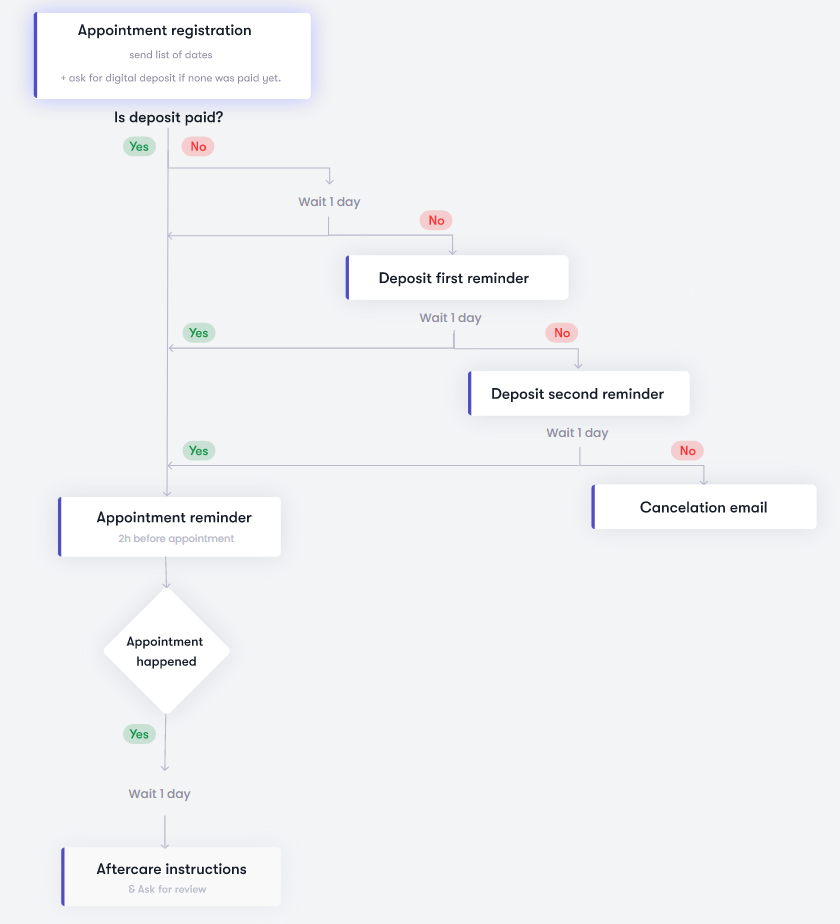
ESQUEMA DE NOTIFICACIONES
Su pantalla podría parecerse a la captura de pantalla siguiente.
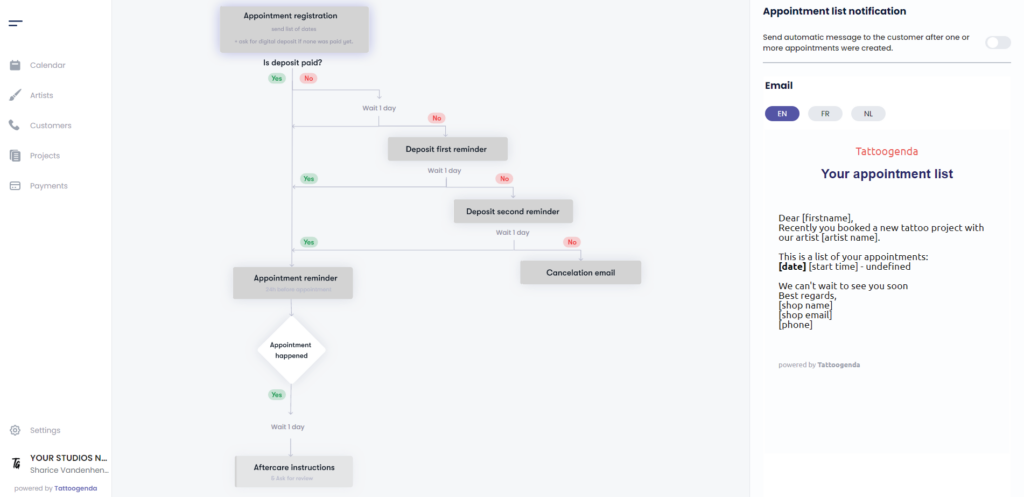
SUS CORREOS ELECTRÓNICOS AUTOMATIZADOS ESTÁN ACTIVOS
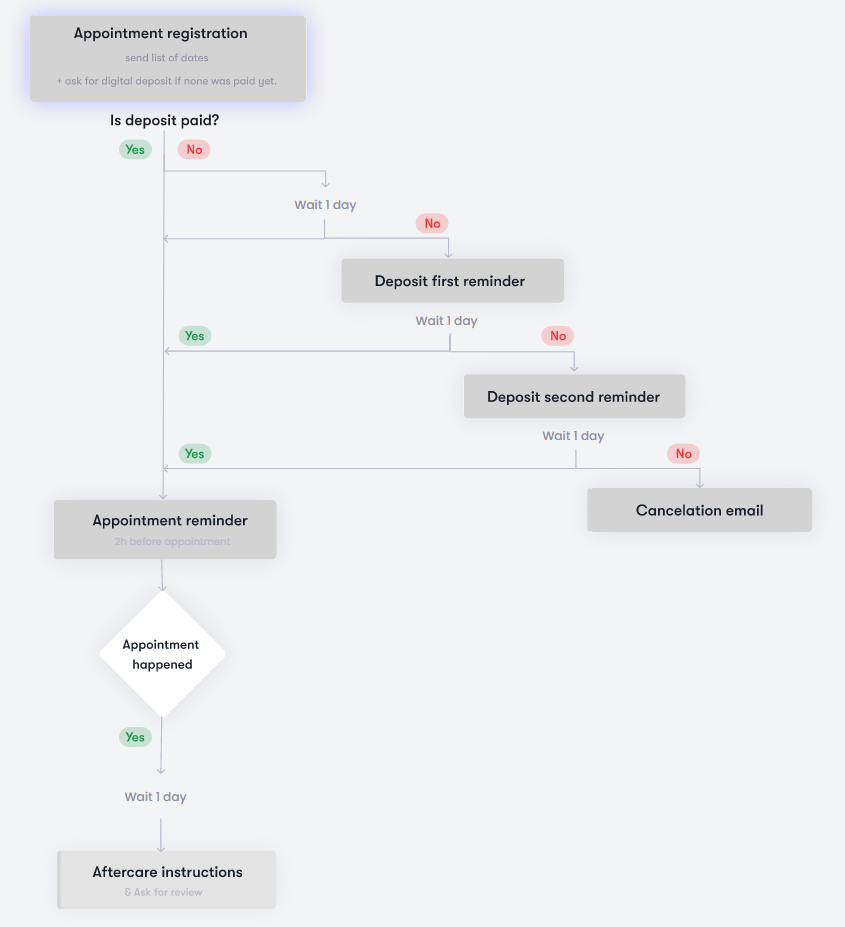
SUS CORREOS ELECTRÓNICOS AUTOMATIZADOS ESTÁN INACTIVOS
TOGGLED ON
Su opción o correo electrónico automatizado es activo

TOGGLED OFF
Su opción o correo electrónico automatizado es inactivo

FIRST DEPOSIT REMINDER CONFIGURATION #
En el esquema, haga clic en ‘Deposit first reminder’.
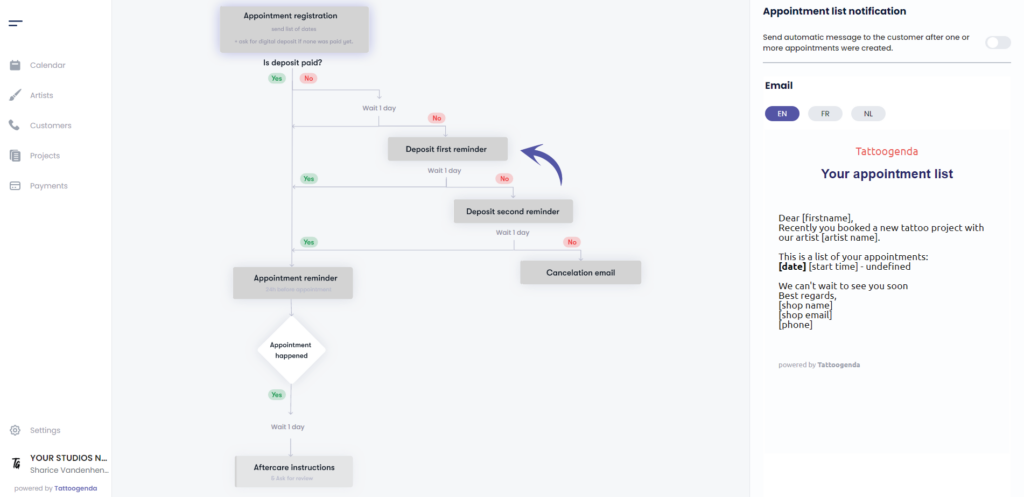
Verá el icono ‘Deposit first reminder notification’ appear with a toggle button and an input field.
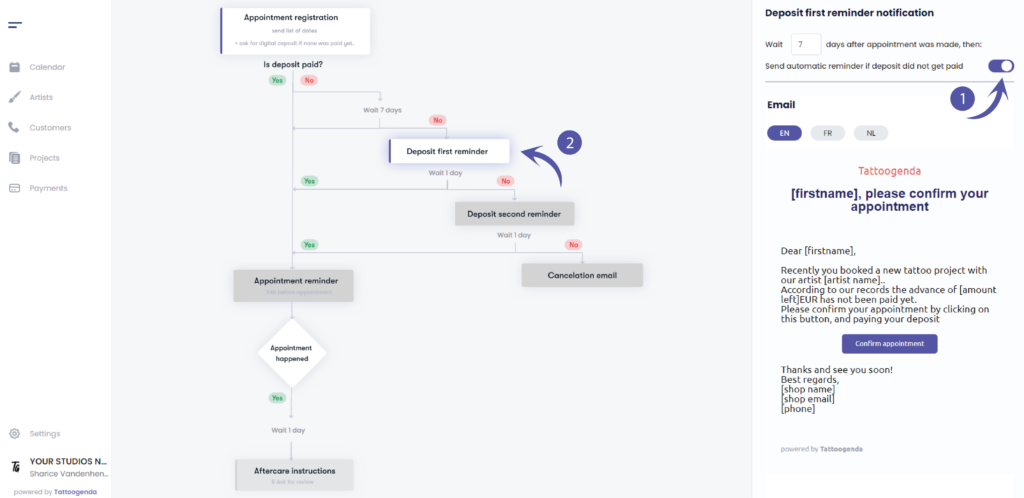
Activar the first deposit reminder
Notice that on the schematic it has turned white.
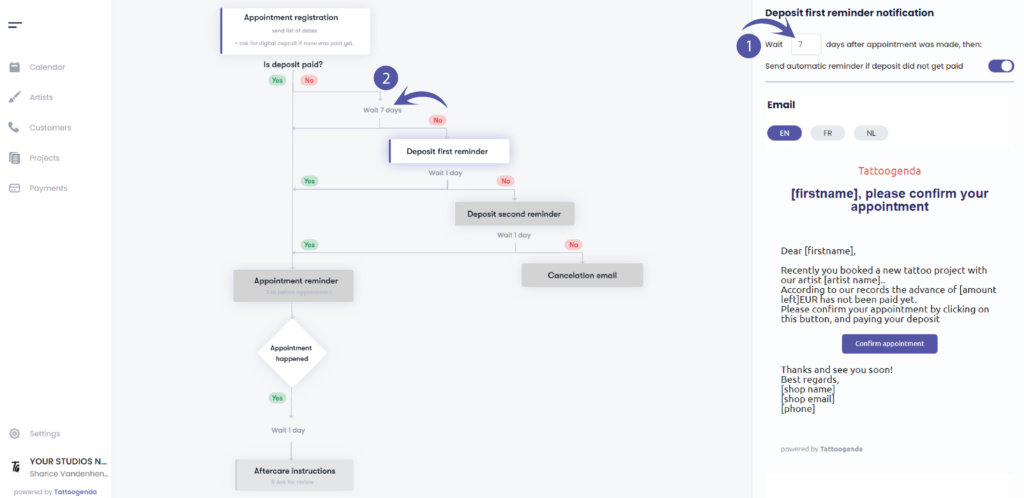
Fill out how many days after an appointment was booked
an email should be send out as a reminder that their deposit has not yet been paid.
( e.g. in this example we’ve set it to 7 days. )
Notice that it has also changed on your schematic
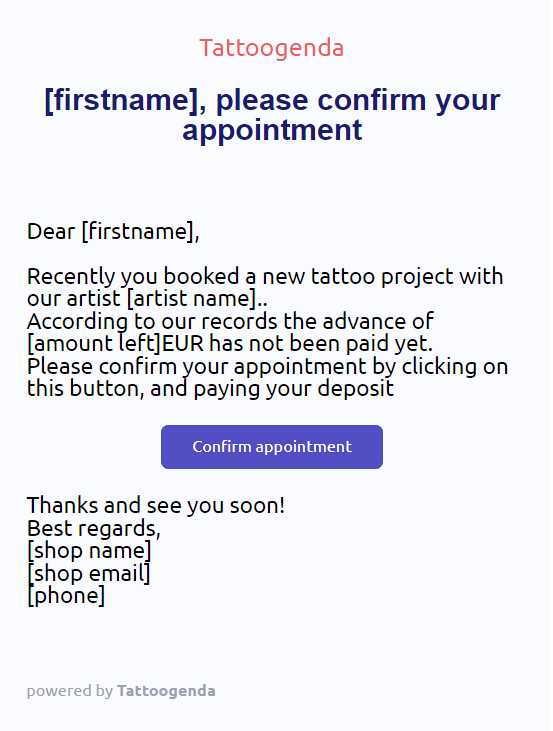
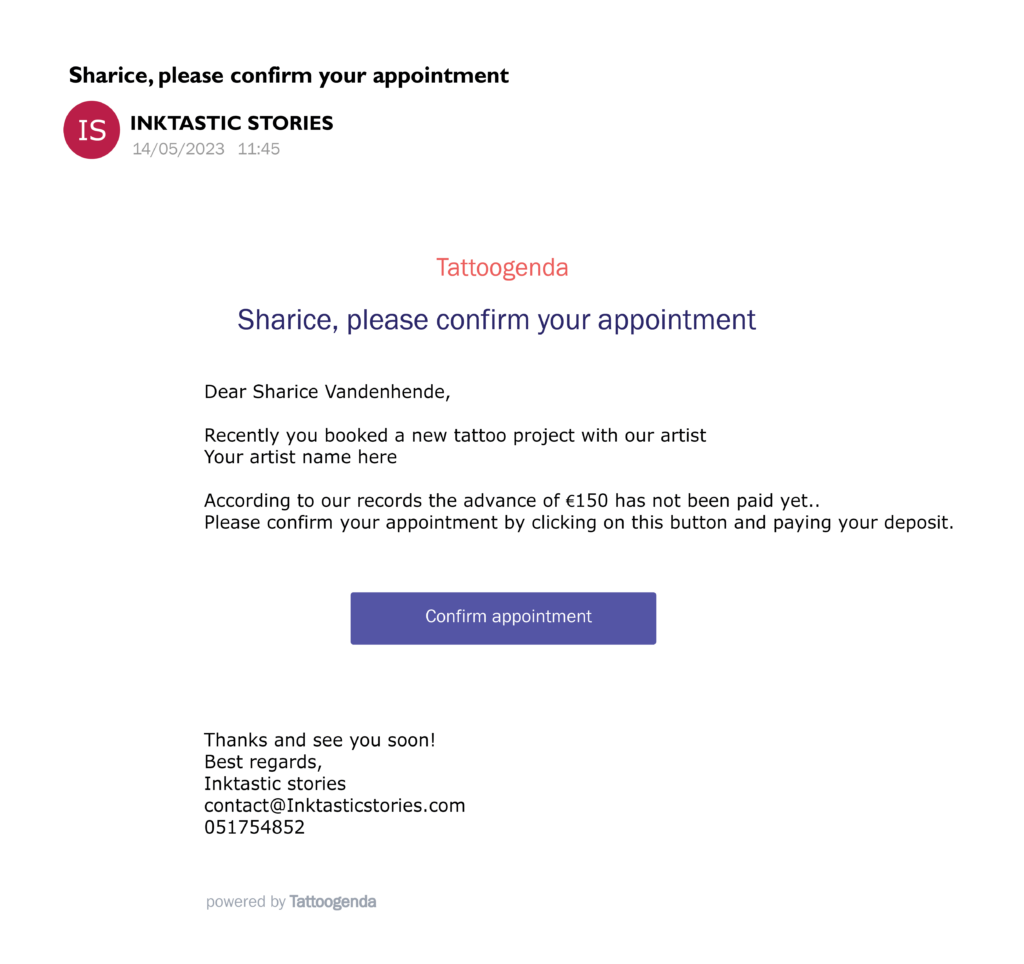
EJEMPLO DE CORREO ELECTRÓNICO
Puede ver una vista previa del aspecto que podría tener el correo electrónico.
Los corchetes y su contenido serán sustituidos por sus propios datos.
Por ejemplo.
If your customers first name would be ‘Sharice’ it will say
Querida Sharice,
…
SECOND DEPOSIT REMINDER CONFIGURATION #
En el esquema, haga clic en ‘Deposit second reminder’.
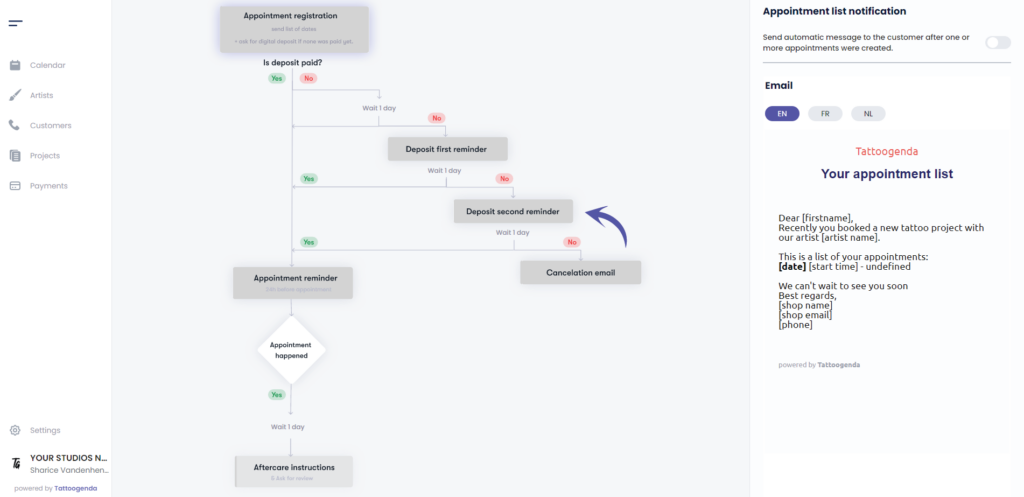
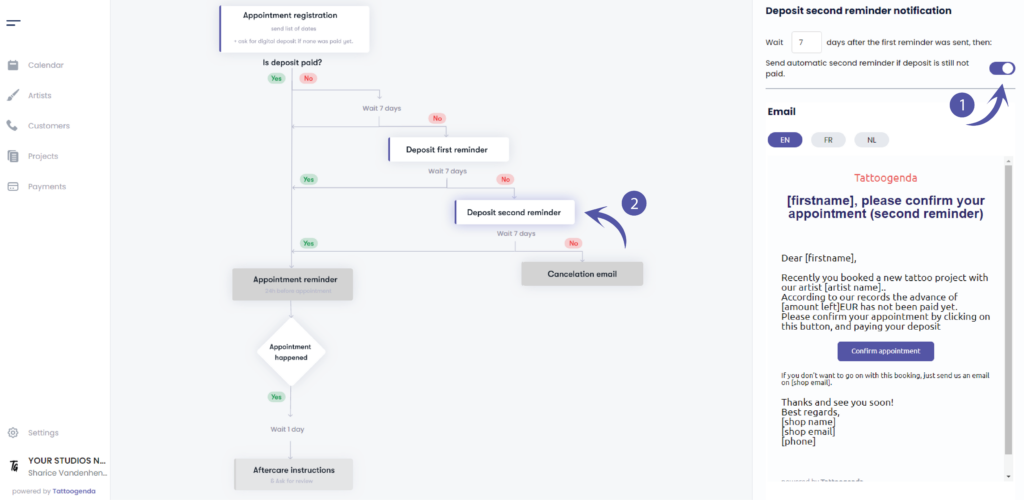
Verá el icono ‘Deposit second reminder notification’ appear with a toggle button and an input field.
Activar deposit second reminder notification.
Notice that on the schematic it has turned white.
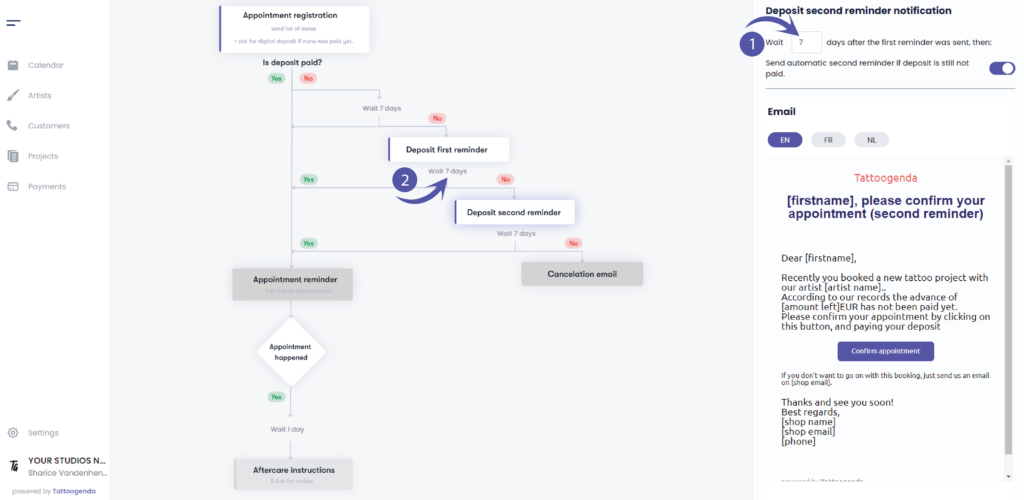
Fill out how many days after the first reminder
an email should be send out as a reminder that their deposit has not yet been paid.
( e.g. in this example we’ve set it again to 7 days. )
Notice that it has also changed on your schematic
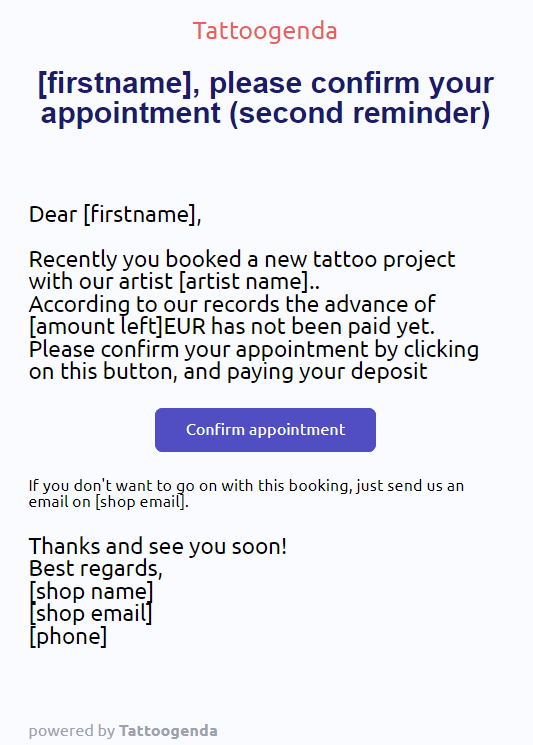
EJEMPLO DE CORREO ELECTRÓNICO
Puede ver una vista previa del aspecto que podría tener el correo electrónico.
Los corchetes y su contenido serán sustituidos por sus propios datos.
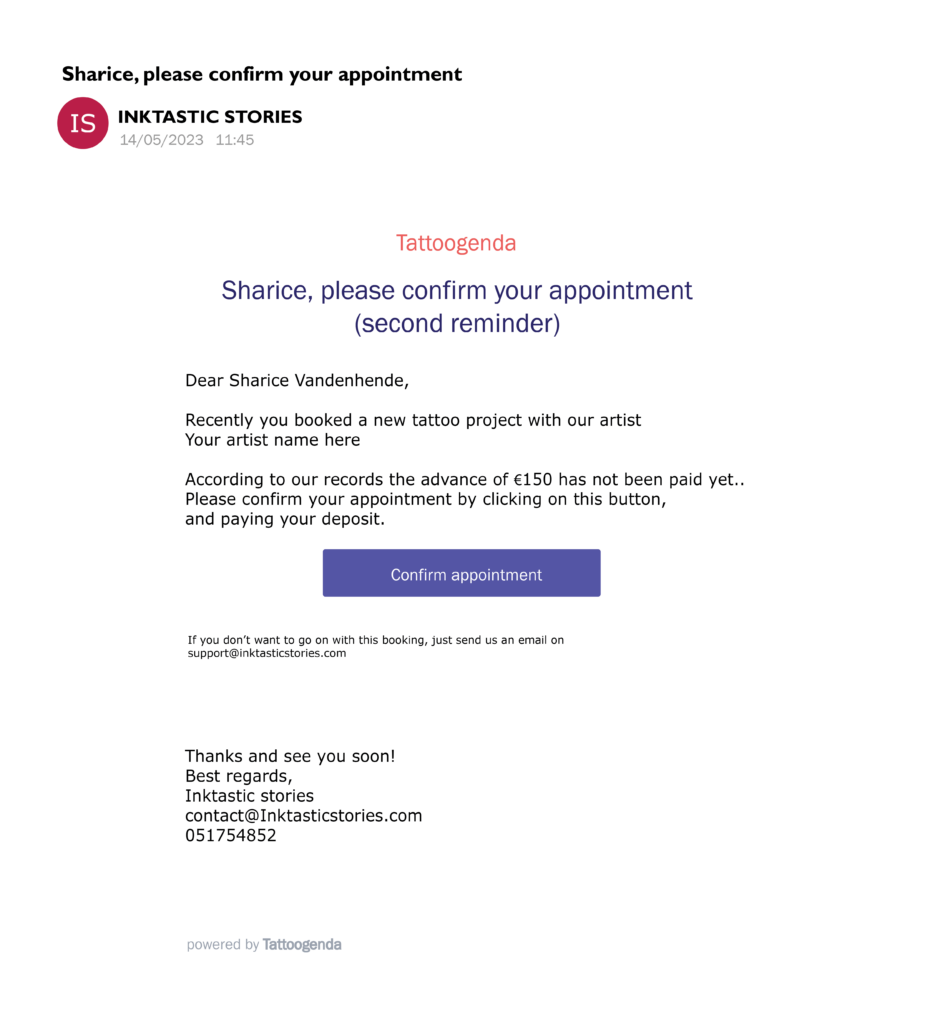
Por ejemplo.
If your studios name would be ‘Tattoogenda’ and your email would be ‘support@tattoogenda.com’ it would look like this
…
Best regards,
Tattoogenda
support@tattoogenda.com
…
WOULD YOU LIKE TATTOOGENDA TO AUTOMATICALLY CANCEL THE APPOINTMENT WHEN NO DEPOSIT RECEIVED?
Personalizar contenidos #
Puedes personalizar tus correos electrónicos de notificación.
Al final de tu correo de notificaciones puedes añadir tu propio contenido.
Más información en el siguiente artículo.
Lenguas de notificación #

Puede seleccionar una lengua por defecto para su tienda.
Si el idioma por defecto de su tienda es EN, entonces cada nuevo cliente será EN por defecto.
Puede cambiar el idioma de cada cliente a uno de los idiomas disponibles de la lista, mientras crea o edita.
Esto es muy útil para las tiendas de países en los que hay que atender a clientes con diferentes idiomas.
( por ejemplo, en Bélgica tenemos francés y neerlandés. )
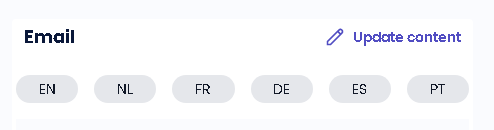
Cada notificación está disponible en varios idiomas.
Donde puede editar el contenido del correo electrónico de notificación, puede hacerlo para cada idioma.
( por ejemplo, si el idioma de sus clientes es EN, recibirán los correos electrónicos en EN. Si el cliente es francés, recibirá los correos electrónicos en francés, etc.)
¿LO SABÍAS?
Si desea solicitar otro idioma opción no tenga miedo de enviarnos un correo support@tattoogenda.com
¿Todavía tiene un problema o una pregunta?
A continuación encontrará un pequeño enlace llamado ‘¿Sigues atascado? ¿Cómo podemos ayudarle?’
Escrito por
Sharice Vandenhende
Por Tattoogenda


 English
  Dutch
Dutch  Dutch (Belgium)
  French
  German
  Spanish