

Ir a ‘Calendario’
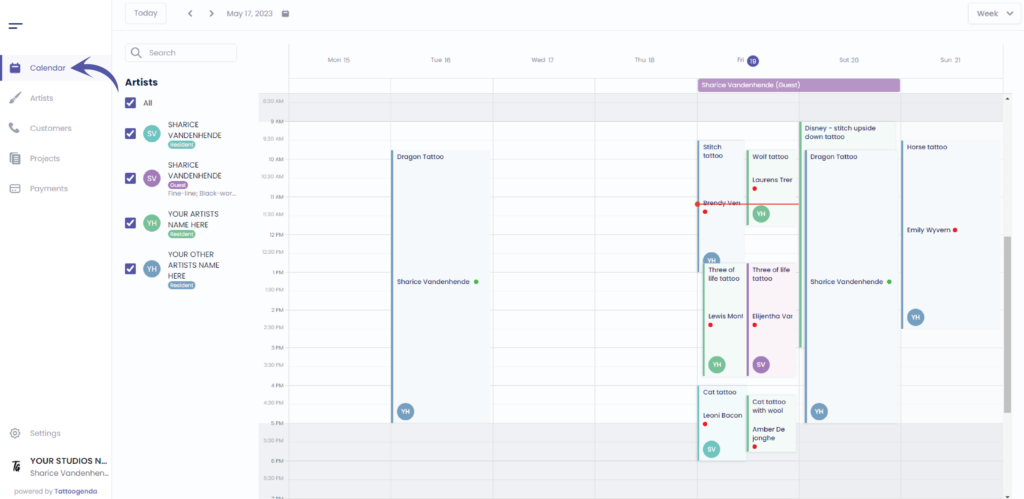
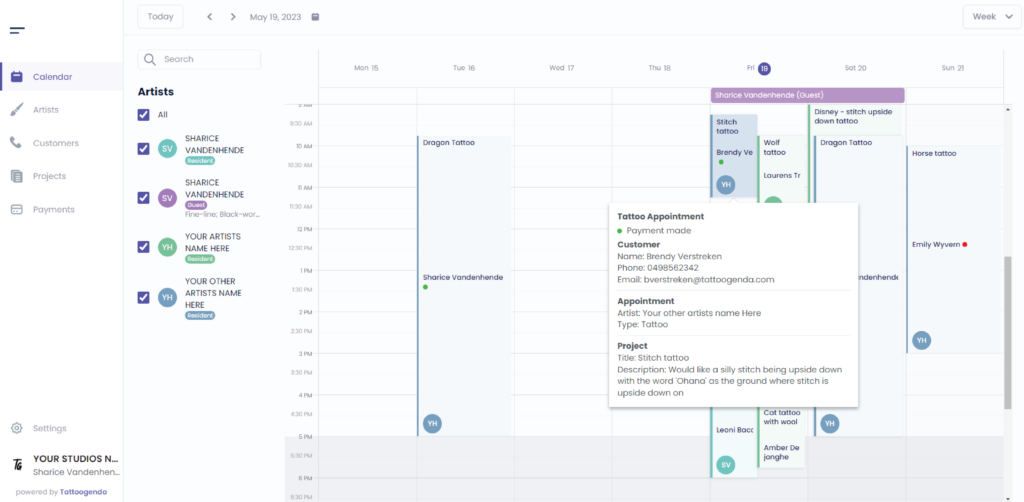
Verá la siguiente pantalla
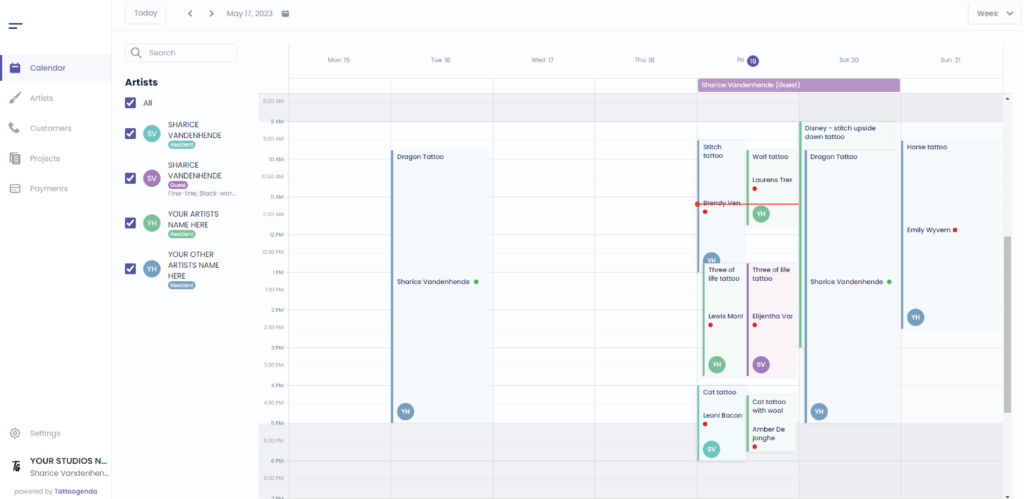
Seleccionaremos esta cita en este tutorial

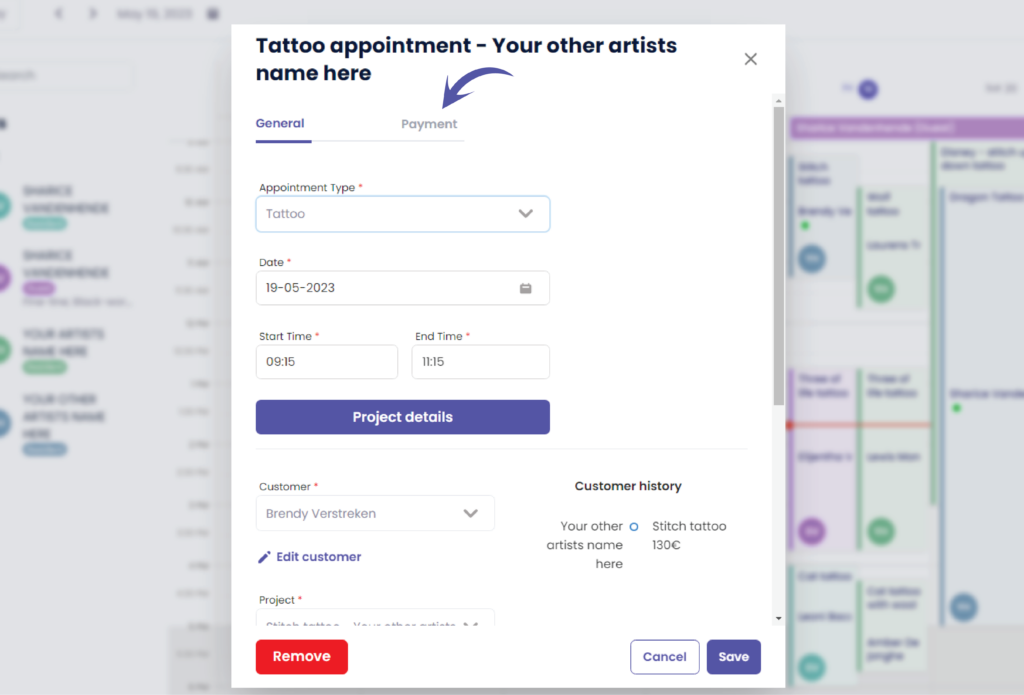
Verá la siguiente pantalla emergente
Ir a ‘Pagos’
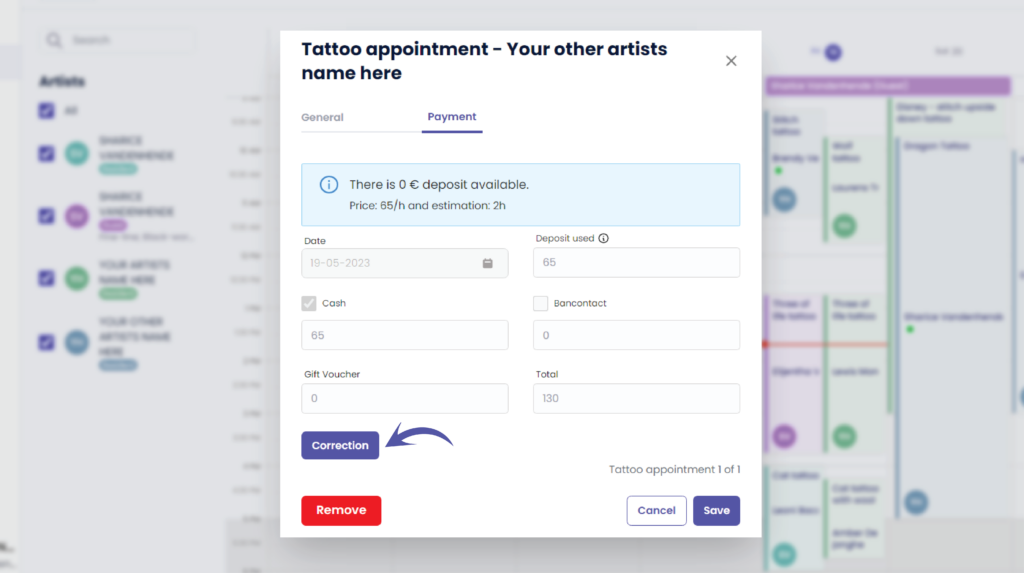
You can see that everything is grayed out , this is because a payment was already made.
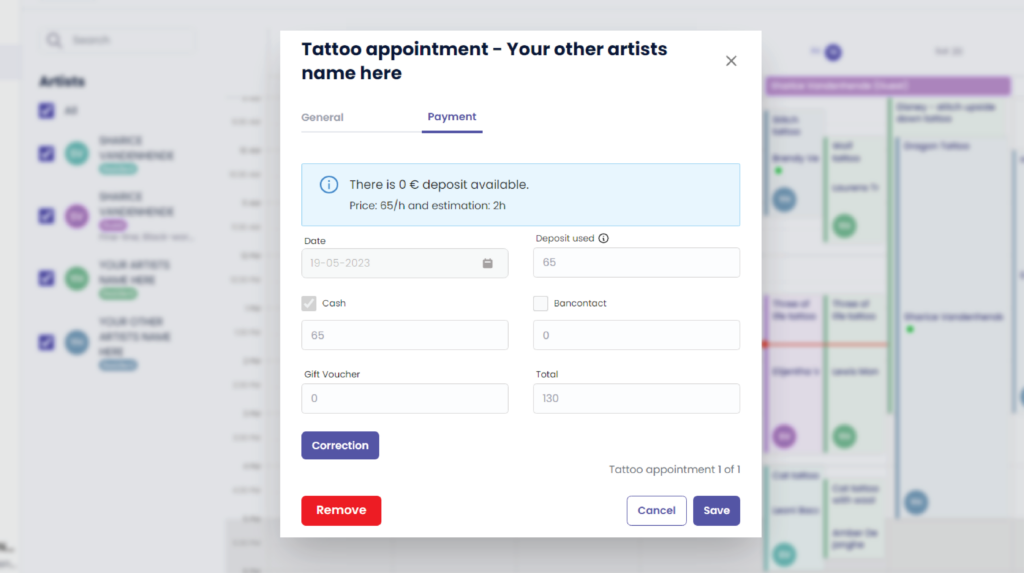
If you made a typo for example you can click on the ‘Correction’ button.
The correction button is only available to receptionists with ‘edit payment’ rights, and to managers (the ones creating the TG account).
Artists are never allowed to change payments.
Unless you have a ‘Single Artist’ subscription, then you are also the manager and artist simultaneously.
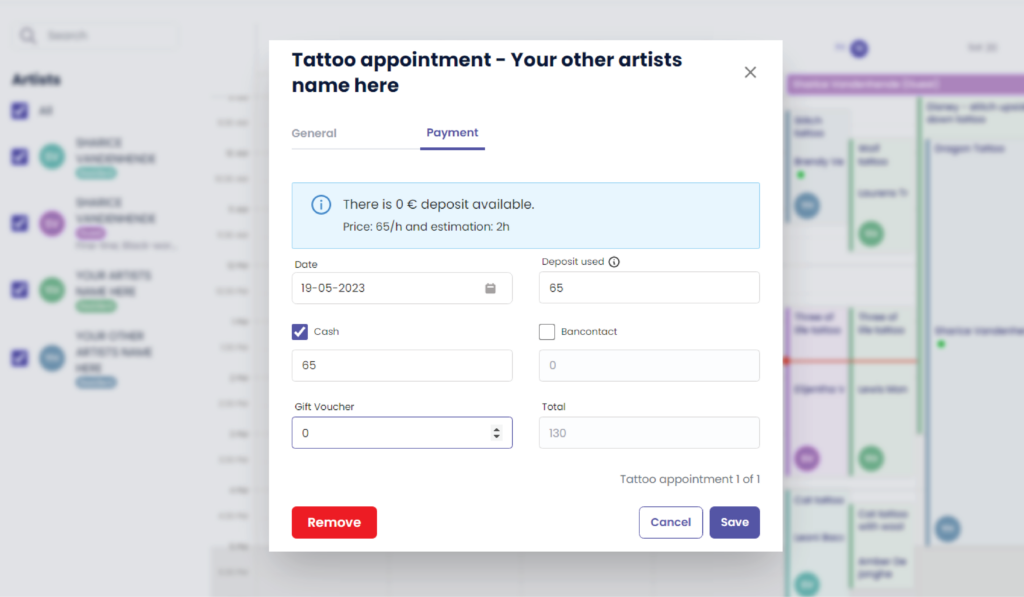
Everything will be prefilled
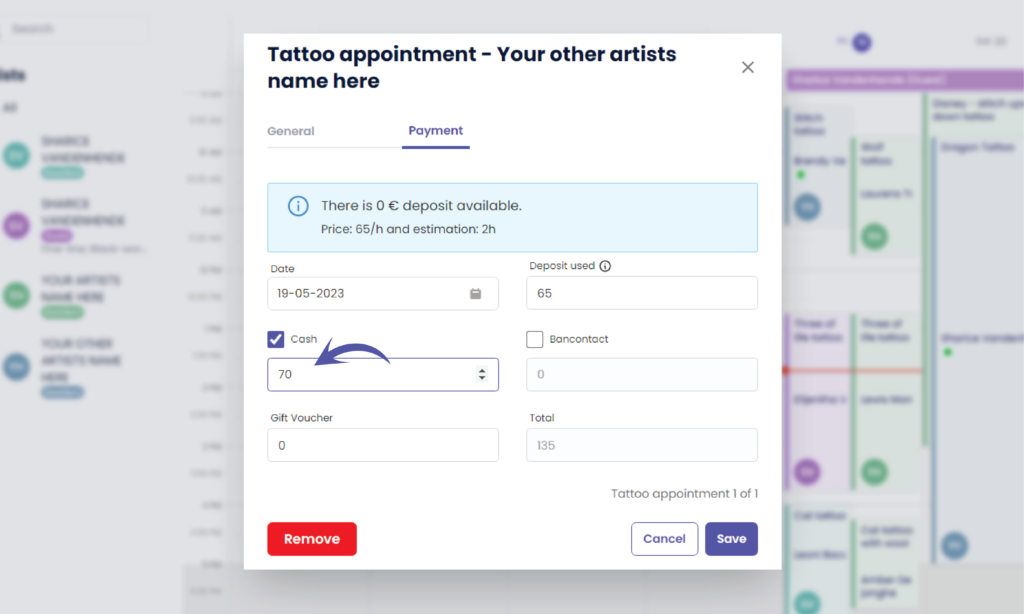
Change the payment details according to the correction needed
( e.g. €70 )
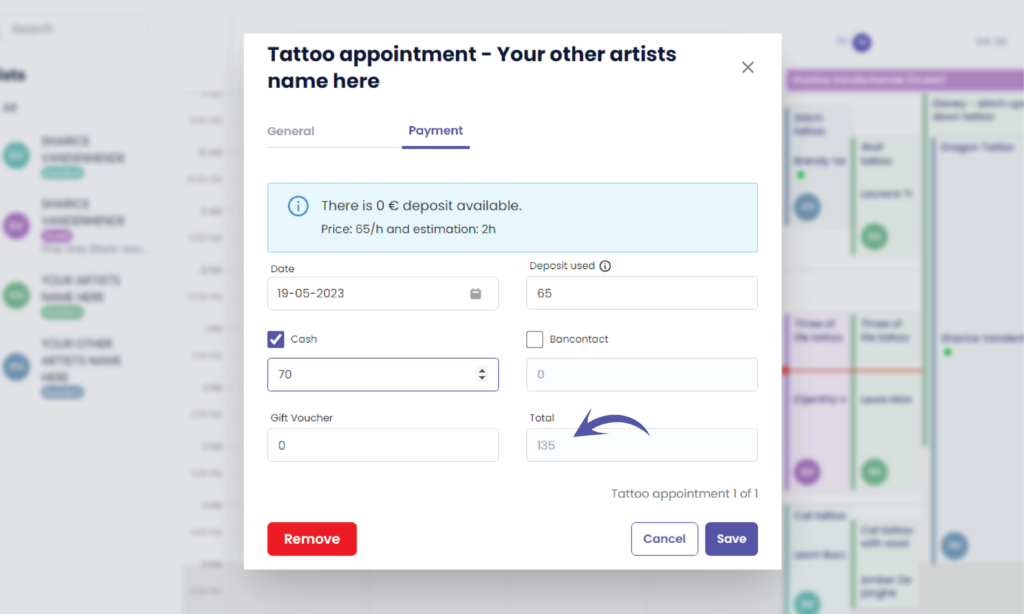
The total amount has automatically changed
( e.g. €135)
Haga clic en ‘Guardar’ to register your payment correction

Volverá al calendario
¿Todavía tiene un problema o una pregunta?
A continuación encontrará un pequeño enlace llamado ‘¿Sigues atascado? ¿Cómo podemos ayudarle?’
Escrito por
Sharice Vandenhende
Por Tattoogenda


 English
  Dutch
Dutch  Dutch (Belgium)
  French
  German
  Spanish