

Aller à ‘Calendrier’
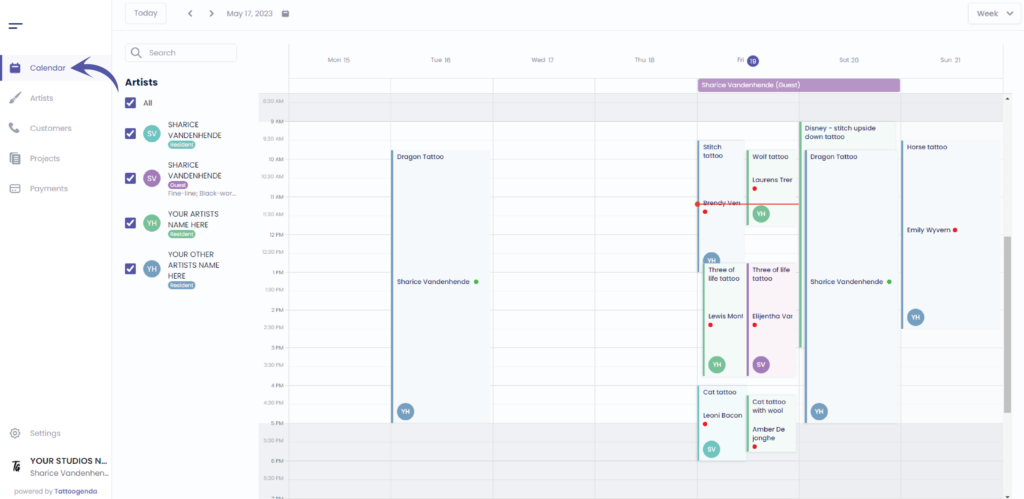
L'écran suivant s'affiche
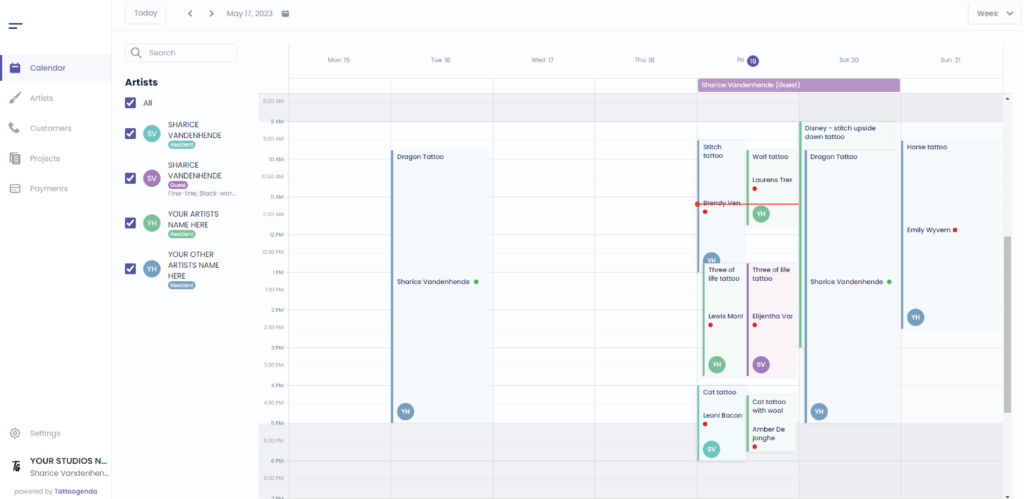
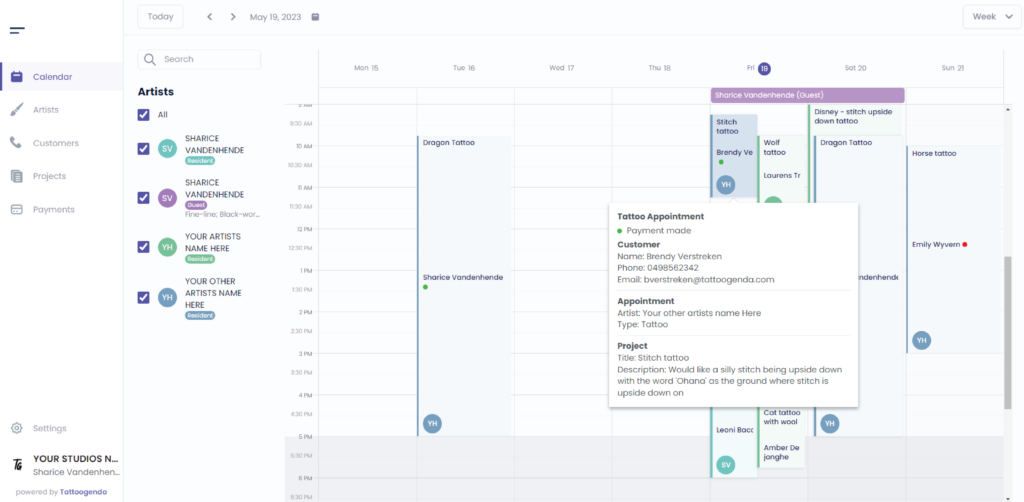
We will select this appointment in this tutorial

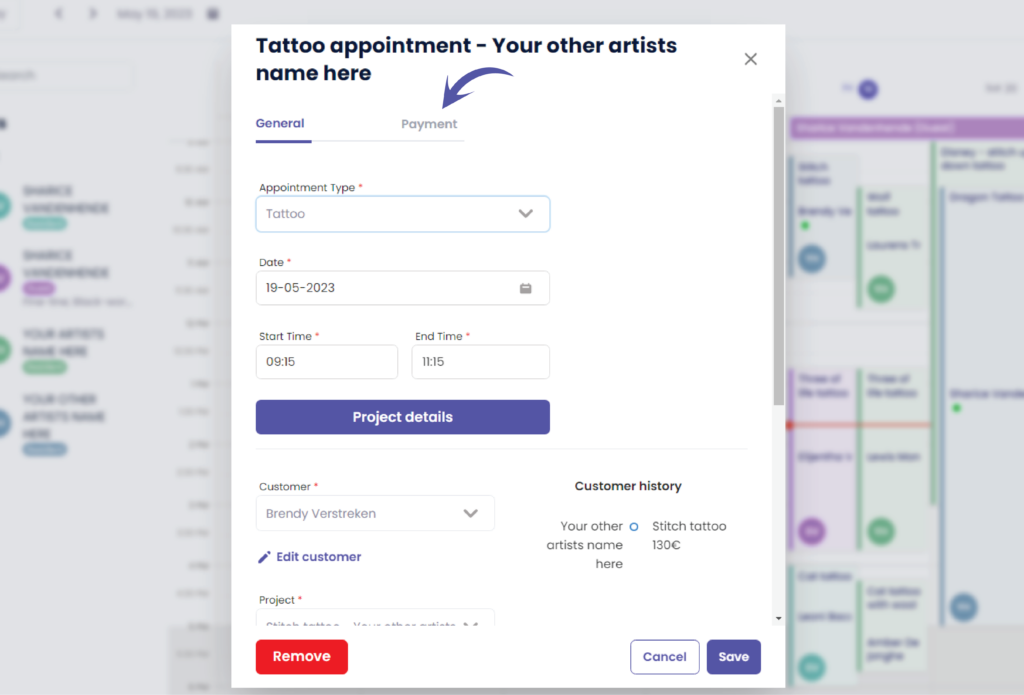
You will see the following popup screen
Aller à ‘Paiements’
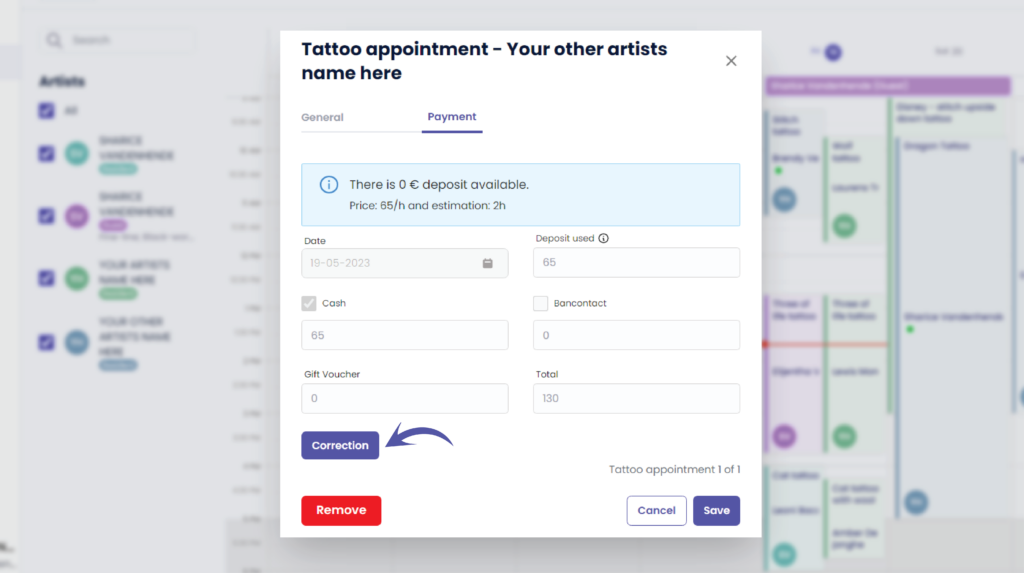
You can see that everything is grayed out , this is because a payment was already made.
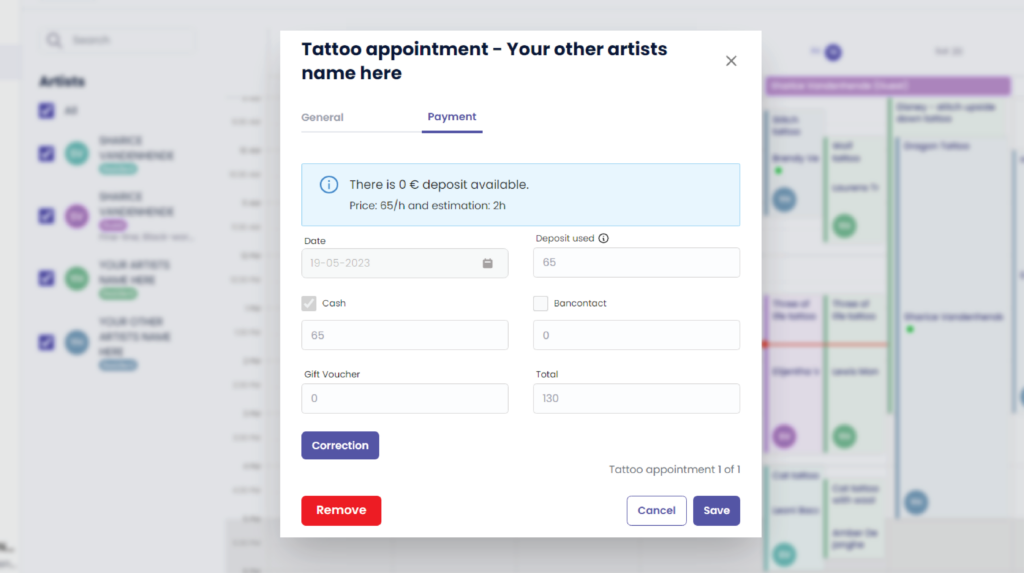
If you made a typo for example you can click on the ‘Correction’ button.
The correction button is only available to receptionists with ‘edit payment’ rights, and to managers (the ones creating the TG account).
Artists are never allowed to change payments.
Unless you have a ‘Single Artist’ subscription, then you are also the manager and artist simultaneously.
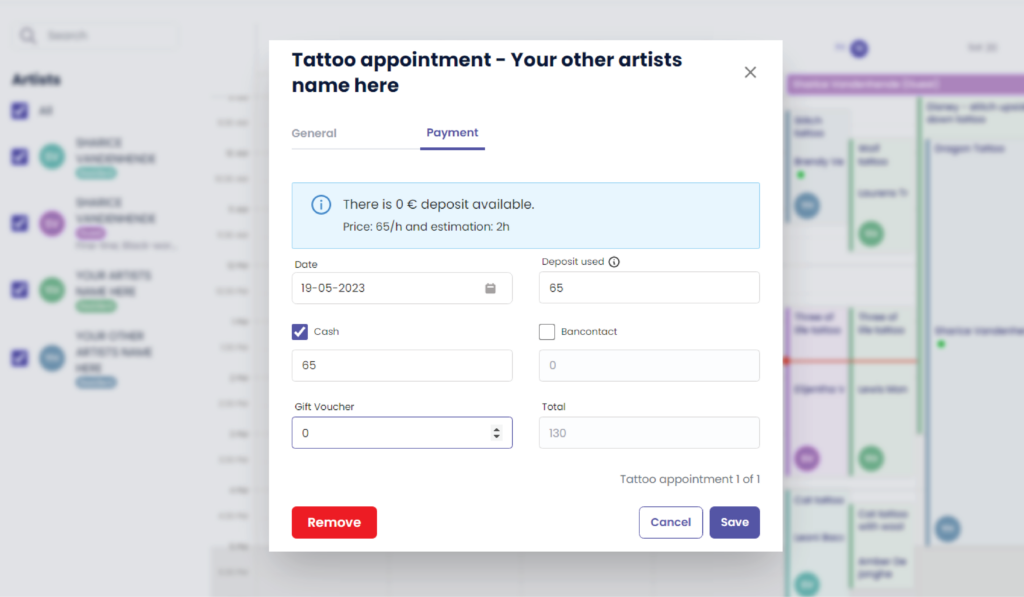
Everything will be prefilled
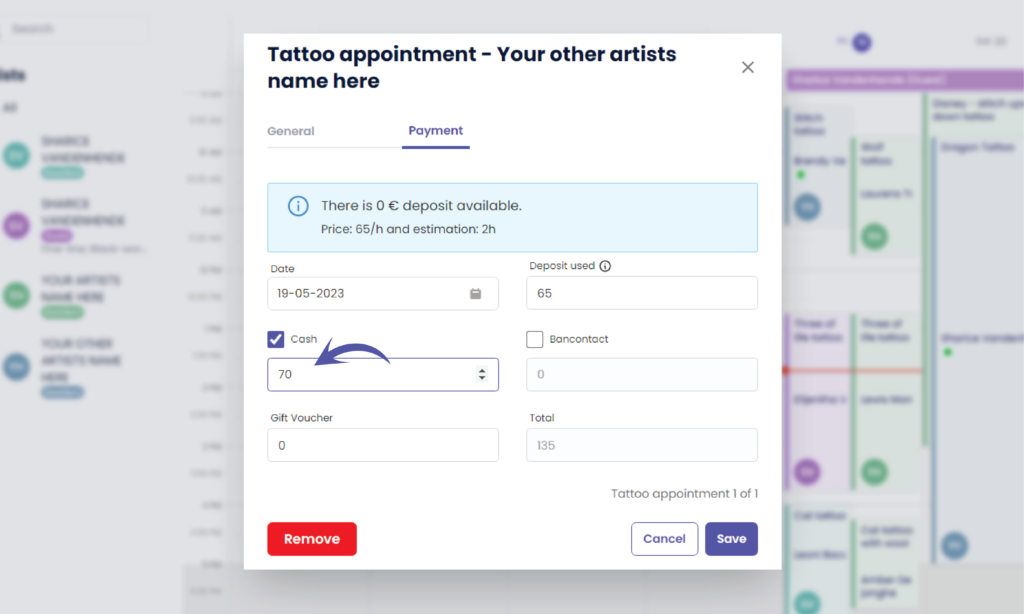
Change the payment details according to the correction needed
( e.g. €70 )
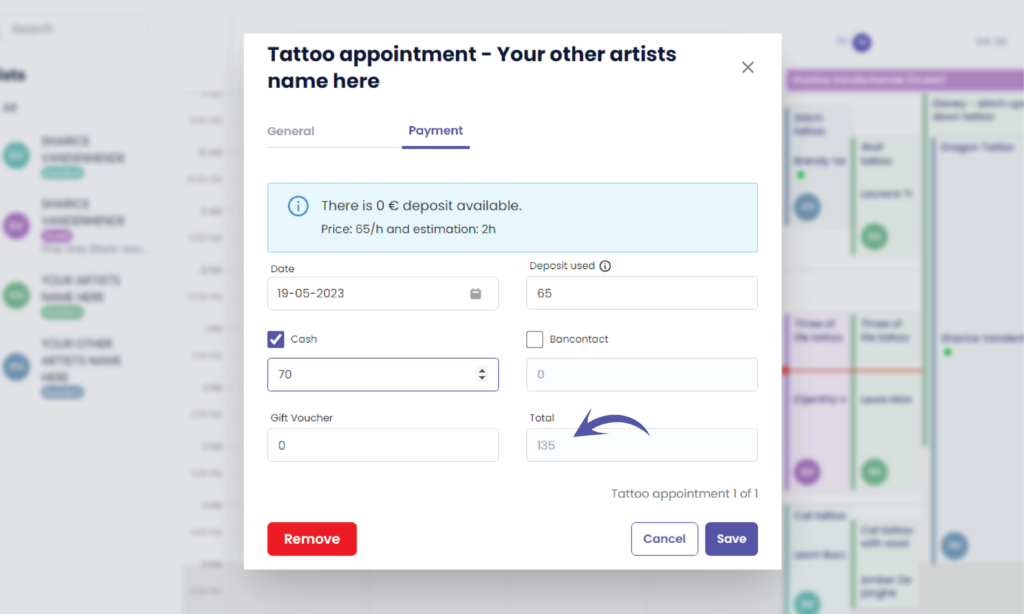
The total amount has automatically changed
( e.g. €135)
Cliquez sur ‘Sauvegarder’ to register your payment correction

You will be brought back to the calendar
Vous avez encore un problème ou une question ?
Vous trouverez ci-dessous un petit lien intitulé ‘Toujours bloqué ? Comment pouvons-nous vous aider ?’
Rédigé par
Sharice Vandenhende
Par Tattoogenda


 English
  Dutch
Dutch  Dutch (Belgium)
  French
  German
  Spanish