
IMPORTANT
VOUS AVEZ BESOIN DU PLAN D'ABONNEMENT SUIVANT
Dépôts are available only from the ‘Studio d'experts’ plan.
Ces options ne pas être disponible pour vous lorsque vous ne disposez pas de ce régime ou d'un régime supérieur.
The deposits will only work if Stripe or Mollie have been connected.

DISCONNECT STRIPE #
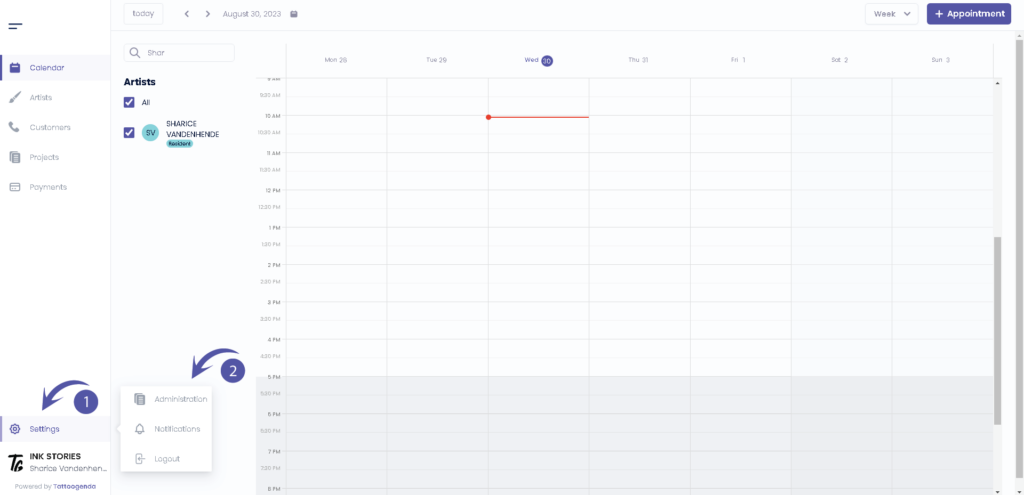
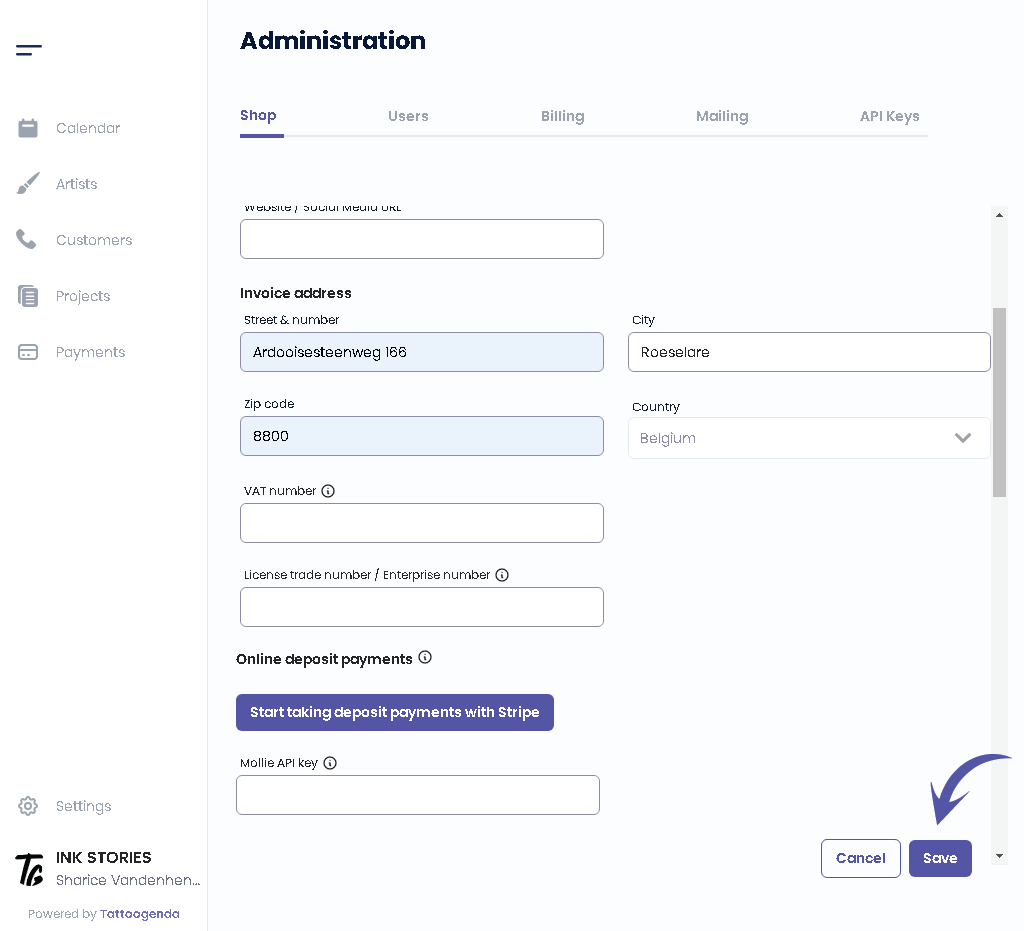
In your Tattoogenda software go to ‘Settings‘ and go to ‘Administration.
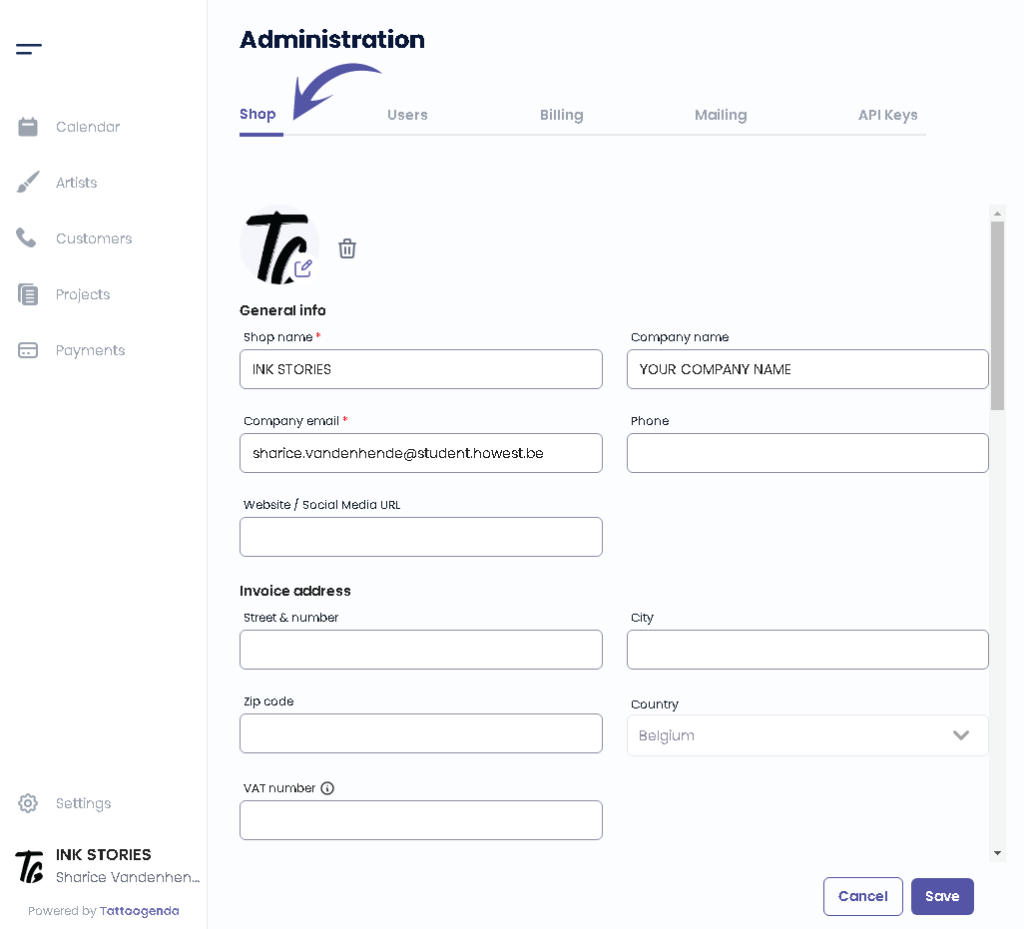
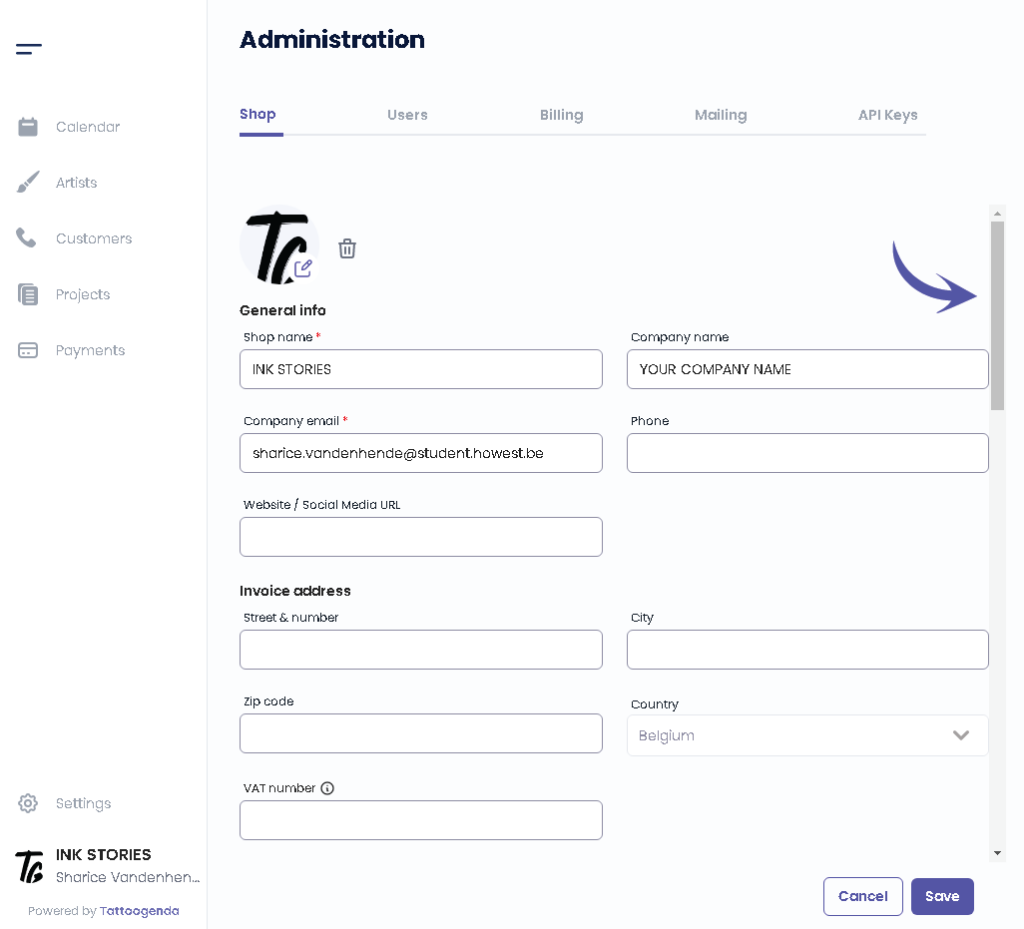
You will automatically be in the ‘Shop‘ section, here you scroll down until u find ‘Online deposits‘.
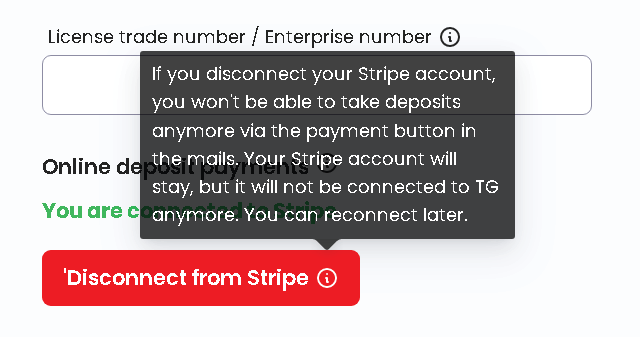
When stripe has been connected you will find a red button called ‘Disconnect from Stripe‘.
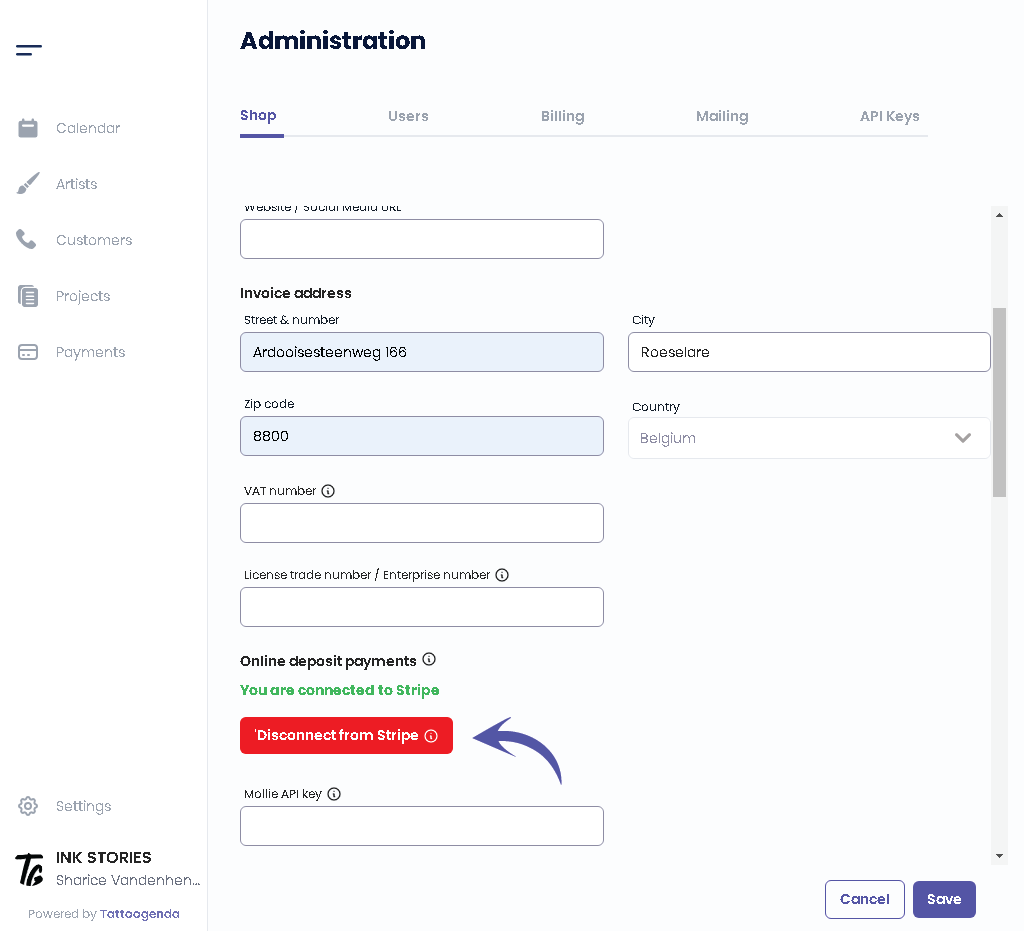
The information icon will warn you that you won’t be able to use deposits anymore if you choose to reconnect.
If you are sure you can click the button.
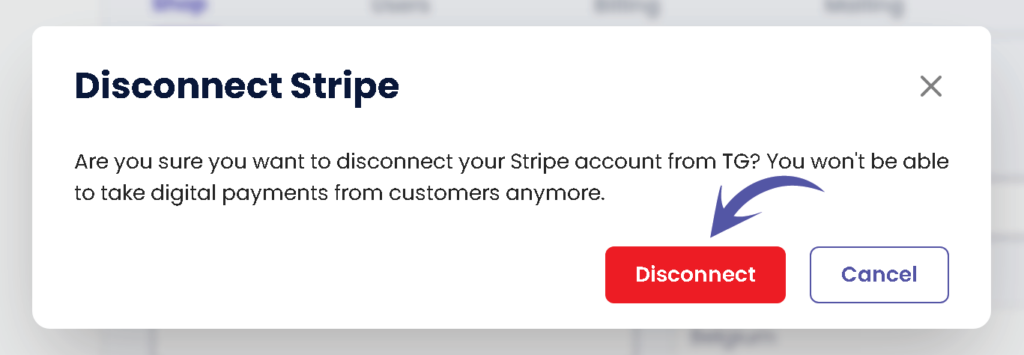
You will get a popup confirming that you wish to disconnect Stripe. Click on Disconnect.
After confirming don’t forget to click on ‘Sauvegarder’ to save your changes.
Vous avez encore un problème ou une question ?
Vous trouverez ci-dessous un petit lien intitulé ‘Toujours bloqué ? Comment pouvons-nous vous aider ?’
Rédigé par
Sharice Vandenhende
Par Tattoogenda


 English
  Dutch
Dutch  Dutch (Belgium)
  French
  German
  Spanish