
BELANGRIJK
HEB JE HET VOLGENDE ABONNEMENT NODIG
Stortingen are available only from the ‘Deskundige studio’ plan.
Deze opties zullen niet beschikbaar zijn voor jou als je dit plan niet of niet hoger hebt.
The deposits will only work if Stripe or Mollie have been connected.

DISCONNECT STRIPE #
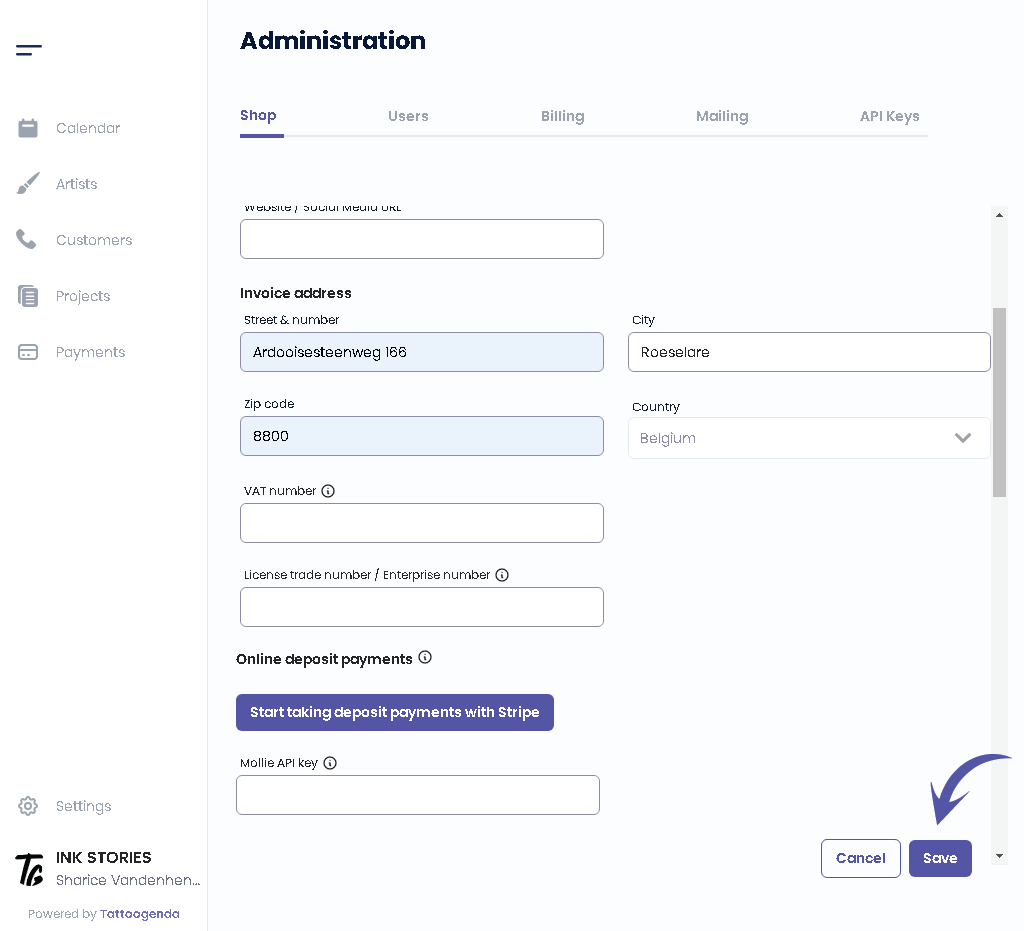
In your Tattoogenda software go to ‘Settings‘ and go to ‘Administration.
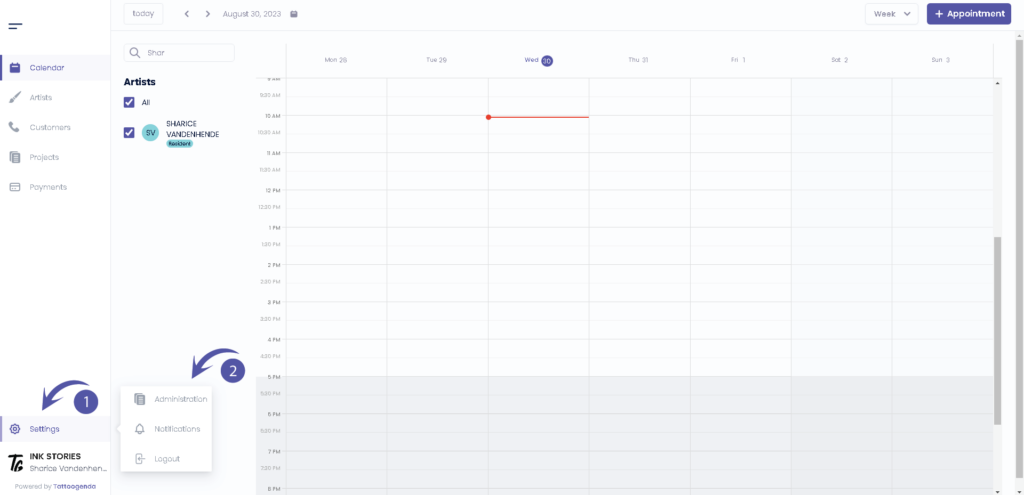
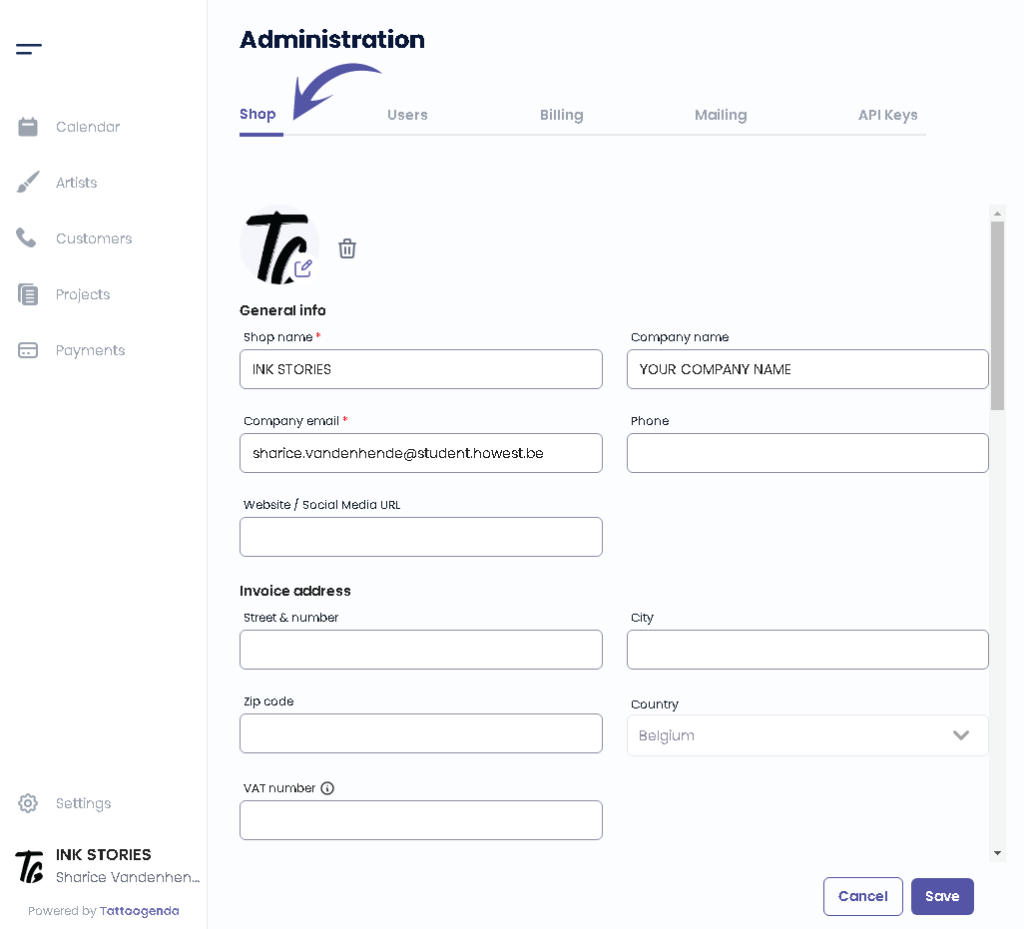
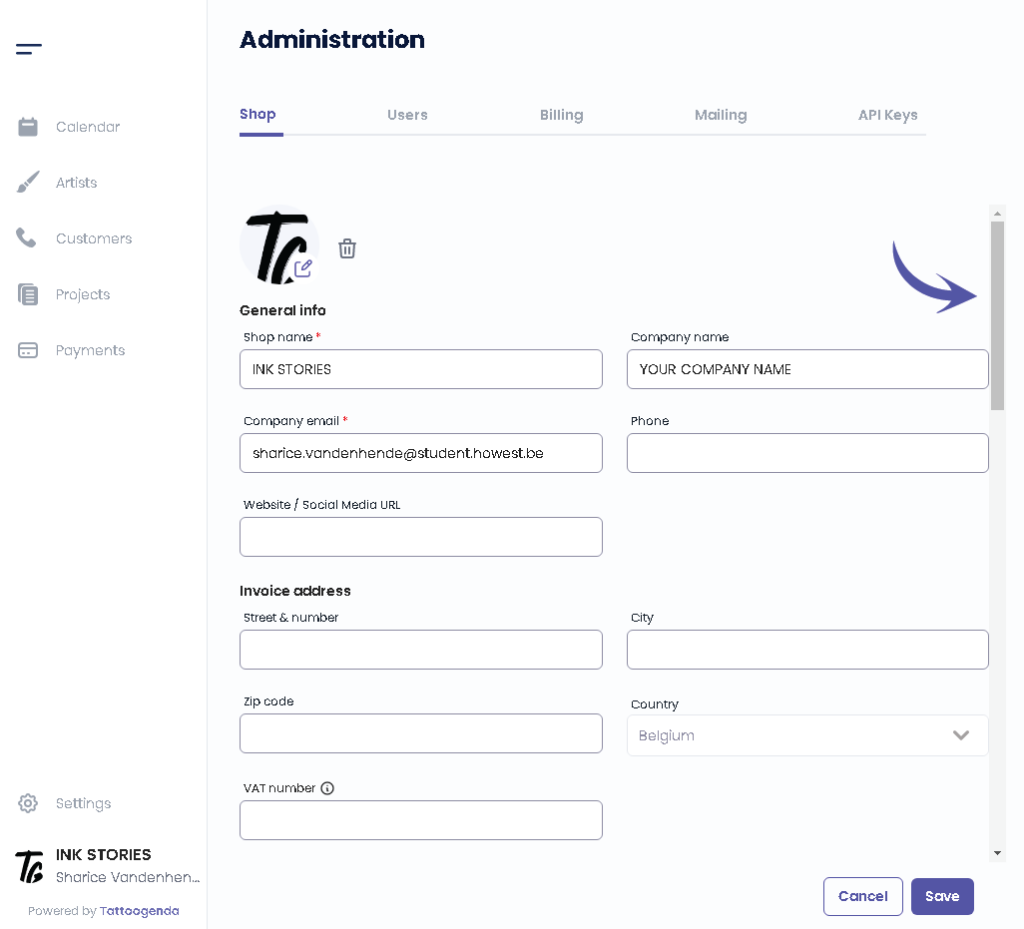
You will automatically be in the ‘Shop‘ section, here you scroll down until u find ‘Online deposits‘.
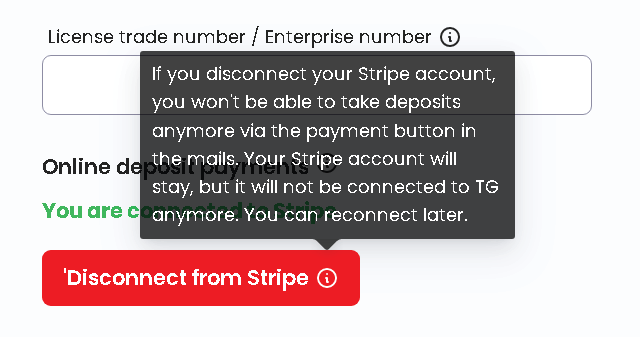
When stripe has been connected you will find a red button called ‘Disconnect from Stripe‘.
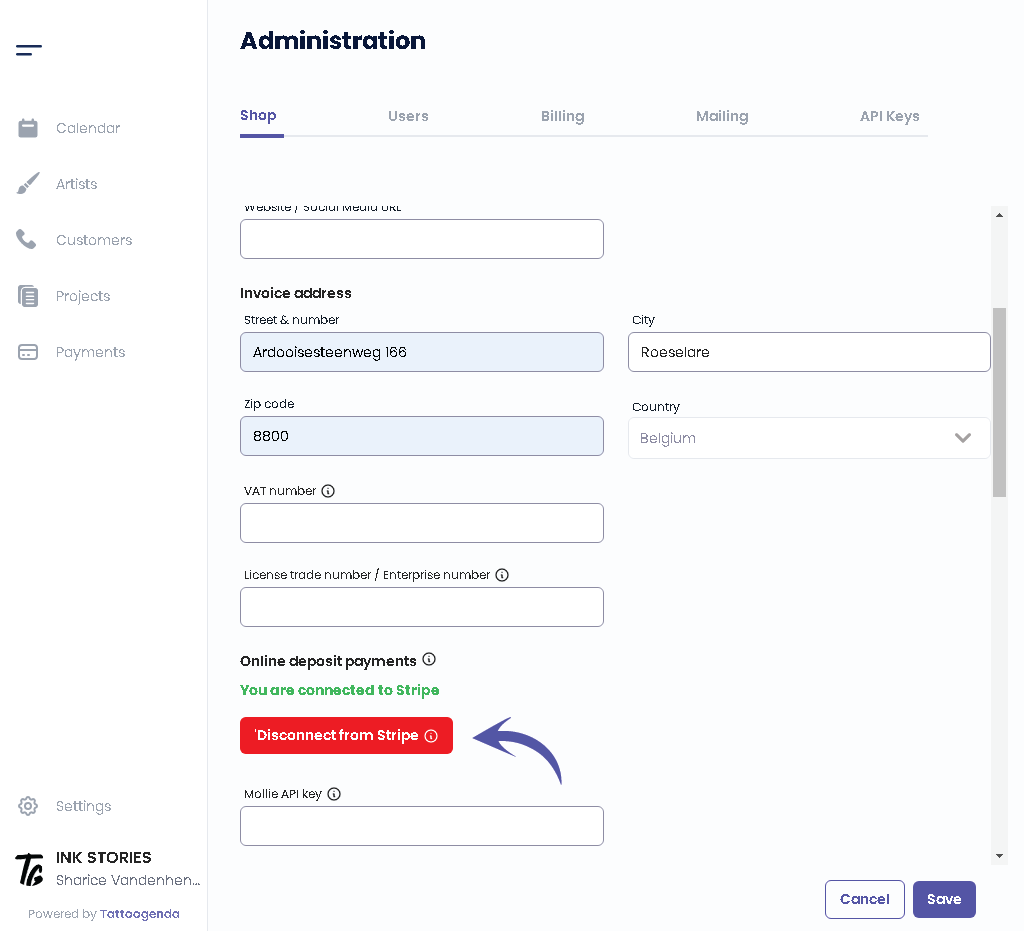
The information icon will warn you that you won’t be able to use deposits anymore if you choose to reconnect.
If you are sure you can click the button.
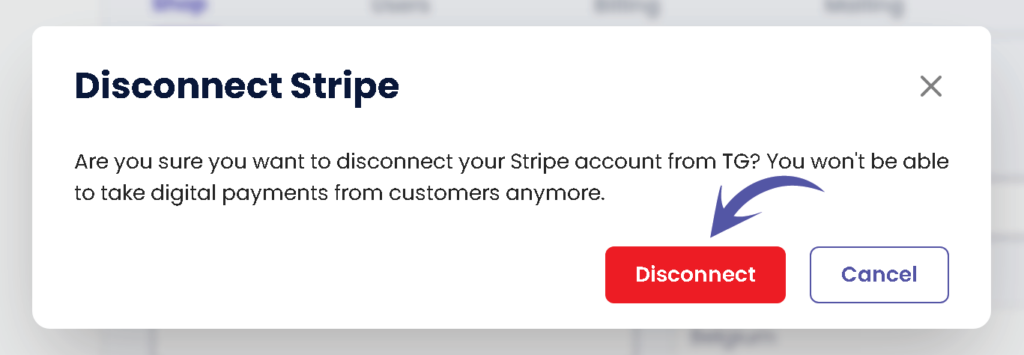
You will get a popup confirming that you wish to disconnect Stripe. Click on Disconnect.
After confirming don’t forget to click on ‘Opslaan’ to save your changes.
Heb je nog steeds een probleem of een vraag?
Hieronder vind je een kleine link met de naam ‘Nog steeds vast? Hoe kunnen we helpen!’
Geschreven door
Sharice Vandenhende
Door Tattoogenda


 English
  Dutch
Dutch  Dutch (Belgium)
  French
  German
  Spanish