

The appointment list and appointment reminder emails
are included in each subscription plan.
In uw Tattoogenda studio software,
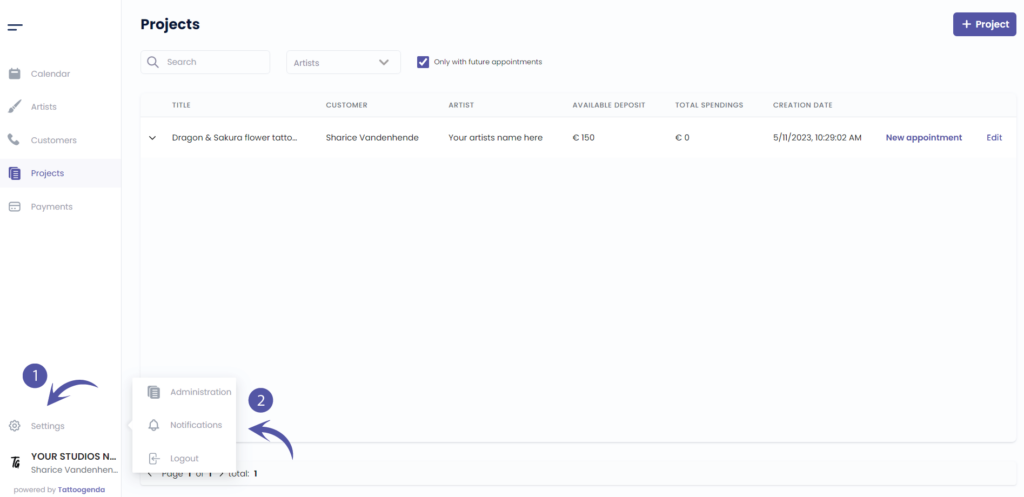
U vindt uw instellingen linksonder in uw scherm boven uw studionaam.
Ga naar je instellingen en kies ‘Meldingen’
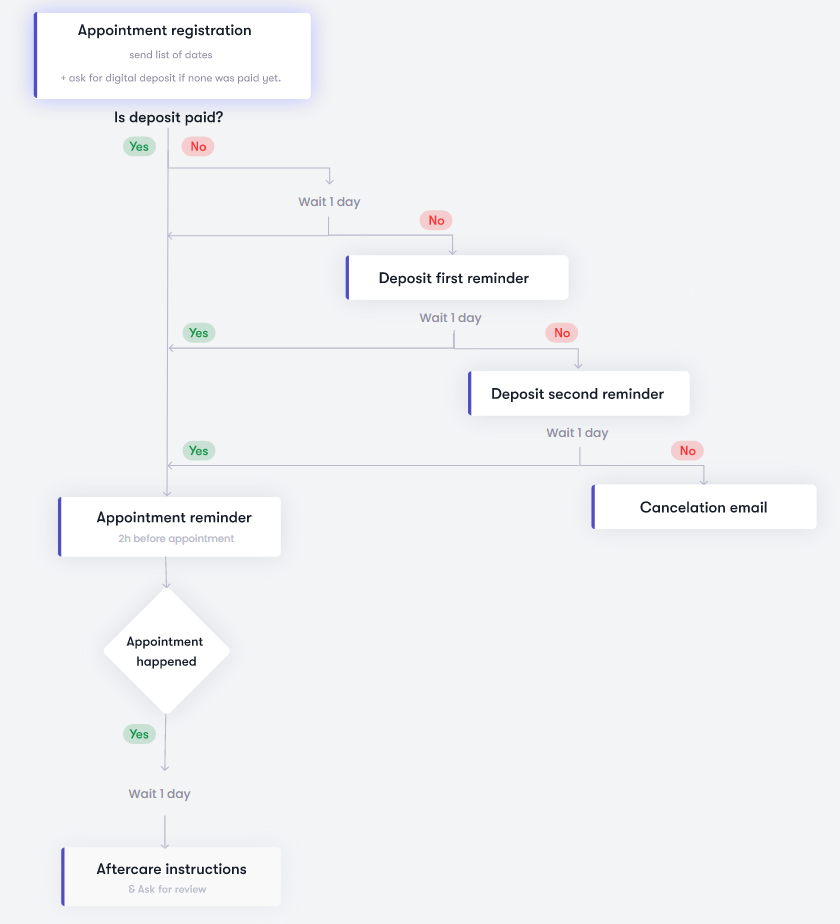
MELDINGEN SCHEMA
Je scherm zou eruit kunnen zien als de schermafbeelding hieronder.
UW GEAUTOMATISEERDE E-MAILS ACTIEF ZIJN
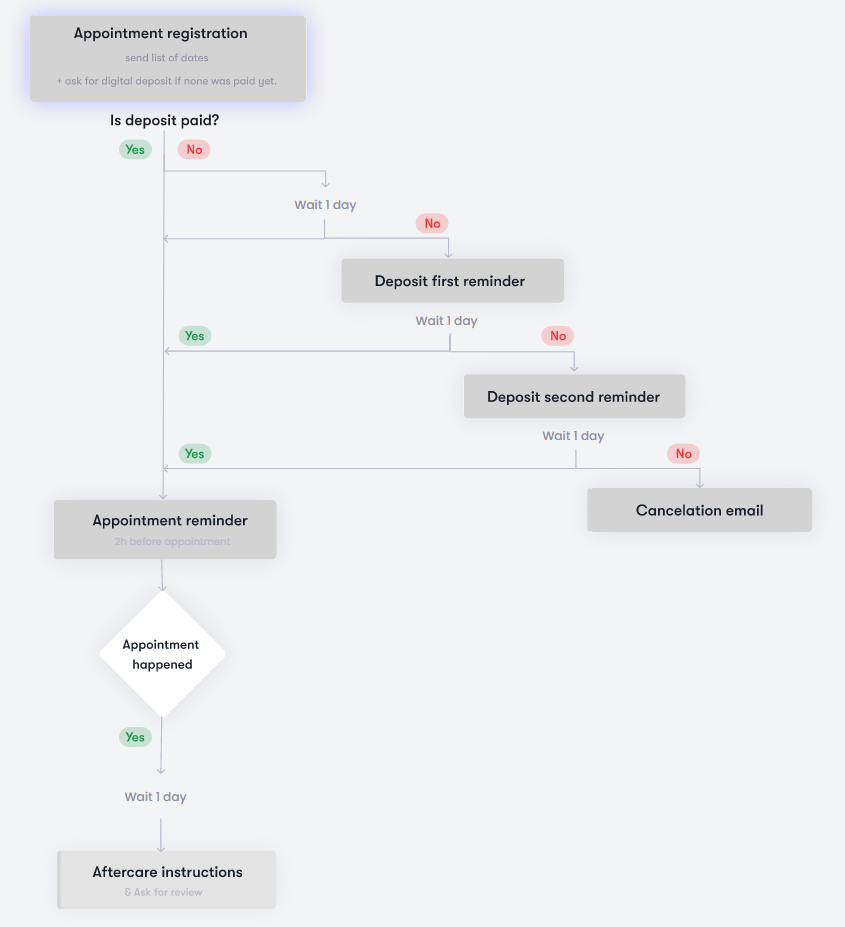
UW GEAUTOMATISEERDE E-MAILS INACTIEF ZIJN
INGESCHAKELD
Uw geautomatiseerde e-mail of optie is actief

UITGESCHAKELD
Uw geautomatiseerde e-mail of optie is inactief

APPOINTMENT LIST NOTIFICATION CONFIGURATION #
After an appointment or appointments were booked, an automatic appointment list email will be send out later that same day.
Why a delay?
This is to make sure your customer only gets one email with a list of all their appointments, instead of one mail per appointment.
This gives a receptionist or artist time to book multiple appointments for the same customer.
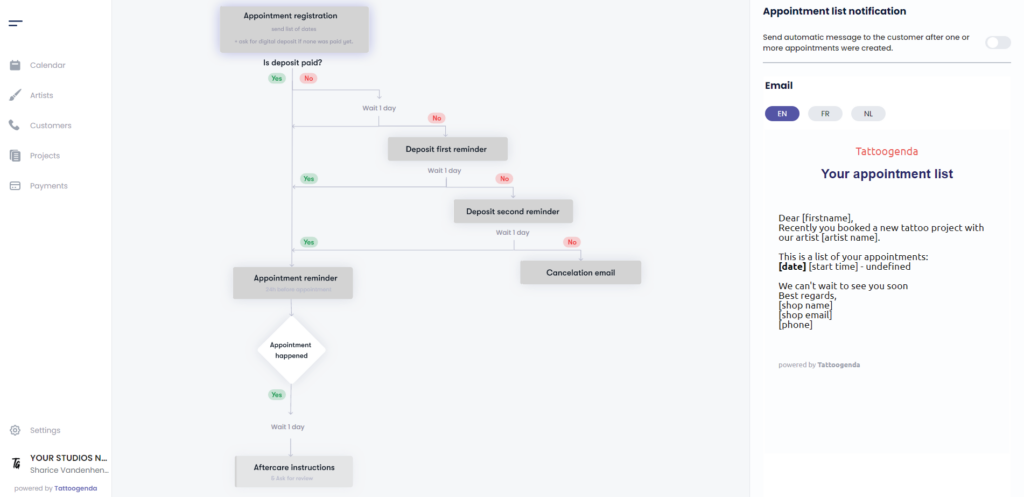
Klik op je schema op ‘Appointment registration’.

U ziet de ‘Appointment list notification’ appear with a toggle button.
Schakelen op the appointment list notification.
Notice that on the schematic it turned white.
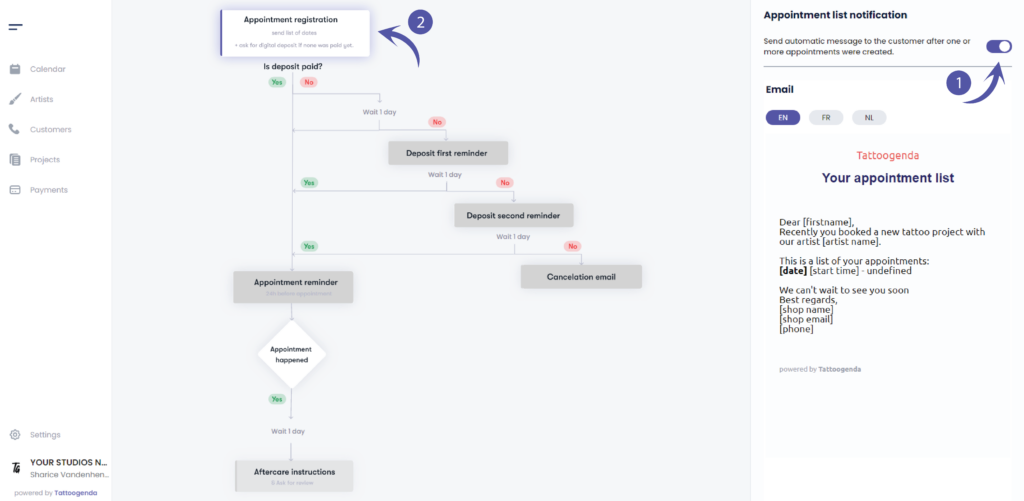
VOORBEELD EMAIL
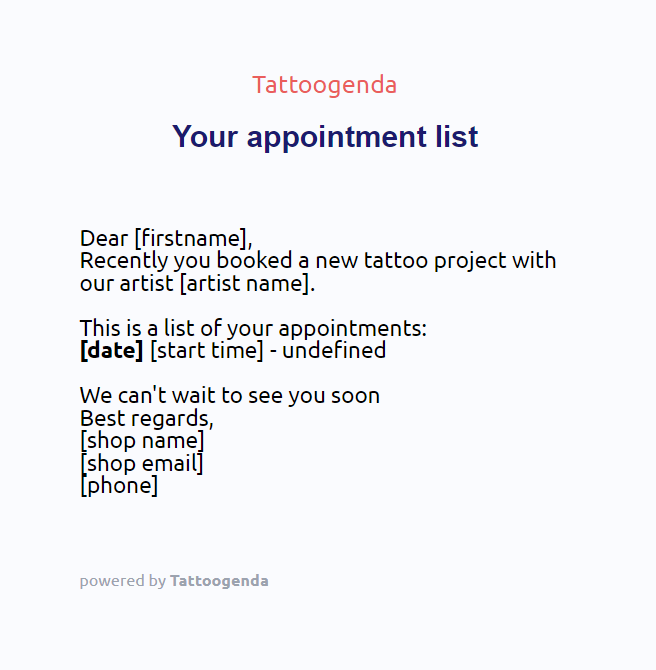
Je kunt een voorbeeld zien van hoe de e-mail eruit zou kunnen zien.
De vierkante haakjes en de inhoud ervan worden vervangen door je eigen gegevens.
bijv.
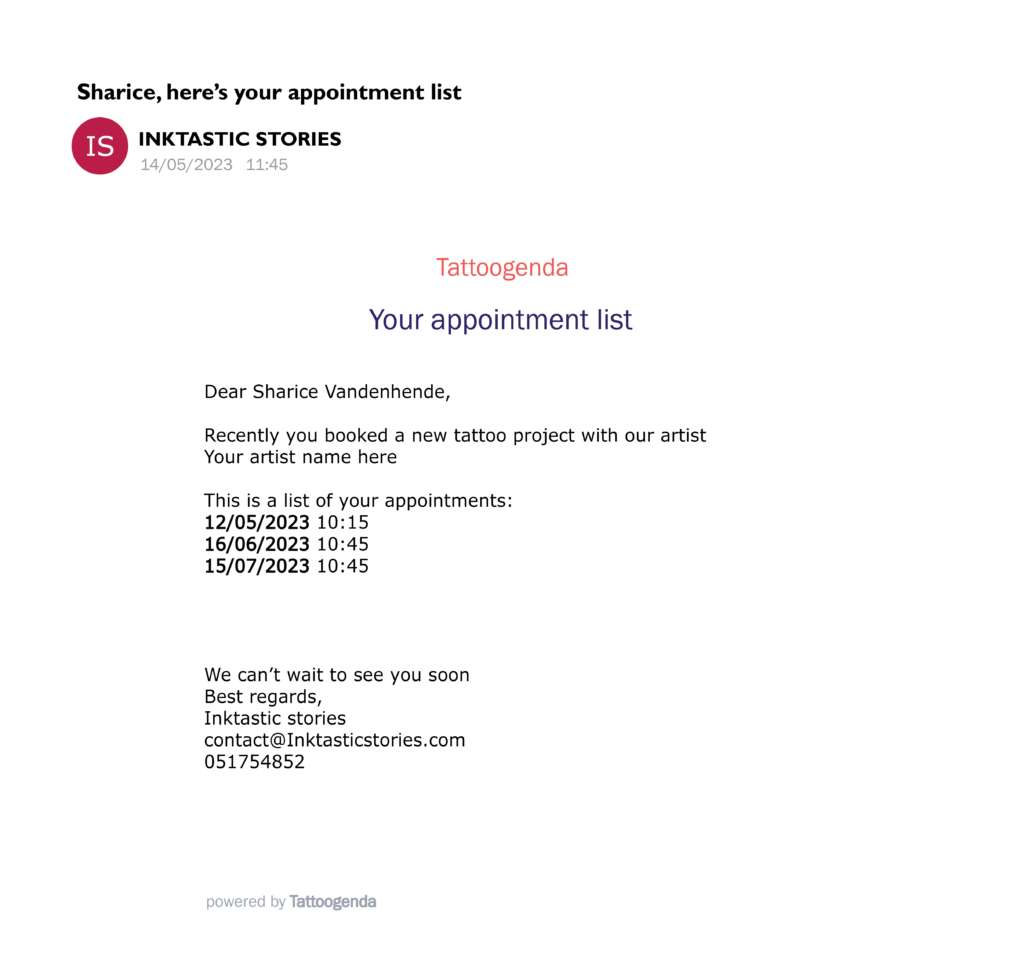
If your customers first name would be ‘Sharice’ it will say
Dear Sharice,
…
This is how it looks like in your TG administration settings:
This is how it looks like in the mailbox of your client:
WOULD LIKE A PAY DEPOSIT BUTTON?
Check out our subscription plans if you’d like to ask you customer to pay their deposit online into the appointment list email!
This is possible starting from the ‘Deskundige studio’ plan.
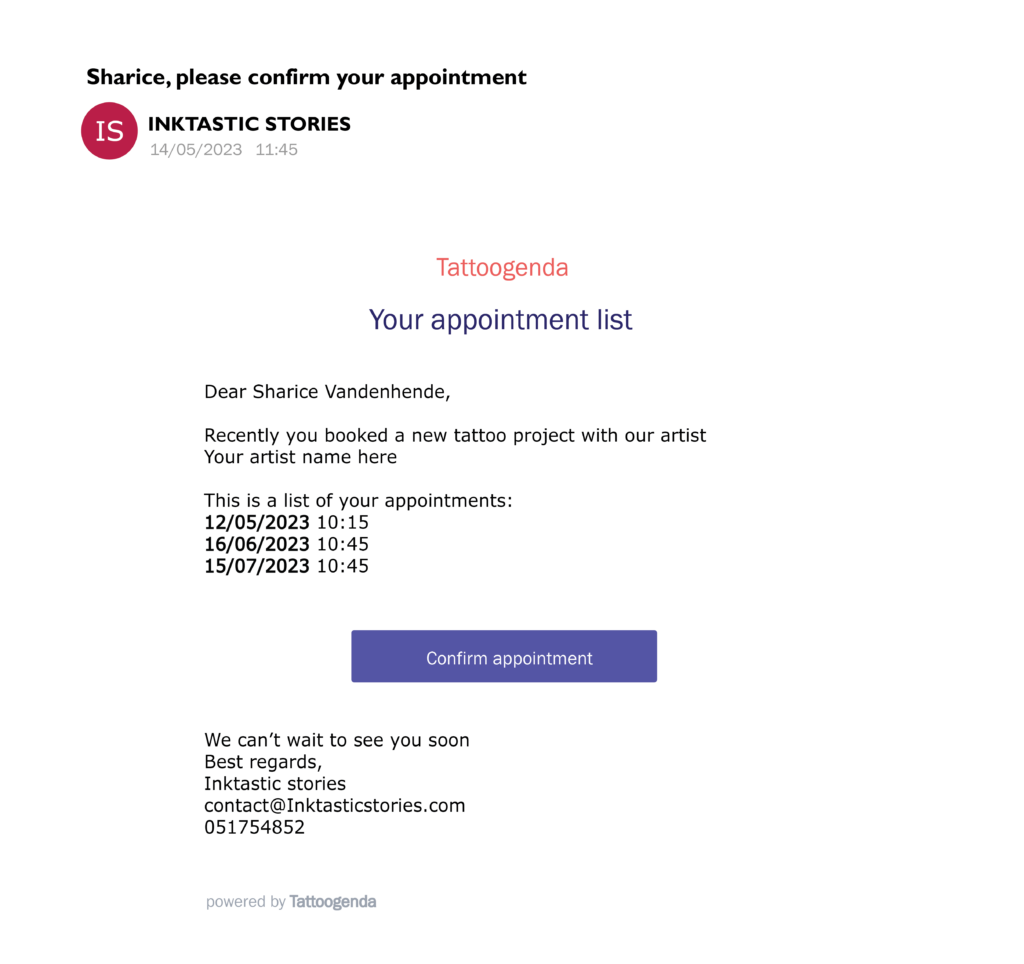
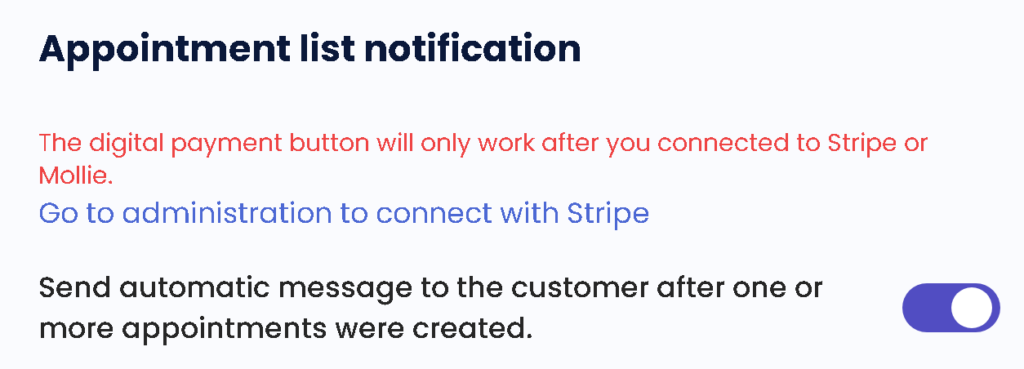
If you wish to have this button into your emails you need to set up Stripe or Mollie for deposits.
Please note you require at least the ‘Expert studio’ plan to be able to do this.
You will see the following reminder if you do not have Stripe or Mollie setup for collecting deposits
Inhoud personaliseren #
Je kunt je notificatie-e-mails personaliseren!
Aan het einde van je e-mail met meldingen kun je je eigen inhoud toevoegen.
Lees hier meer over in het onderstaande artikel!
Meldtalen #

U kunt een standaard taal selecteren voor je winkel.
Als de standaardtaal van je winkel EN is, dan zal elke nieuwe klant standaard EN zijn.
Tijdens het maken of bewerken kun je de taal van elke klant wijzigen in een van de beschikbare talen uit de lijst.
Dit is vooral handig voor winkels in landen waar je klanten met verschillende talen moet bedienen.
(in België hebben we bijvoorbeeld Frans en Nederlands).
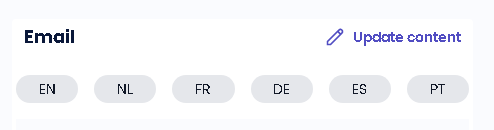
Elke melding is beschikbaar in meerdere talen.
Hier kun je de inhoud van de notificatie-e-mail bewerken, kun je dat voor elke taal doen.
(bijv. Als de taal van je klant EN is, krijgt hij de EN e-mails. Als de klant Frans is, krijgt hij de Franse e-mails, enz...)
WIST JE DAT?
Als u een andere taal aanvragen optie wees niet bang om ons te mailen support@tattoogenda.com
Heb je nog steeds een probleem of een vraag?
Hieronder vind je een kleine link met de naam ‘Nog steeds vast? Hoe kunnen we helpen!’
Geschreven door
Sharice Vandenhende
Door Tattoogenda


 English
  Dutch
Dutch  Dutch (Belgium)
  French
  German
  Spanish