
BELANGRIJK
HEB JE HET VOLGENDE ABONNEMENT NODIG
Betalingen zijn beschikbaar vanaf de ‘Grotere studio’ plan.
Deze opties zullen niet beschikbaar zijn voor jou als je dit plan niet of niet hoger hebt.

Ga naar ‘Betalingen’
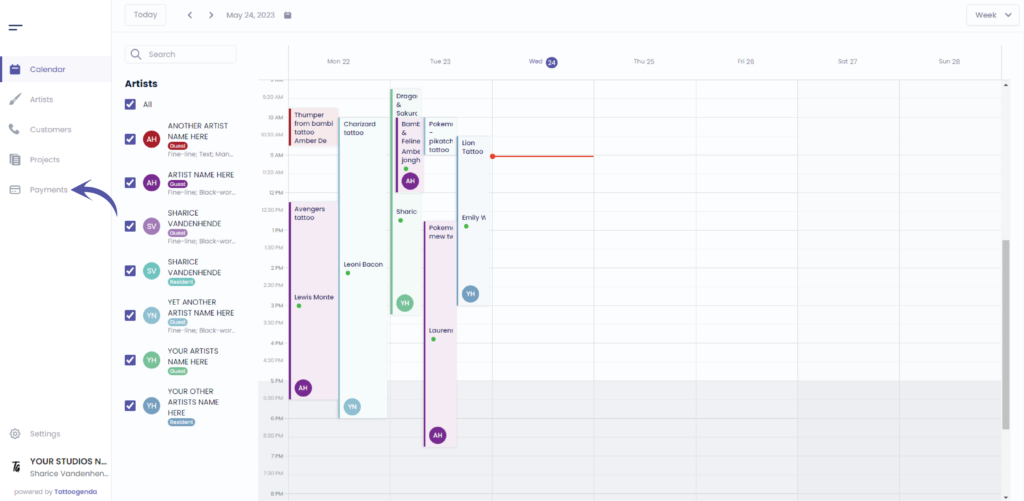
U ziet het volgende scherm
Klik op ‘Betalingen’
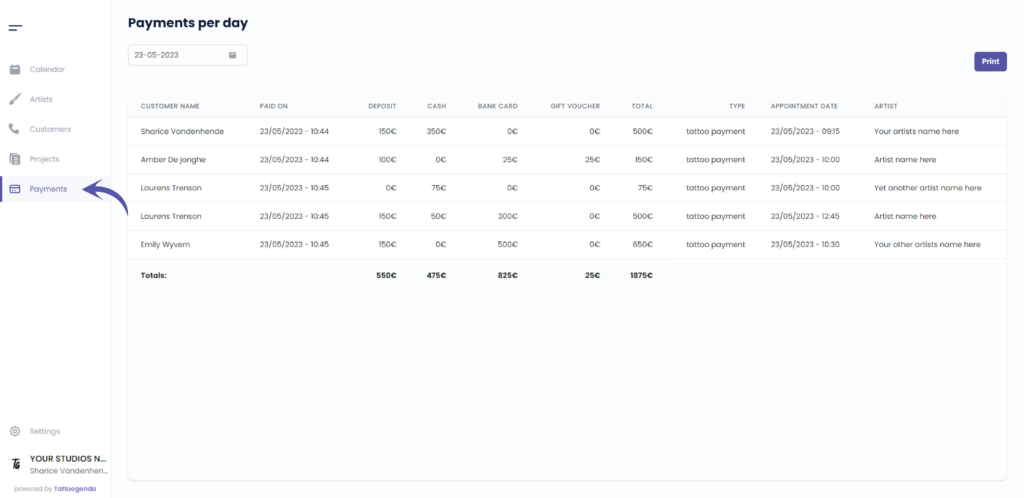
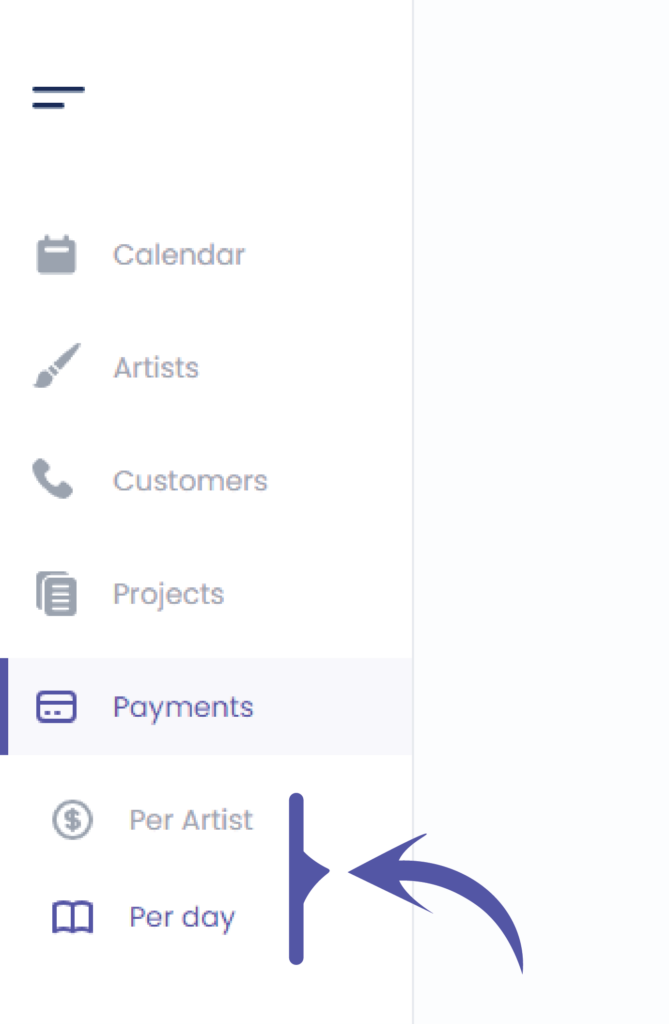
Wanneer u klikt op ‘Betalingen’ in het navigatiemenu,
you will see two more subtabs verschijnen.
Je komt automatisch op de betalingen per dag .
Click on ‘Per Artist’.
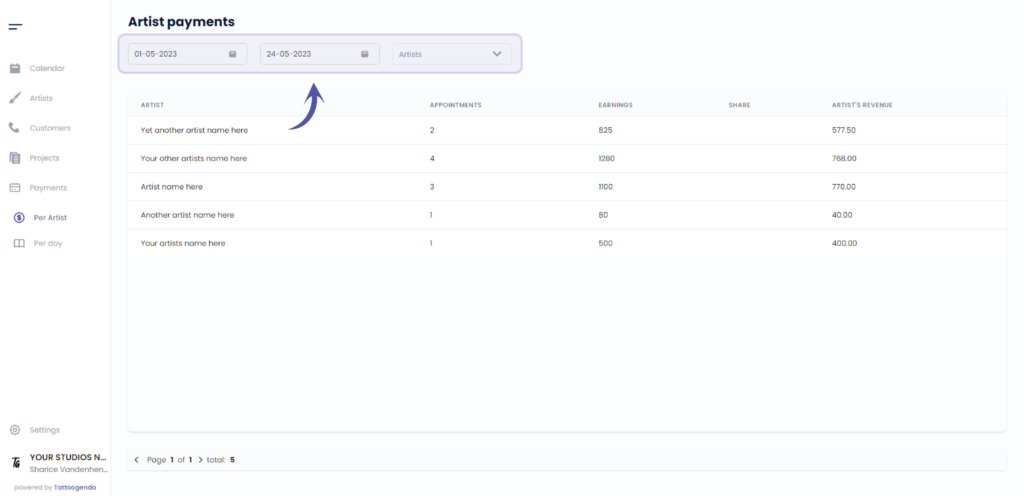
FILTER FOR DETAILED PAYMENTS #
U kunt filter according to your needs
Filter door kunstenaar
NOTE: Only Managers (The one creating the TG account) and receptionists see this list.
If you are an artist in somebody’s studio, you will only see your own payments. You will not be able to draw a list of payments of others artists of your shop.
If you created a Single Artist subscription, then you are a manager as well as an artist, and then you will also only see yourself in this list since you are the only artist in this studio.
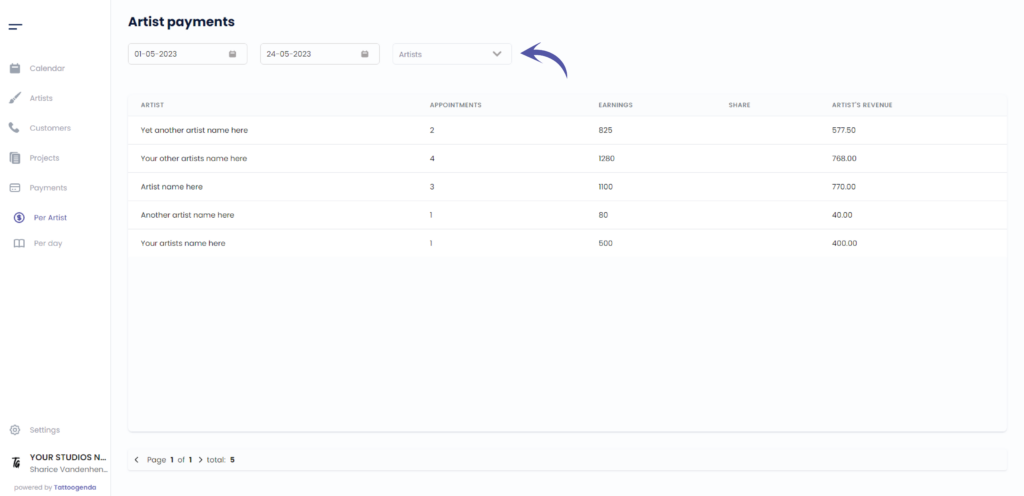
If you are a studio you can select you artist from the drop down menu
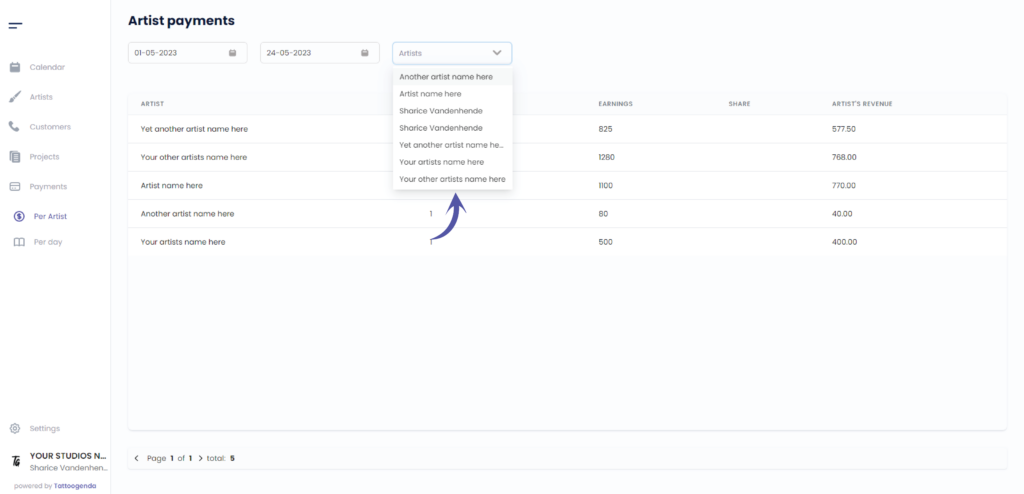
DETAILED PAYMENT LISTS PER ARTIST #
The artists share
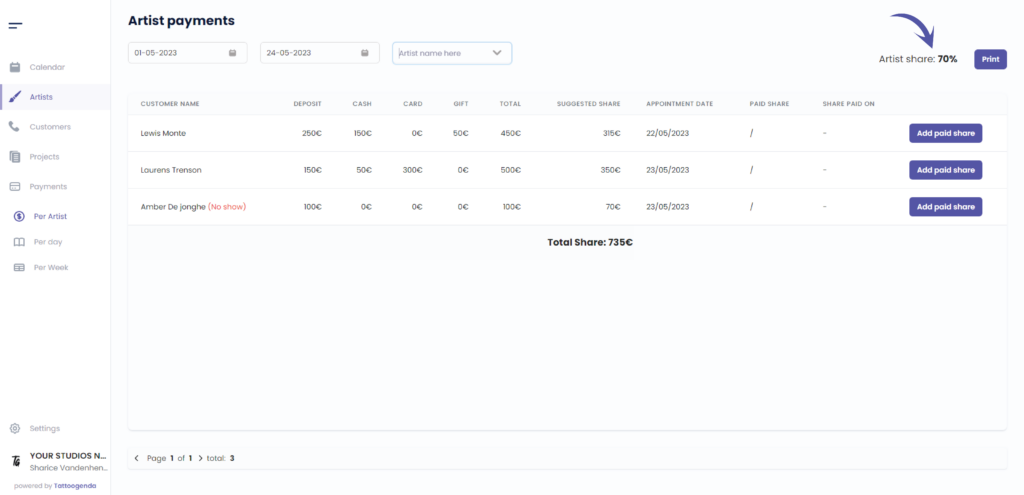
Print this list
Print this list if you need to provide a detailed income of payments according to the laws of your country
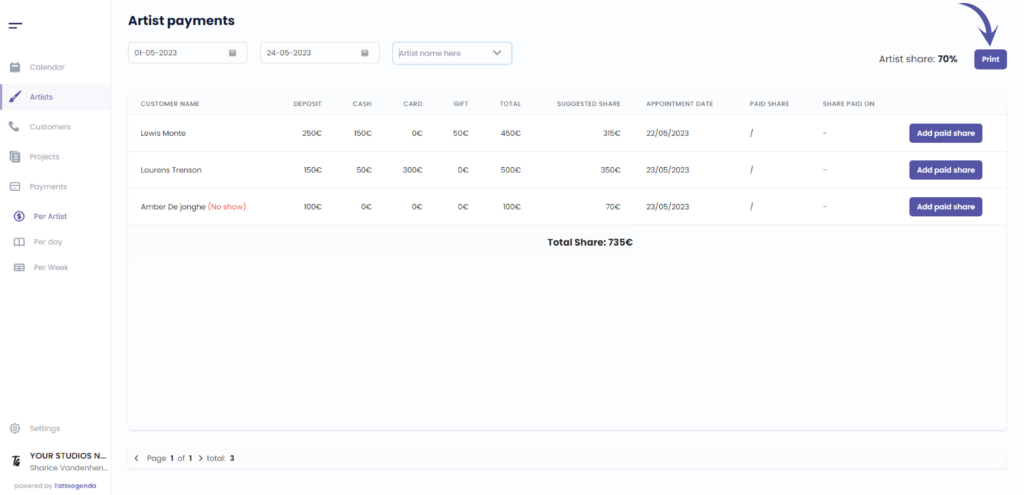
Deze kolom bevat the customers name
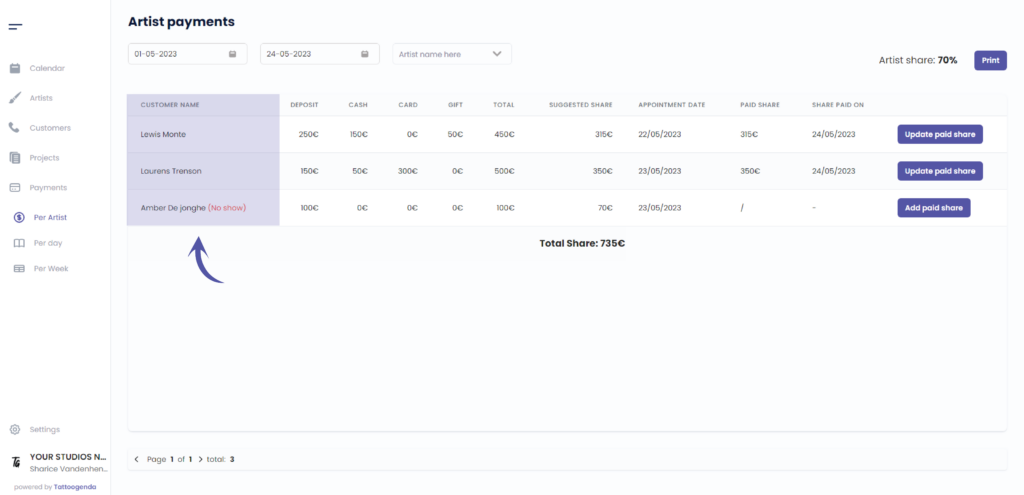
e.g. in this column we had a no show
TIP: Make sure to use the deposit when there’s a no-show or cancellation depending on your deposits rules
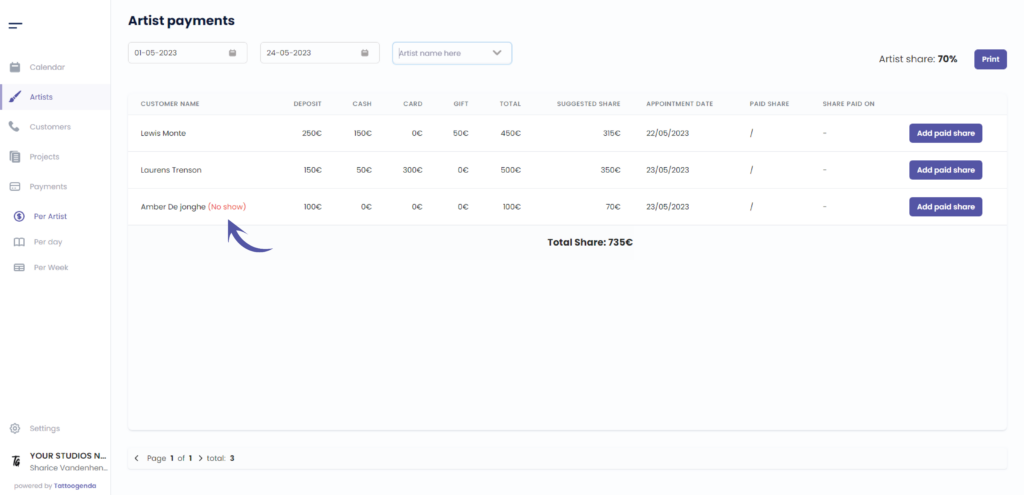
Deze kolom bevat the deposit amount

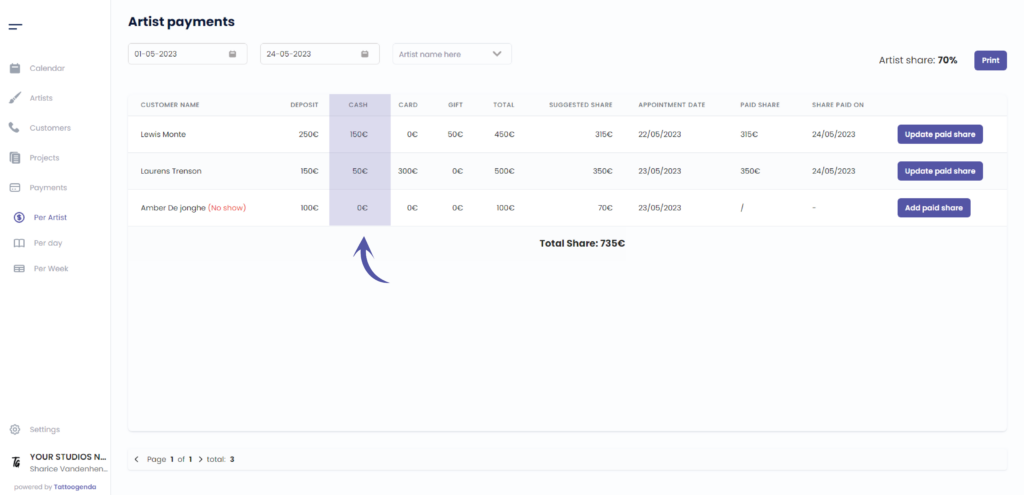
Deze kolom bevat het contant betaalde bedrag
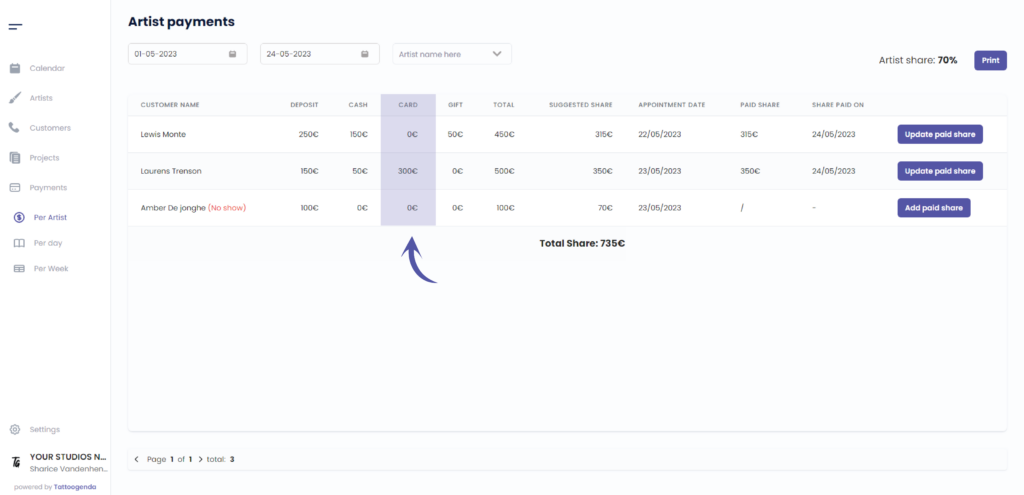
Deze kolom bevat het bedrag dat met de kaart is betaald
Deze kolom bevat het bedrag betaald met de cadeaubon
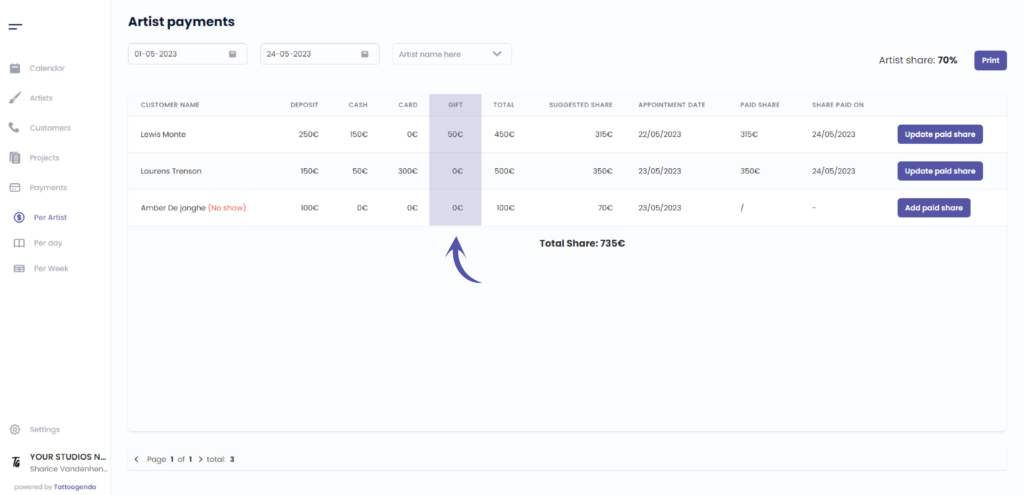
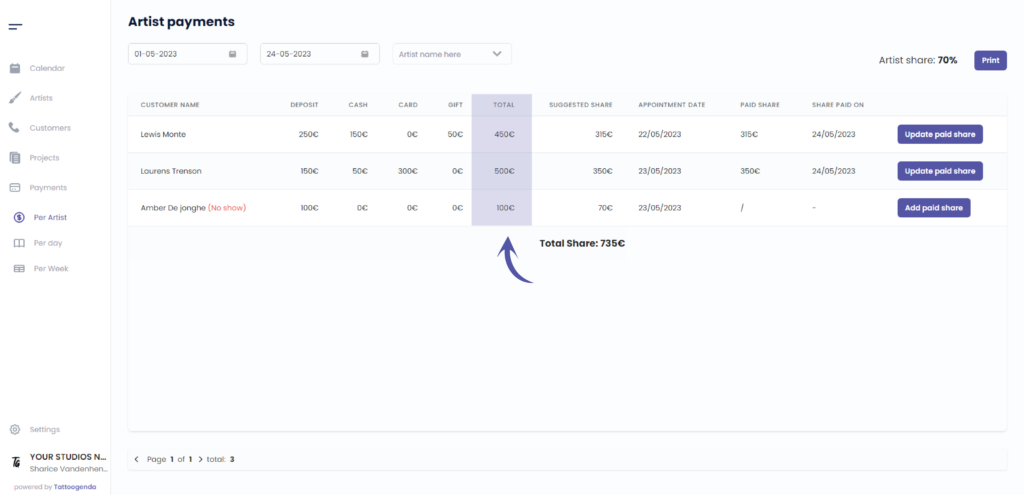
Deze kolom bevat the total amount
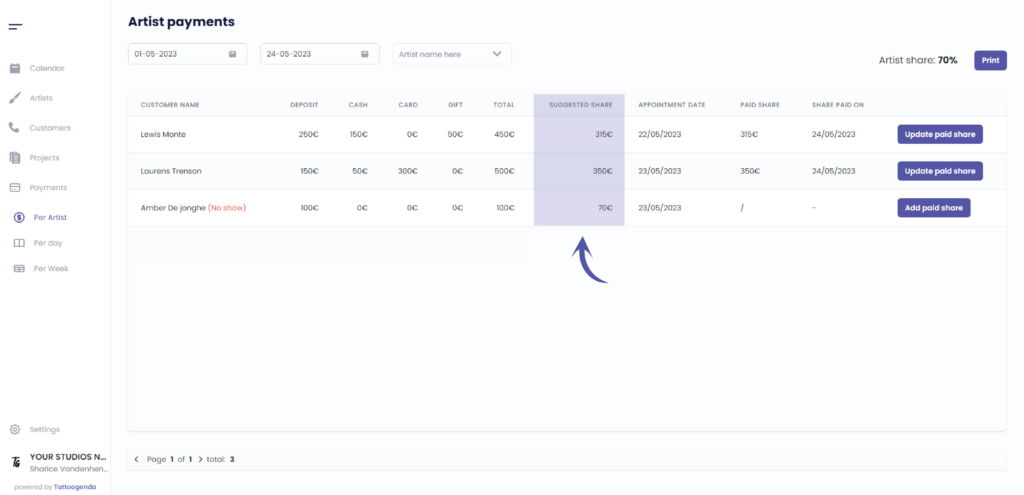
Deze kolom bevat the suggested share based on the artist share
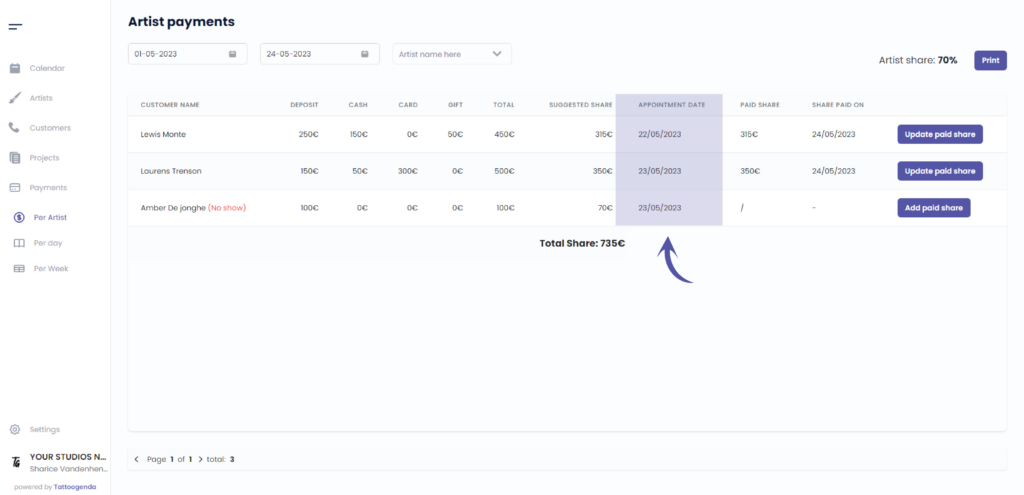
Deze kolom bevat the appointments date
Deze kolom bevat the paid share.
The paid share and share paid on is empty by default.
Sometimes your guest artists want to be paid on a certain day in the halfway through their guest spot period.
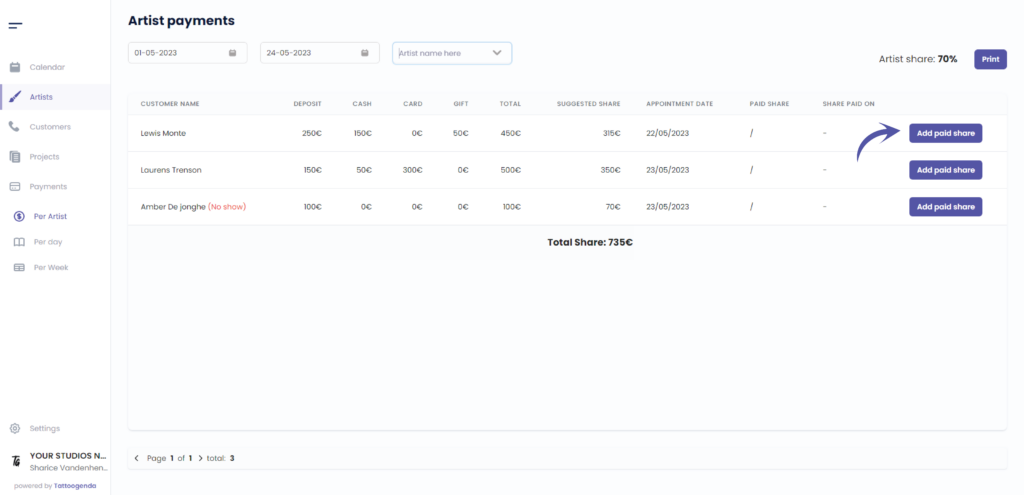
Whenever you pay out an artist, you click on ‘Add paid share’. There you enter the amount of money you gave to your artist and hit save.
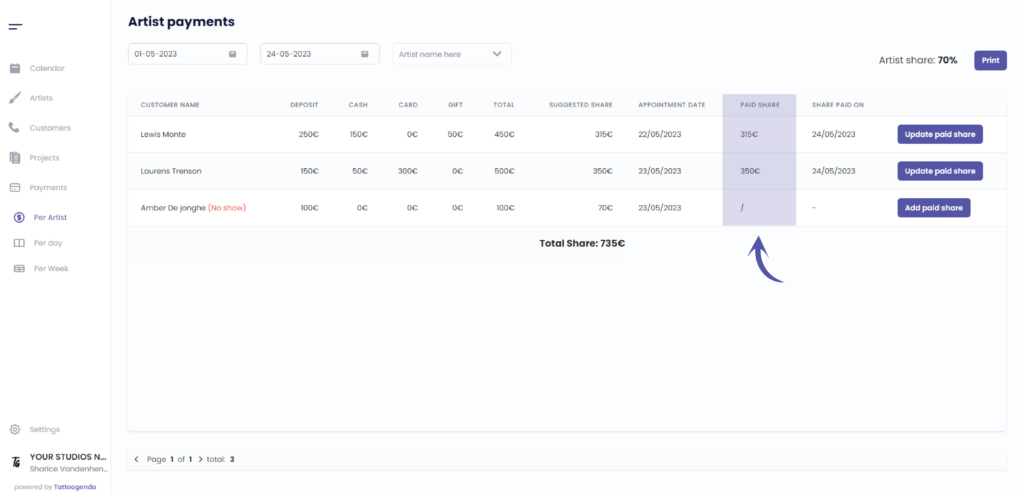
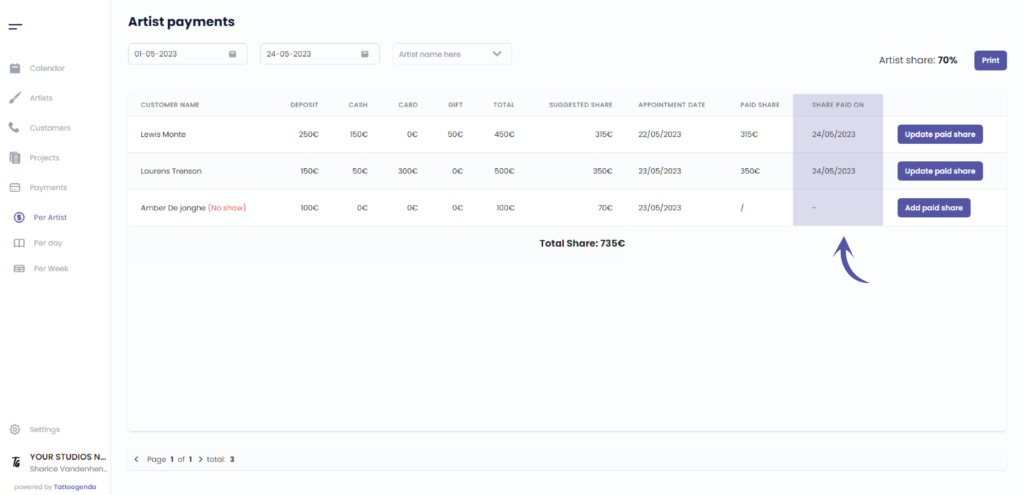
Deze kolom bevat the date of the paid share
This is to keep track of when has been paid to your artist
If you clicked add paid share in the previous step the value you entered or the value that was filled in automatically
will now be in the ‘paid share’ column. This way you can keep track of which dates have been paid out, and which have not.
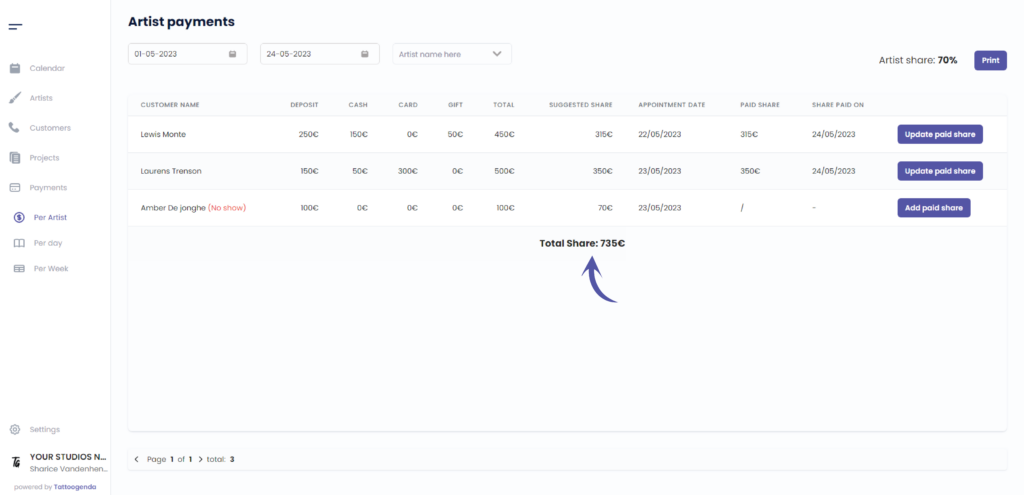
Deze kolom bevat the total share amount
Add a paid share
The suggested amount can be changed here
Navigate through the pages
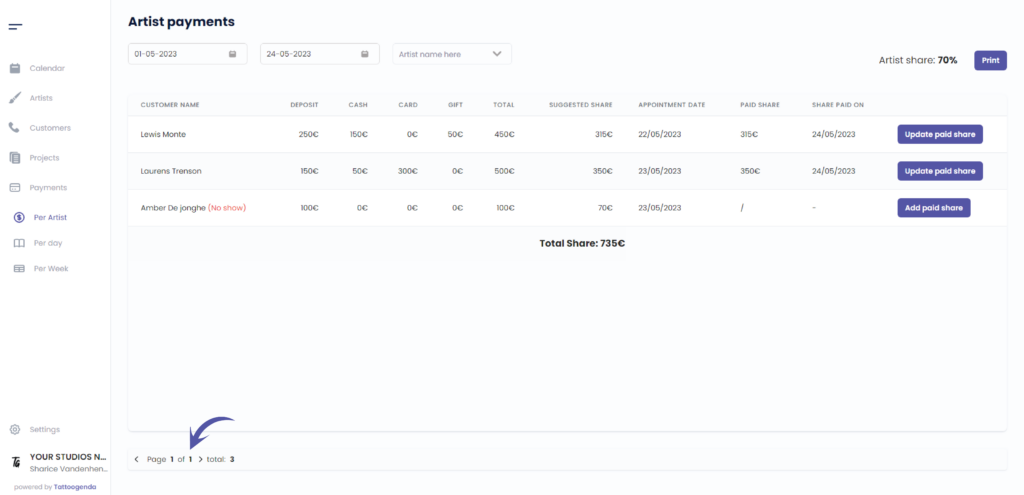
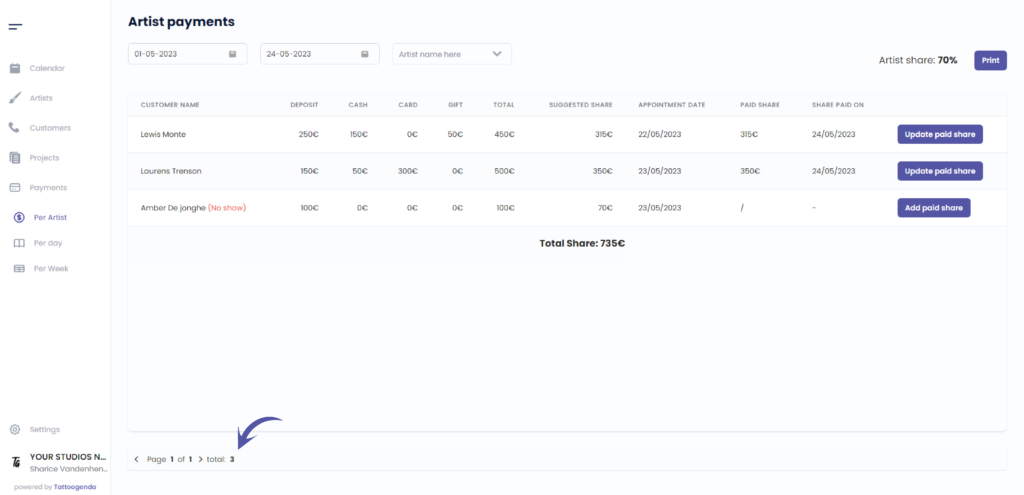
The total amount of payments
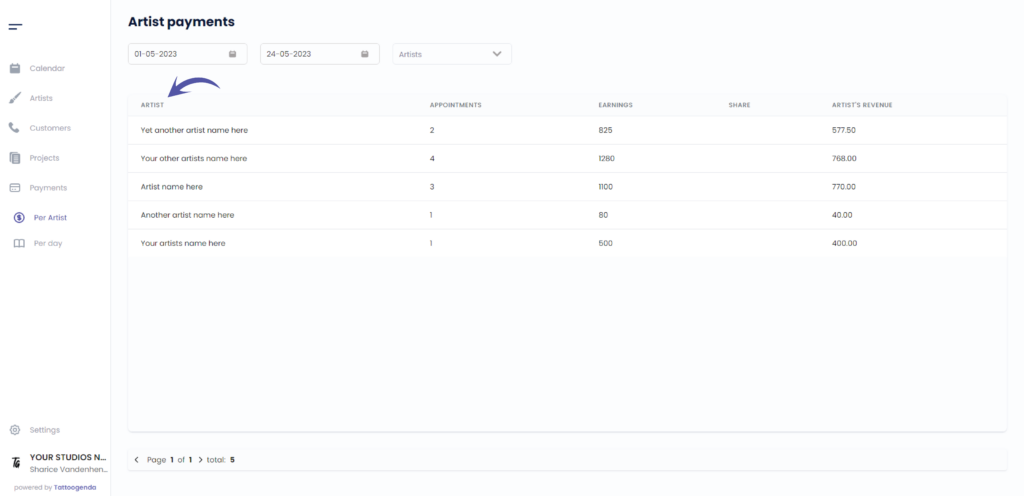
Deze kolom bevat the artist’s name
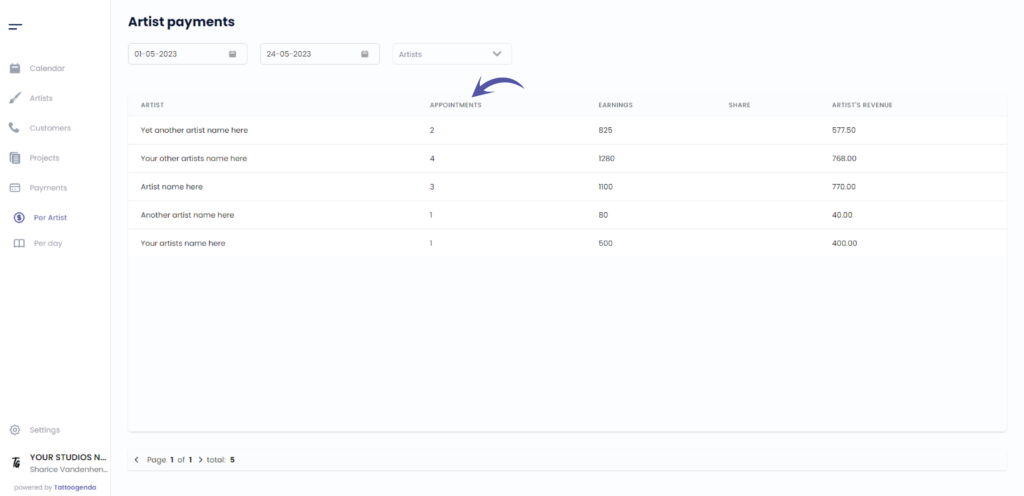
Deze kolom bevat the total amount of appointments
Deze kolom bevat the earned total amount
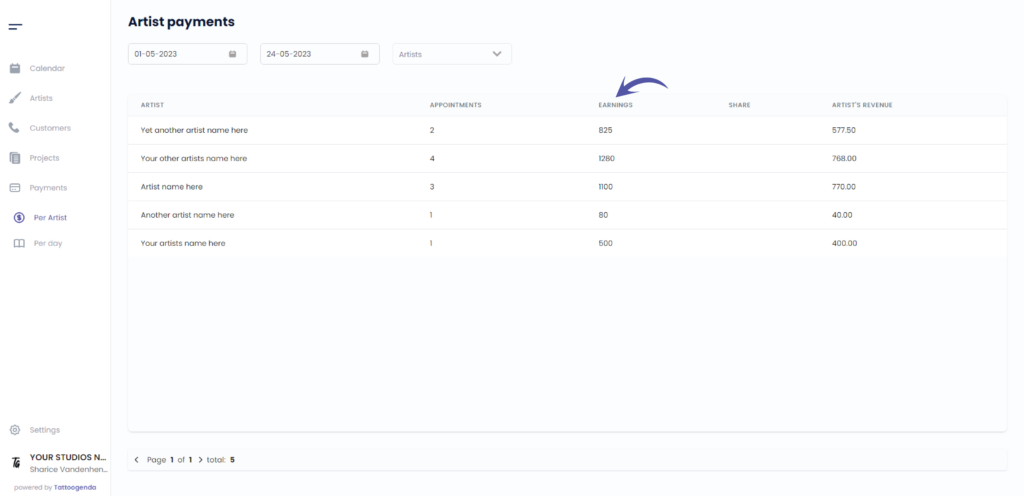
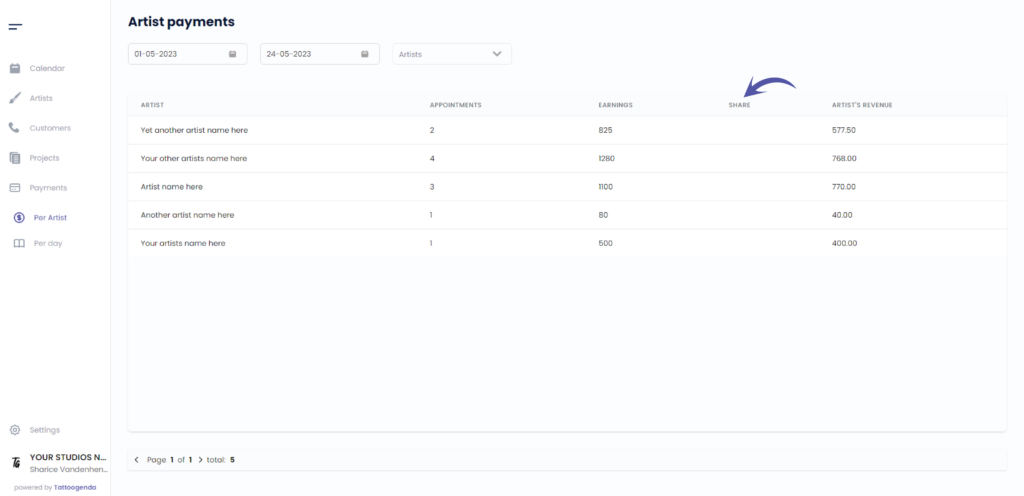
Deze kolom bevat the artist’s share
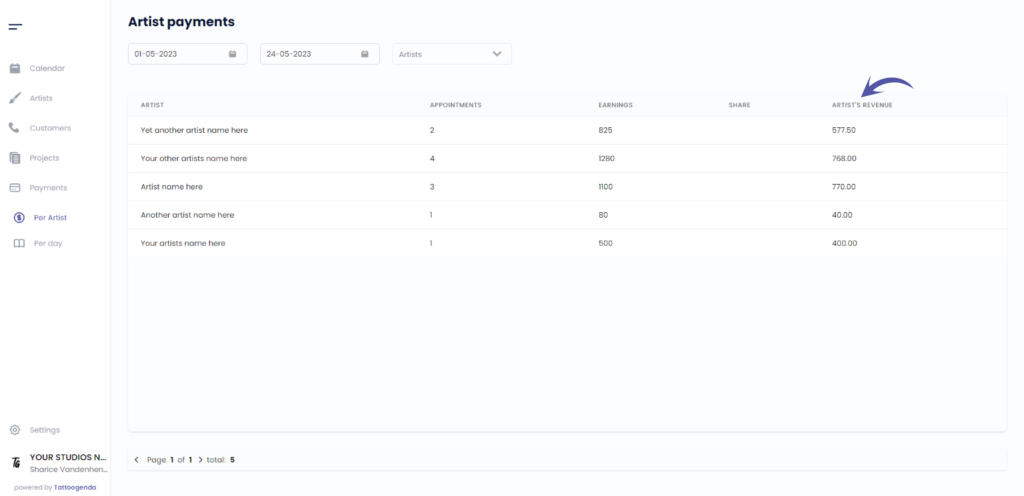
Deze kolom bevat the artist’s revenue
( e.g. an artist earned €750, the artist share is 70%, the artist revenue would be €525 )
Start date
Tattoogenda will automatically select today’s month up until the date of today
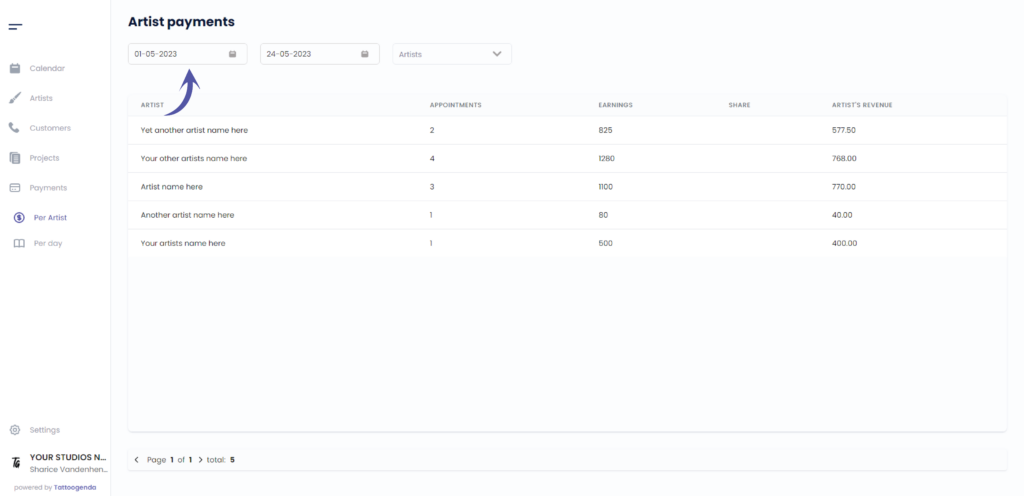
Click on the first field
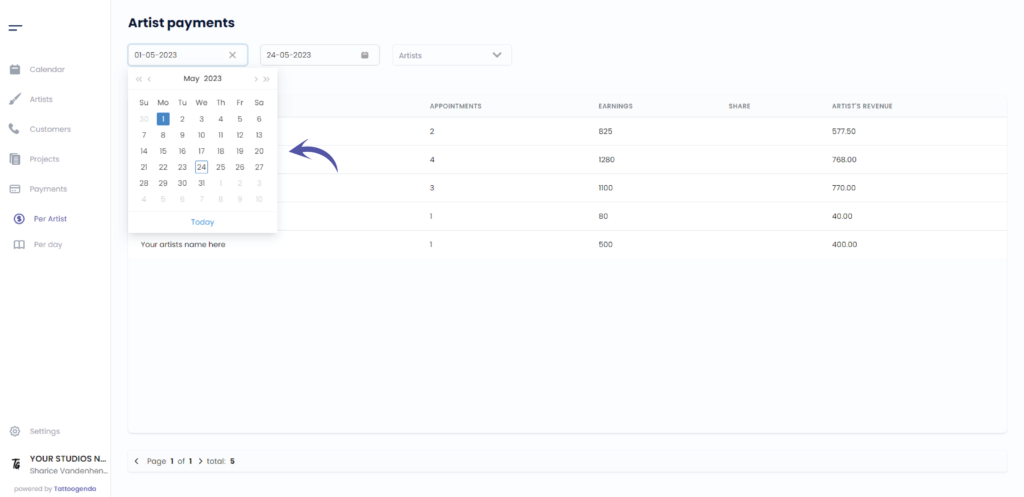
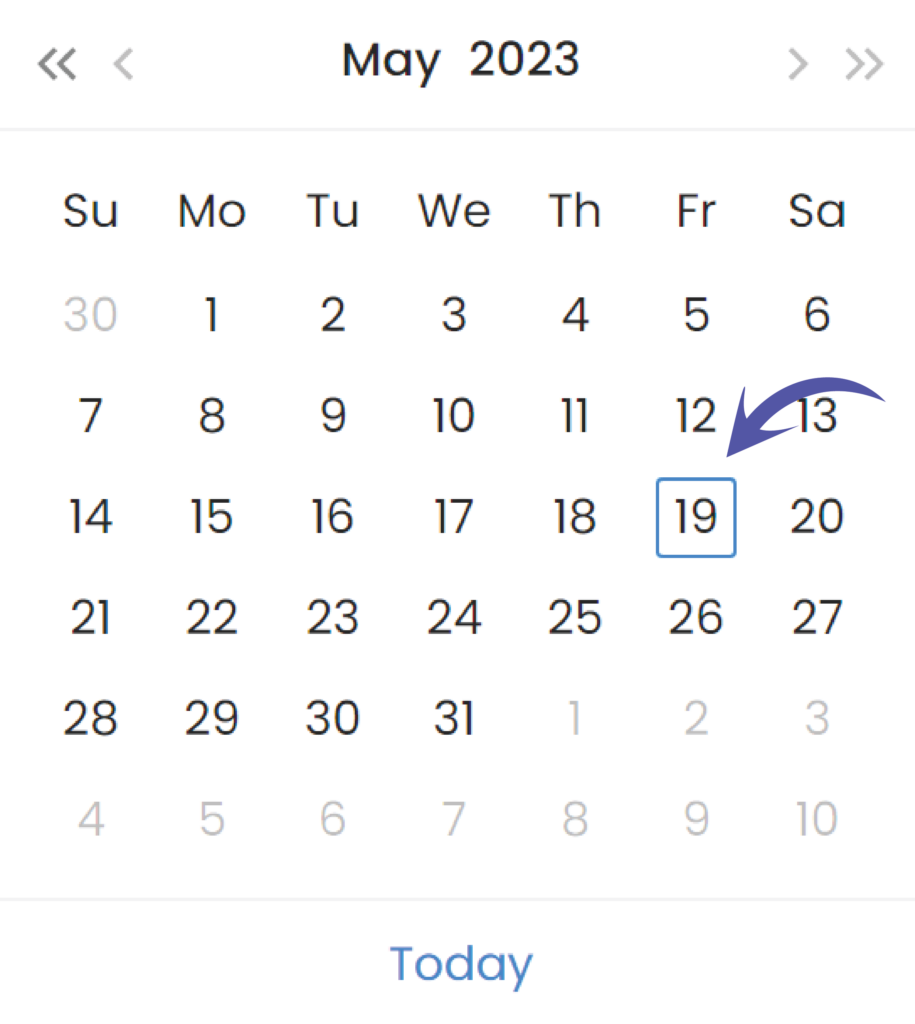
Todays date
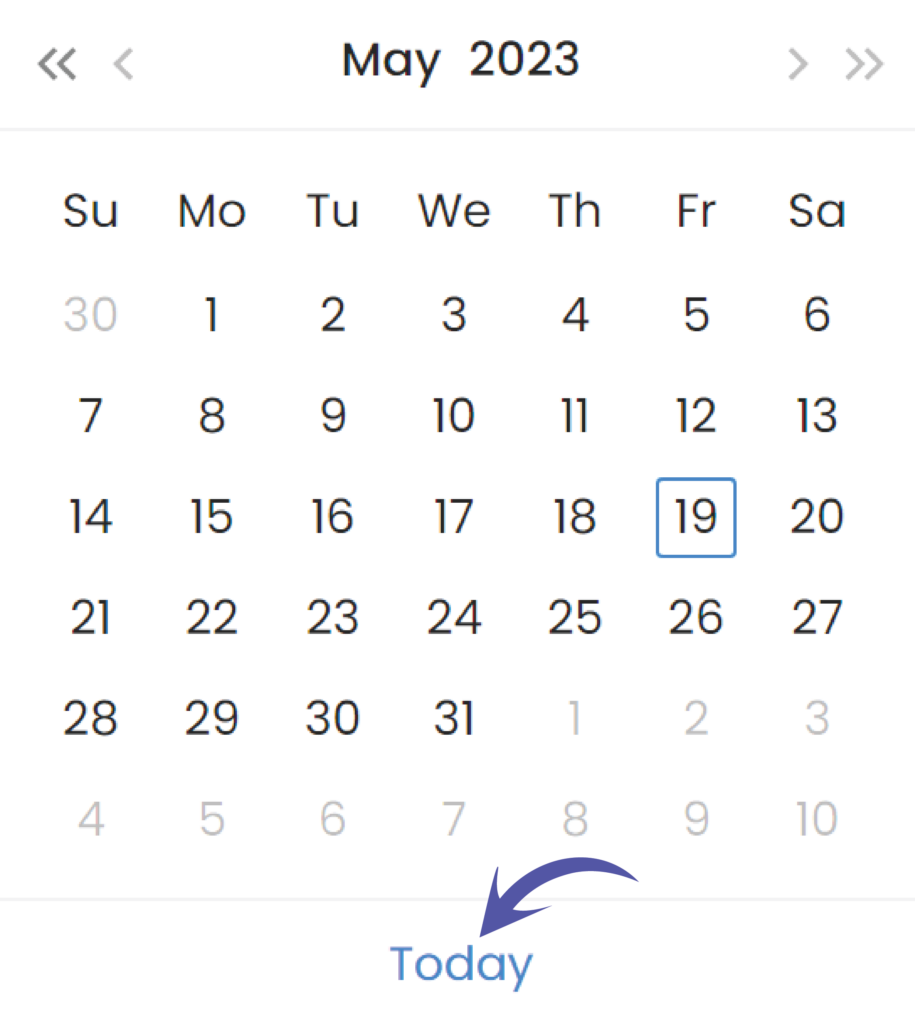
Go to today’s date
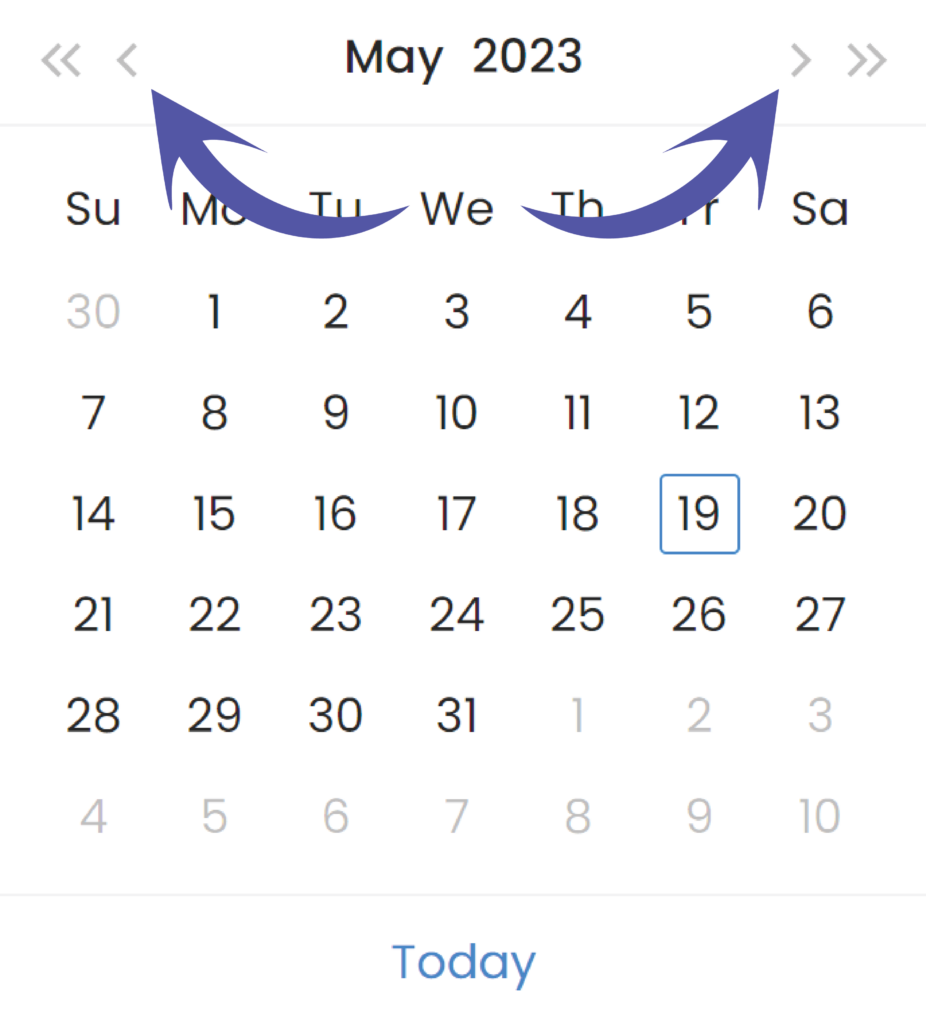
Snel navigeren per maand
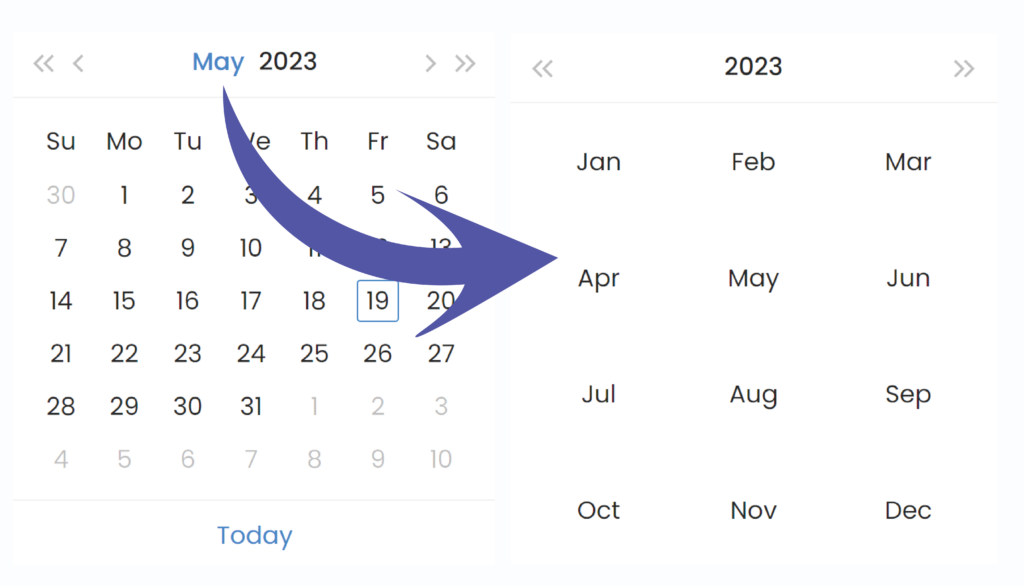
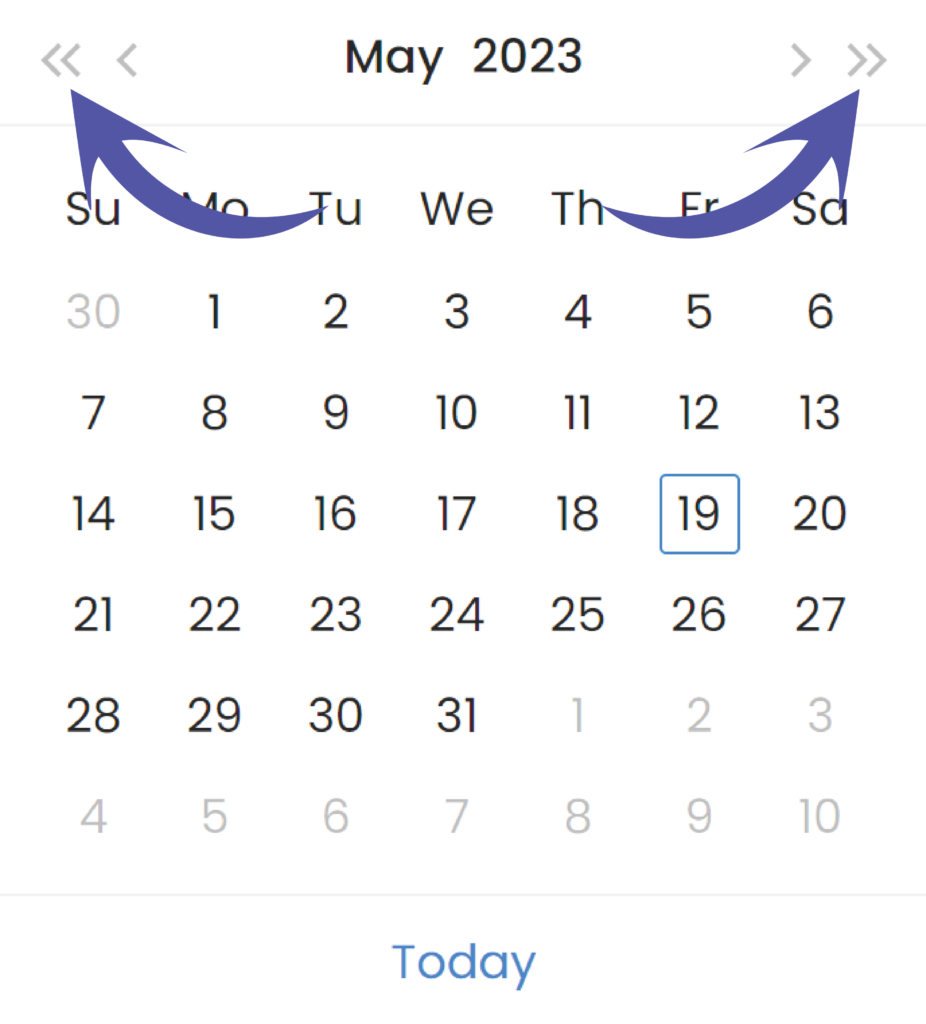
Snel navigeren op jaar
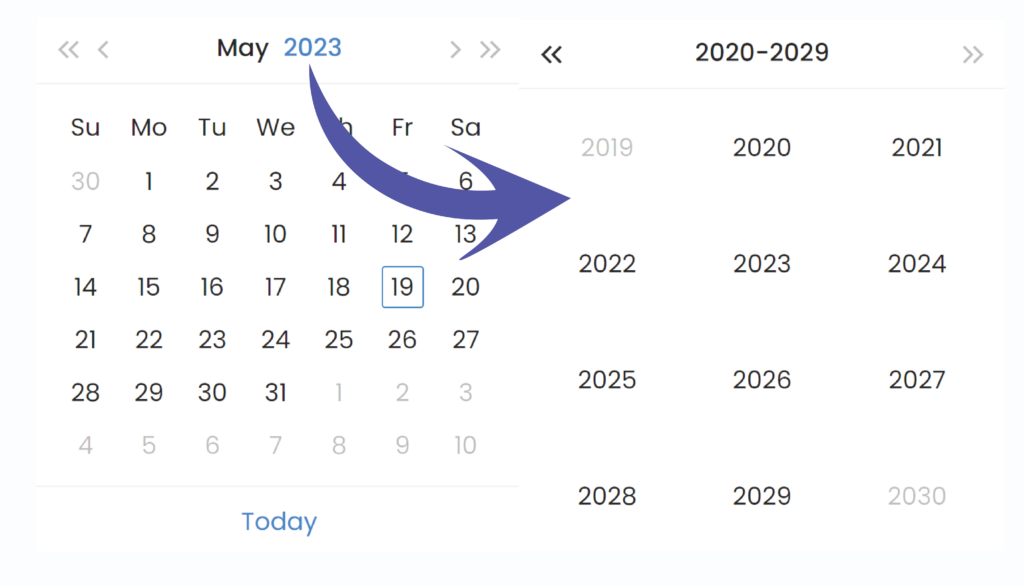
Navigeer per maand
Navigeer per jaar
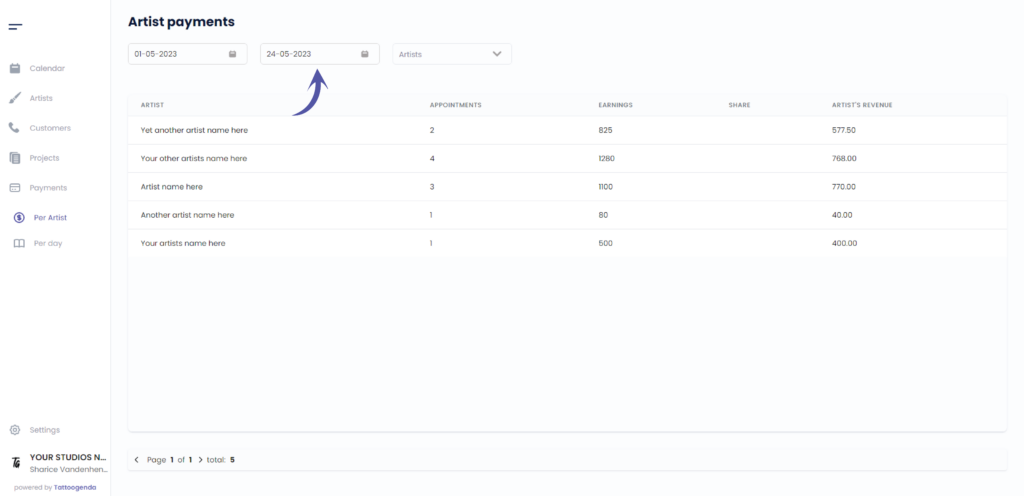
End date
Heb je nog steeds een probleem of een vraag?
Hieronder vind je een kleine link met de naam ‘Nog steeds vast? Hoe kunnen we helpen!’
Geschreven door
Sharice Vandenhende
Door Tattoogenda


 English
  Dutch
Dutch  Dutch (Belgium)
  French
  German
  Spanish