

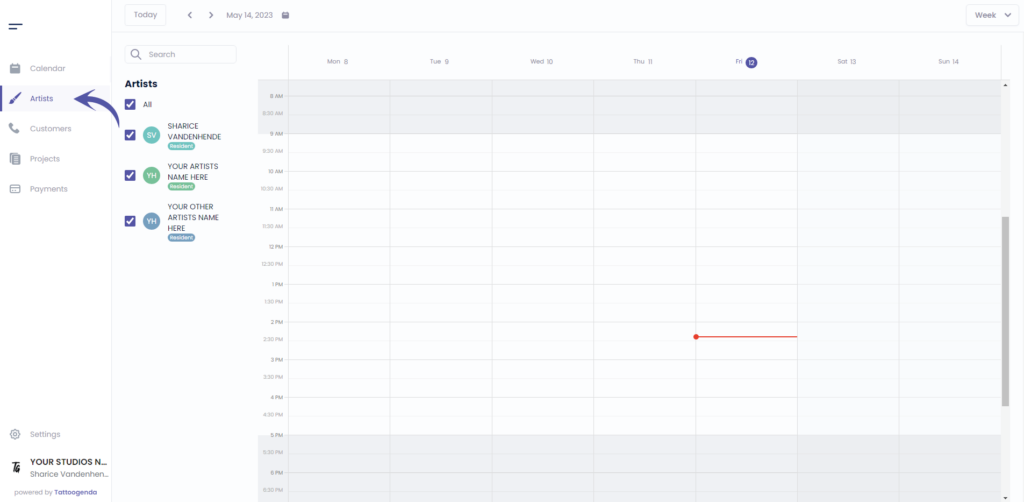
Ga naar ‘Kunstenaars’
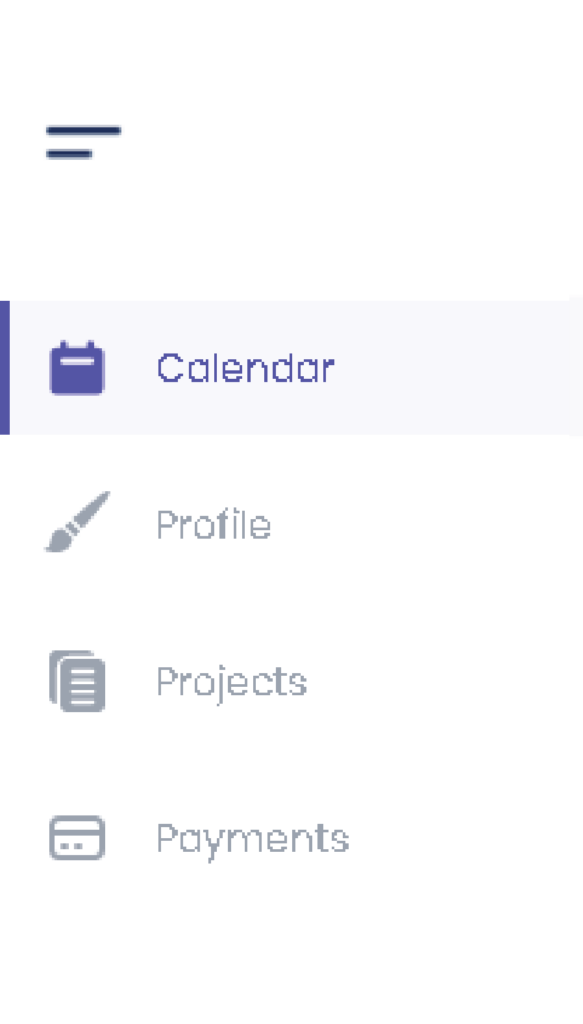
If you are logged in as an artist you will need to go to ‘Profile’. Your menu will look like this instead.
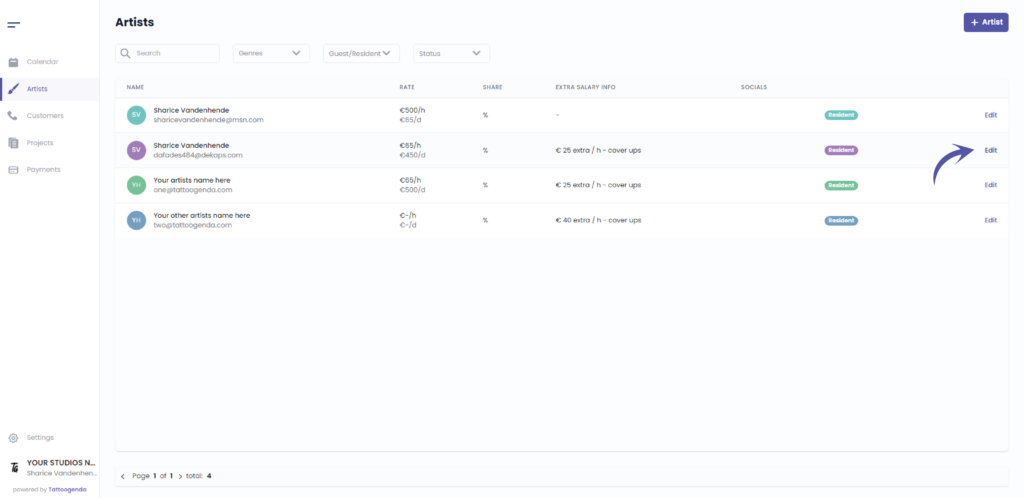
Check if your artist is a Resident, since only residents can have holidays.
Click on the following article if your artist is a guest
Klik op ‘Bewerken’.
Or if you are an artist you will automatically go to your own profile.
In that case u can skip this screenshot.
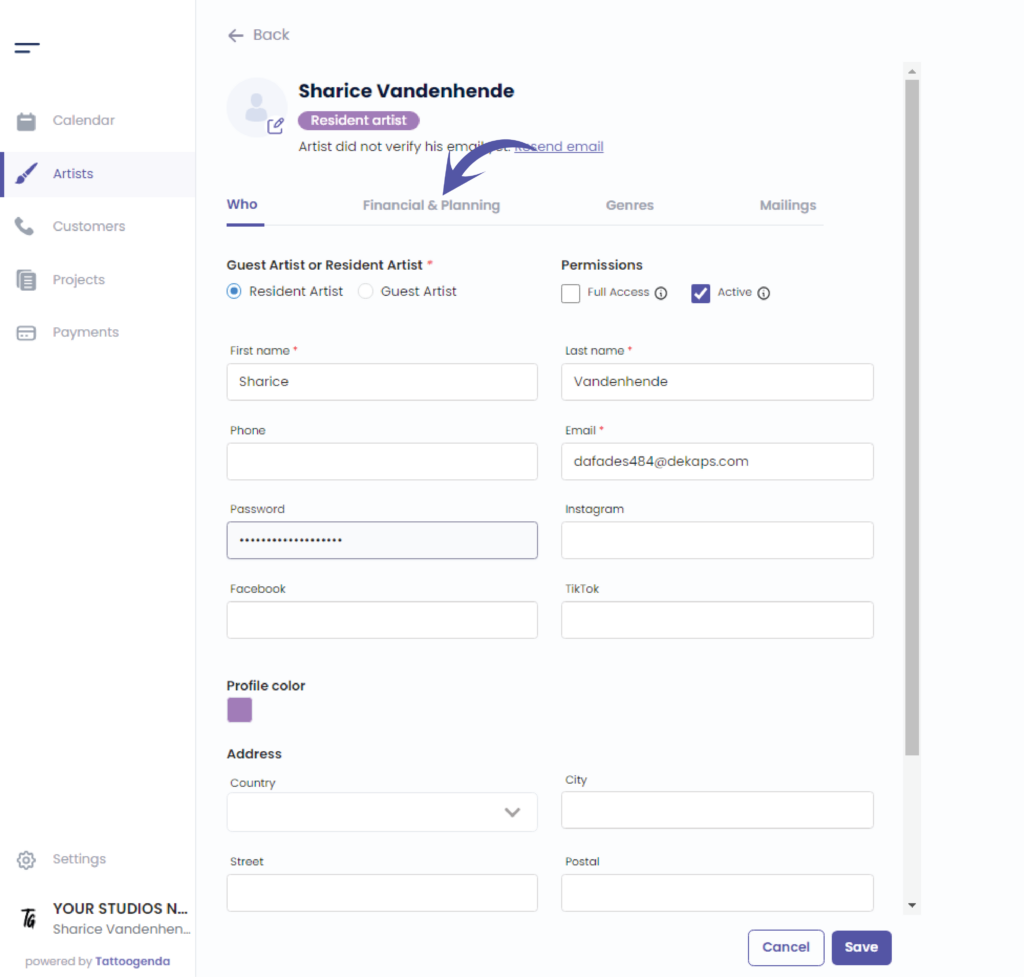
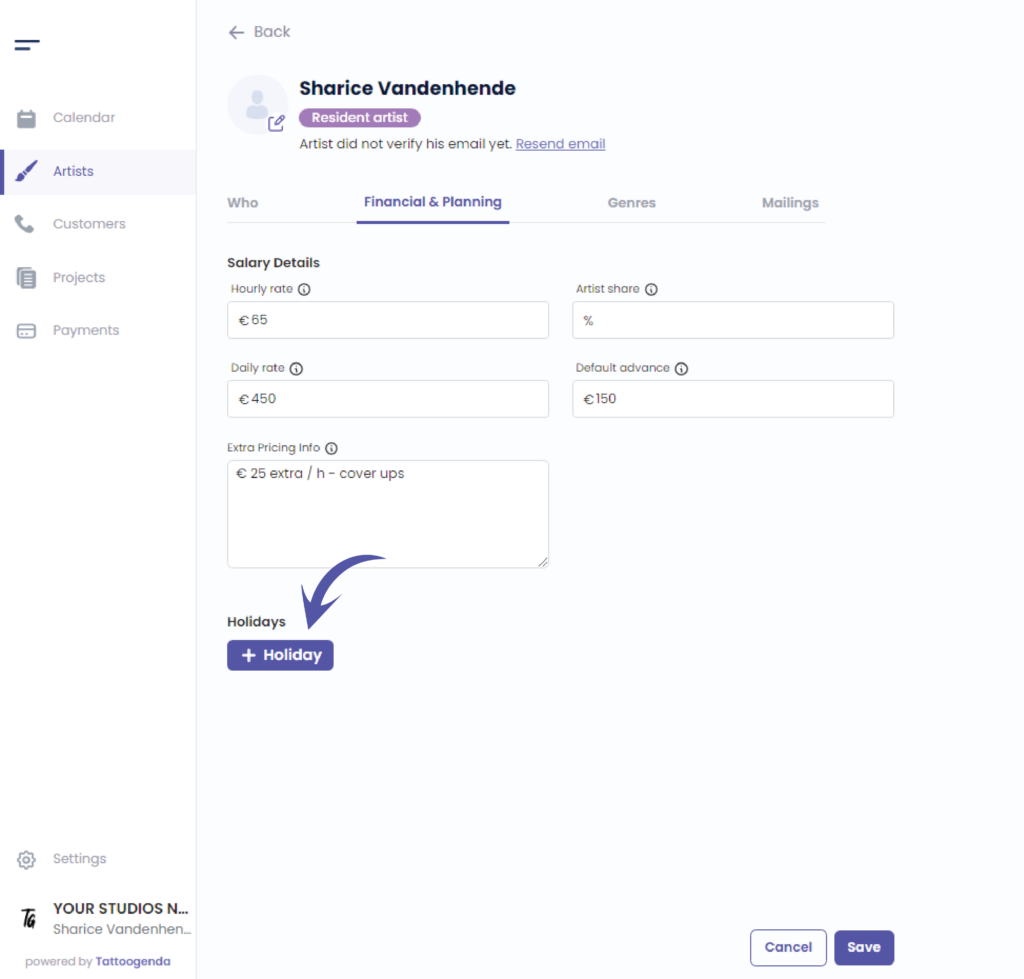
Ga naar ‘Financieel & planning’.
If you have a ‘One man shop’ or ‘Small Shop’ subscription, this tab will be just called ‘Planning’.
Klik op ‘ + Holiday’
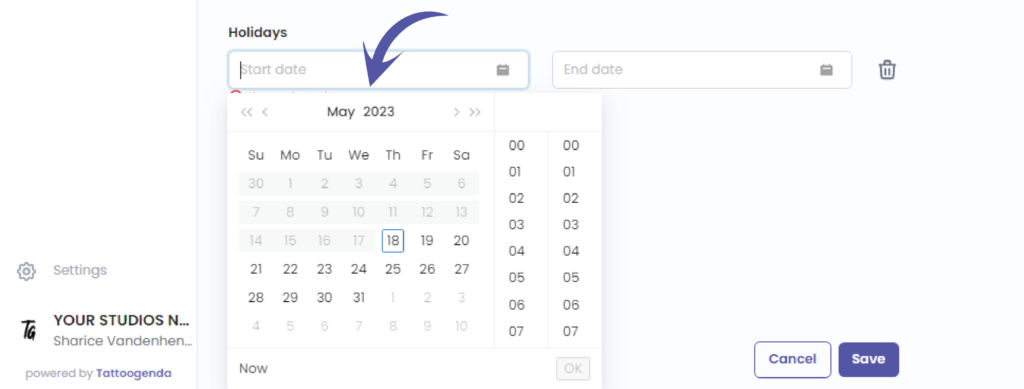
Klik op ‘Start date’
You will see a little mini calendar pop up
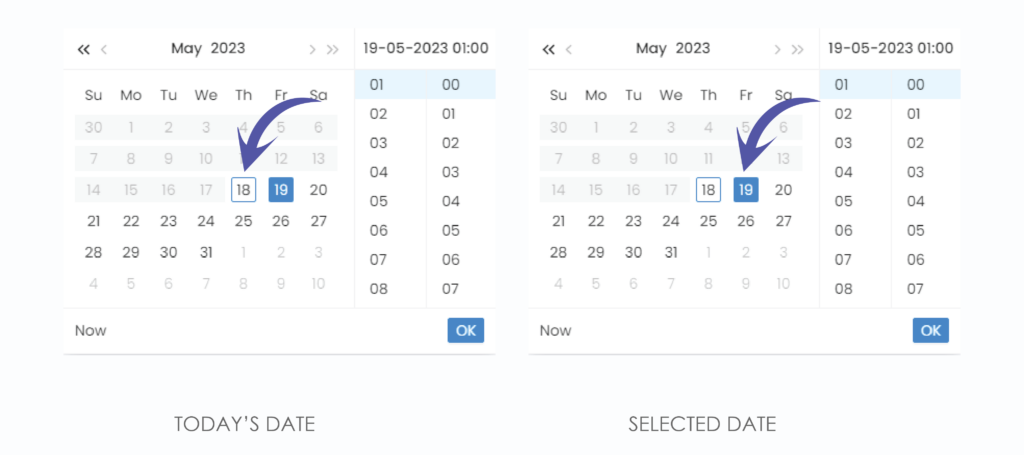
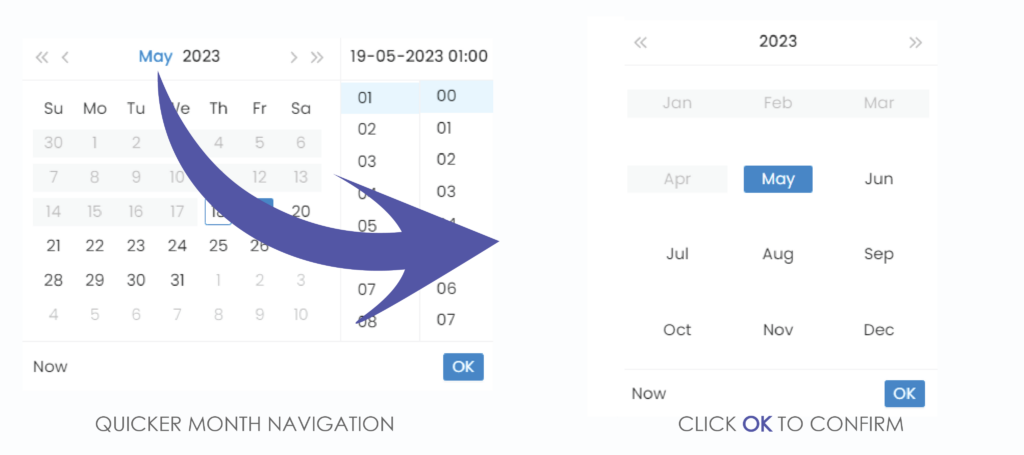
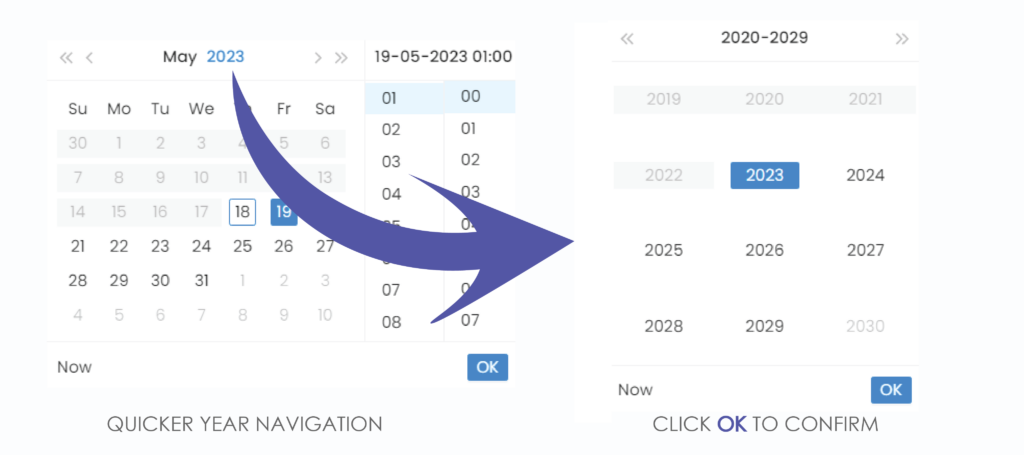
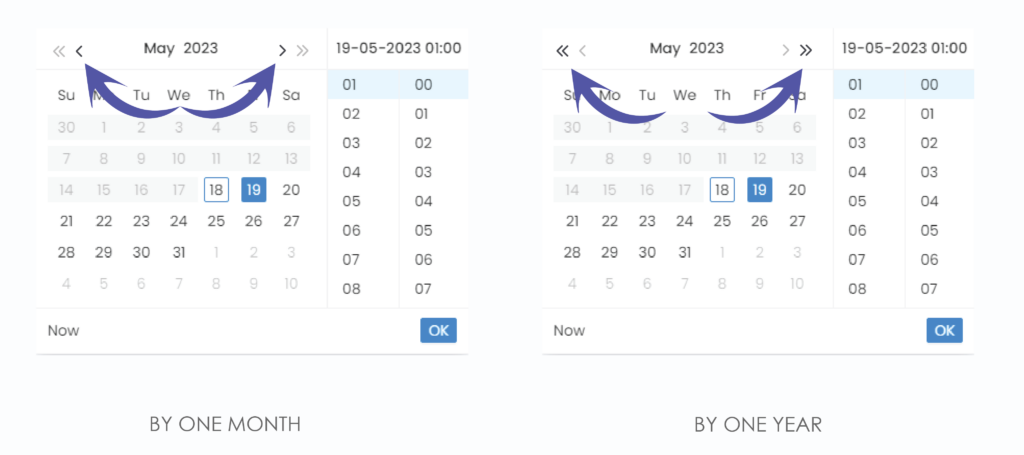
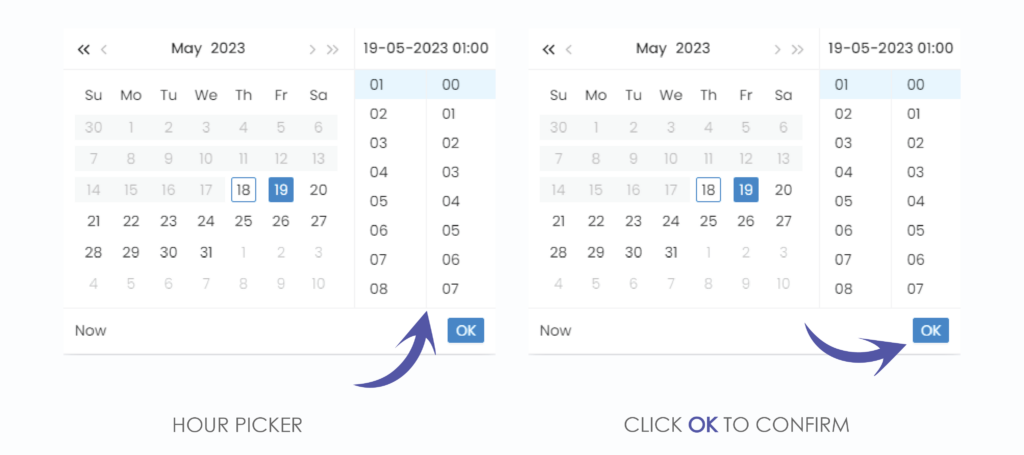
We have now set our start date, do the same for the end date
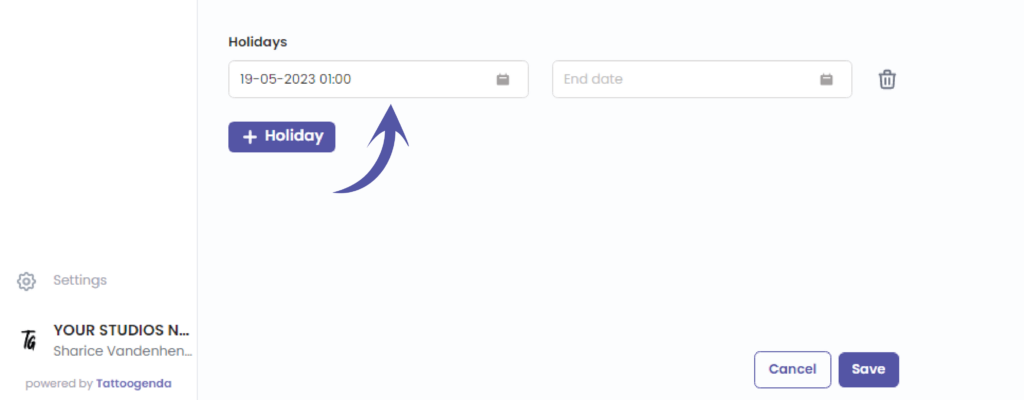
You can now see that your artists holiday has been added
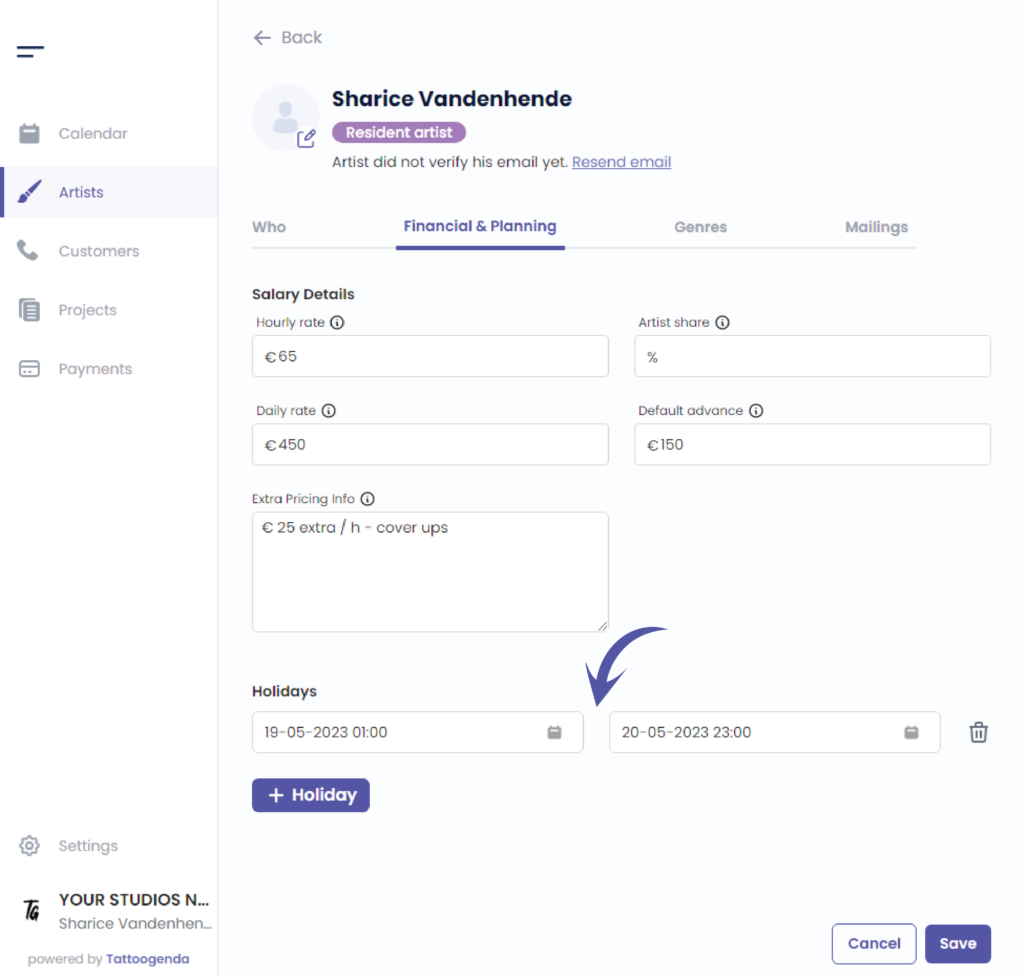
When you’re done adding holidays klik op opslaan
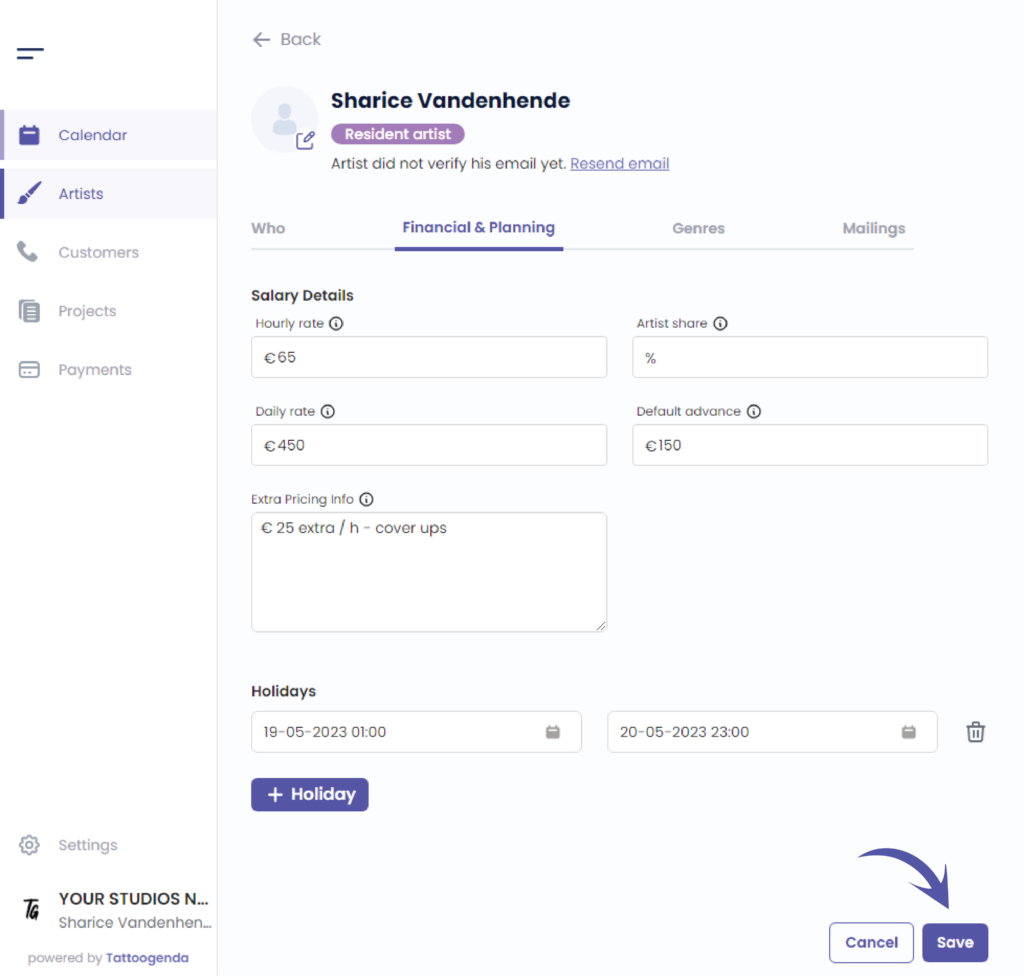
Ga naar ‘Kalender’

You can see your artists holiday into your calendar

Heb je nog steeds een probleem of een vraag?
Hieronder vind je een kleine link met de naam ‘Nog steeds vast? Hoe kunnen we helpen!’
Geschreven door
Sharice Vandenhende
Door Tattoogenda


 English
  Dutch
Dutch  Dutch (Belgium)
  French
  German
  Spanish