

Ga naar https://www.app.tattoogenda.com
You can click this link above it will take you to your tattoogenda login
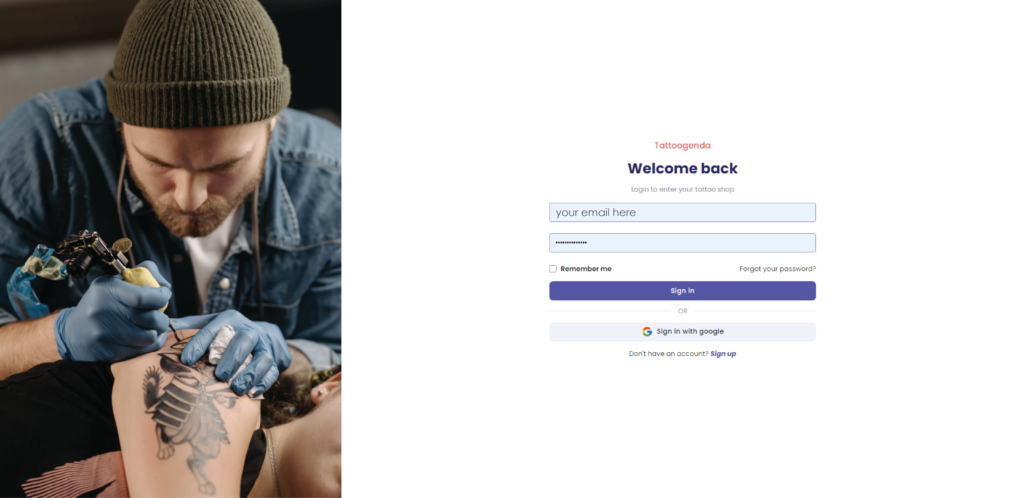
Fill out your email and password you use to login into your Tattoogenda software
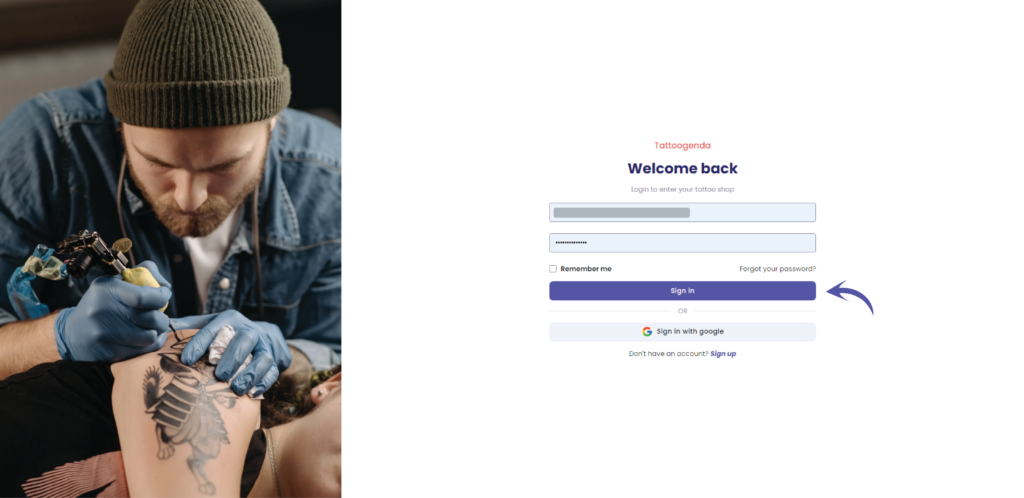
Klik op ‘Sign in’
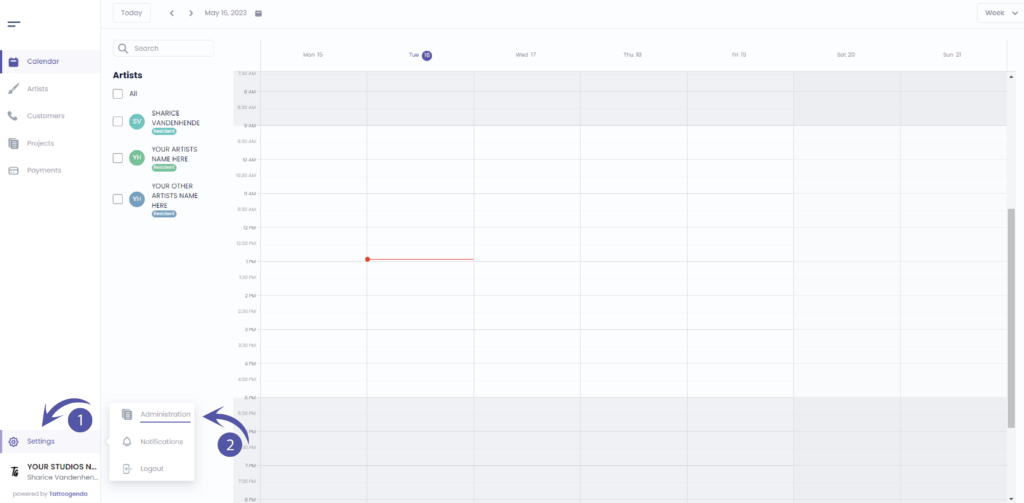
In uw Tattoogenda studio software,
U vindt uw instellingen linksonder op uw scherm
boven je studionaam.
Ga naar je instellingen en kies ‘Administratie’
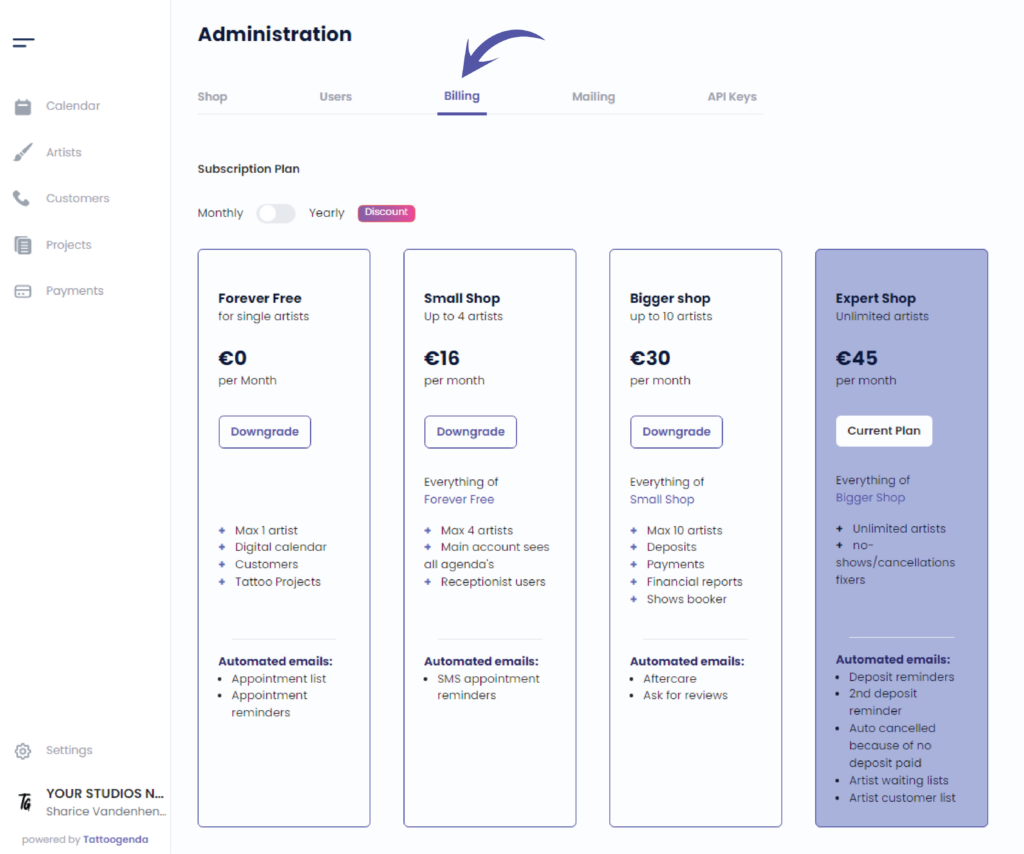
Ga naar ‘Billing’
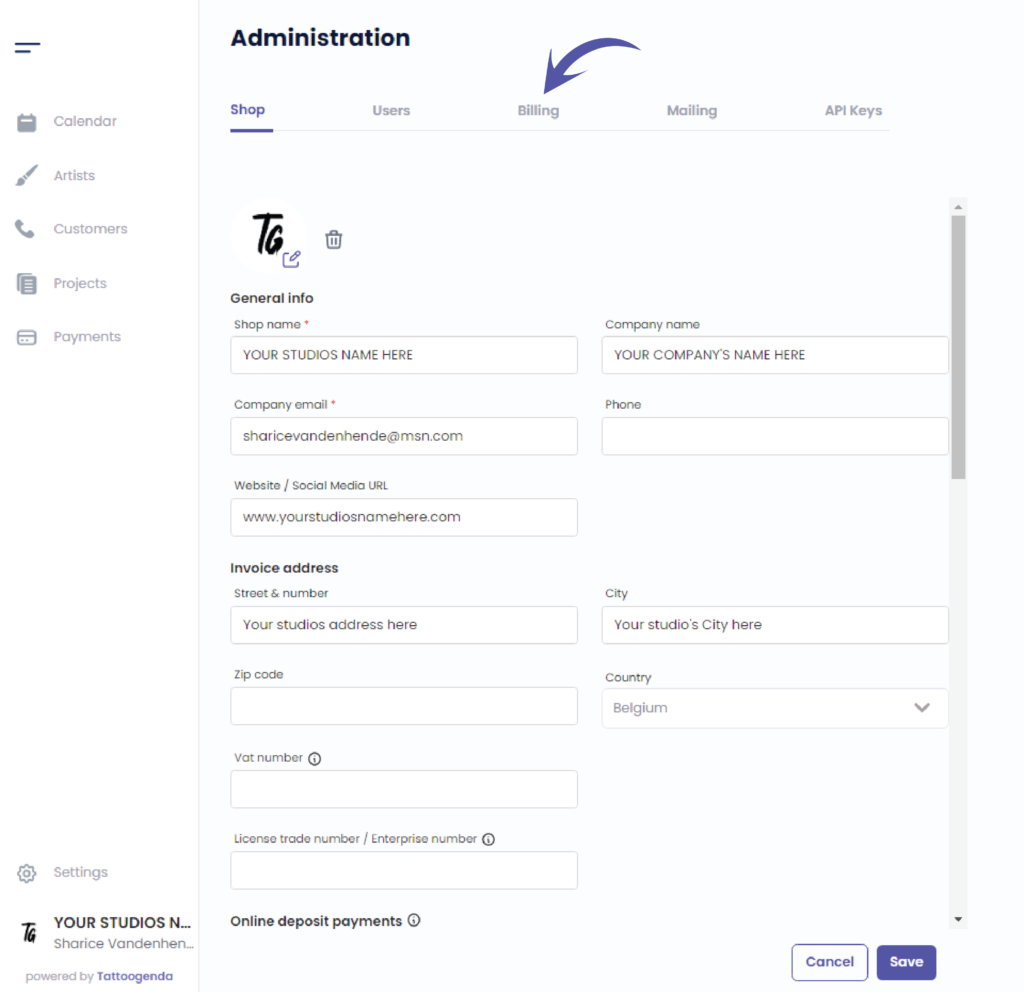
This indicated you are at the billing page
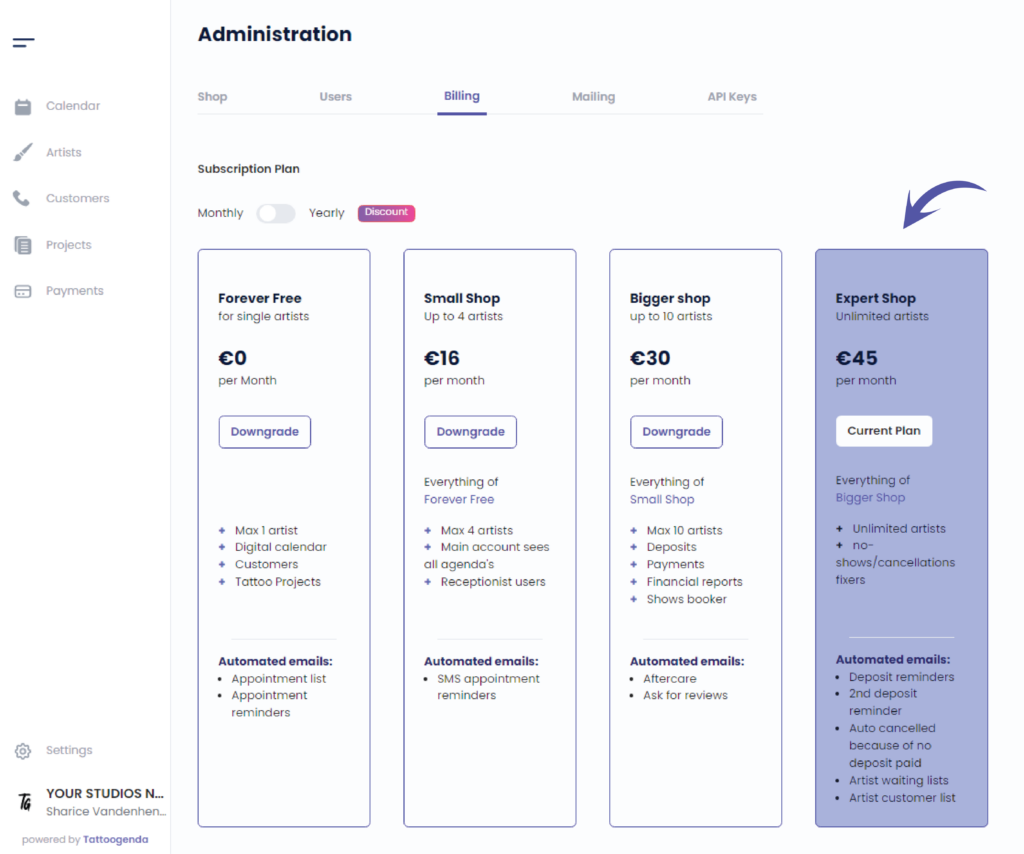
Your subscription plan will be highlighted into a purple color and it will say ‘Current plan’
Heb je nog steeds een probleem of een vraag?
Hieronder vind je een kleine link met de naam ‘Nog steeds vast? Hoe kunnen we helpen!’
Geschreven door
Sharice Vandenhende
Door Tattoogenda


 English
  Dutch
Dutch  Dutch (Belgium)
  French
  German
  Spanish