
BELANGRIJK
HEB JE HET VOLGENDE ABONNEMENT NODIG
Deposito's zijn beschikbaar vanaf de ‘Deskundige studio’ plan.
Deze opties zullen niet beschikbaar zijn voor jou als je dit plan niet of niet hoger hebt.

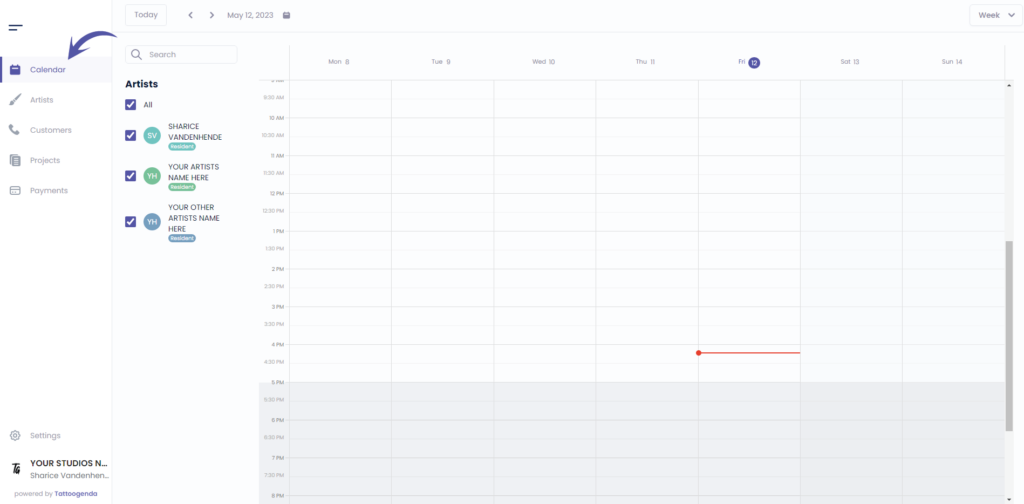
Ga naar ‘Kalender’
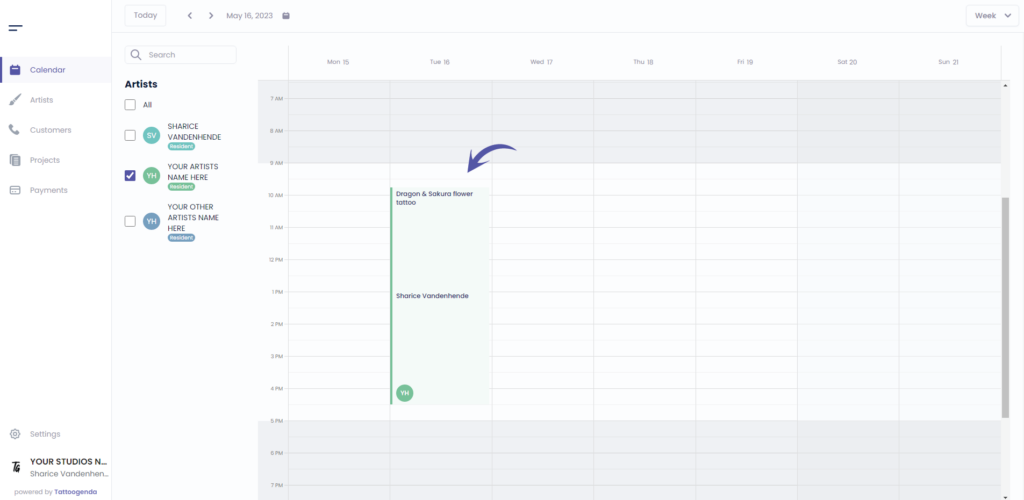
Klik op uw afspraak
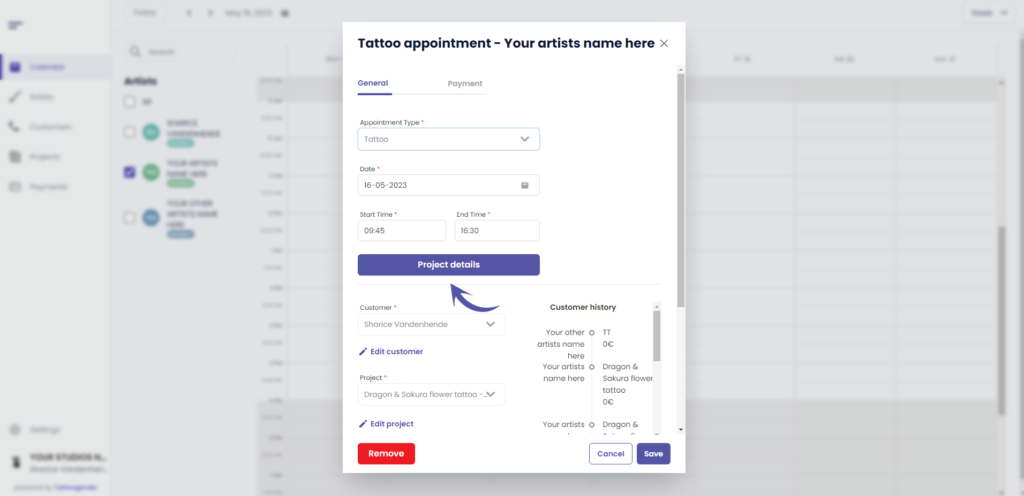
Klik op ‘Projectgegevens’
Ga naar ‘Prijs’
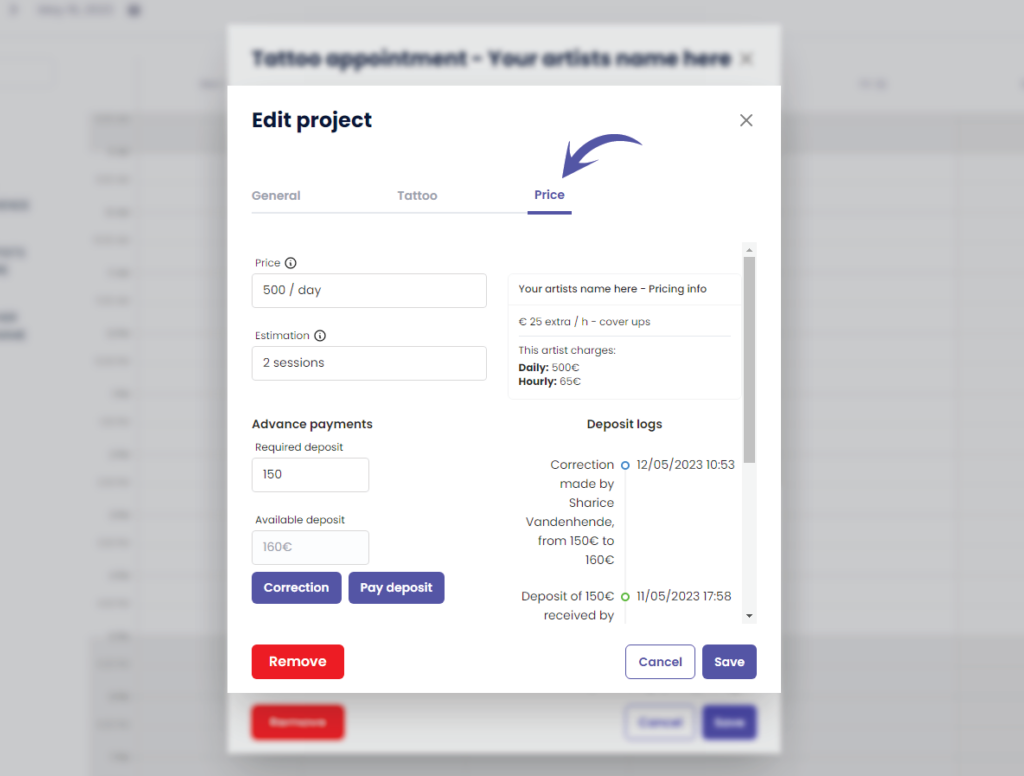
Klik op ‘Correctie’.’.
The Correction button is only available for shopmanagers (the one creating the TG account) and receptionist users with ‘edit payment’ rights.
An artist never has this correction button. Unless you have the Single Artist subscription plan, in that case you are artist as well as manager.
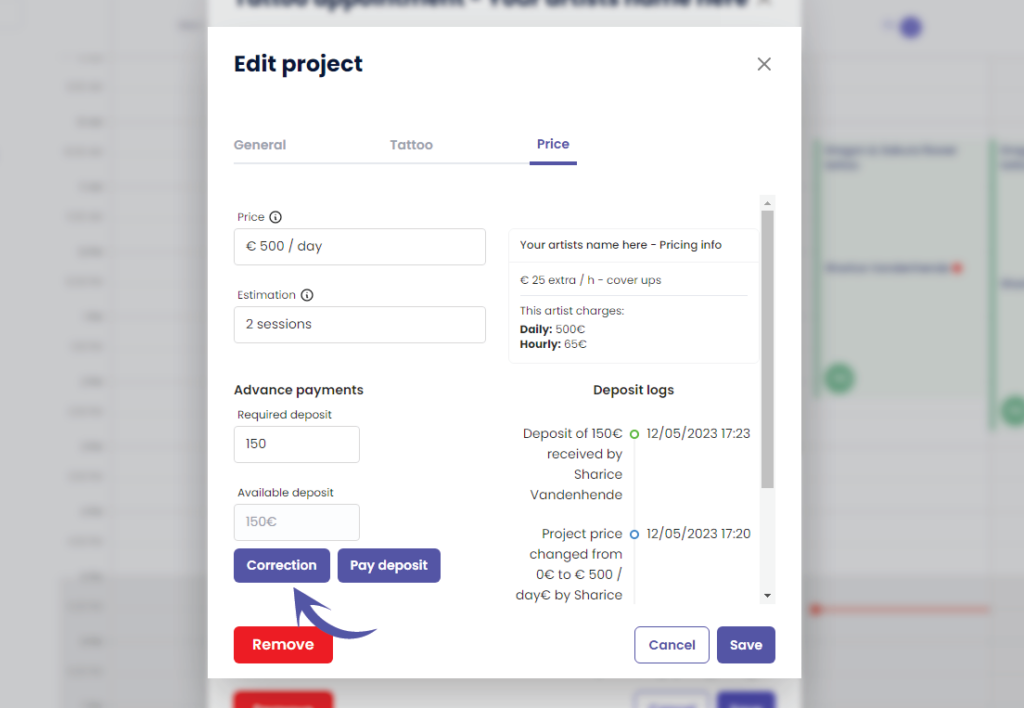
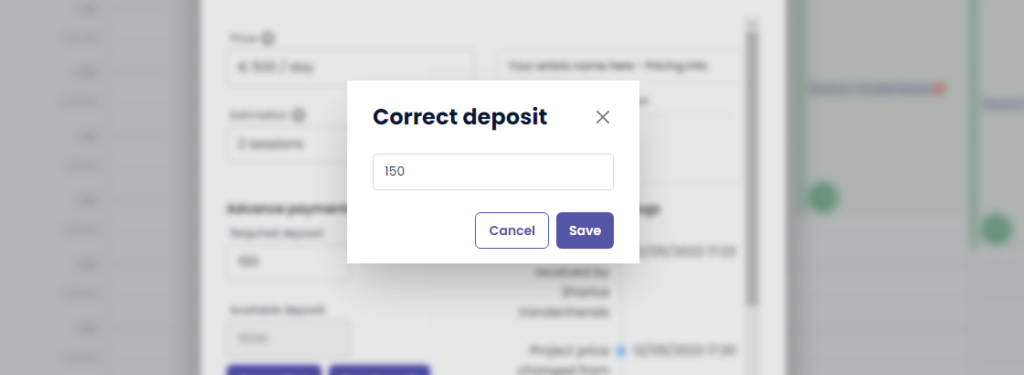
This will take you to the following pop up screen
Notice that the current deposit amount is already prefilled
( bijv. €150 )
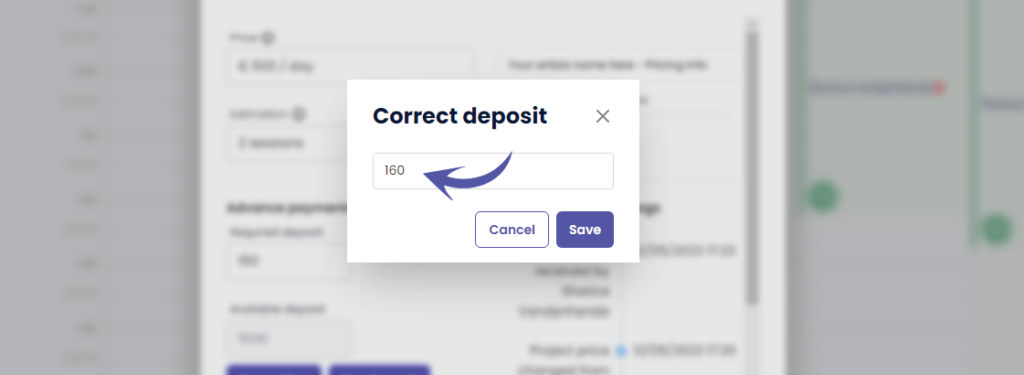
Change the deposit into the desired correction amount
A correction replaces the current amount with this amount!
( e.g. In this example we will change it to €160 )
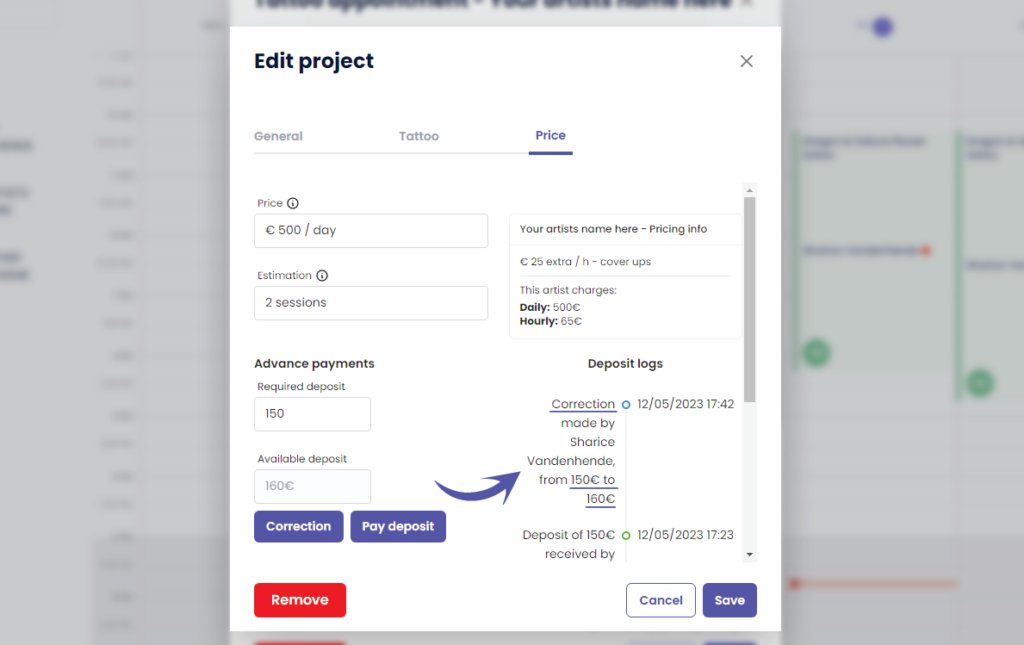
After you click save, you will see that ‘Beschikbaar deposito’ has changed to the value you have entered
( e.g. We changed it to €160 )
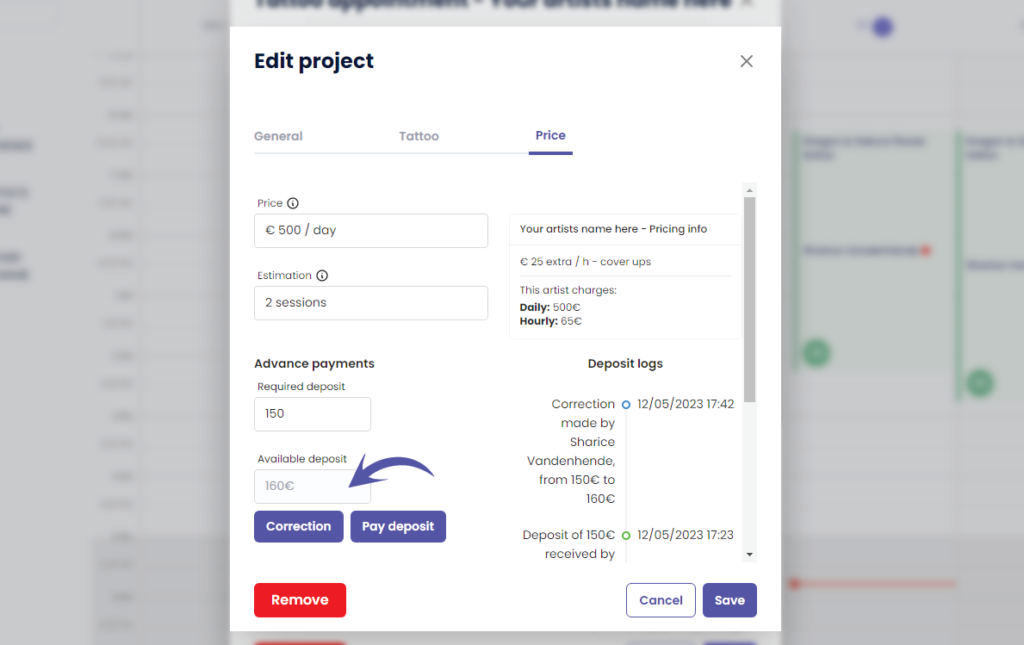
You can see the following in the ‘Deposit logs’
Who made the correction
How much was the original deposit amount
How much is the new deposit amount
WHY USE A CORRECTION?
A correction can be made when you have made a typo and you do not want it registered into the payments logs
This means that the received deposit amount into your payment logs per day and per artist will simply be replaced into the corrected amount without it logging that a correction was made. The correction will therefore only be registered into your projects deposit logs.
Klik op de volgende artikelen voor meer informatie over payment logs per day, per artist an per week
Heb je nog steeds een probleem of een vraag?
Hieronder vind je een kleine link met de naam ‘Nog steeds vast? Hoe kunnen we helpen!’
Geschreven door
Sharice Vandenhende
Door Tattoogenda


 English
  Dutch
Dutch  Dutch (Belgium)
  French
  German
  Spanish