
Tattoogenda is proud to present our latest feature!
Now you are able to personalize your automated emails to your customers.
Choose which information you wish to show on your email or change the content!

In uw Tattoogenda studio software,
U vindt uw instellingen linksonder in uw scherm boven uw studionaam.
Ga naar je instellingen en kies ‘Meldingen’
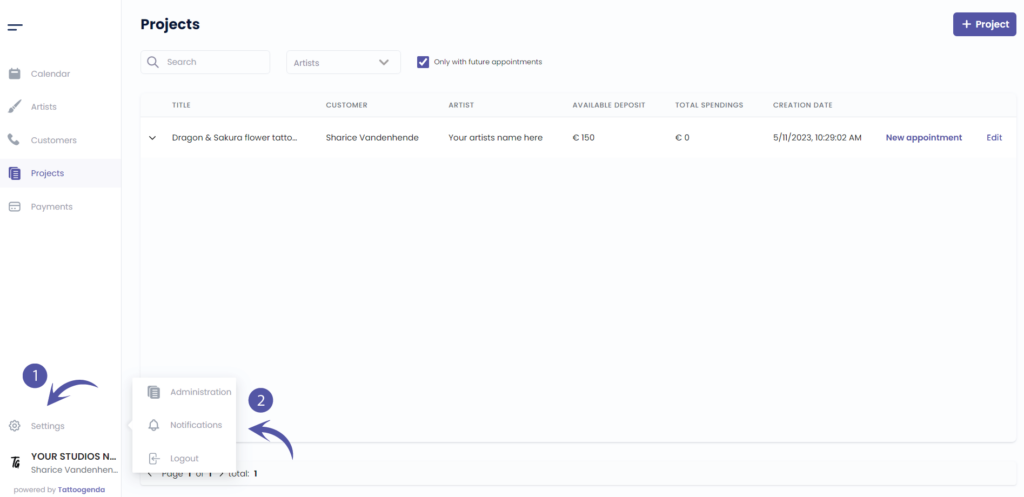
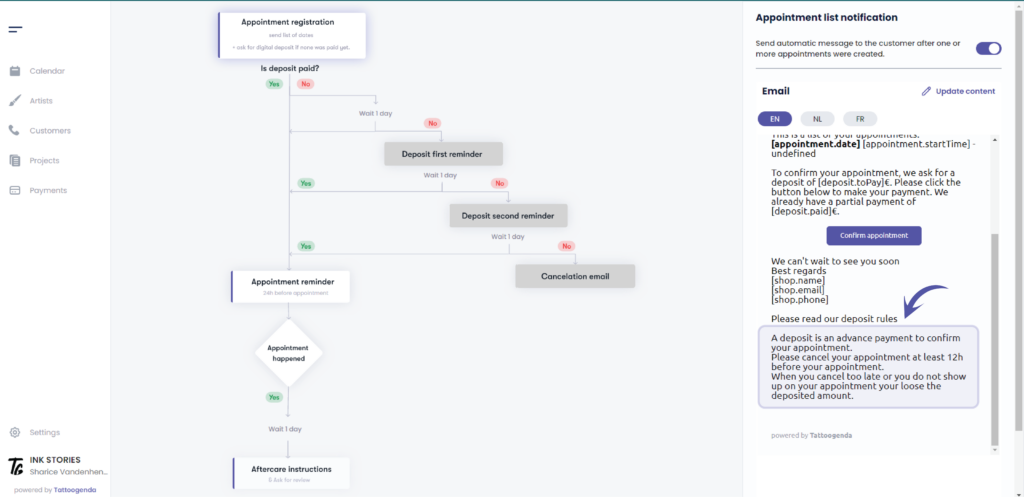
U ziet het volgende scherm
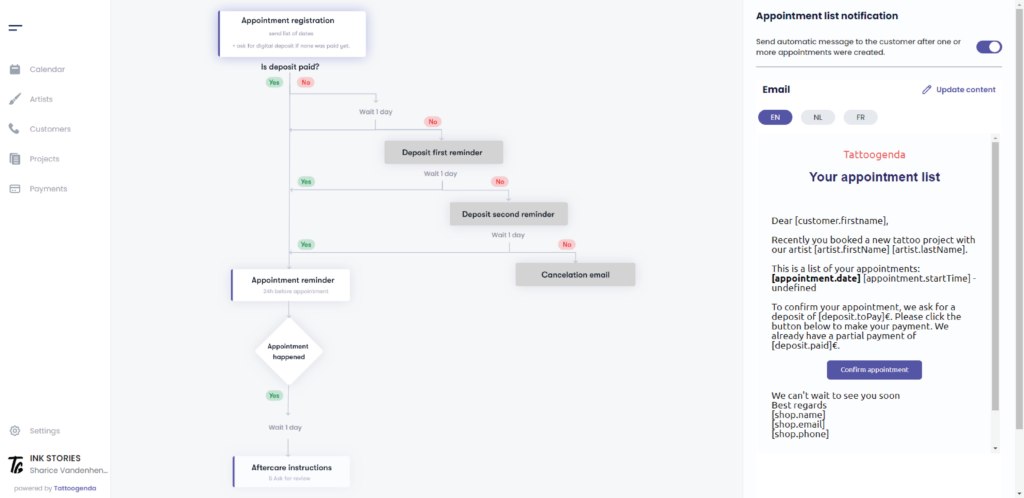
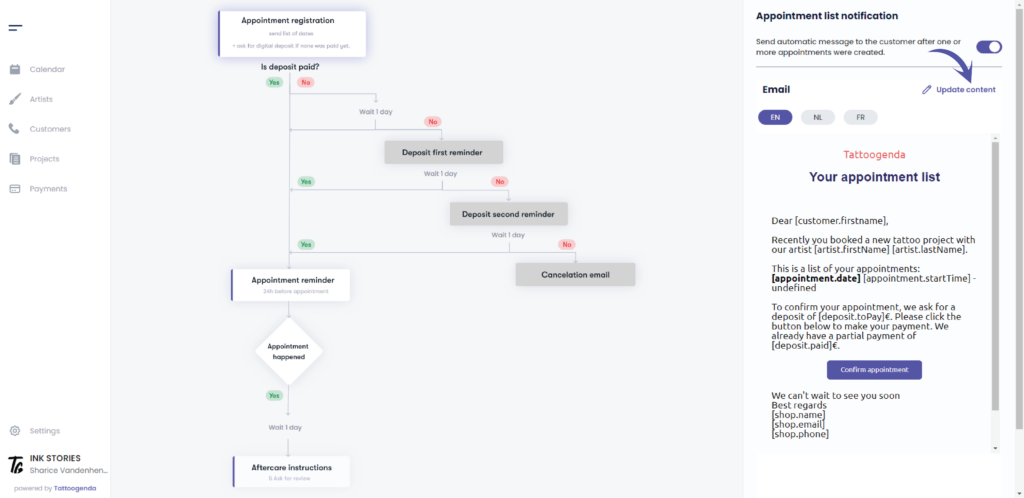
Choose your automated email you wish to update and go to ‘Update content’
( e.g. Appointment list )
U ziet het volgende pop-upscherm
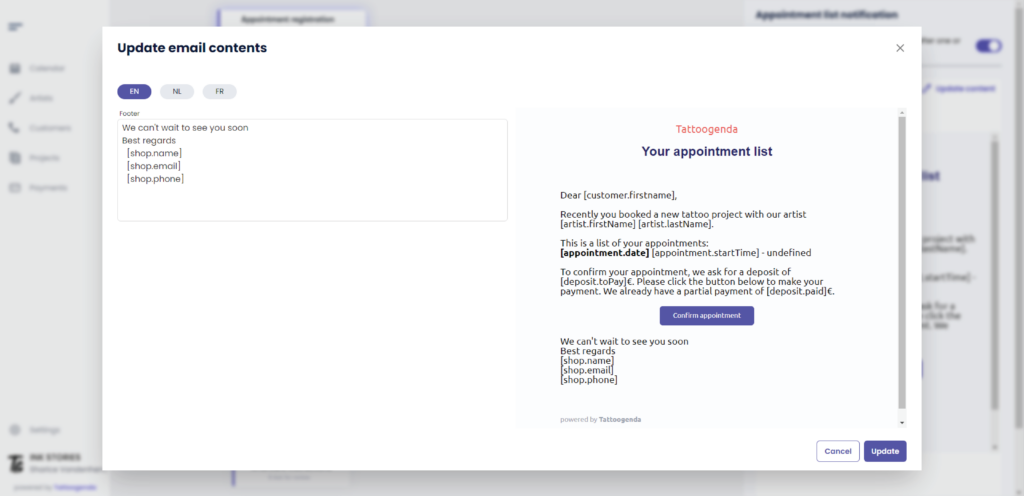
In this field you can make some adjustments
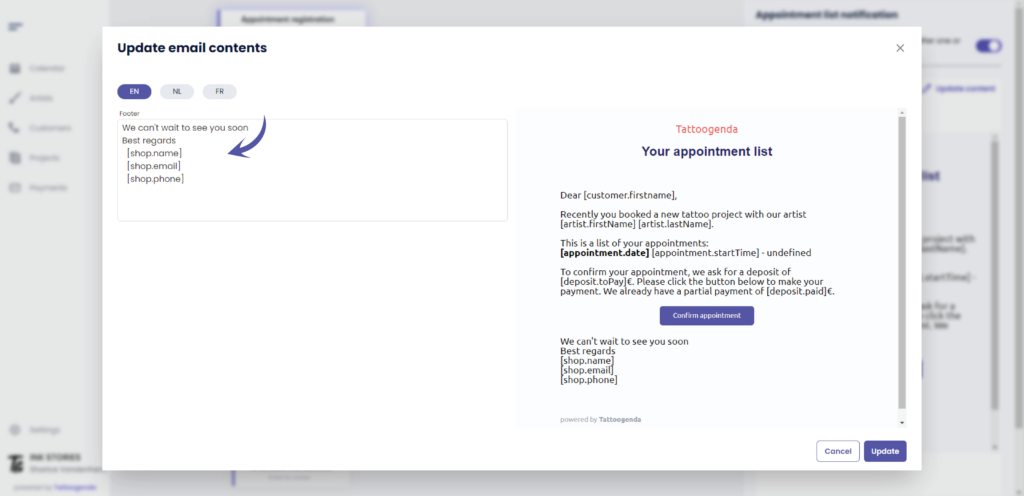
Your adjustments will be seen here.
We can only adjust this block of text.

Click into ‘the text field’

WHAT ARE VARIABLES?
Variables are little pieces of code who hold information.
Through the variable name we can summon these little bits of information.
To summon a variable correctly we will need to add the variable name in between square brackets into our text field.
HOW TO TYPE A SQUARE BRACKET
Copy paste this bracket
[
Or use the key on your keyboard
ALTGR + [ key
Or use the alt code
ALT + 91
( e.g. Your studio’s name is ‘Ink Stories’. You called your shop on tattoogenda ‘Ink Stories’. )
Click here for more information articles about shop settings
We can display your studio’s name by typing [shop.name]
Tattoogenda will now see what information the variable ‘shop.name’ has stored inside of it and display Ink Stories
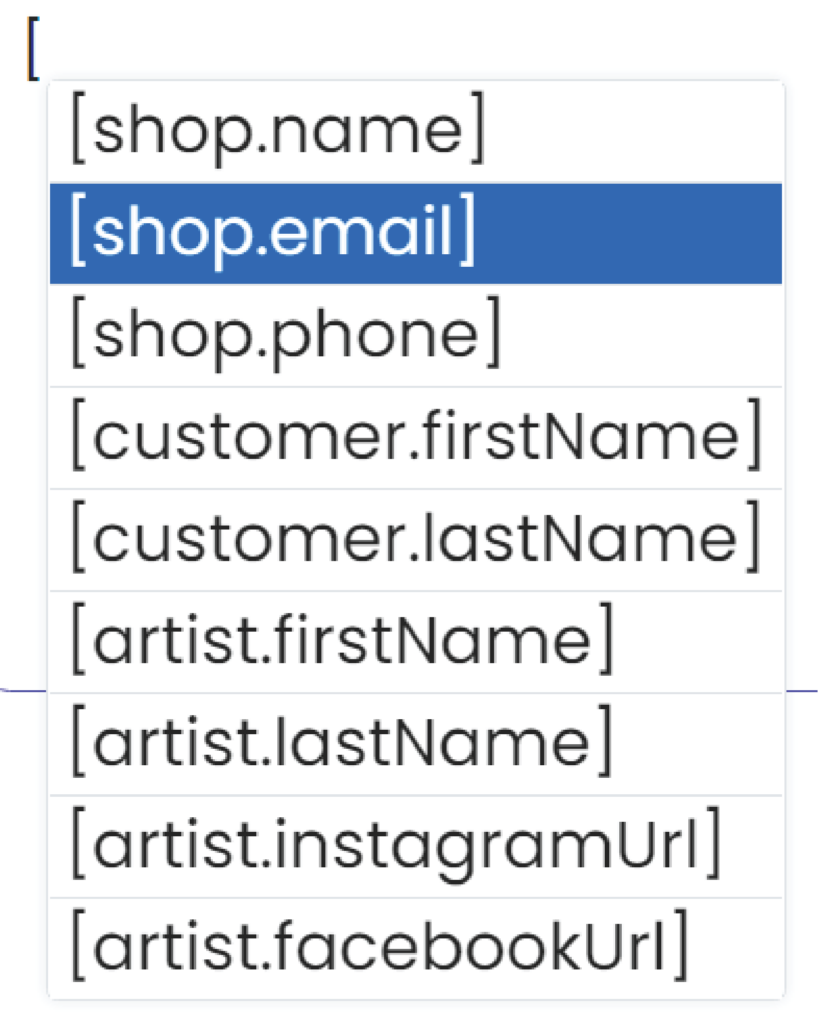
We can see that we have different variable names and each of them hold different information.
The variables are named specifically to recognize what piece of information they hold.
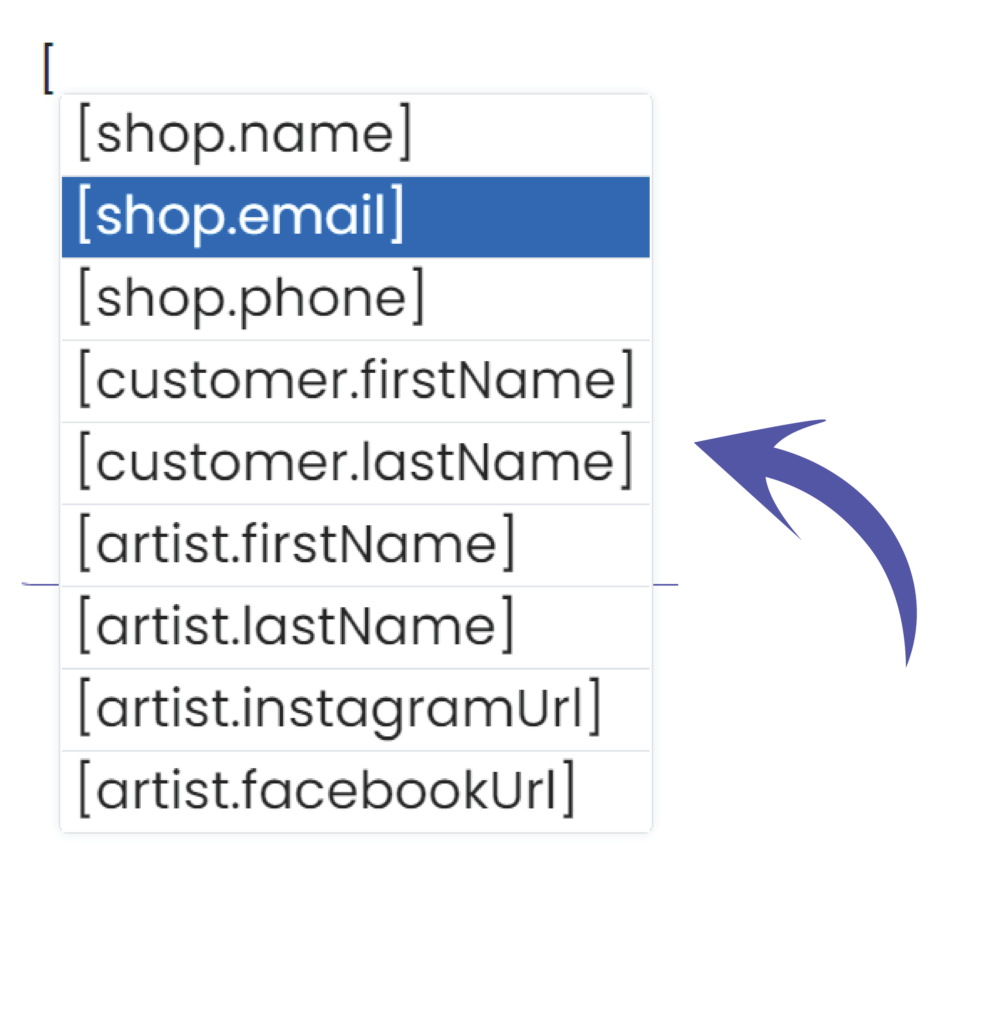
Add your input to your emails and choose the variables you wish to display.
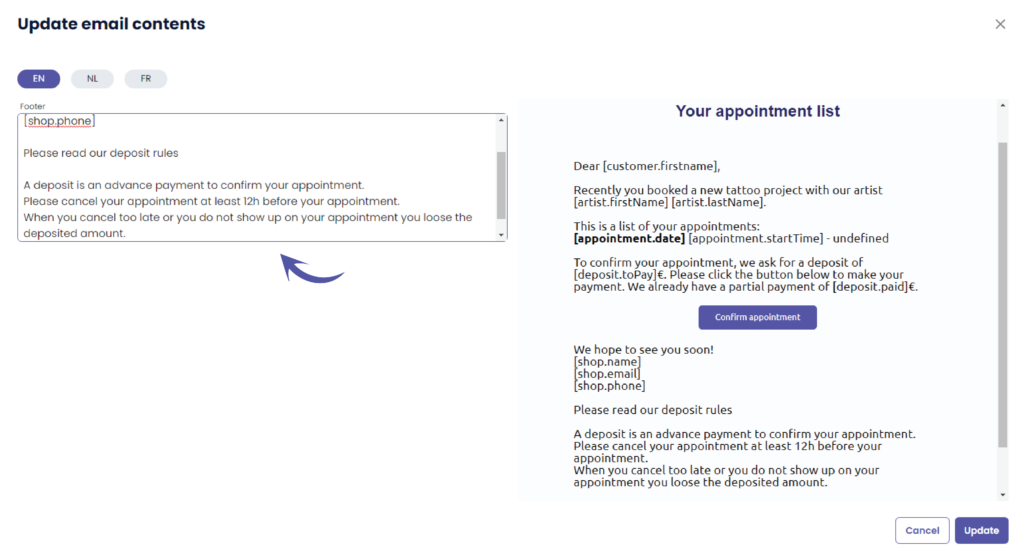
You will see that your preview will also update when you are typing.
This might take a few seconds.
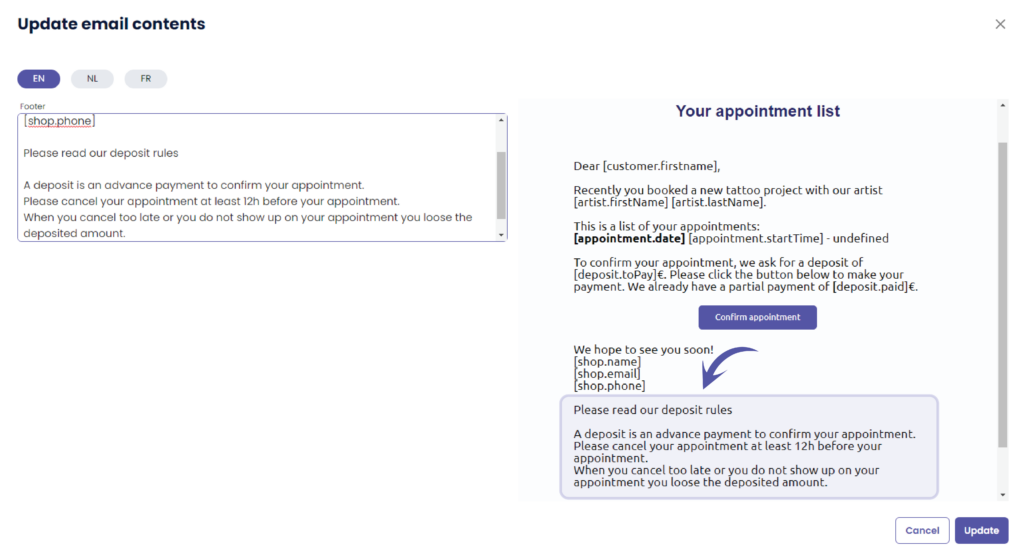
An example of extra information to update could be
We hope to see you soon!
Kind regards
[shop.name]
[shop.email]
[shop.phone]
- Not able to show up on your appointment?
Please make sure to notify us in time, preferably 2 days before your appointment. ( We are closed on Sunday and Monday ).
- In case of cancellation with our regular artist: the deposit can be preserved if you notify us at least 2 days before your appointment about your cancellation.
- Deposits can never be refunded. However can be re-used in case an annulation happens on time either as a gift card or re-used for your new appointment. Gift cards have a duration of 1 year.
- Pets and Children during your tattoo appointment are not allowed.
- Would like to bring someone for moral support? This is possible! Please limit moral support to one person.
- Clients who are under the influence of alcohol or drug will be refused.
- Parking utilities around the building can be used or in surrounding streets. Please make sure not to park in front or on apartments parking spaces.
- A beverage machine is provided in the shop but can be only paid for in coins or cash at the reception.
- We always provide free coffee in the shop.
When you are satisfied with your outcome, click update
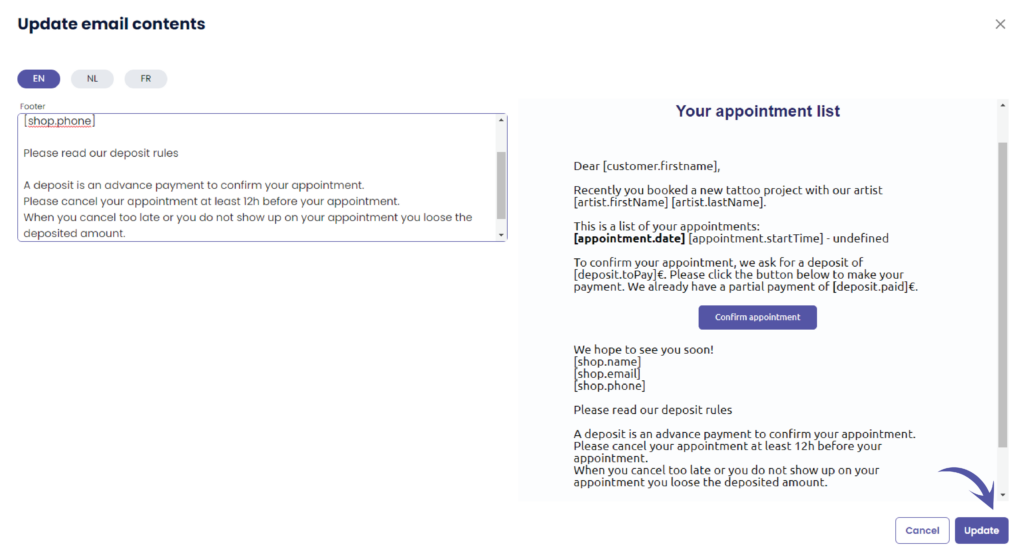
We can see that the preview email also has updated:
Meldtalen #

U kunt een standaard taal selecteren voor je winkel.
Als de standaardtaal van je winkel EN is, dan zal elke nieuwe klant standaard EN zijn.
Tijdens het maken of bewerken kun je de taal van elke klant wijzigen in een van de beschikbare talen uit de lijst.
Dit is vooral handig voor winkels in landen waar je klanten met verschillende talen moet bedienen.
(in België hebben we bijvoorbeeld Frans en Nederlands).
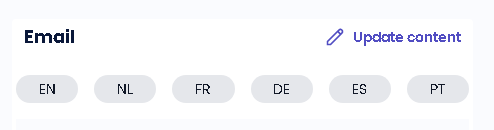
Elke melding is beschikbaar in meerdere talen.
Hier kun je de inhoud van de notificatie-e-mail bewerken, kun je dat voor elke taal doen.
(bijv. Als de taal van je klant EN is, krijgt hij de EN e-mails. Als de klant Frans is, krijgt hij de Franse e-mails, enz...)
WIST JE DAT?
Als u een andere taal aanvragen optie wees niet bang om ons te mailen support@tattoogenda.com
Heb je nog steeds een probleem of een vraag?
Hieronder vind je een kleine link met de naam ‘Nog steeds vast? Hoe kunnen we helpen!’
Geschreven door
Sharice Vandenhende
Door Tattoogenda


 English
  Dutch
Dutch  Dutch (Belgium)
  French
  German
  Spanish