

Why do you need an API key?
API keys are used when you bought one of our WordPress Tattoogenda plugins or you would like to use our endpoints on your own custom build websites. Those WP plugins can show data about your artists, your artist list, their available dates, or a booking form, .. on your WP website. For your plugin to communicate with your Tattoogenda account data, you will need to add your API key into the plugins settings.
link here to custom api usage
In uw Tattoogenda studio software,
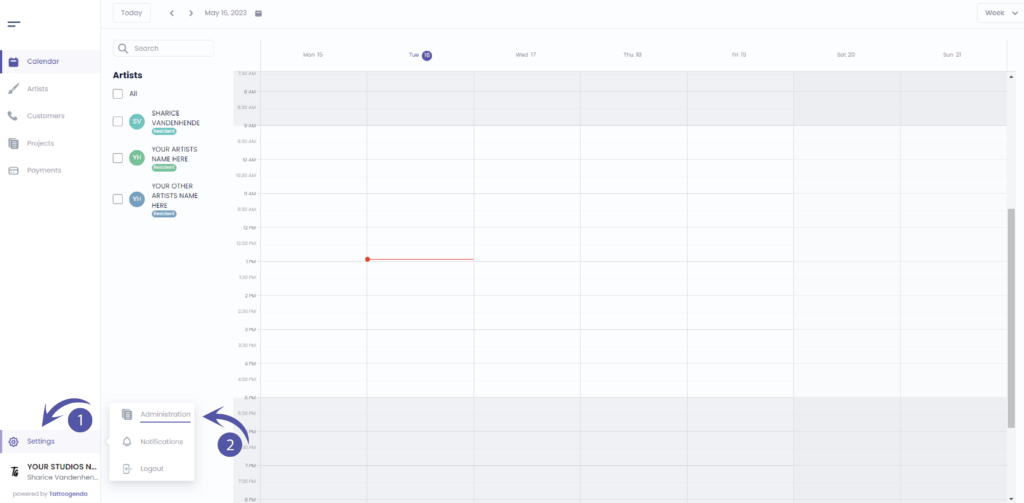
U vindt uw instellingen linksonder op uw scherm
boven je studionaam.
Ga naar je instellingen en kies ‘Administratie’
Ga naar ‘API Keys’
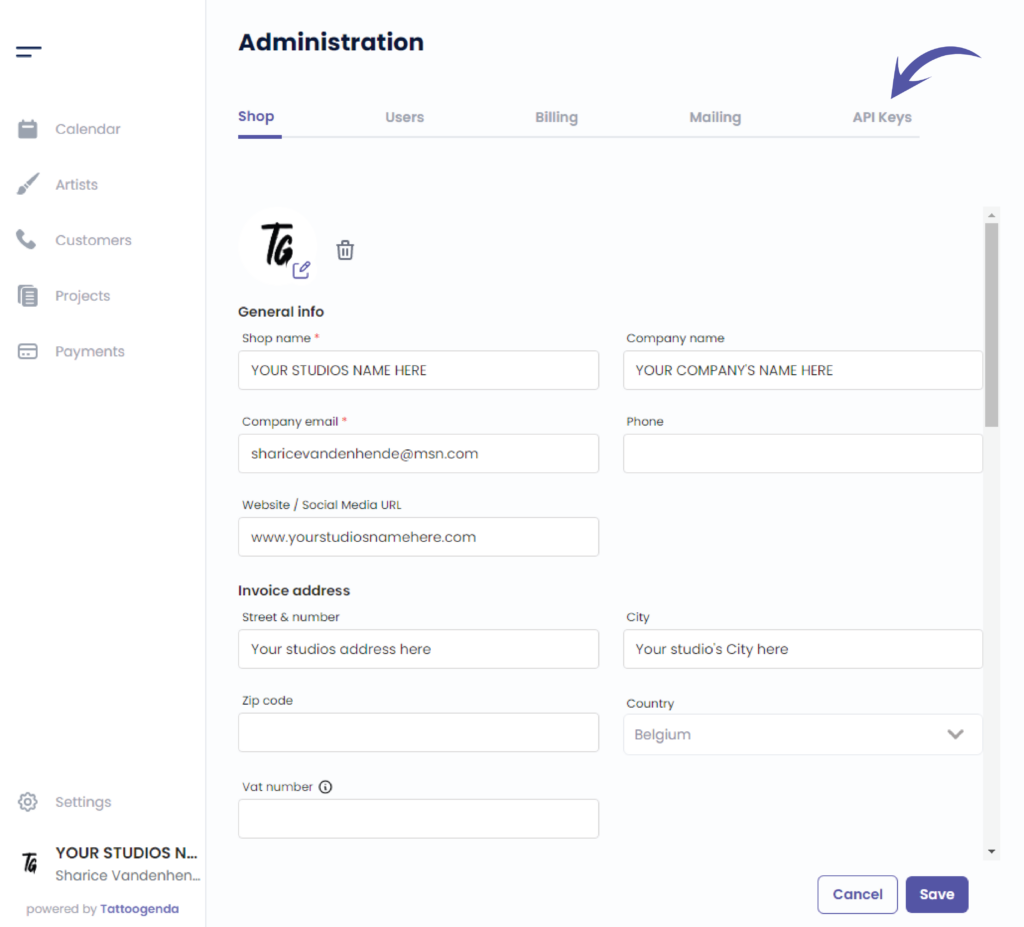
U ziet het volgende scherm
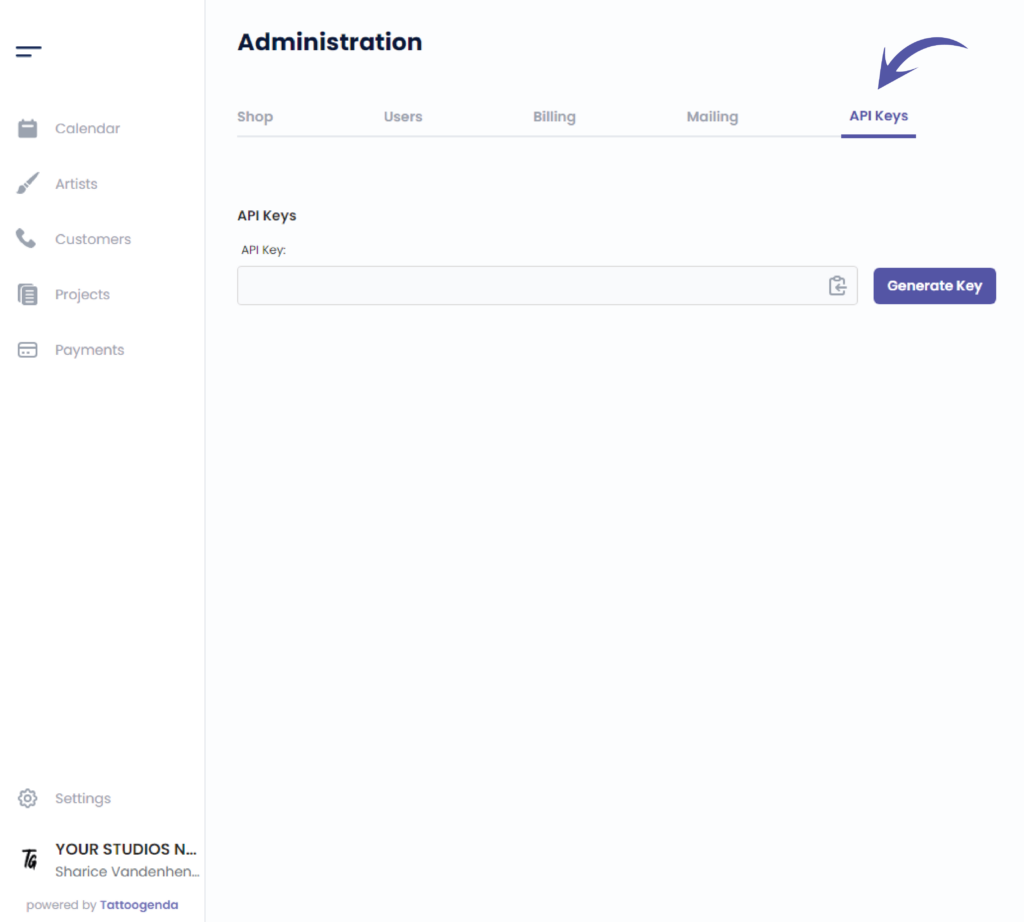
Klik op ‘Generate Key’
This will show when you will generate your key for the first time
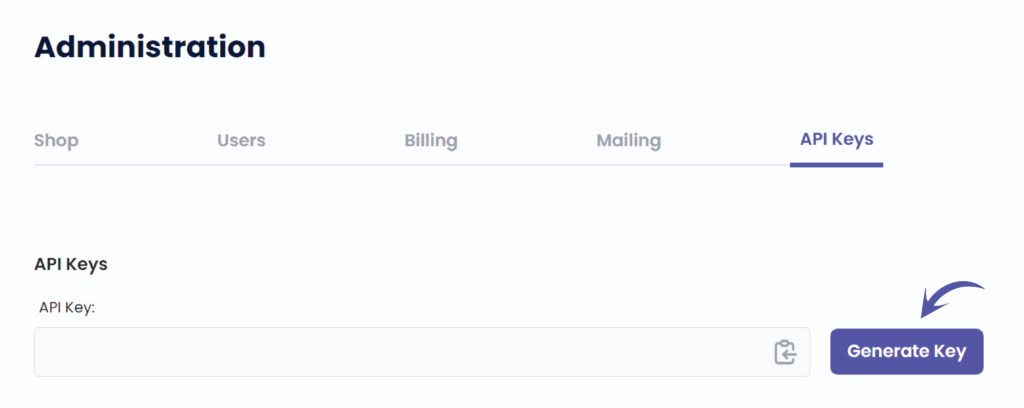
Easily copy your code by clicking on this icon
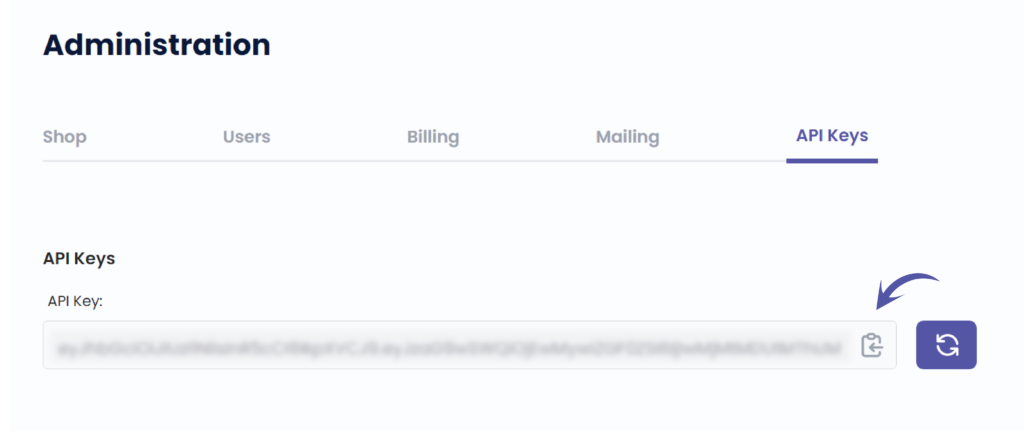
Regenerate your key by clicking this icon
Once you have generated a key in the past, this icon will always appear to regenerate a new API key.
Be carefull! If you regenerate your API key, the previous one will not work anymore.

Heb je nog steeds een probleem of een vraag?
Hieronder vind je een kleine link met de naam ‘Nog steeds vast? Hoe kunnen we helpen!’
Geschreven door
Sharice Vandenhende
Door Tattoogenda


 English
  Dutch
Dutch  Dutch (Belgium)
  French
  German
  Spanish