

Why do you need an API key?
API keys are used when you bought one of our WordPress Tattoogenda plugins or you would like to use our endpoints on your own custom build websites. Those WP plugins can show data about your artists, your artist list, their available dates, or a booking form, .. on your WP website. For your plugin to communicate with your Tattoogenda account data, you will need to add your API key into the plugins settings.
link here to custom api usage
In Ihr Tattoogenda Studio-Software,
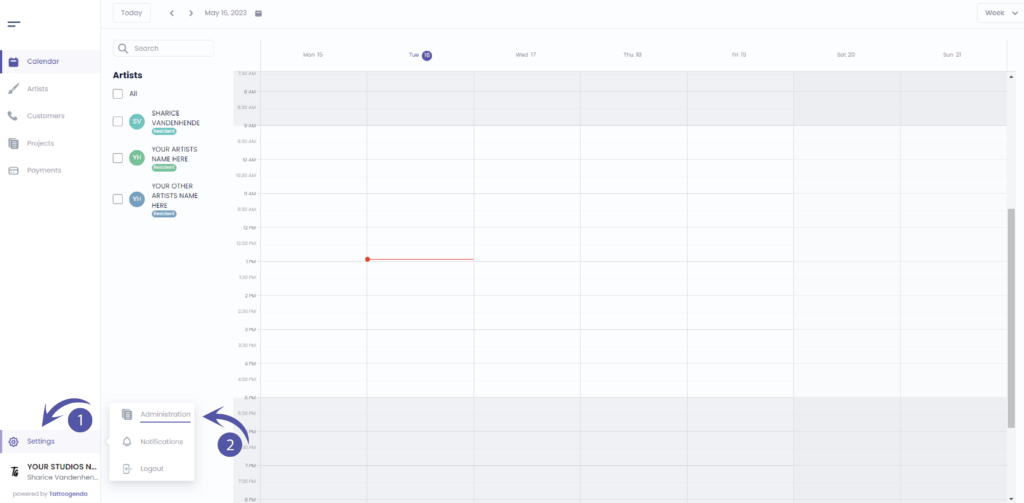
Sie finden Ihre Einstellungen unten links auf Ihrem Bildschirm
über dem Namen Ihres Studios.
Gehen Sie zu Ihren Einstellungen und wählen Sie ‘Verwaltung’.’
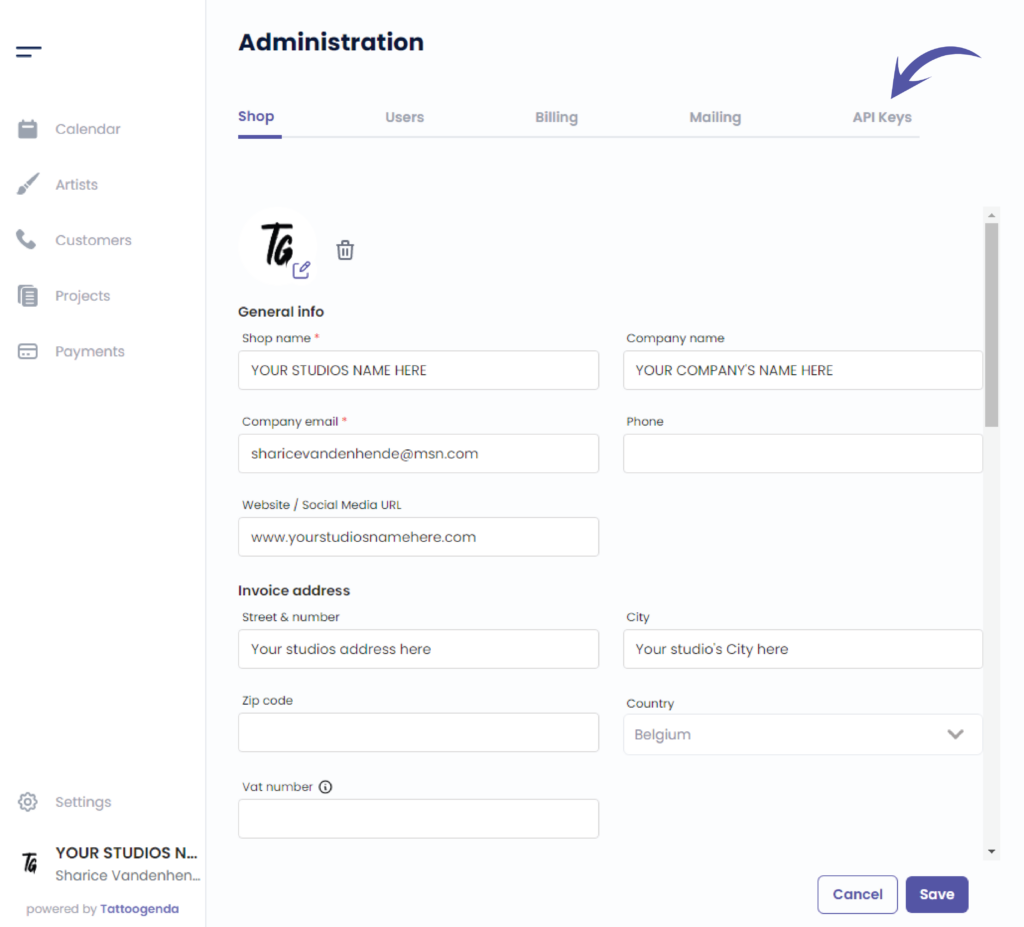
Gehe zu ‘API-Schlüssel’.’
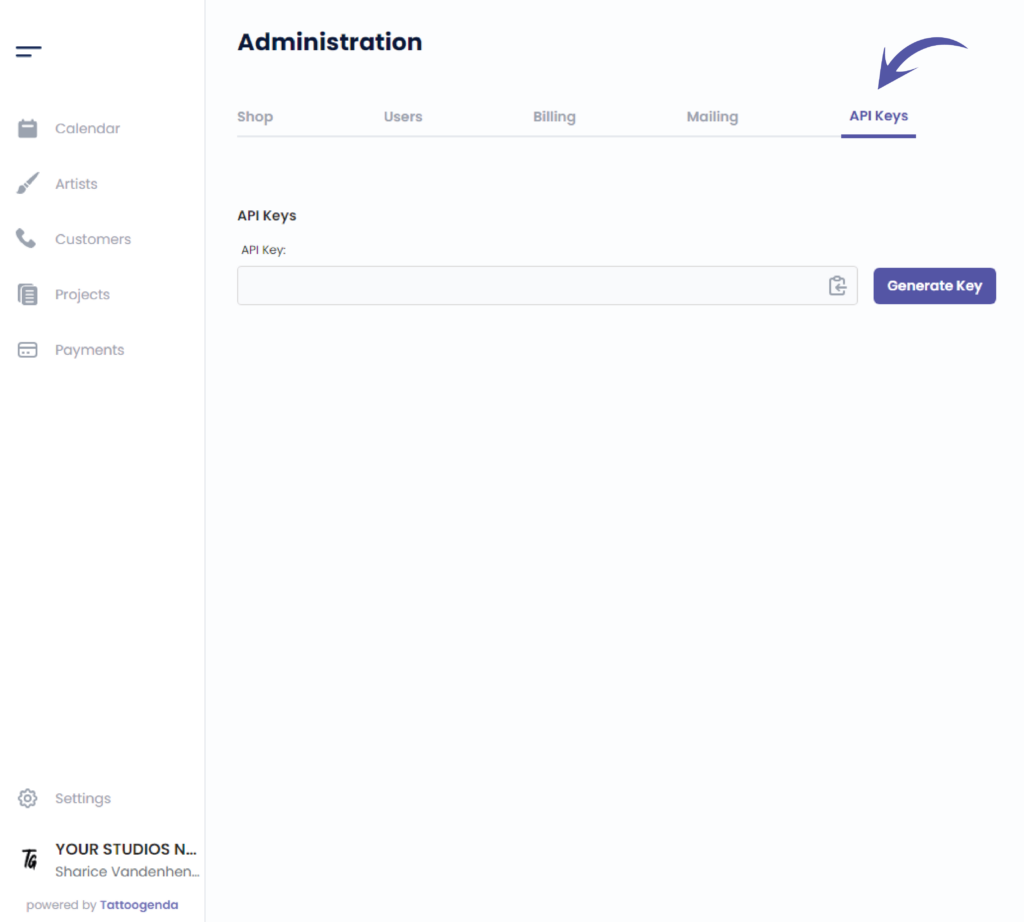
Sie sehen den folgenden Bildschirm
Klicken Sie auf ‘Schlüssel generieren’
This will show when you will generate your key for the first time
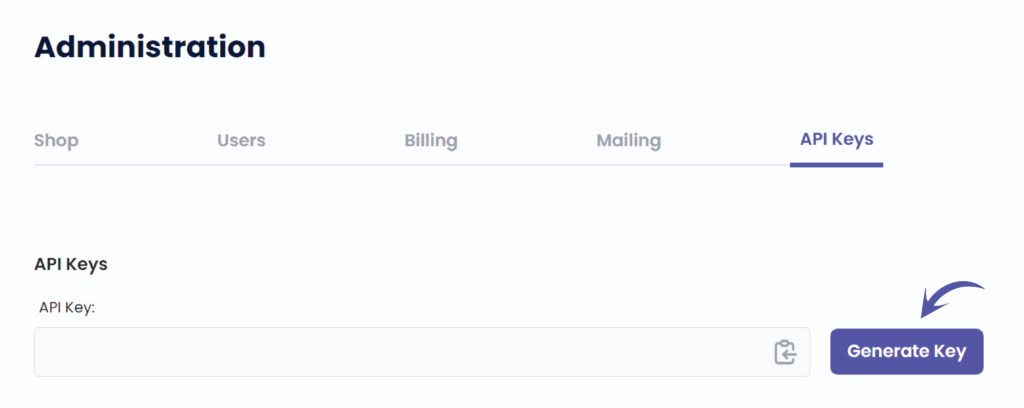
Easily copy your code by clicking on this icon
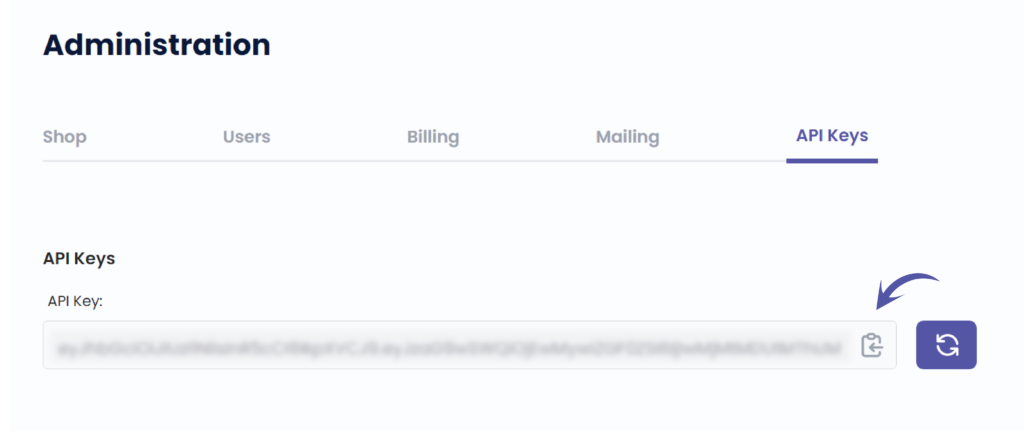
Regenerate your key by clicking this icon
Once you have generated a key in the past, this icon will always appear to regenerate a new API key.
Be carefull! Wenn Sie Ihren API-Schlüssel neu generieren, wird der vorherige Schlüssel nicht mehr funktionieren.

Sie haben noch ein Problem oder eine Frage?
Nachstehend finden Sie einen kleinen Link mit der Bezeichnung ‘Stecken Sie immer noch fest? Wie können wir helfen?’
Geschrieben von
Sharice Vandenhende
Unter Tattoogenda


 English
  Dutch
Dutch  Dutch (Belgium)
  French
  German
  Spanish