

In Ihr Tattoogenda Studio-Software,
finden Sie Ihre Einstellungen unten links auf Ihrem Bildschirm über Ihrem Studionamen.
Gehen Sie zu Ihren Einstellungen und wählen Sie ‘Verwaltung’.’.
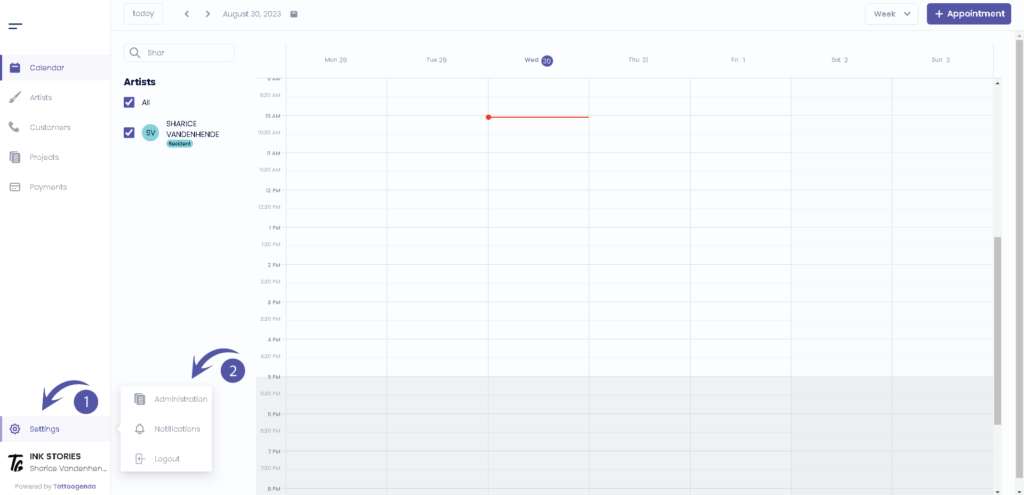
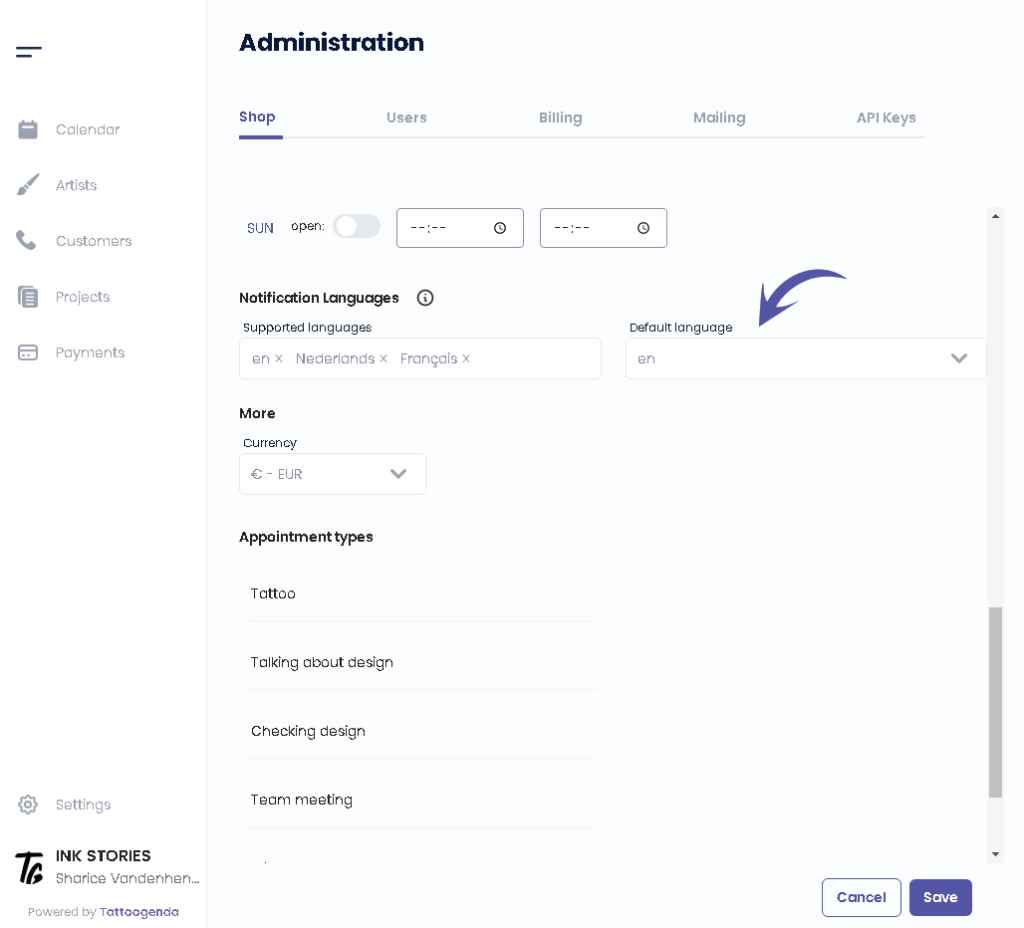
Sie sollten automatisch auf dem Laufenden sein ‘Laden’.’. Scroll down until u see ‘Sprachen der Benachrichtigung‘.
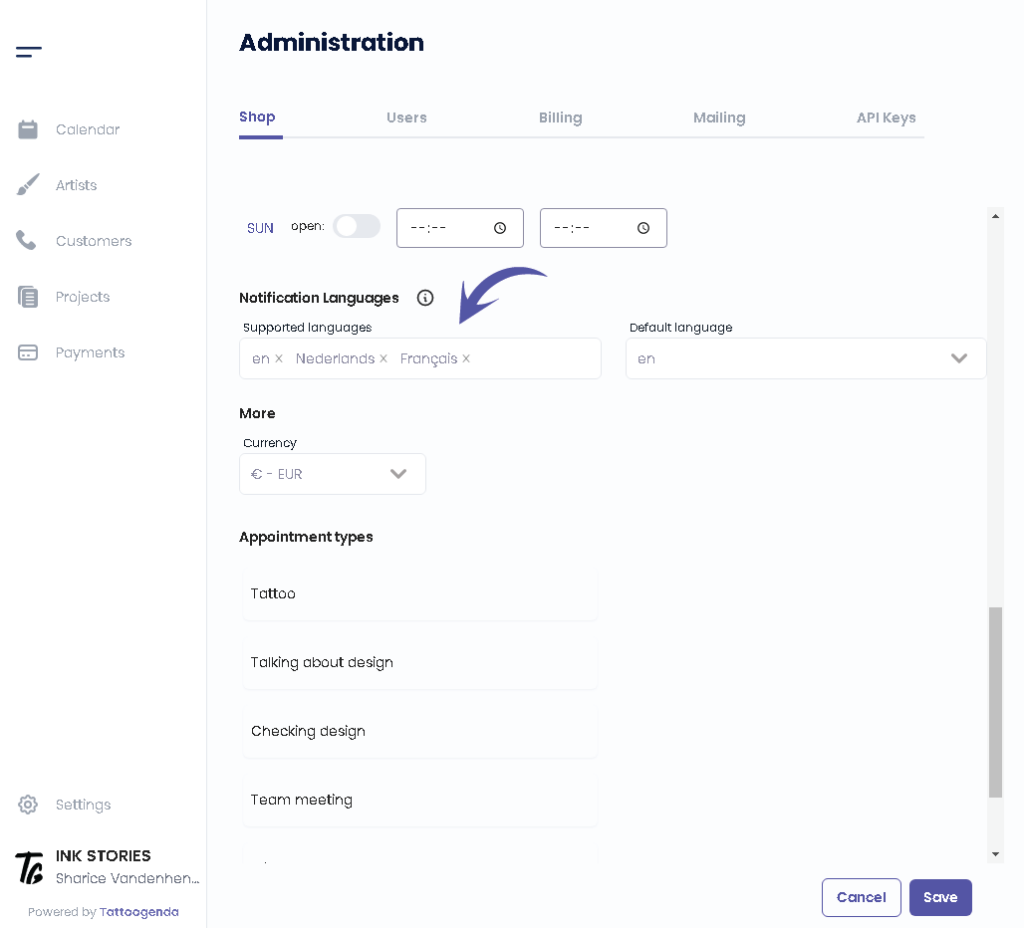
You can see which languages are supported as of right now by Tattoogenda.
Changing or adding a language here does not mean you you are setting the language for your use of TG itself.
TG is only available in English for now.
These languages are only meant as a language for the automated emails towards your customers.
Would like to request another language? Mail to: support@tattoogenda.com.
Select the languages that you want your automated notifications to be supported into.
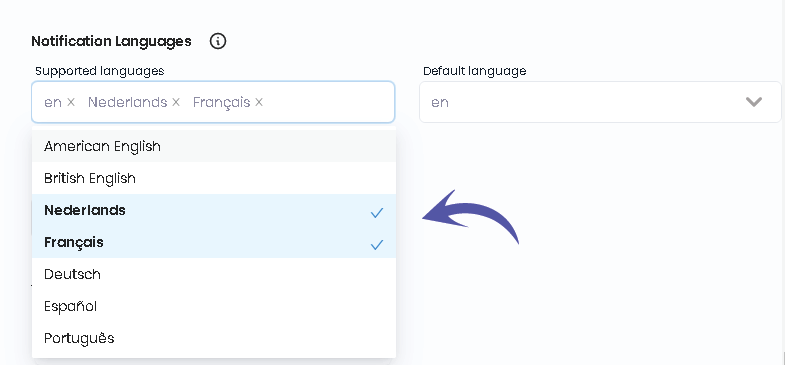
Select the preferred language this will be the language automatically chosen when creating new customer.
You can still change your customer’s language by editing your customer and click save.
Select the preferred default language this will be the language automatically chosen when creating new customer.
You can still change your customer’s language by editing your customer.

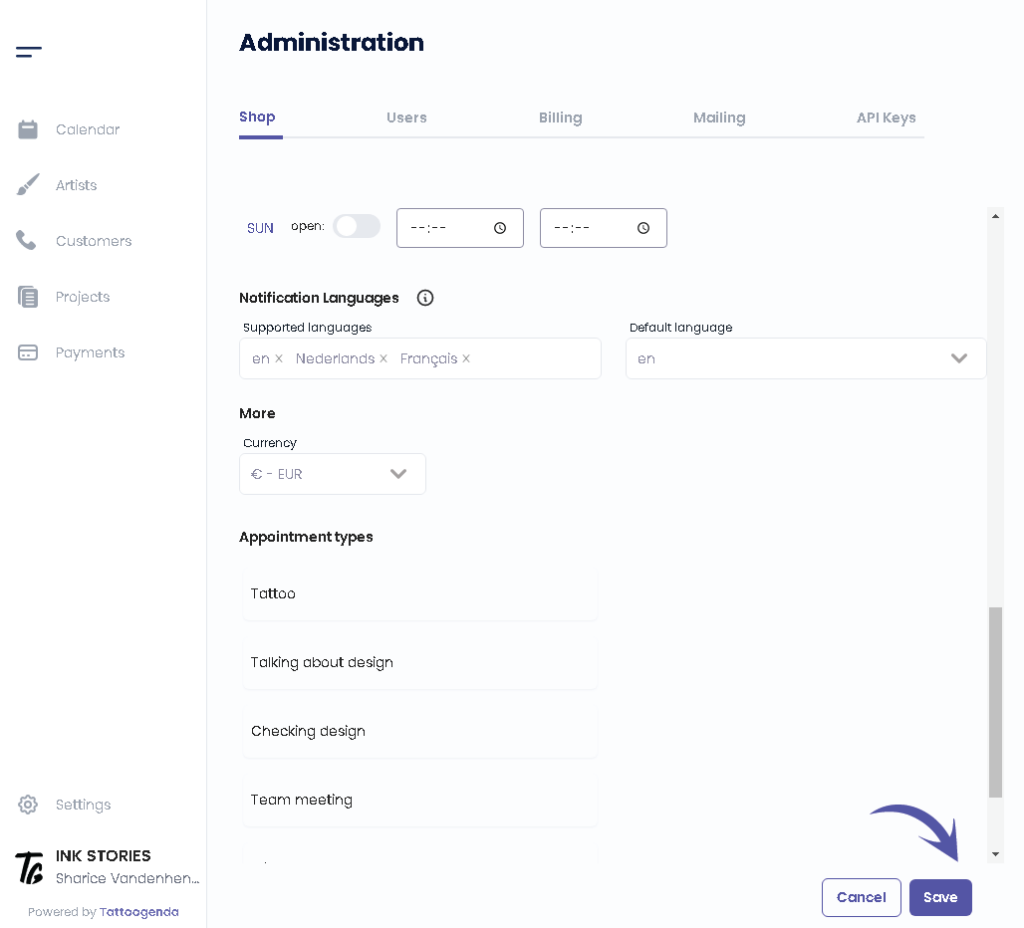
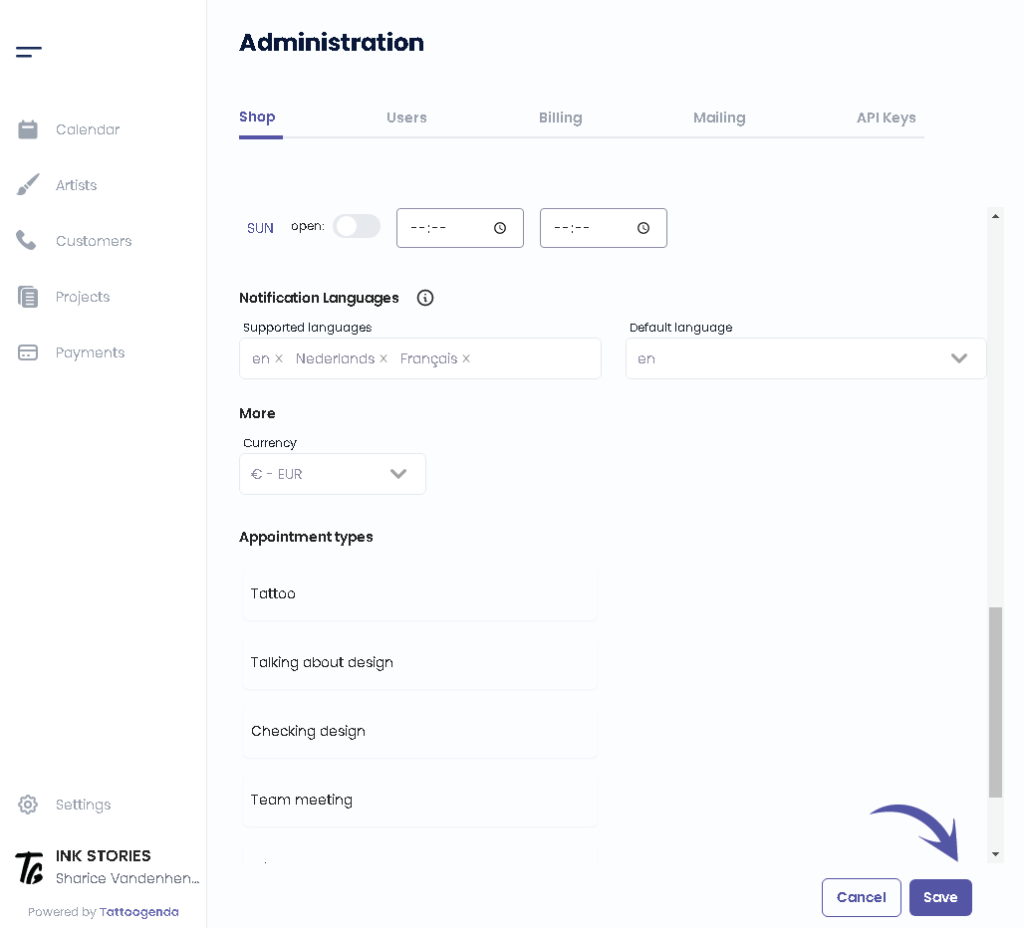
Klicken Sie auf ‘Speichern’.’.
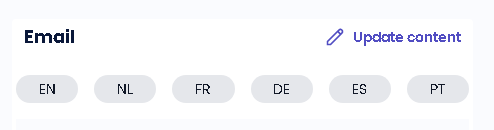
DID YOU KNOW?
If you would select more languages they will pop up into the language tabs into your notifications emails
Sie haben noch ein Problem oder eine Frage?
Nachstehend finden Sie einen kleinen Link mit der Bezeichnung ‘Stecken Sie immer noch fest? Wie können wir helfen?’
Geschrieben von
Sharice Vandenhende
Unter Tattoogenda


 English
  Dutch
Dutch  Dutch (Belgium)
  French
  German
  Spanish