

When do you use appointment types?
You select appointment types when you create an appointment.
Click on the articles below for more information about how to add appointment types oder how to add an appointment
Default appointment types #
Tattoo
Talking about the design
Checking design
Piercing
Team meeting
Private
You can also add appointment types to your Tattoogenda.
Default appointment types explained #
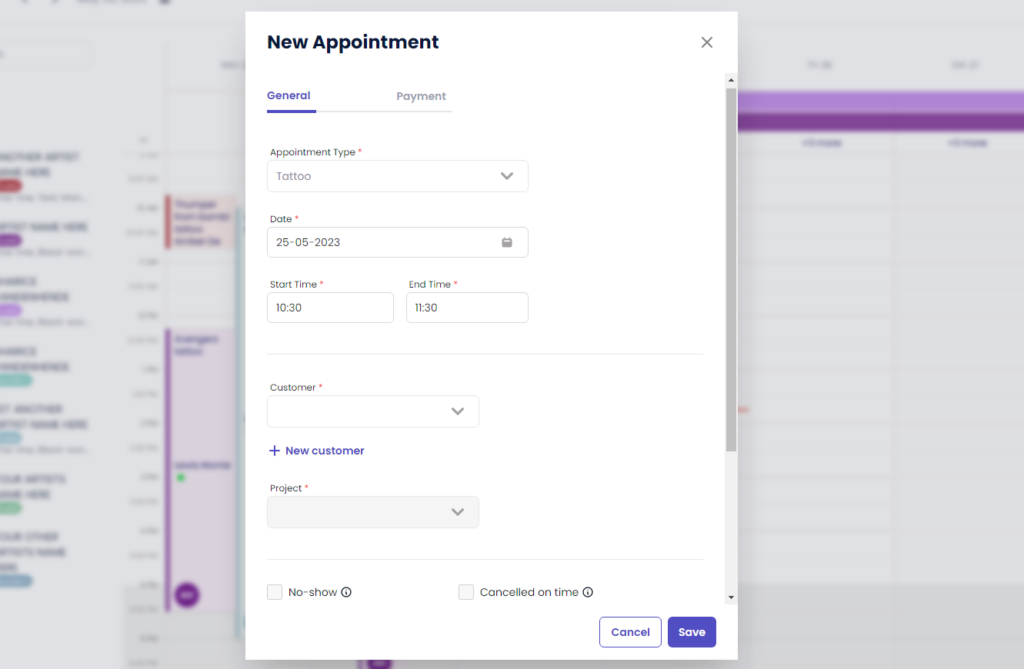
Tattoo, talking about design and checking design #
Tattoo: a tattoo session
Talking about design: a talking appointment, no need for the artist to be prepared
Checking design: an appointment where the customer comes to check his design. The artist needs to be prepared.
These are all appointment types related to tattoo’s.
This means for each of these appointments you need information about the tattoo, which artist, the customer, the project,..
Private, team meeting, piercing #
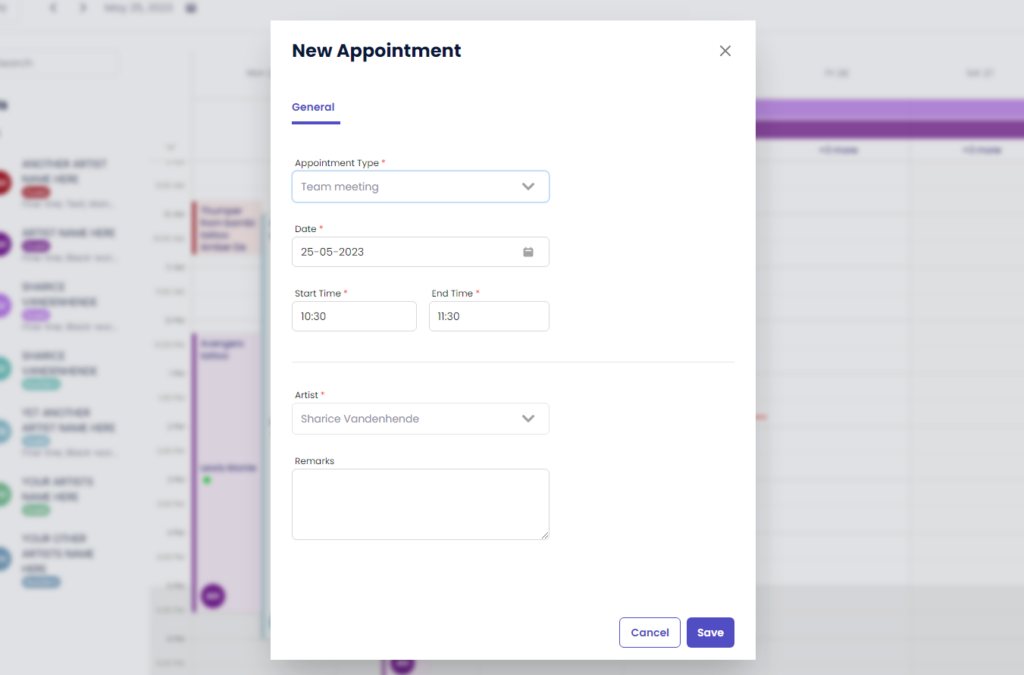
These appointment types are free input and not related to any tattoo projects or customers.
These appointments are only related to an artist.
They are just meant to keep a space blocked in your calendar.
( e.g. You can set an appointment for a team meeting in every artists separate calendar
if you which to have a team meeting with your artists all together. )
Added appointment types #
These are appointment types with free input and not related to any projects or customers.
These appointments are only related to an artist.
( e.g. You can set an appointment for when an artist is to a convention and give it your custom appointment type called convention. )
Sie haben noch ein Problem oder eine Frage?
Nachstehend finden Sie einen kleinen Link mit der Bezeichnung ‘Stecken Sie immer noch fest? Wie können wir helfen?’
Geschrieben von
Sharice Vandenhende
Unter Tattoogenda


 English
  Dutch
Dutch  Dutch (Belgium)
  French
  German
  Spanish