
WICHTIG
Certain features in this guide require different subscription plans.
Diese Optionen werden nicht verfügbar sein für Sie, wenn Sie nicht über diesen Plan oder einen höheren verfügen.
We will point this out per feature below.

ADD A CUSTOMER THROUGH AN APPOINTMENT #
Gehe zu ‘Kalender’
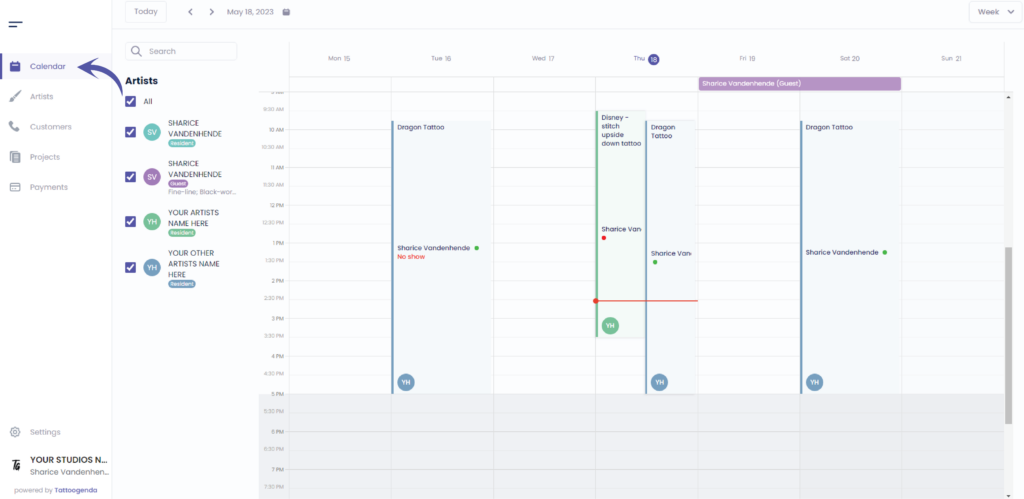
Click on the time where you’d like to make an appointment for your New customer
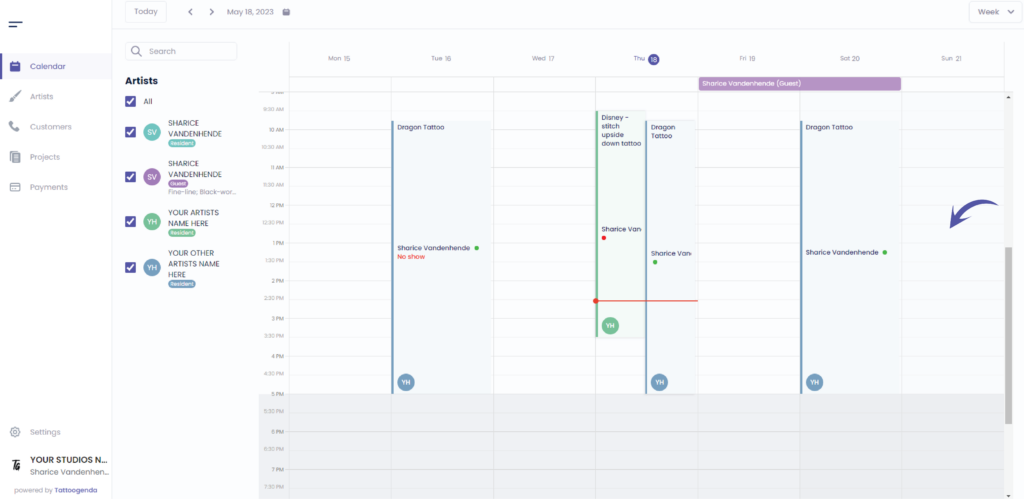
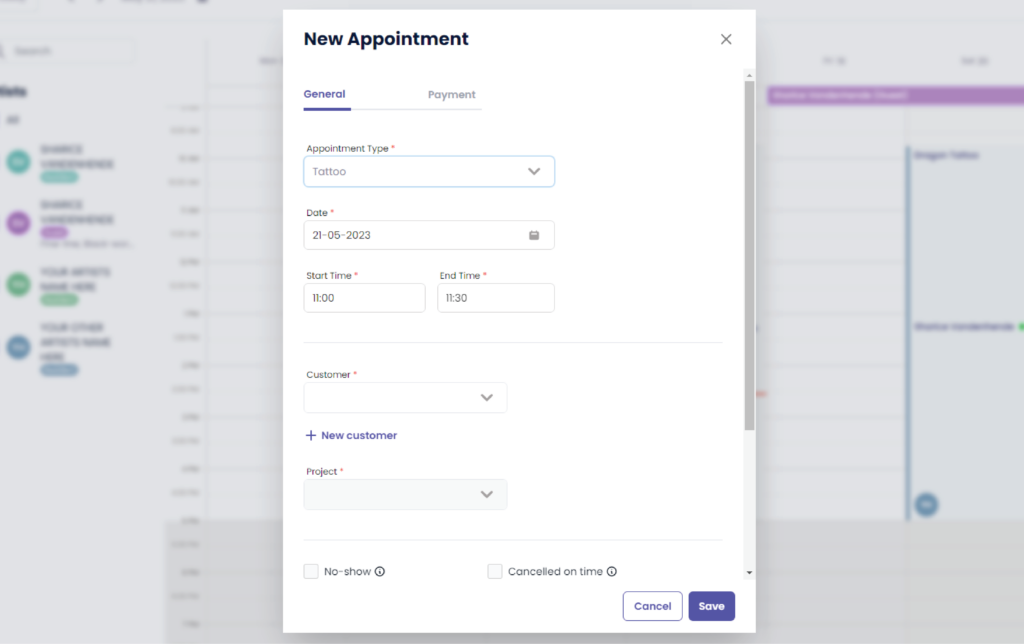
You will see the following pop up screen
You will see the following pop up screen
The payment tab will nicht verfügbar sein for you if you do not own the ‘Größeres Studio’ plan or higher.
Klicken Sie auf ‘ + New customer’
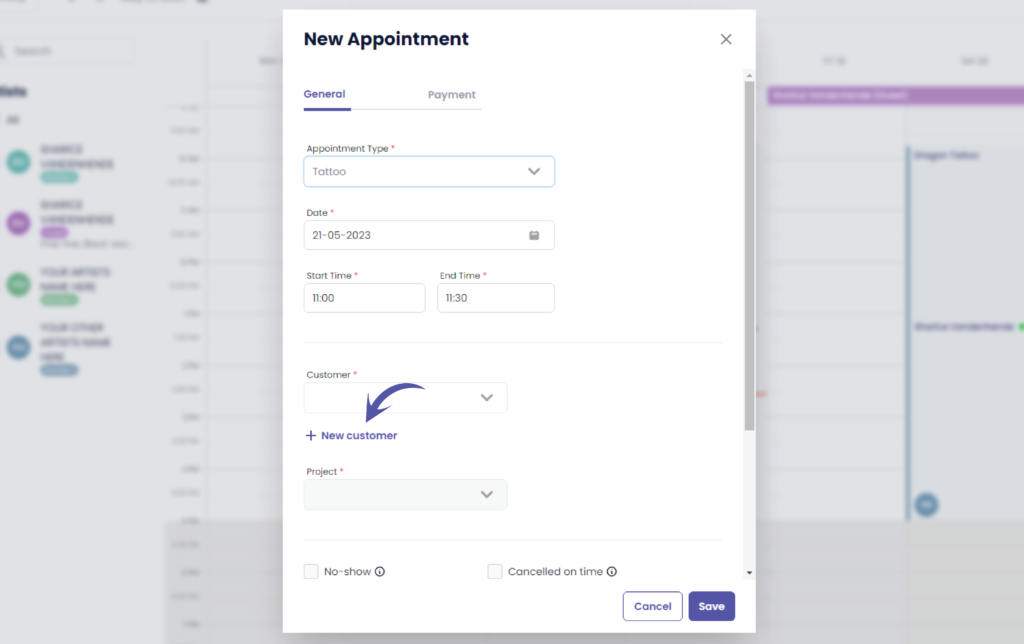
Füllen Sie die Felder aus
You will see the following pop up screen
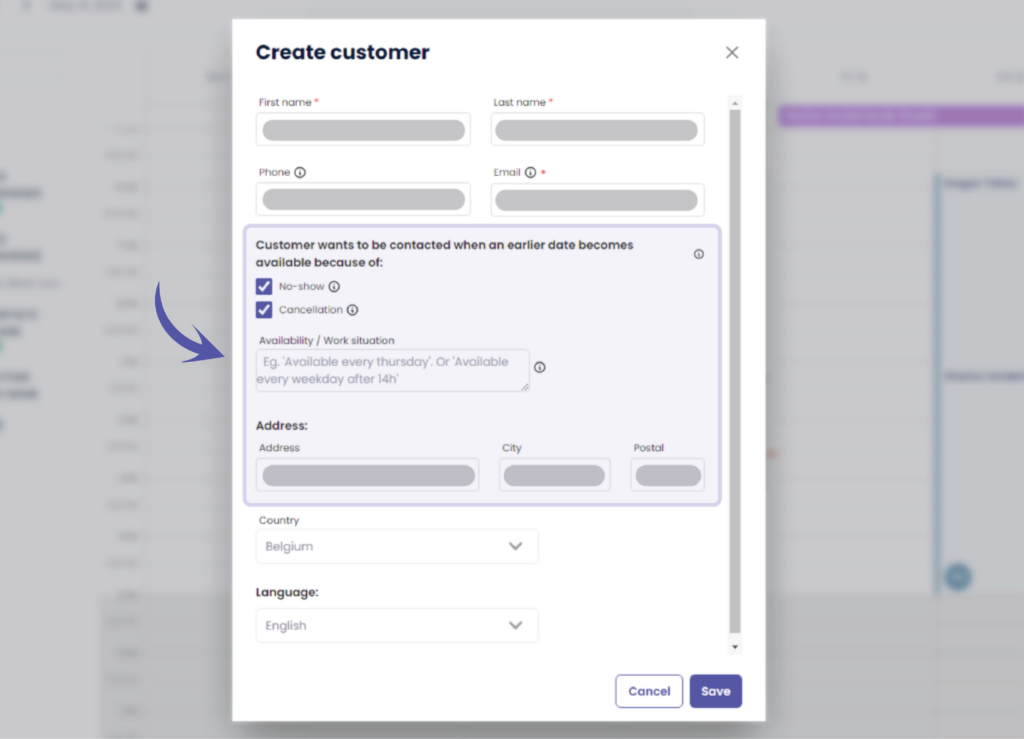
Some of these options might nicht verfügbar sein for you if you do not own the ‘Größeres Studio’ plan or higher.
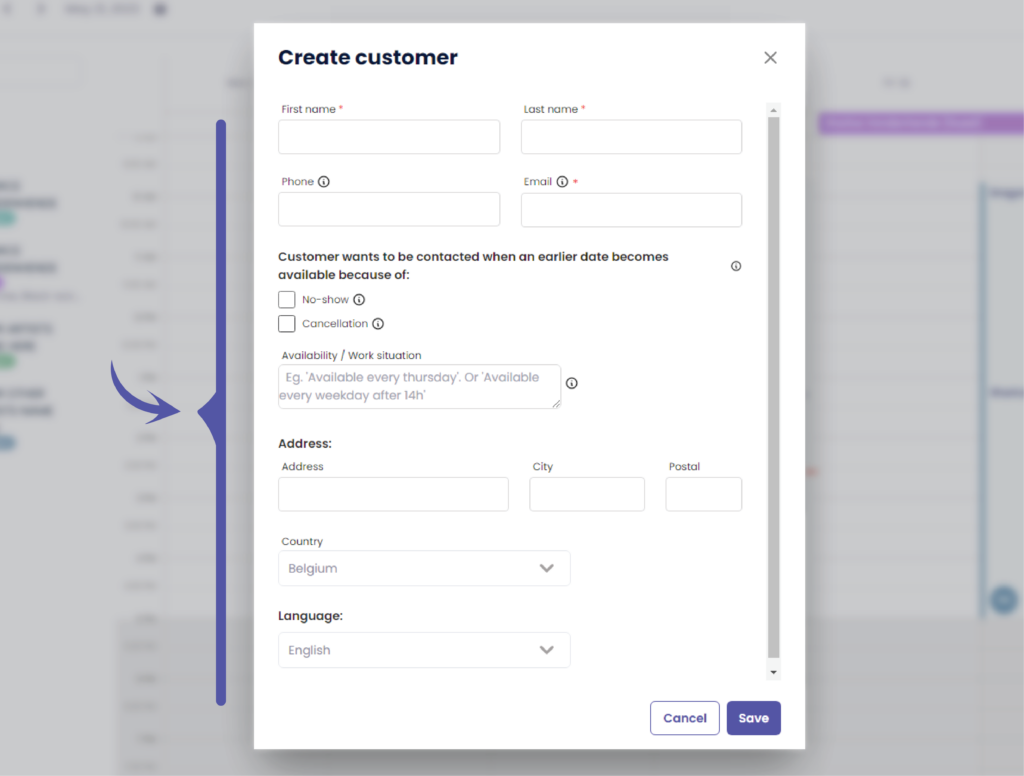
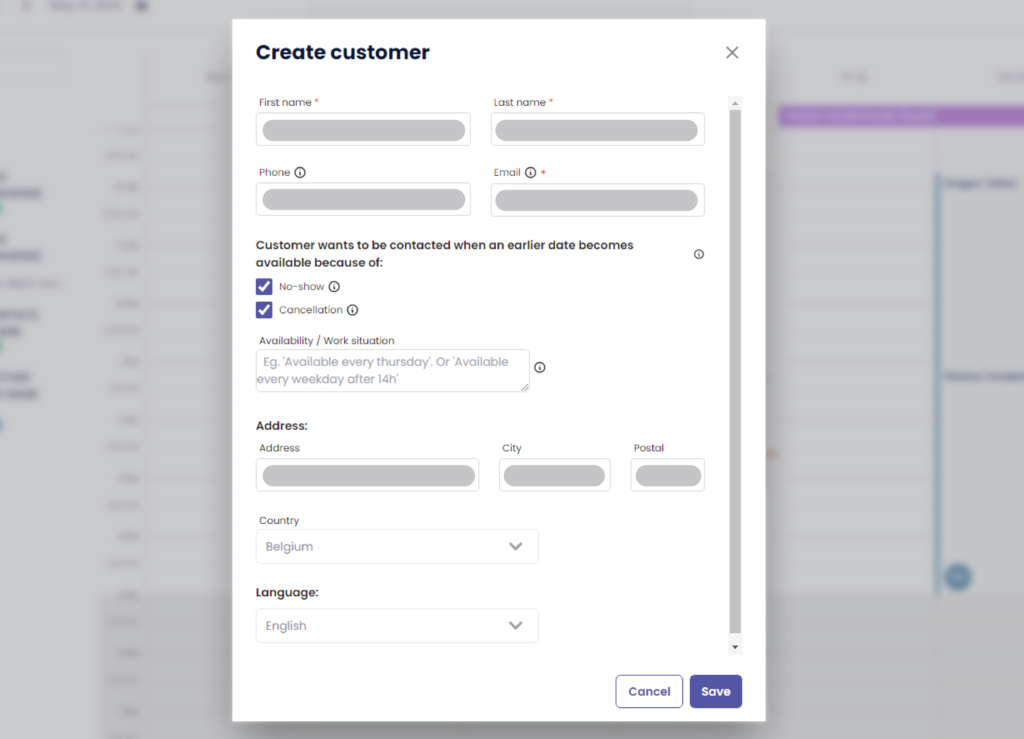
Starting from here these options might nicht verfügbar sein for you if you do not own the ‘Größeres Studio’ plan or higher.
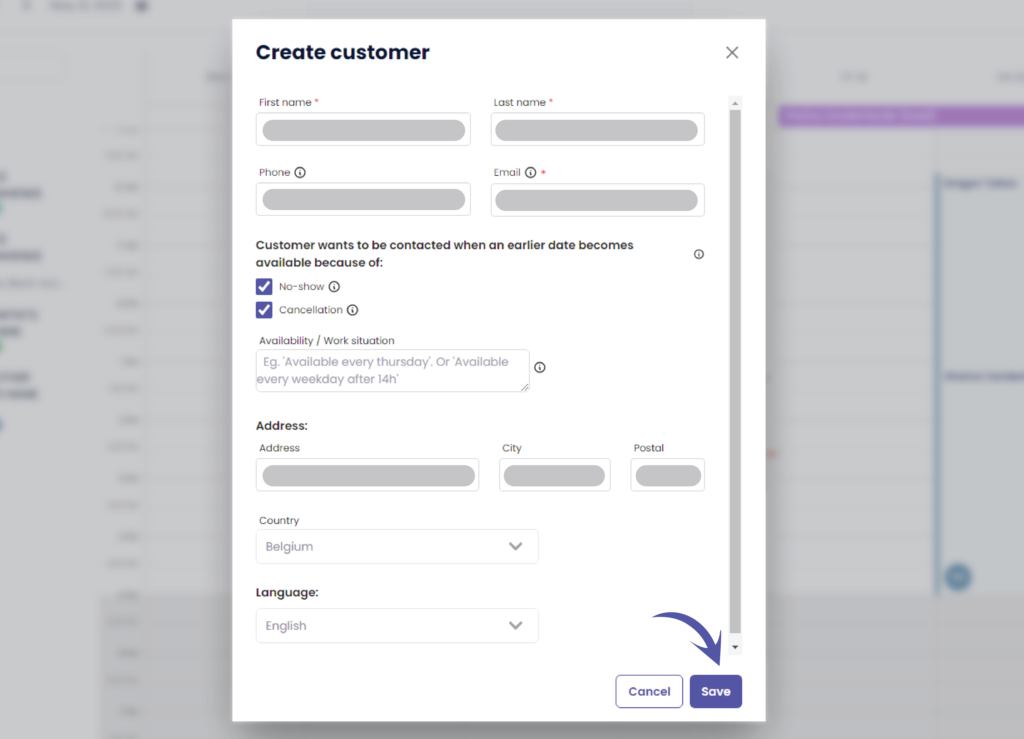
Klicken Sie auf ‘Speichern’.’ to save your new customer
ADD A CUSTOMER THROUGH CUSTOMERS #
Gehe zu ‘Customers’
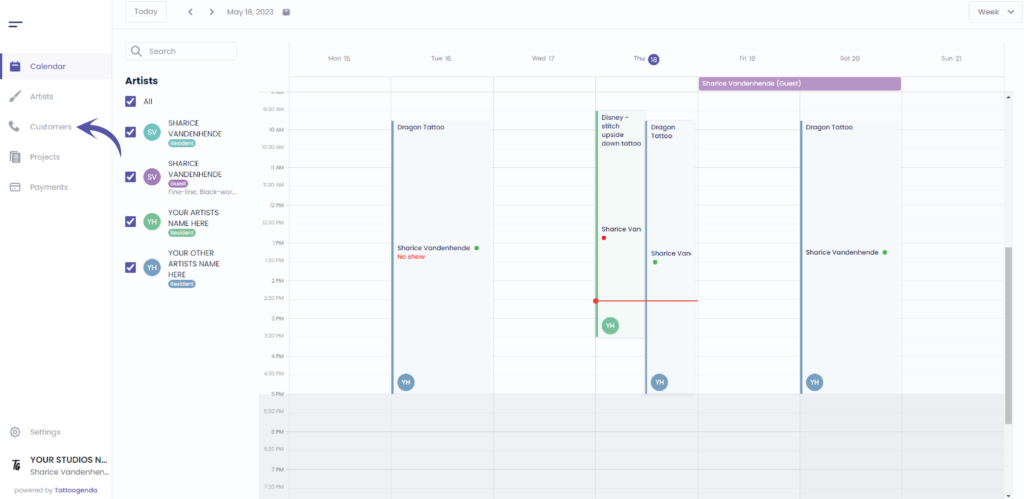
Sie sehen den folgenden Bildschirm
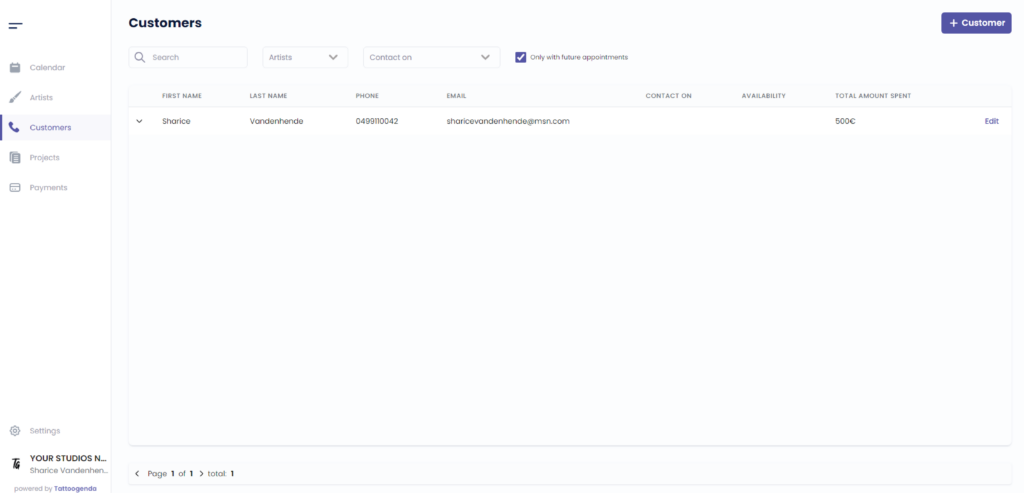
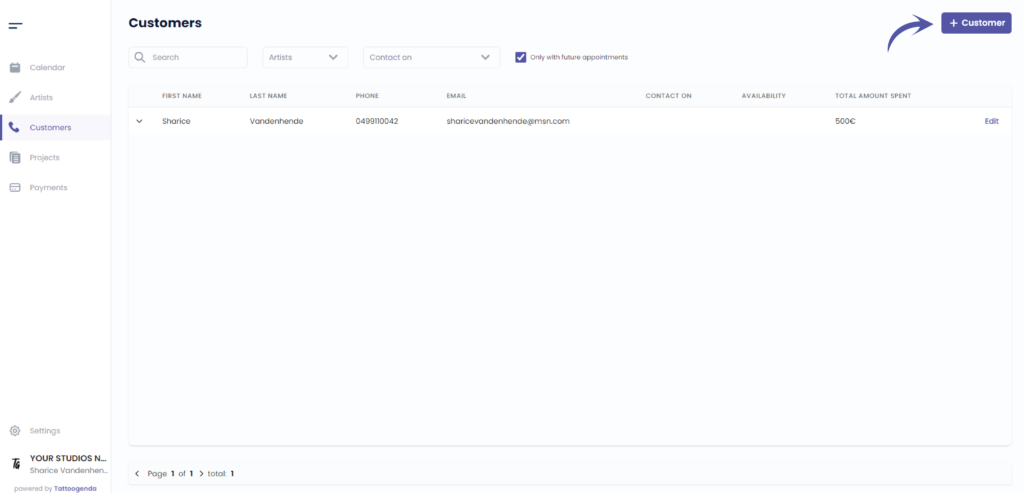
Klicken Sie auf ‘ + Customer ‘
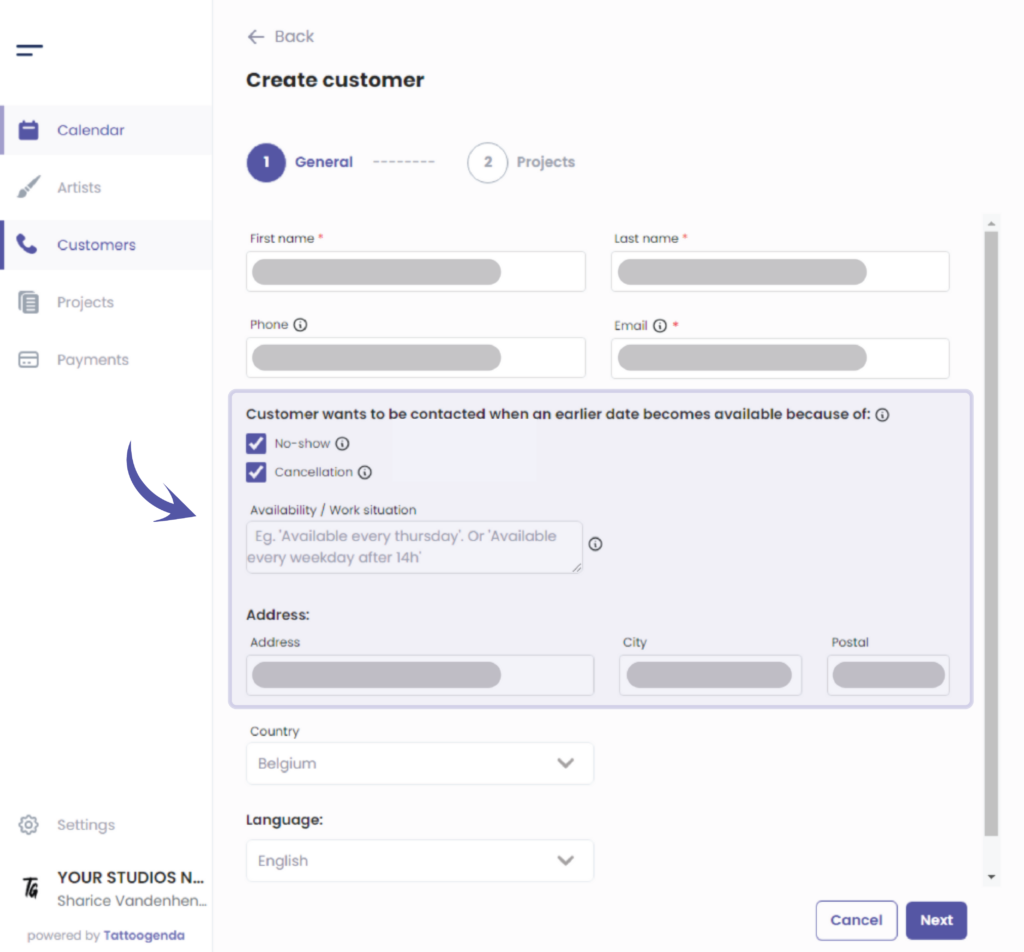
Fill out the fields for you customer
Some of these options might nicht verfügbar sein for you if you do not own the ‘Größeres Studio’ plan or higher.
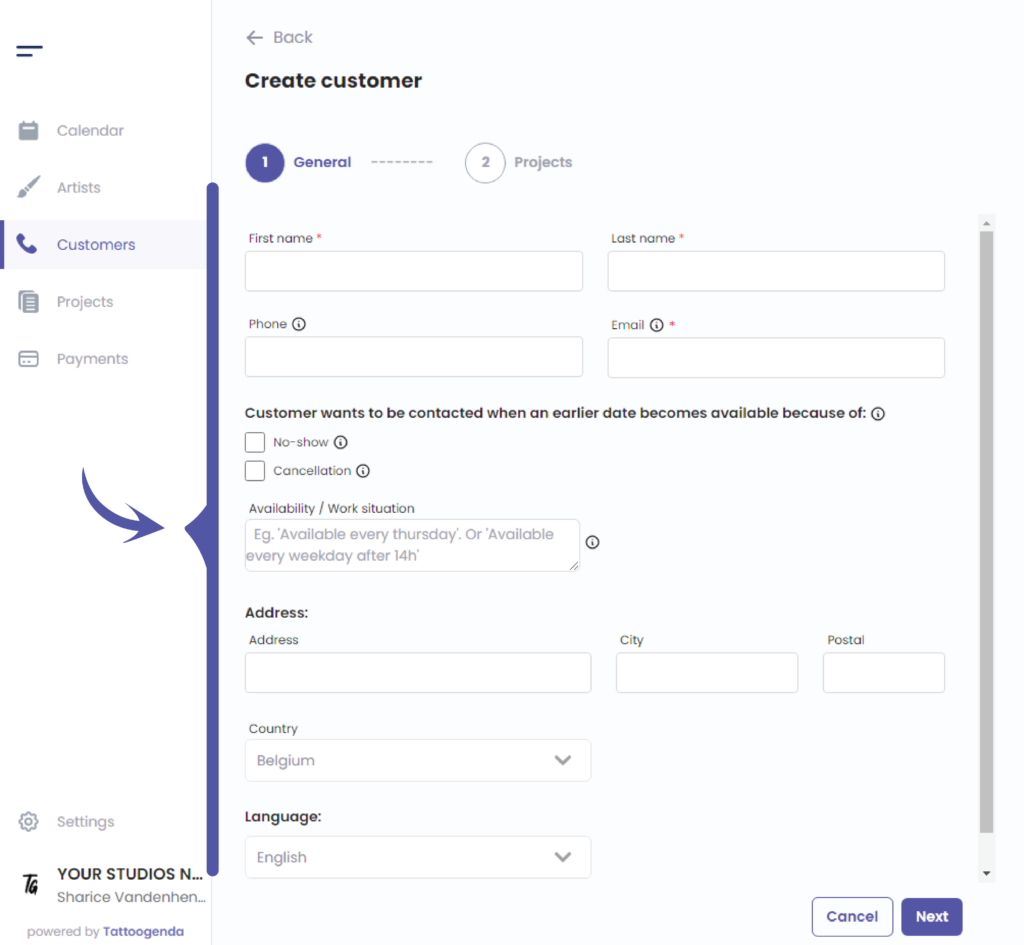
Starting from here some of these options might not be available for you if you do not have the required plan
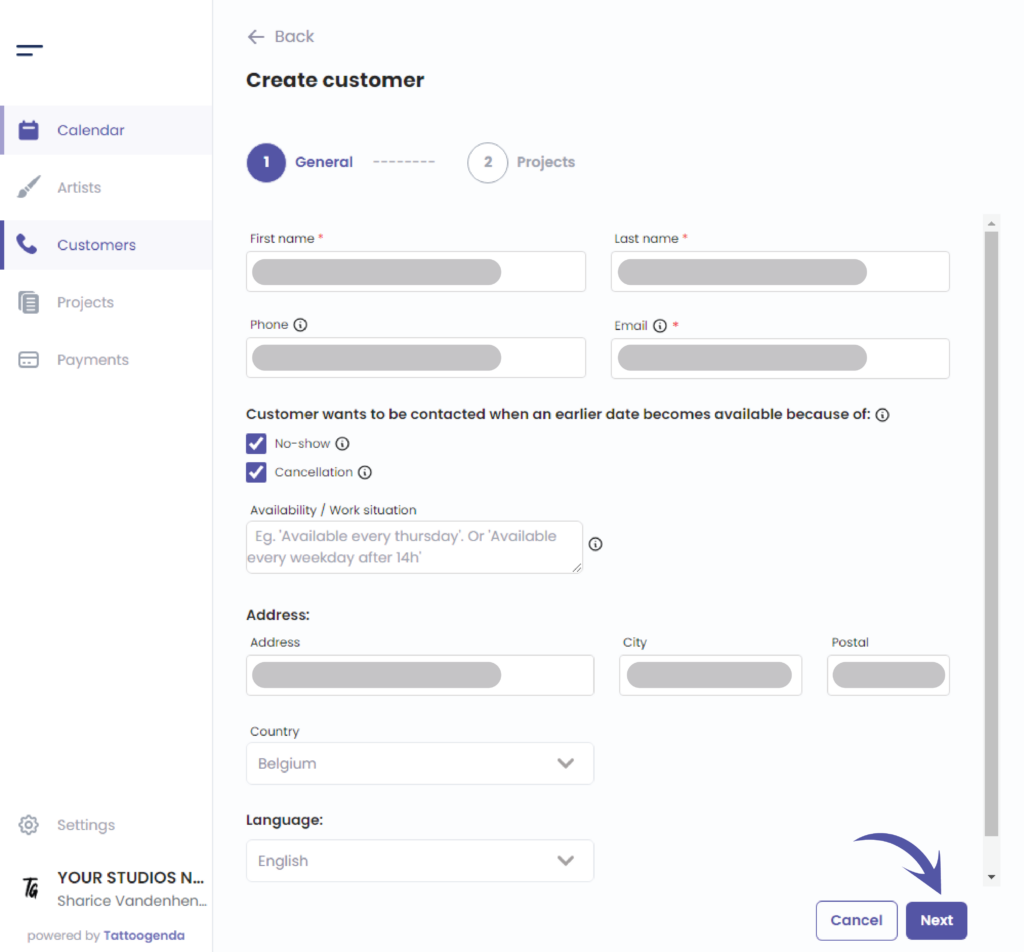
Klicken Sie auf ‘Next’ to save your customer
Sie haben noch ein Problem oder eine Frage?
Nachstehend finden Sie einen kleinen Link mit der Bezeichnung ‘Stecken Sie immer noch fest? Wie können wir helfen?’
Geschrieben von
Sharice Vandenhende
Unter Tattoogenda


 English
  Dutch
Dutch  Dutch (Belgium)
  French
  German
  Spanish