
WICHTIG
SIE BENÖTIGEN DEN FOLGENDEN ABONNEMENTPLAN
Einzahlungen sind möglich ab dem ‘Expertenstudio’.’ Plan.
Diese Optionen werden nicht verfügbar sein für Sie, wenn Sie diesen Plan nicht haben.

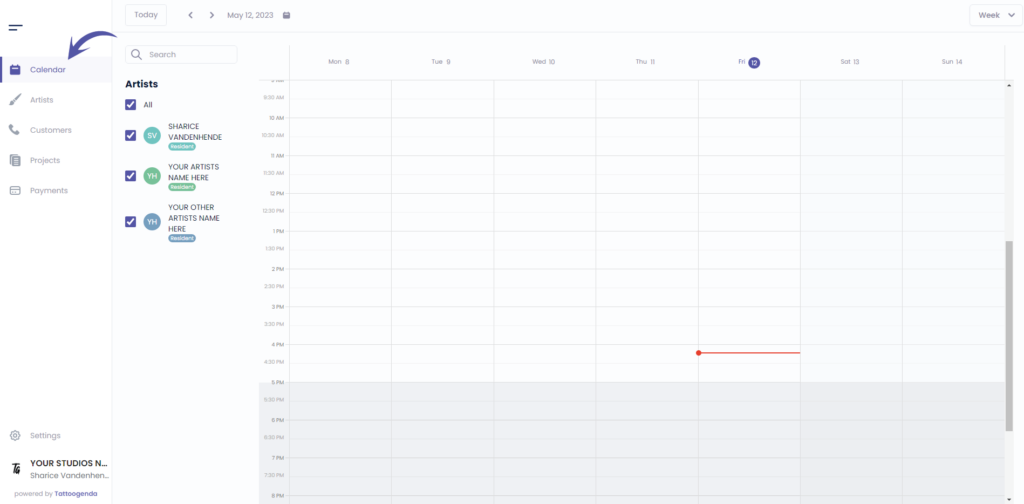
Gehe zu ‘Kalender’
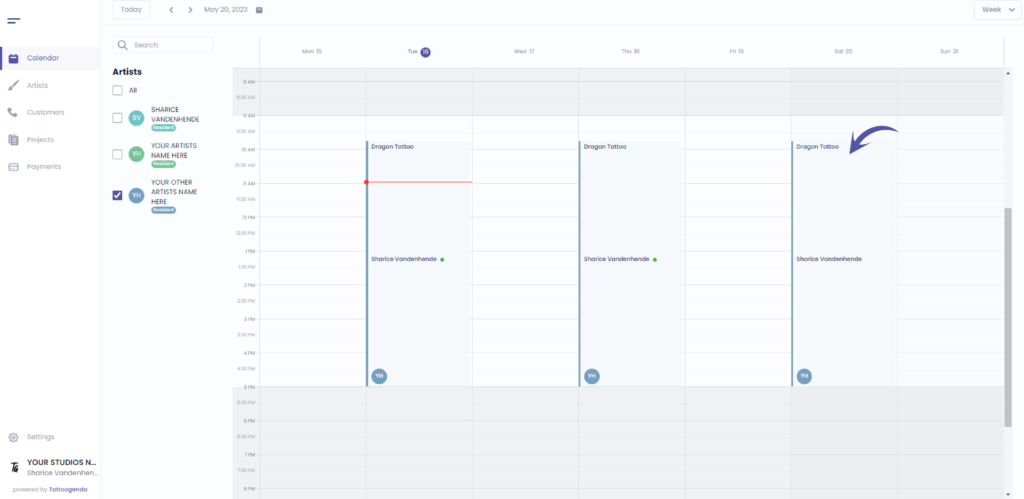
Click on your appointment
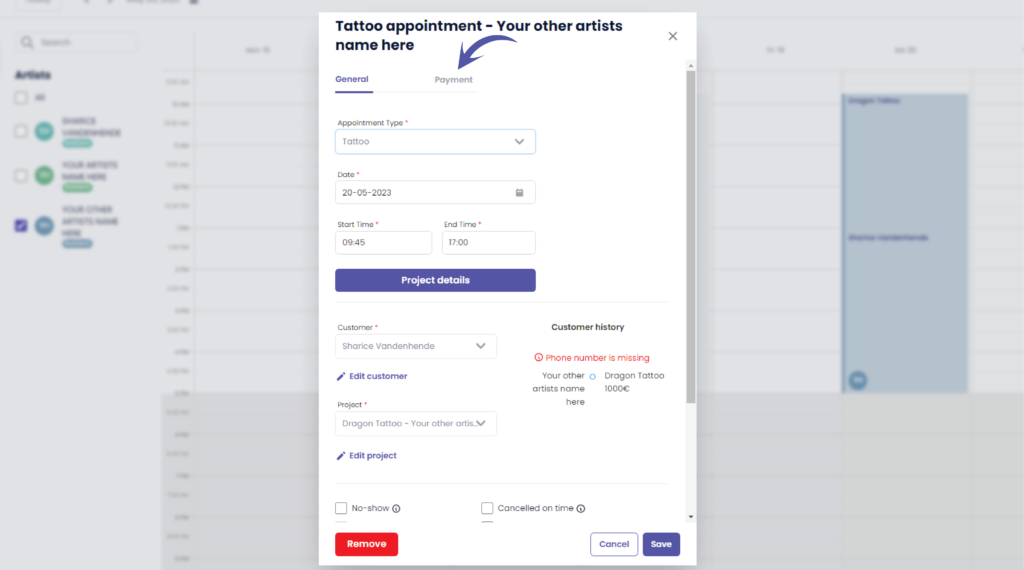
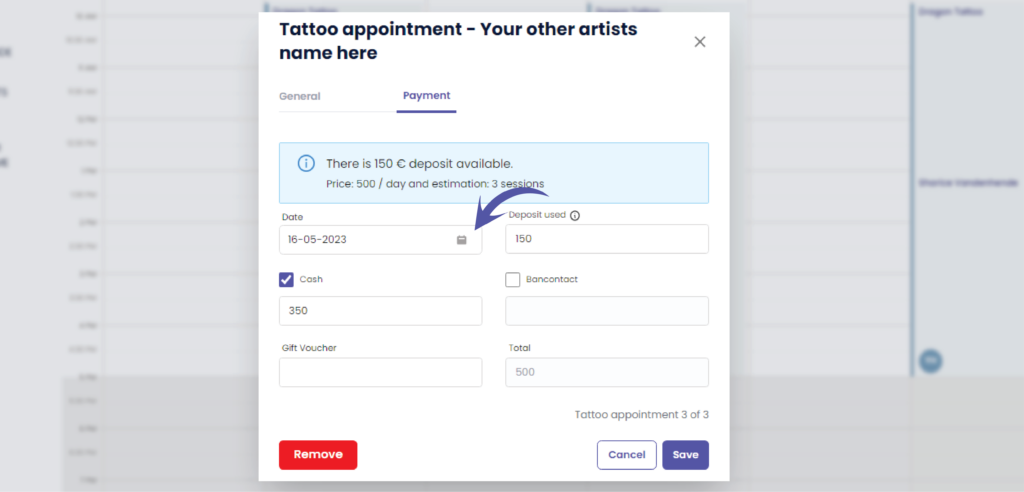
Gehe zu ‘Payment’
This will tell you how much deposit is still available
( z.B. 150 € )
Below the deposit information you can also see price and estimation
( e.g. Price: 500 / day and estimation: 3 sessions )
This serves a memory support for payments
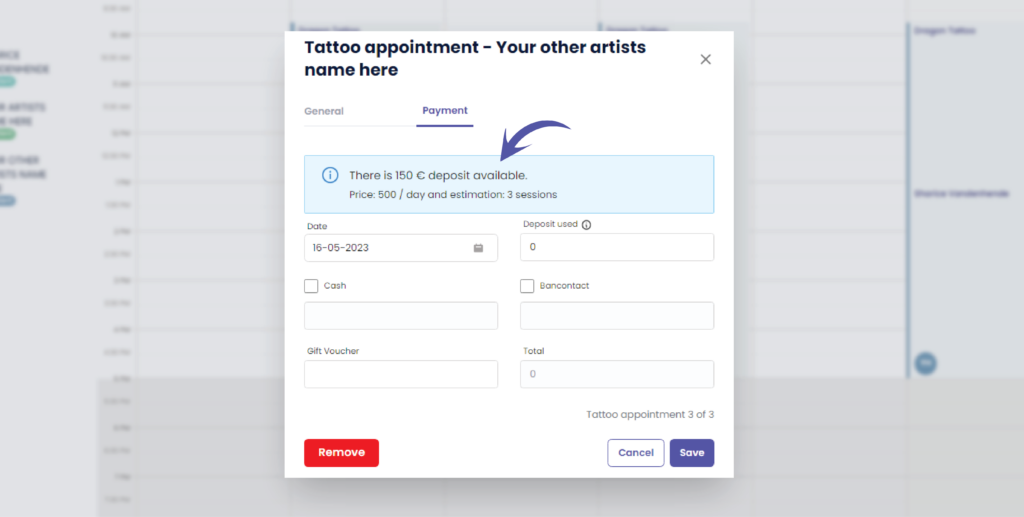
Die date of today will automatically filled out
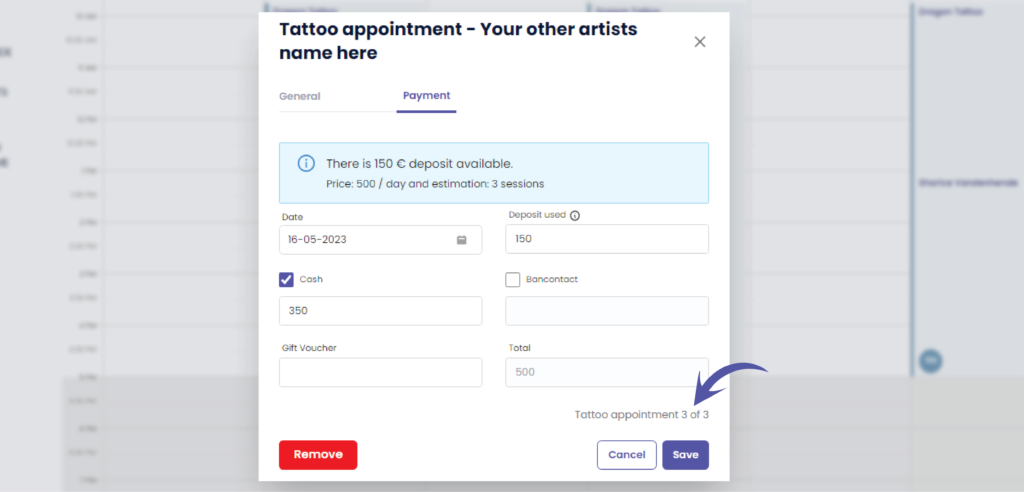
A tattoo project can have multiple appointments
( e.g. tattoo appointment 3 of 3 )
This is useful to help you decide on if you want to use the deposit already for this appointment, or keep it for a later appointment.
Mostly, you will use the available deposit on the last appointment only.
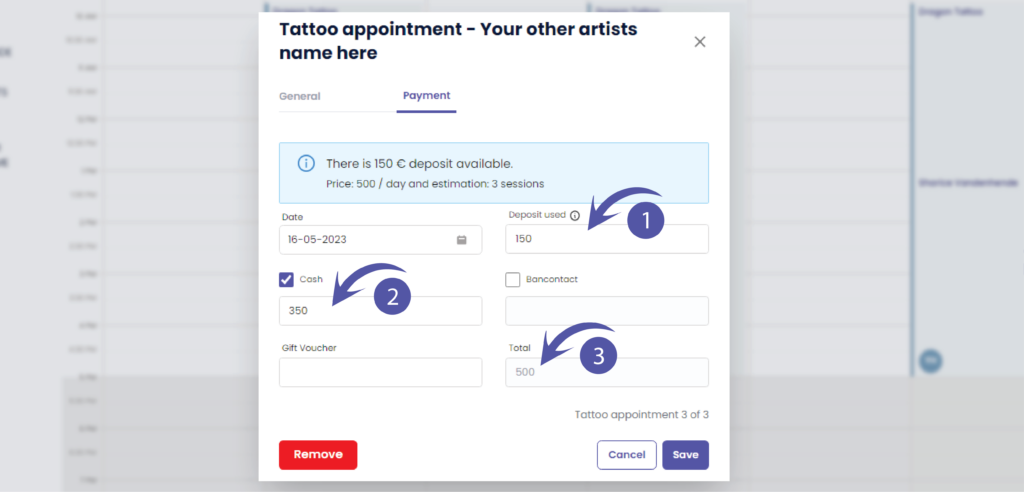
To use a deposit you fill out ‘Deposit used’ with the desired amount.
( z.B. 150 € )
number 1 ) We will use a deposit amount ( e.g. €150 )
number 2 ) customer paid in a certain amount in cash ( e.g. €350 )
number 3 ) Total adds up automatically ( e.g. €500 )
Speichern anklicken
You will be automatically brought back to the calendar
If you would go back to the payment tab into the appointment
you will see the remaining deposit amount
( z.B. 0 € )
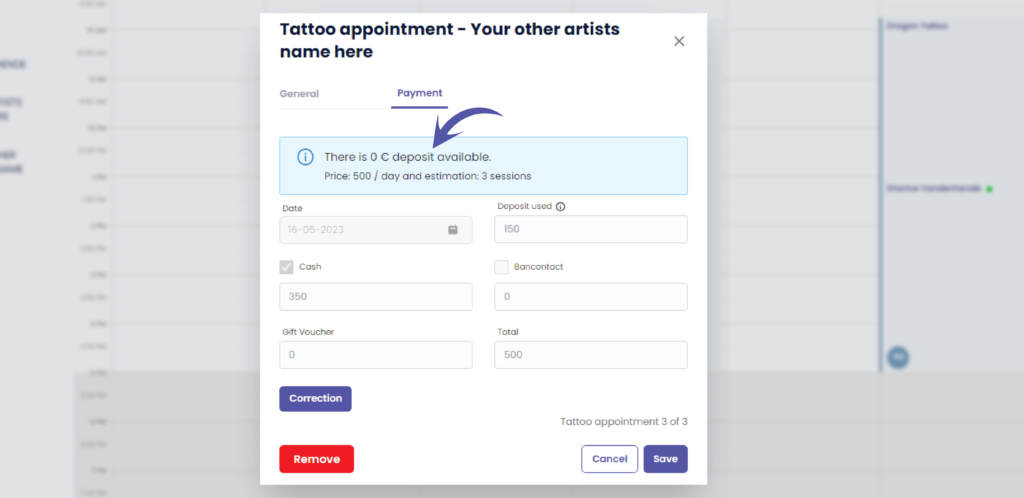
Everything is now grayed out and can only be accessed through a payment correction
More information on how to to make a payment correction in the article below
Sie haben noch ein Problem oder eine Frage?
Nachstehend finden Sie einen kleinen Link mit der Bezeichnung ‘Stecken Sie immer noch fest? Wie können wir helfen?’
Geschrieben von
Sharice Vandenhende
Unter Tattoogenda


 English
  Dutch
Dutch  Dutch (Belgium)
  French
  German
  Spanish