
WICHTIG
SIE BENÖTIGEN DEN FOLGENDEN ABONNEMENTPLAN
Einzahlungen sind möglich ab dem ‘Expertenstudio’.’ Plan.
Diese Optionen werden nicht verfügbar sein für Sie, wenn Sie nicht über diesen Plan oder einen höheren verfügen.

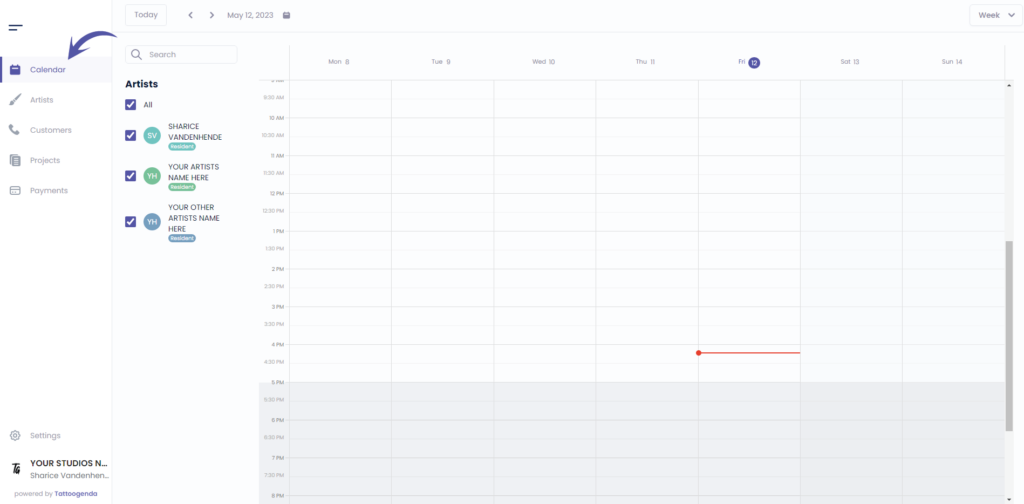
Gehe zu ‘Kalender’
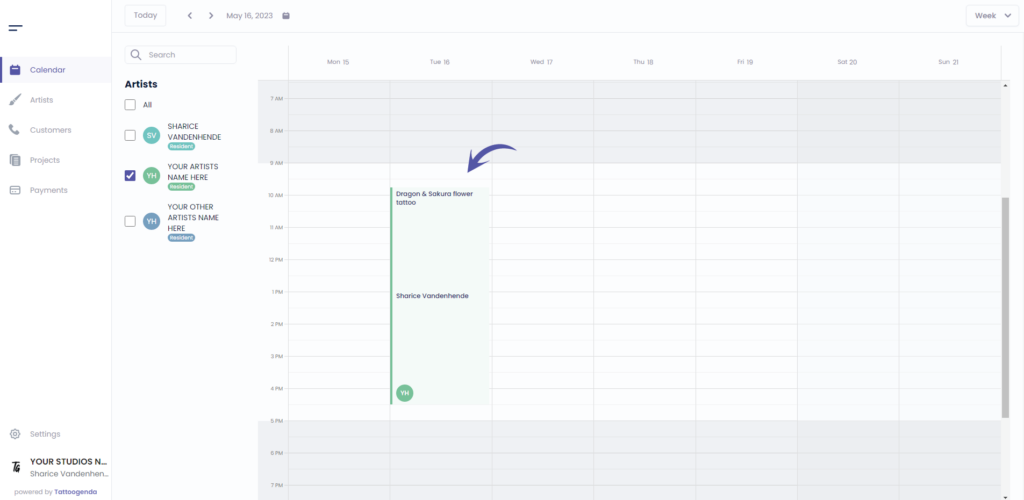
Klicken Sie auf Ihr Termin
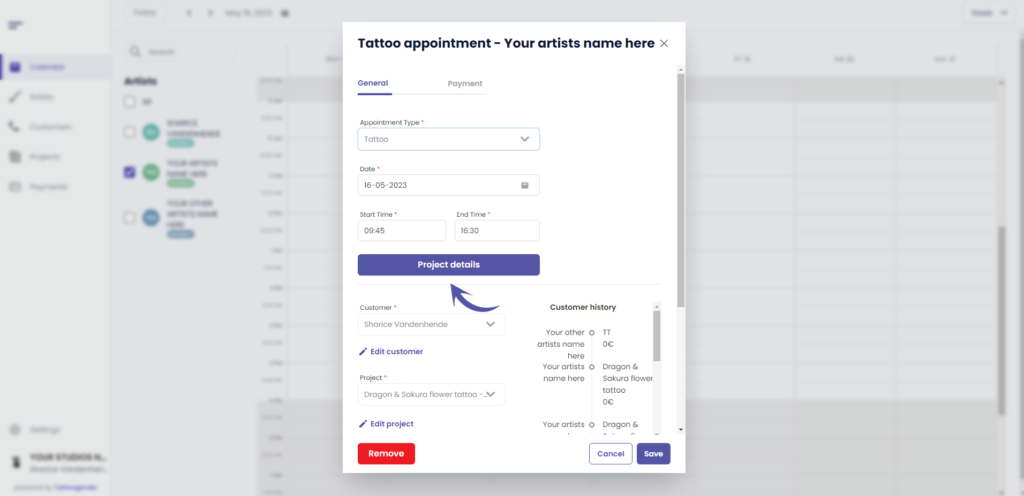
Klicken Sie auf ‘Projektdetails’.’
Gehe zu ‘Preis’
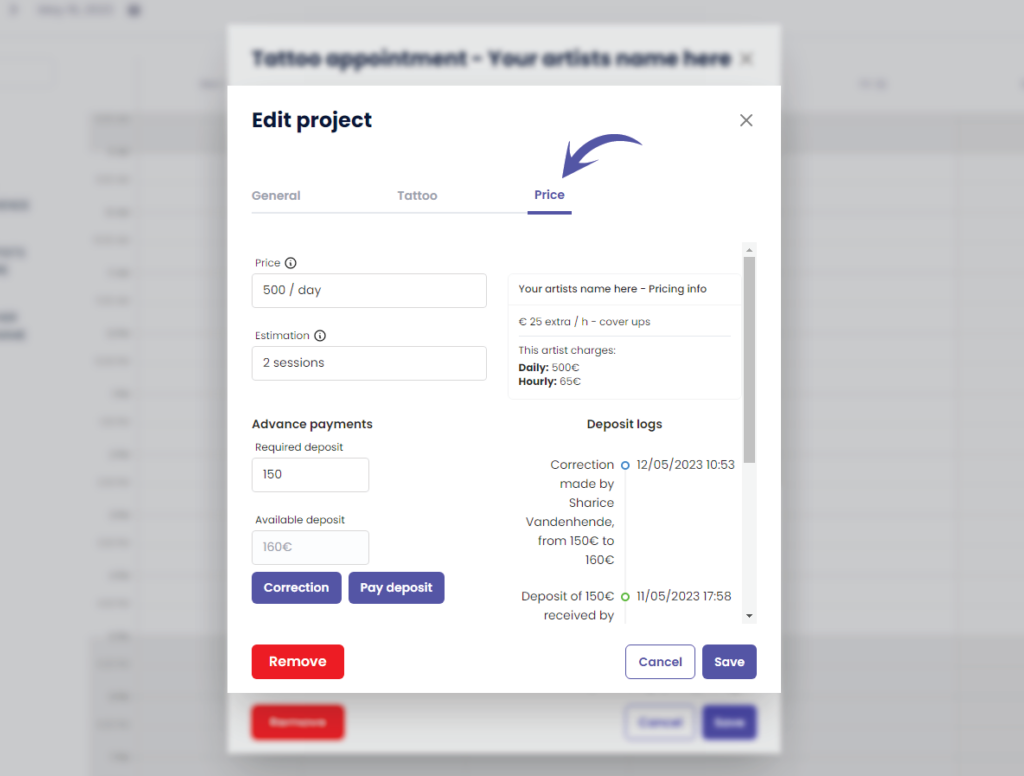
Klicken Sie auf ‘Correction’.
The Correction button is only available for shopmanagers (the one creating the TG account) and receptionist users with ‘edit payment’ rights.
An artist never has this correction button. Unless you have the Single Artist subscription plan, in that case you are artist as well as manager.
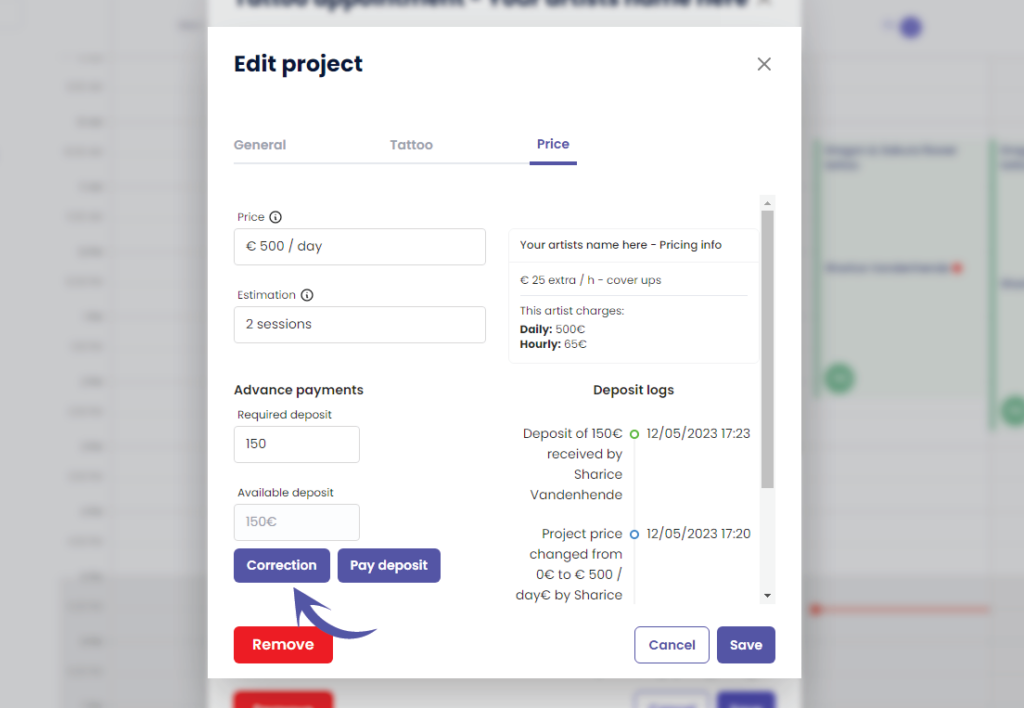
This will take you to the following pop up screen
Notice that the current deposit amount is already prefilled
( z.B. 150 € )
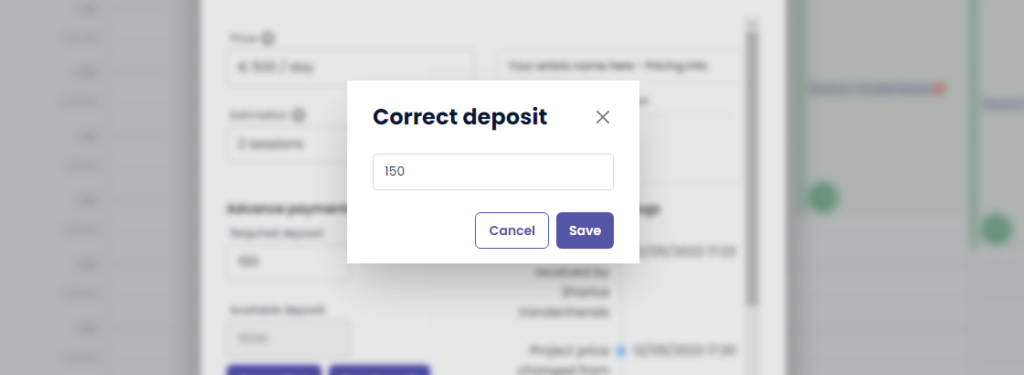
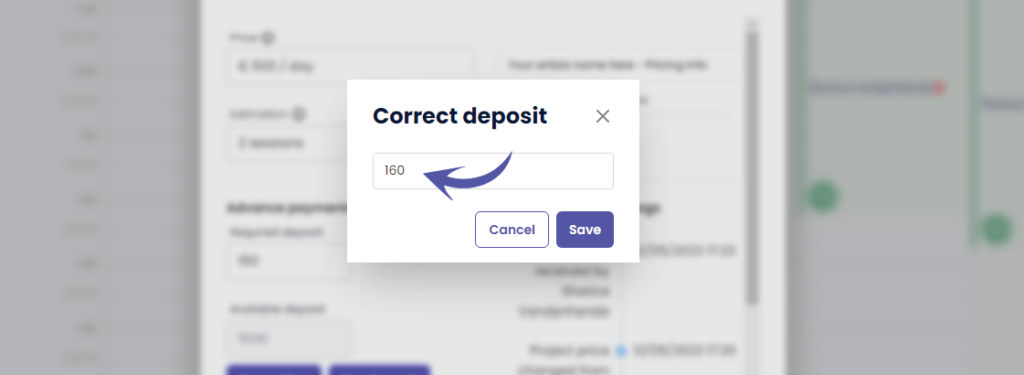
Change the deposit into the desired correction amount
A correction replaces the current amount with this amount!
( e.g. In this example we will change it to €160 )
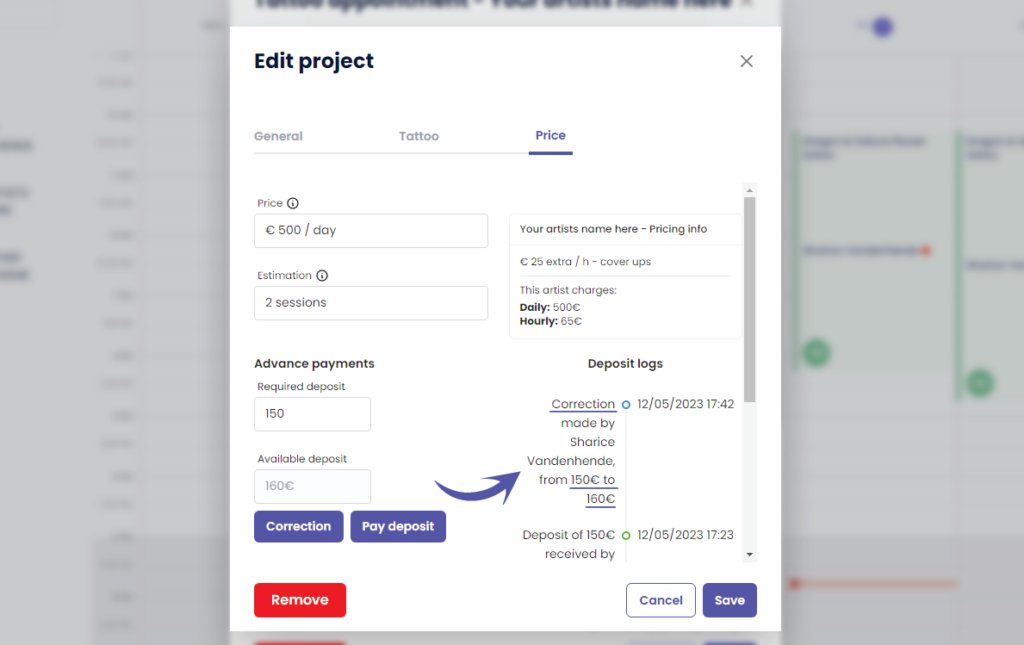
After you click save, you will see that ‘Verfügbare Einlage’.’ has changed to the value you have entered
( e.g. We changed it to €160 )
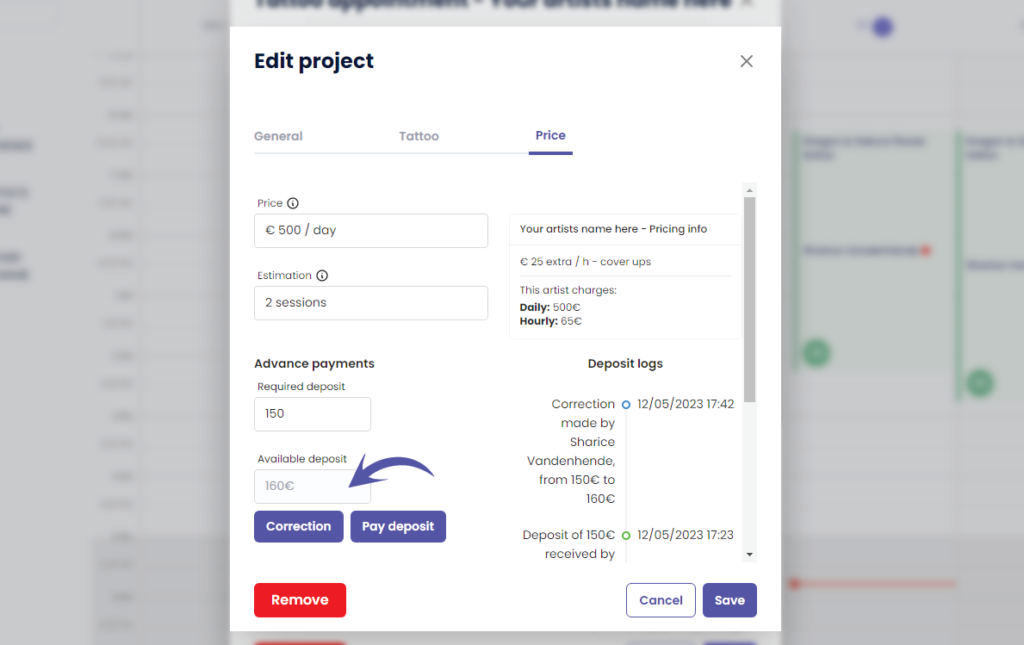
You can see the following in the ‘Deposit logs’
Who made the correction
How much was the original deposit amount
How much is the new deposit amount
WHY USE A CORRECTION?
A correction can be made when you have made a typo and you do not want it registered into the payments logs
This means that the received deposit amount into your payment logs per day and per artist will simply be replaced into the corrected amount without it logging that a correction was made. The correction will therefore only be registered into your projects deposit logs.
Click on the following articles to learn more about payment logs per day, per artist an per week
Sie haben noch ein Problem oder eine Frage?
Nachstehend finden Sie einen kleinen Link mit der Bezeichnung ‘Stecken Sie immer noch fest? Wie können wir helfen?’
Geschrieben von
Sharice Vandenhende
Unter Tattoogenda


 English
  Dutch
Dutch  Dutch (Belgium)
  French
  German
  Spanish