

En tu Software de estudio Tattoogenda,
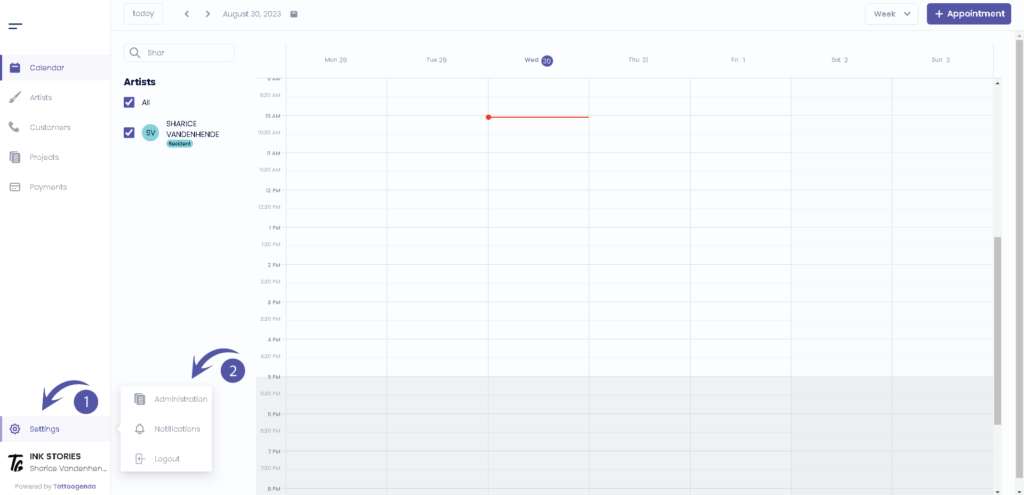
puedes encontrar tu configuración en la parte inferior izquierda de la pantalla, encima del nombre de tu estudio.
Vaya a su configuración y elija ‘Administración’.
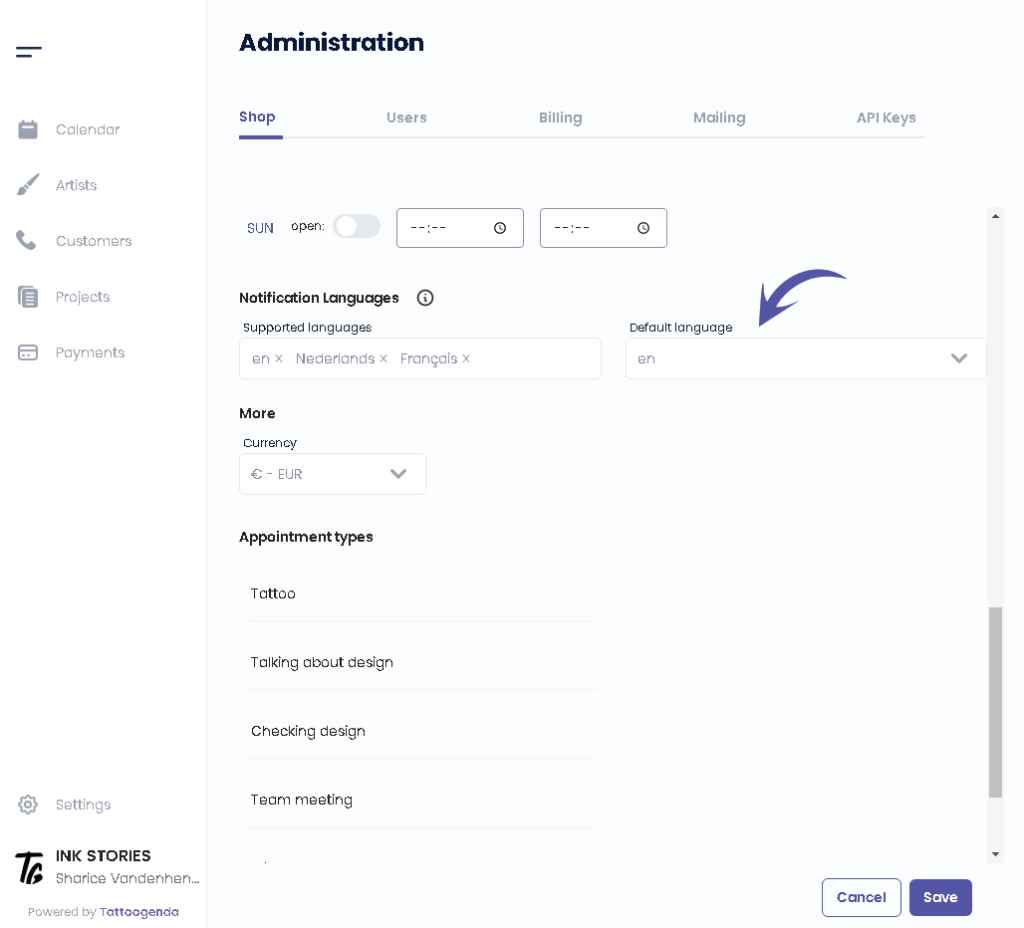
Deberías automáticamente estar en ficha ‘Tienda’. Scroll down until u see ‘Lenguas de notificación‘.
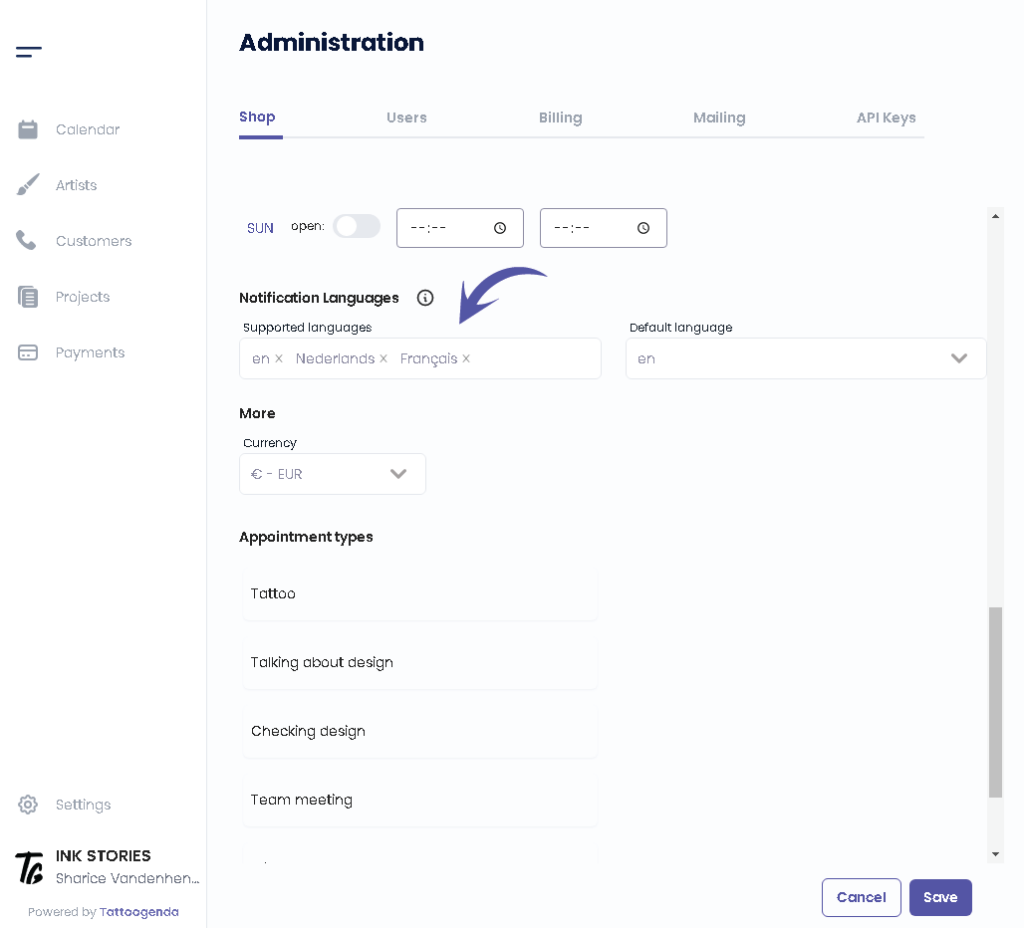
You can see which languages are supported as of right now by Tattoogenda.
Changing or adding a language here does not mean you you are setting the language for your use of TG itself.
TG is only available in English for now.
These languages are only meant as a language for the automated emails towards your customers.
Would like to request another language? Mail to: support@tattoogenda.com.
Select the languages that you want your automated notifications to be supported into.
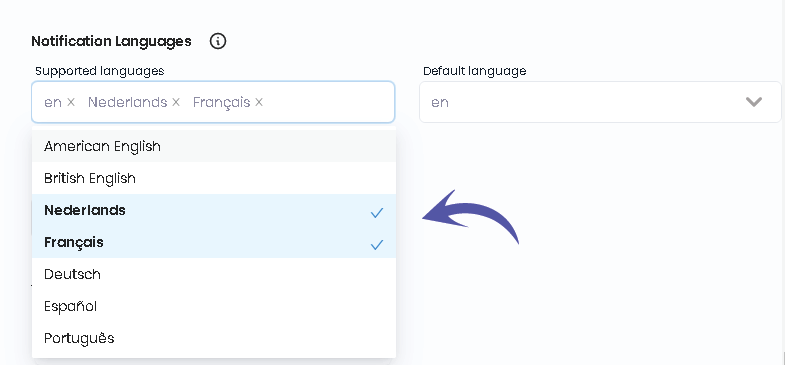
Select the preferred language this will be the language automatically chosen when creating new customer.
You can still change your customer’s language by editing your customer and click save.
Select the preferred default language this will be the language automatically chosen when creating new customer.
You can still change your customer’s language by editing your customer.

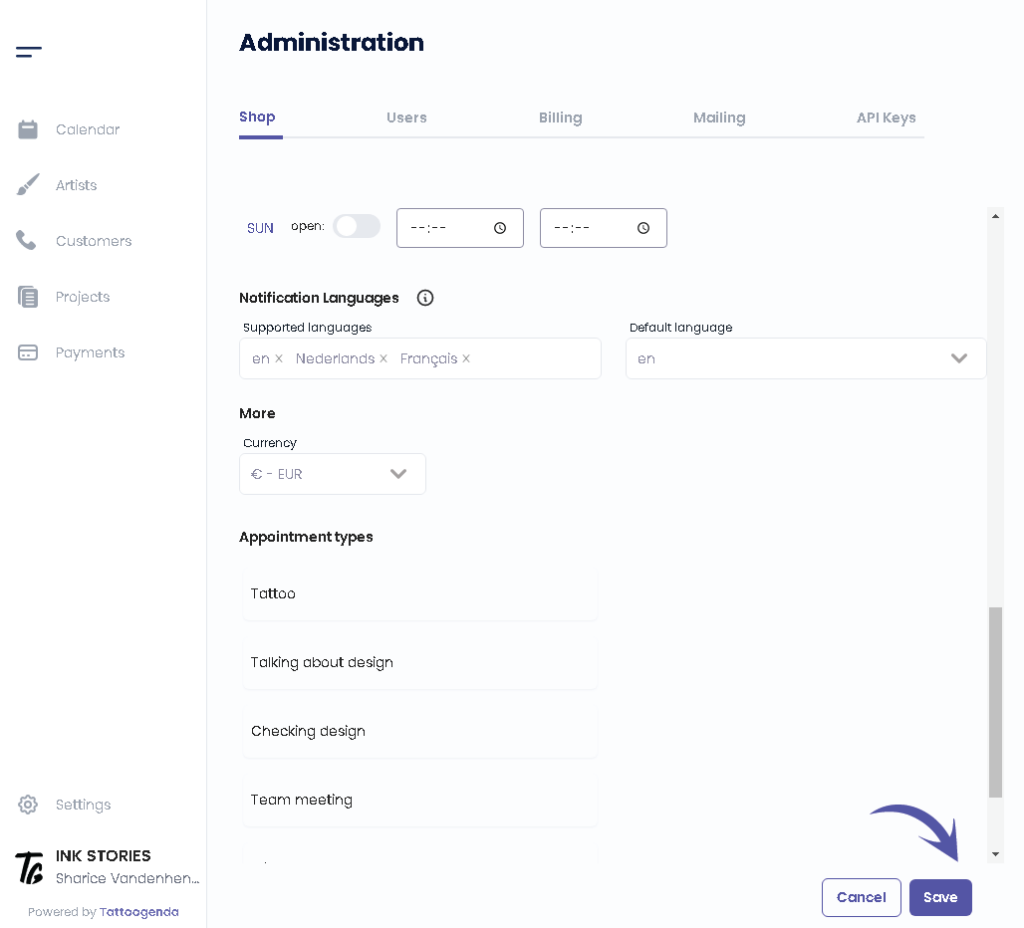
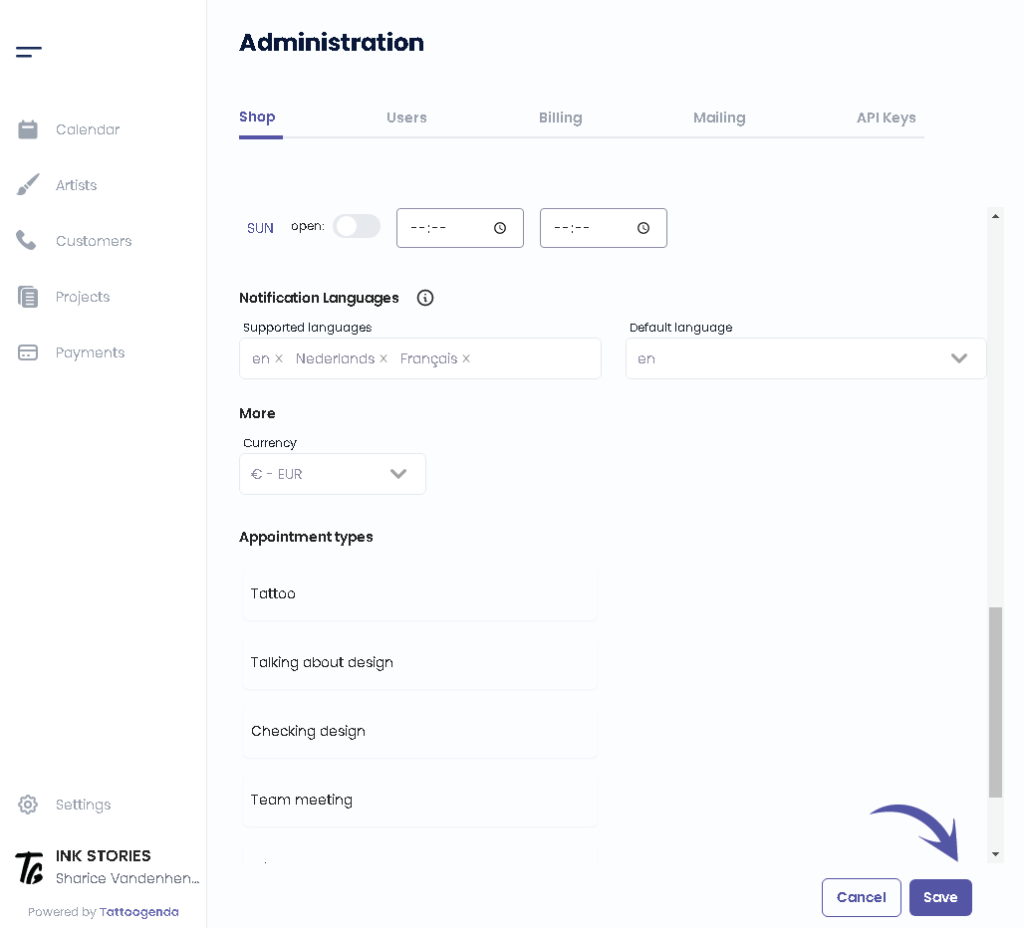
Haga clic en ‘Guardar’.
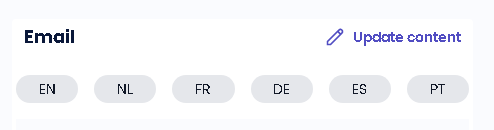
¿LO SABÍAS?
If you would select more languages they will pop up into the language tabs into your notifications emails
¿Todavía tiene un problema o una pregunta?
A continuación encontrará un pequeño enlace llamado ‘¿Sigues atascado? ¿Cómo podemos ayudarle?’
Escrito por
Sharice Vandenhende
Por Tattoogenda


 English
  Dutch
Dutch  Dutch (Belgium)
  French
  German
  Spanish