

IMPORTANTE
NECESITA EL SIGUIENTE PLAN DE SUSCRIPCIÓN
Deposit reminders are available only in the ‘Estudio de expertos’ plan.
Estas opciones no estar disponible para usted cuando no disponga de este plan.
Deposits will only work if your Tattoogenda has been linked to Stripe or Mollie.
If you have not connected Stripe or Mollie you will see the following reminder into your notifications.

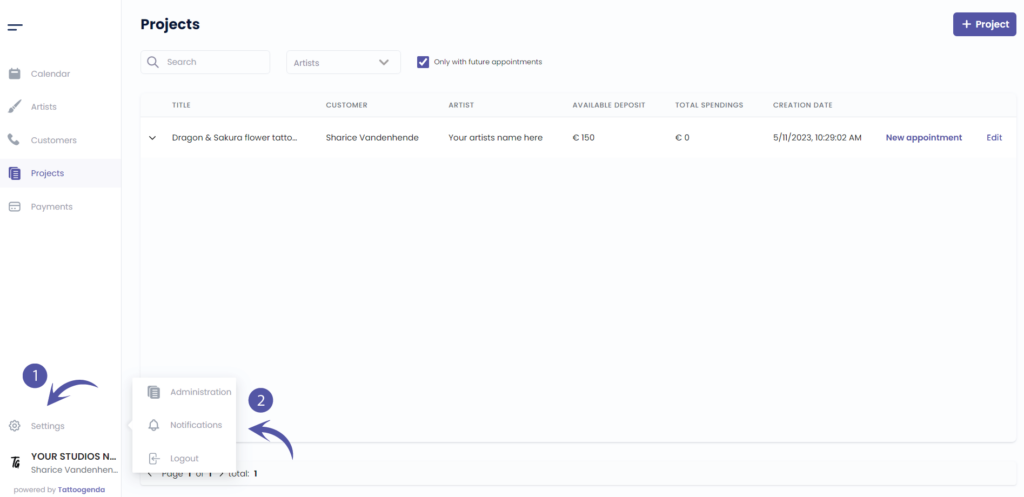
HOW TO GO TO YOUR NOTIFICATIONS #
En tu Software de estudio Tattoogenda,
puedes encontrar tu configuración en la parte inferior izquierda de la pantalla, encima del nombre de tu estudio.
Vaya a su configuración y elija ‘Notificaciones’
ESQUEMA DE NOTIFICACIONES
Su pantalla podría parecerse a la captura de pantalla siguiente.
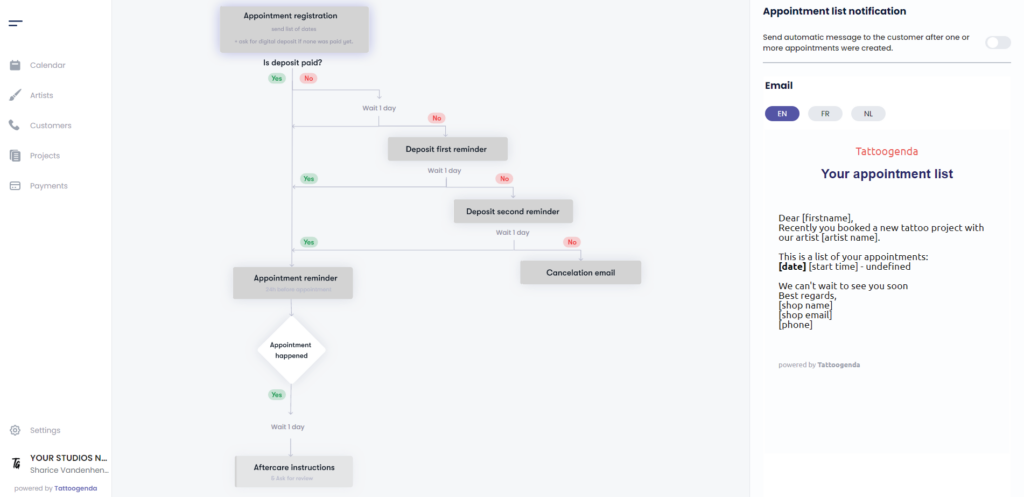
NOTIFICATIONS EXPLAINED #
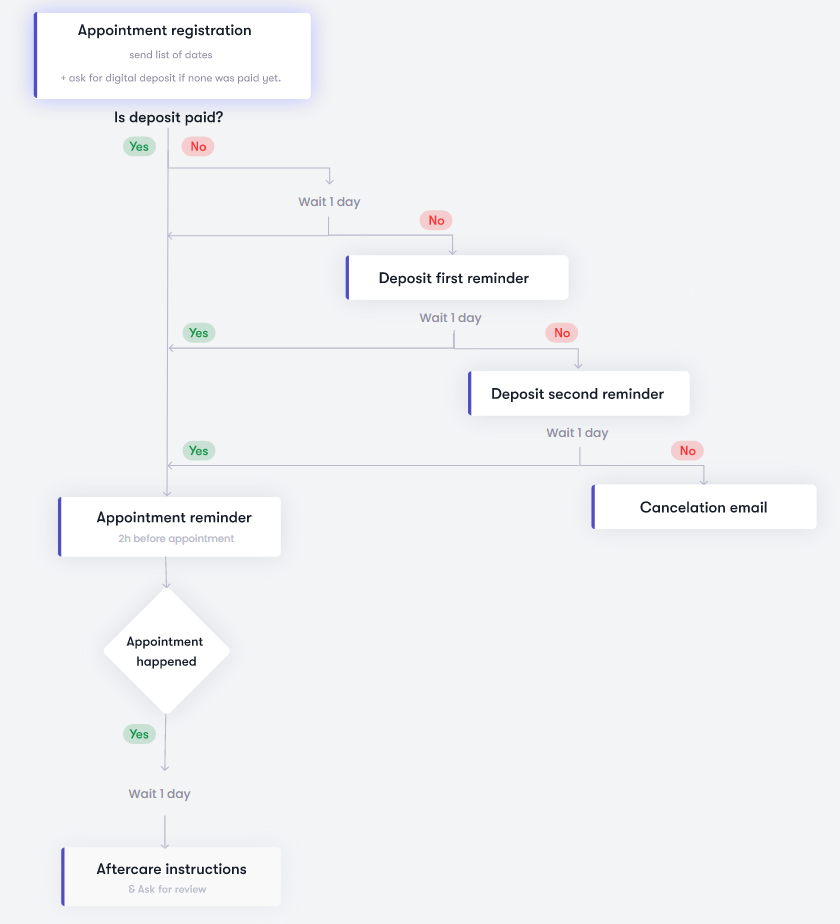
SUS CORREOS ELECTRÓNICOS AUTOMATIZADOS ESTÁN ACTIVOS
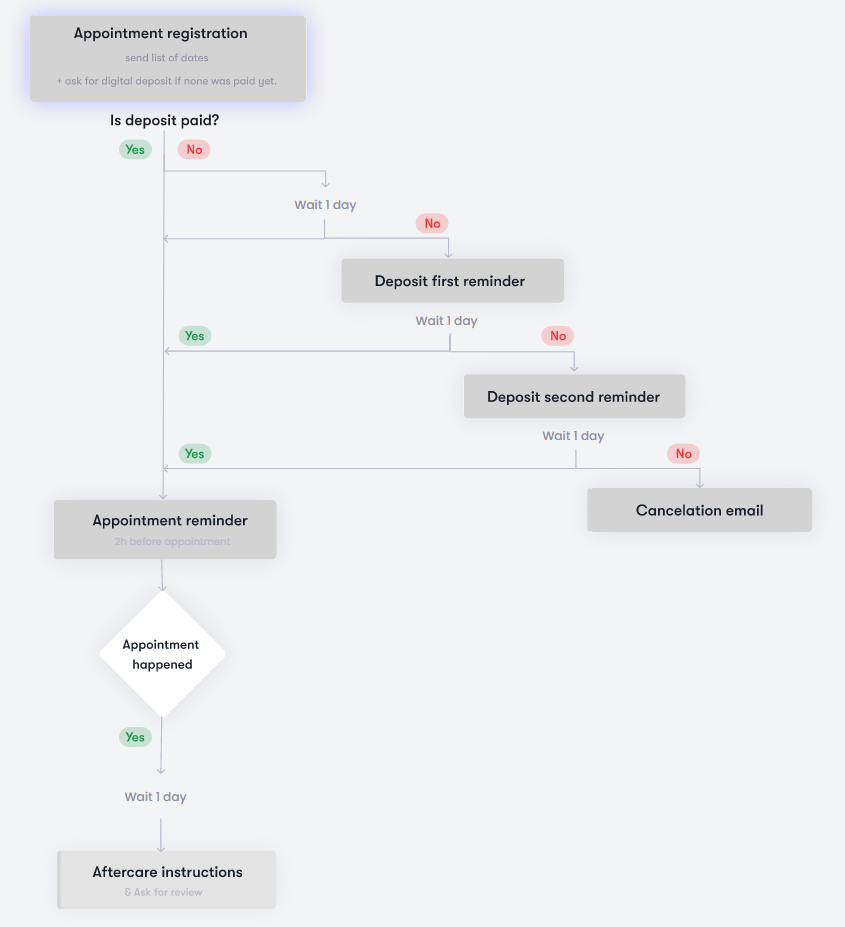
SUS CORREOS ELECTRÓNICOS AUTOMATIZADOS ESTÁN INACTIVOS
TOGGLED ON
Su opción o correo electrónico automatizado es activo

TOGGLED OFF
Su opción o correo electrónico automatizado es inactivo

ACTIVATE THE FIRST DEPOSIT REMINDER #
En el esquema, haga clic en ‘Deposit first reminder’.
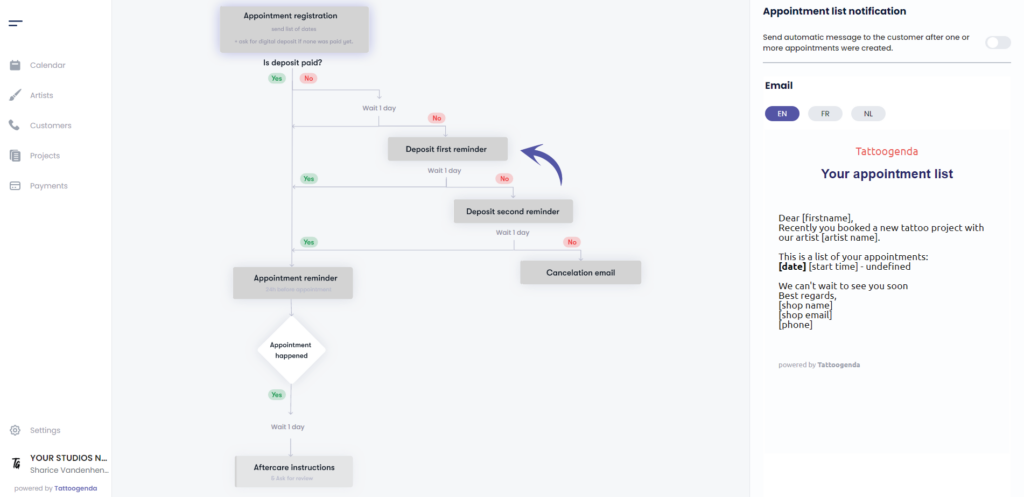
Verá el icono ‘Deposit first reminder notification’ appear with a toggle button and an input field.
Activar the first deposit reminder
Notice that on the schematic it has turned white.

ACTIVATE THE SECOND DEPOSIT REMINDER #
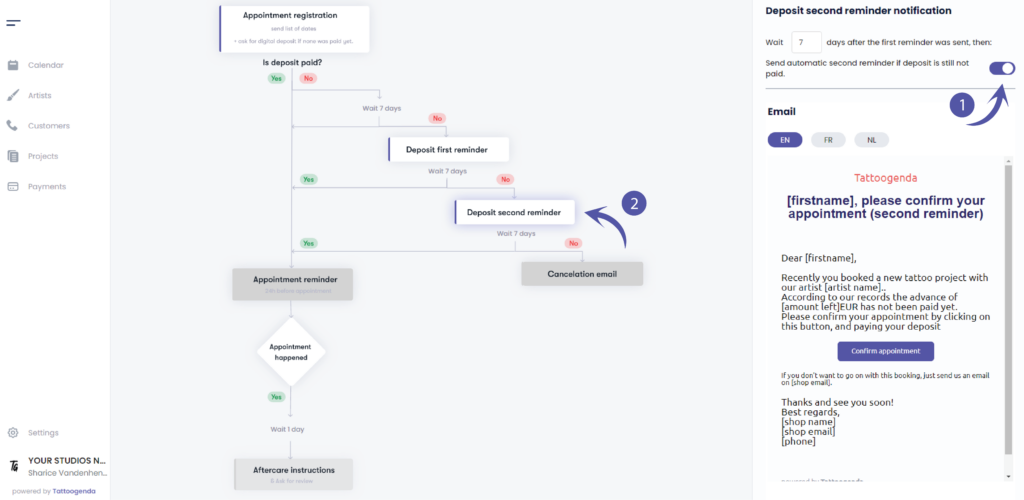
En el esquema, haga clic en ‘Deposit second reminder’.
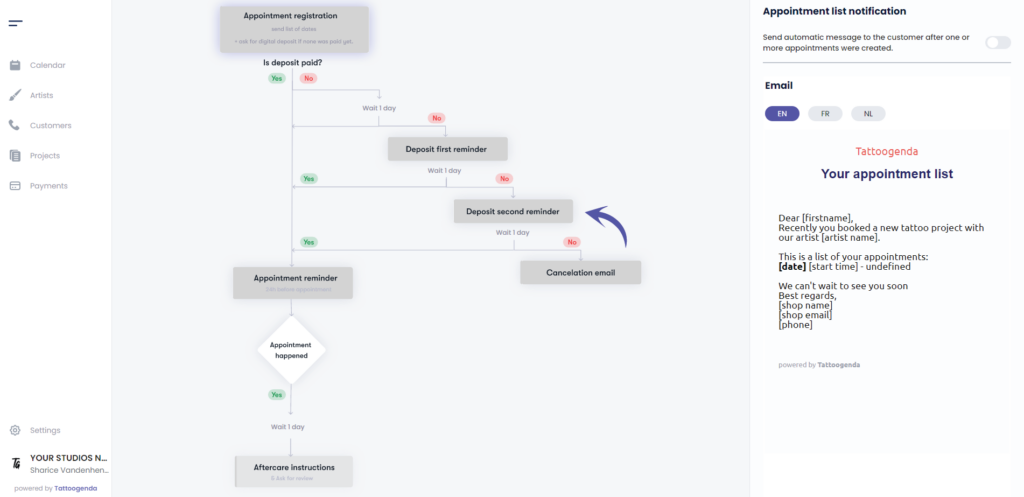
Verá el icono ‘Deposit second reminder notification’ appear with a toggle button and an input field.
Activar deposit second reminder notification.
Notice that on the schematic it has turned white.
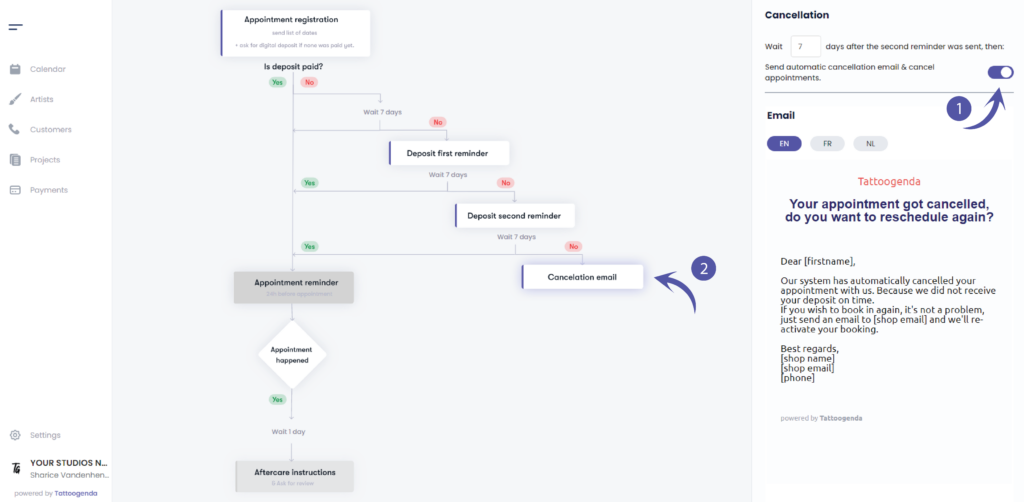
ACTIVATE AUTOMATED CANCELLATION #
En el esquema, haga clic en ‘Cancellation email’.
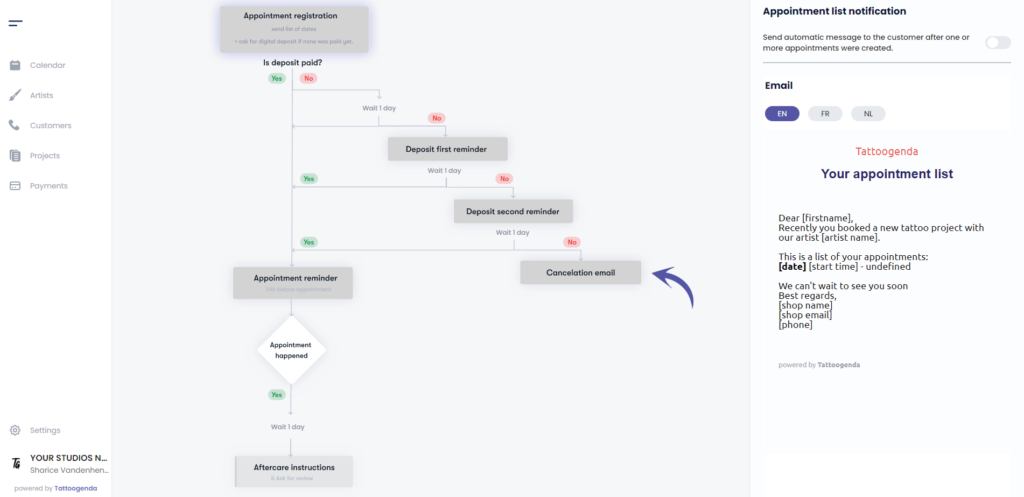
Verá el icono ‘Cancellation’ appear with a toggle button and an input field.
Activar your automated cancellation
Notice that it has turned white on your schematic
¿Todavía tiene un problema o una pregunta?
A continuación encontrará un pequeño enlace llamado ‘¿Sigues atascado? ¿Cómo podemos ayudarle?’
Escrito por
Sharice Vandenhende
Por Tattoogenda


 English
  Dutch
Dutch  Dutch (Belgium)
  French
  German
  Spanish