

Why do you need an API key?
API keys are used when you bought one of our WordPress Tattoogenda plugins or you would like to use our endpoints on your own custom build websites. Those WP plugins can show data about your artists, your artist list, their available dates, or a booking form, .. on your WP website. For your plugin to communicate with your Tattoogenda account data, you will need to add your API key into the plugins settings.
link here to custom api usage
Dans votre Logiciel Tattoogenda studio,
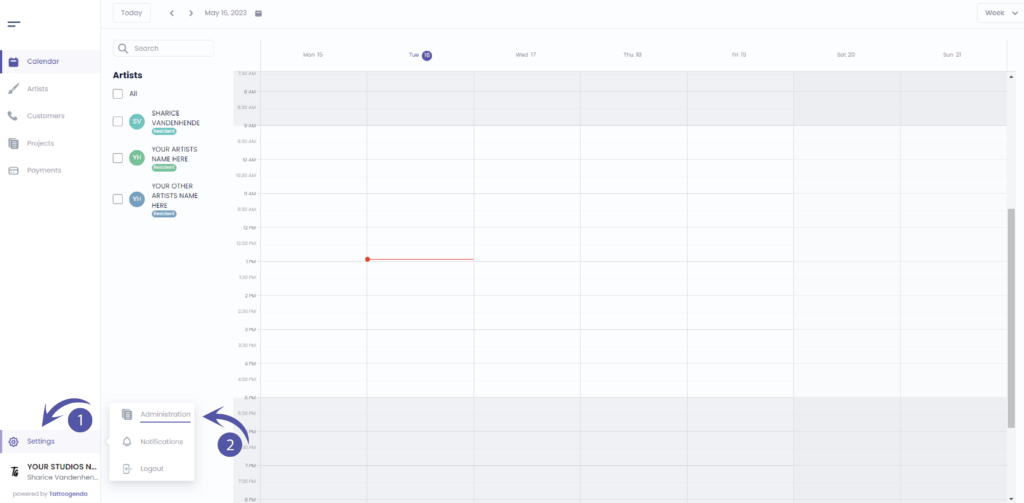
vous trouverez vos paramètres en bas à gauche de votre écran
au-dessus du nom de votre studio.
Accédez à vos paramètres et choisissez ‘Administration’
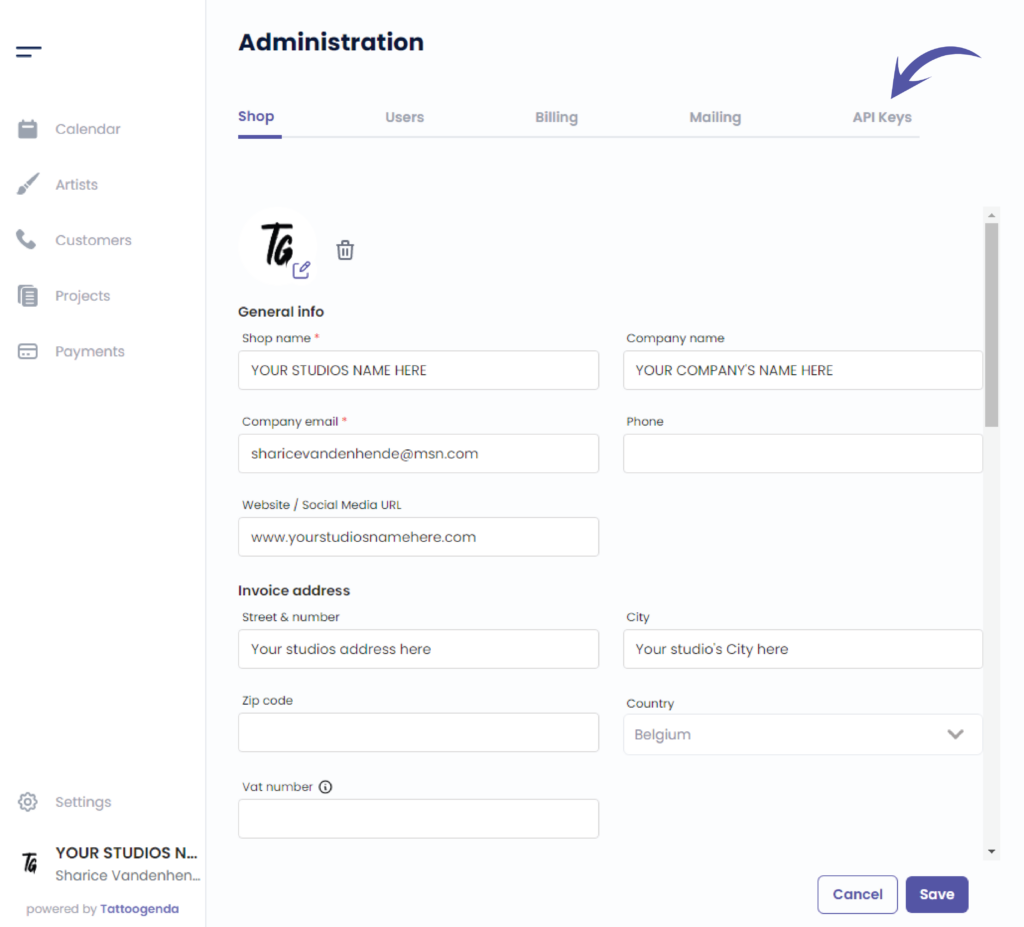
Aller à ‘API Keys’
L'écran suivant s'affiche
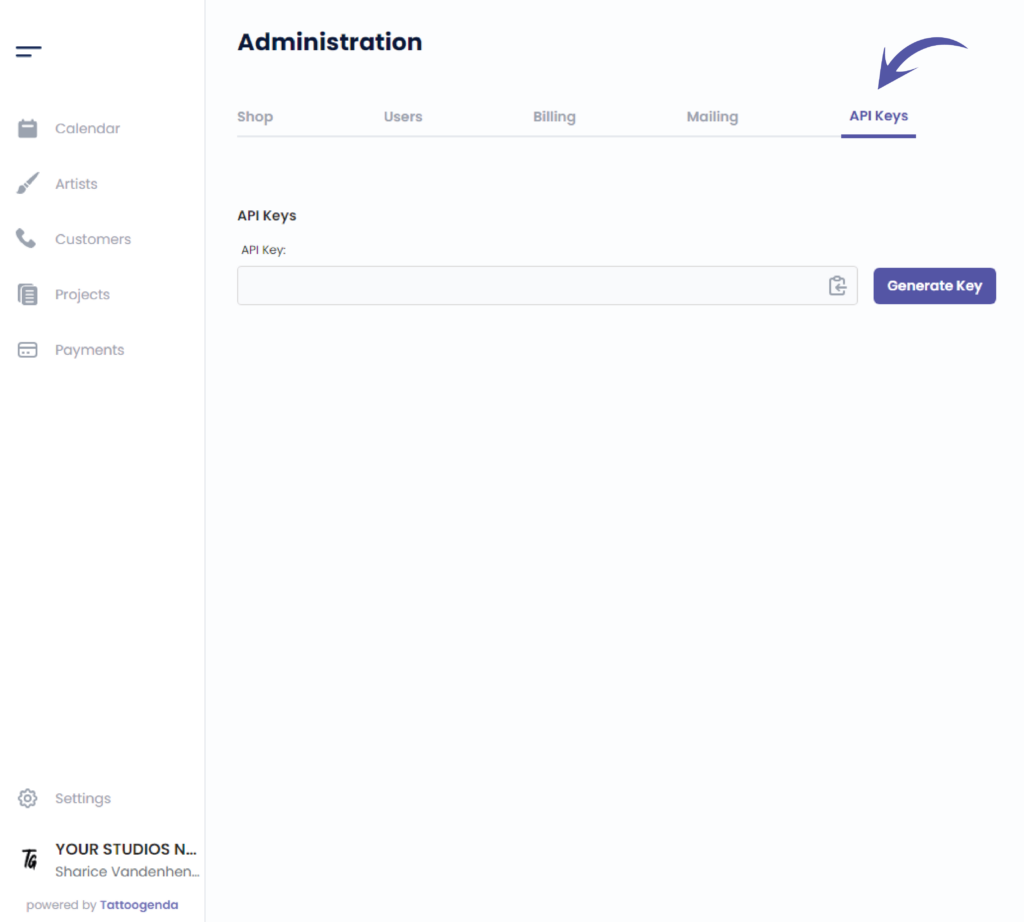
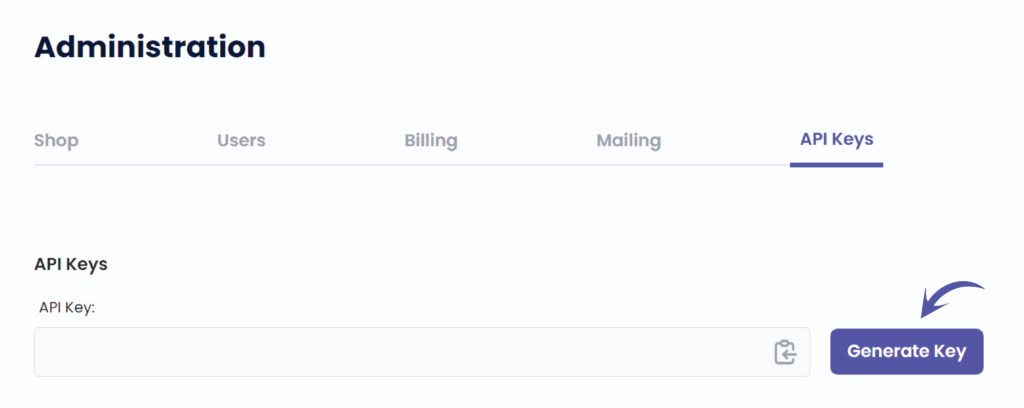
Cliquez sur ‘Generate Key’
This will show when you will generate your key for the first time
Easily copy your code by clicking on this icon
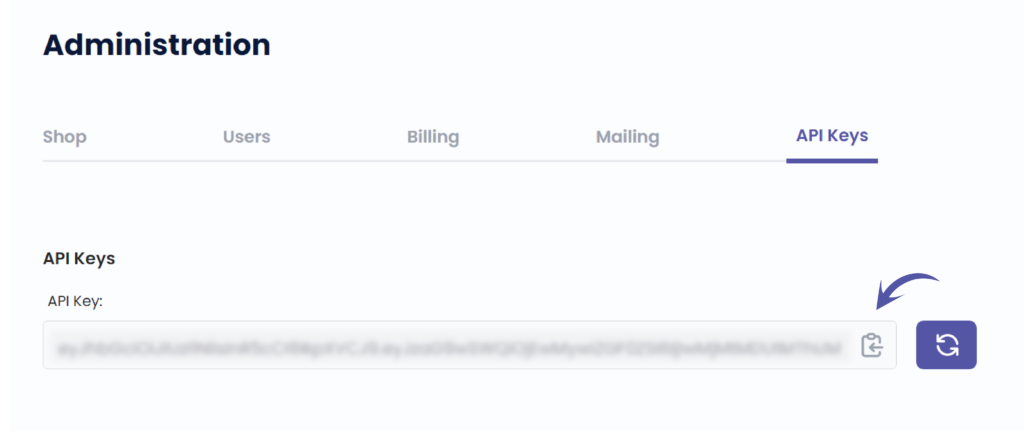
Regenerate your key by clicking this icon
Once you have generated a key in the past, this icon will always appear to regenerate a new API key.
Be carefull! If you regenerate your API key, the previous one will not work anymore.

Vous avez encore un problème ou une question ?
Vous trouverez ci-dessous un petit lien intitulé ‘Toujours bloqué ? Comment pouvons-nous vous aider ?’
Rédigé par
Sharice Vandenhende
Par Tattoogenda


 English
  Dutch
Dutch  Dutch (Belgium)
  French
  German
  Spanish