

IMPORTANT
Each subscription plan has a certain amount of seats available for artists
More information on how to find out what your current subscription plan is here
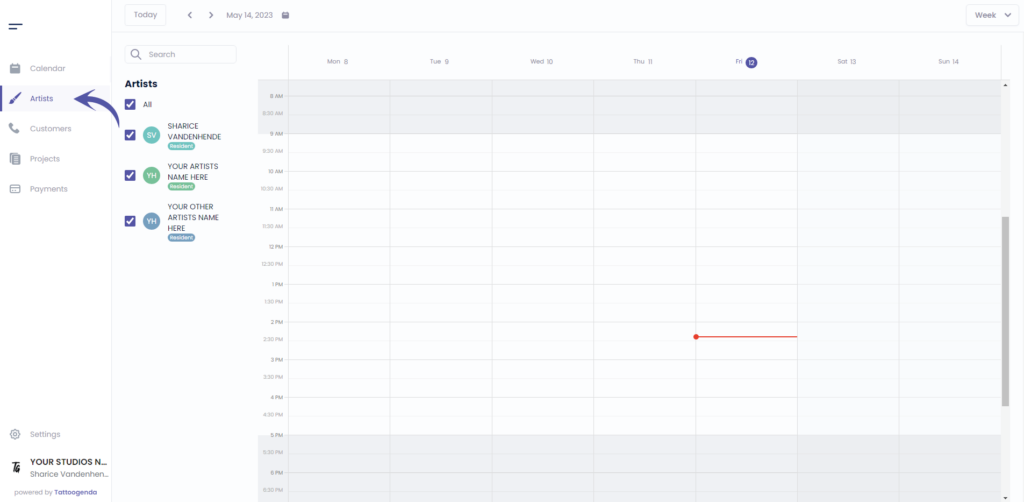
Aller à ‘Artistes’.
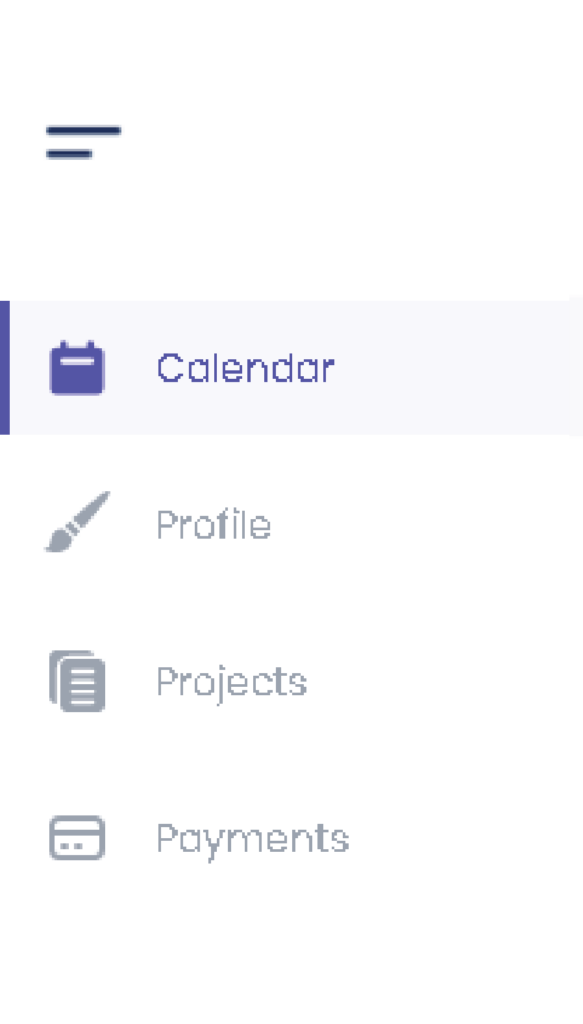
Si vous êtes connecté en tant qu'artiste, vous devez vous rendre à l'adresse suivante ‘Profil’. Votre menu se présentera comme suit.
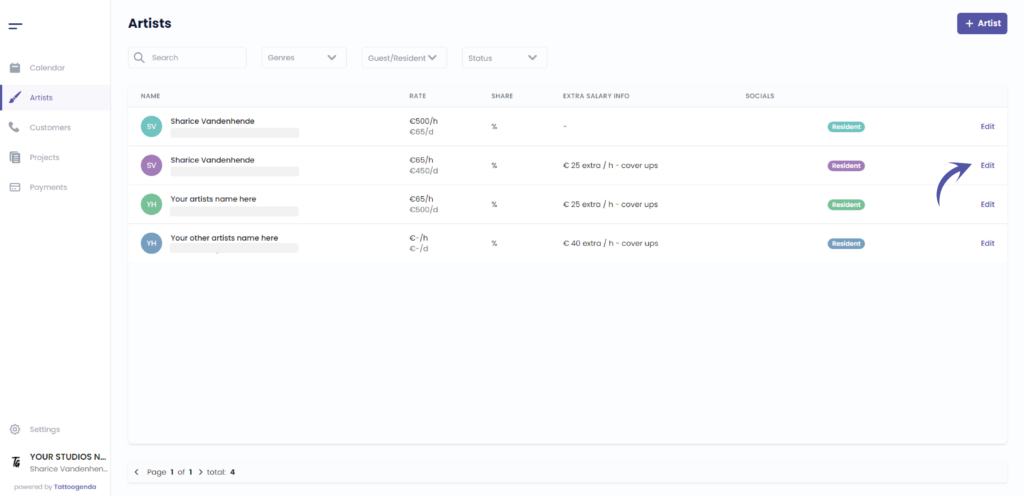
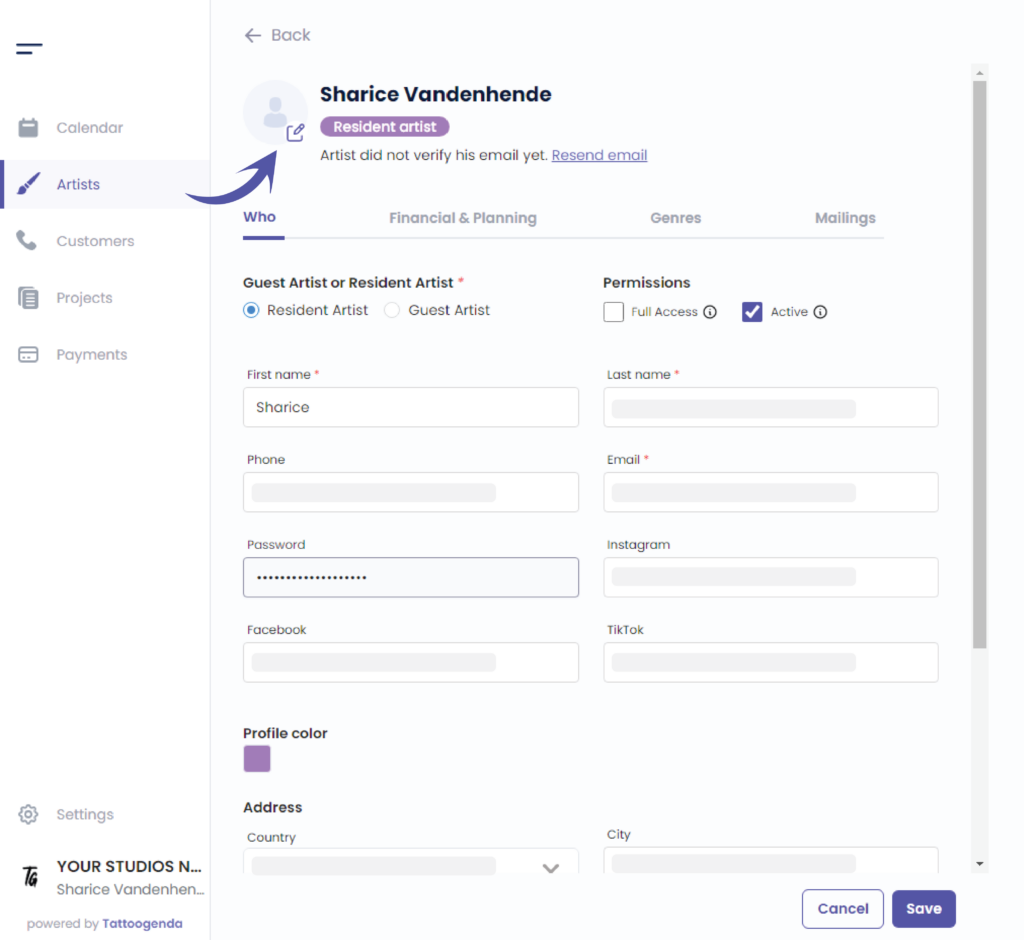
Cliquez sur ‘Edit’ (modifier)’ the artist , or if you are an artist you will automatically go to your own profile.
Dans ce cas, vous pouvez ignorer cette capture d'écran.
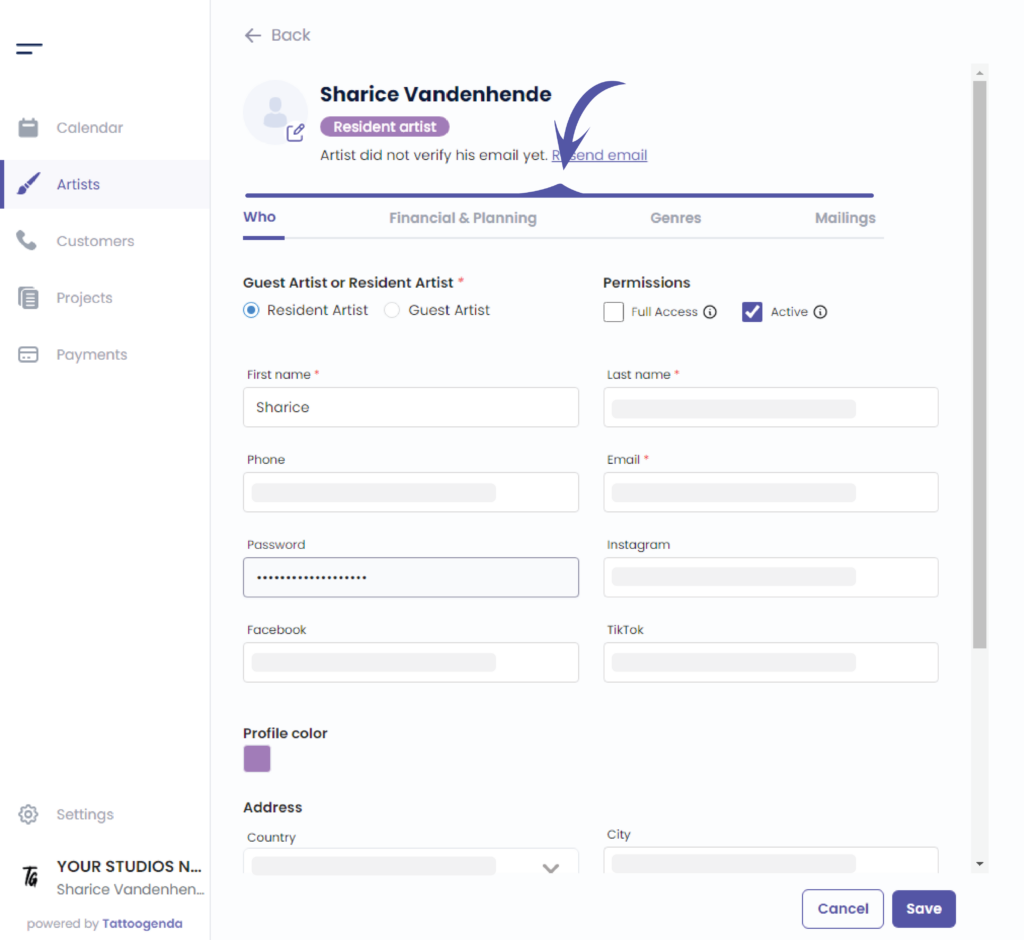
How to resend artist invitation mail. #
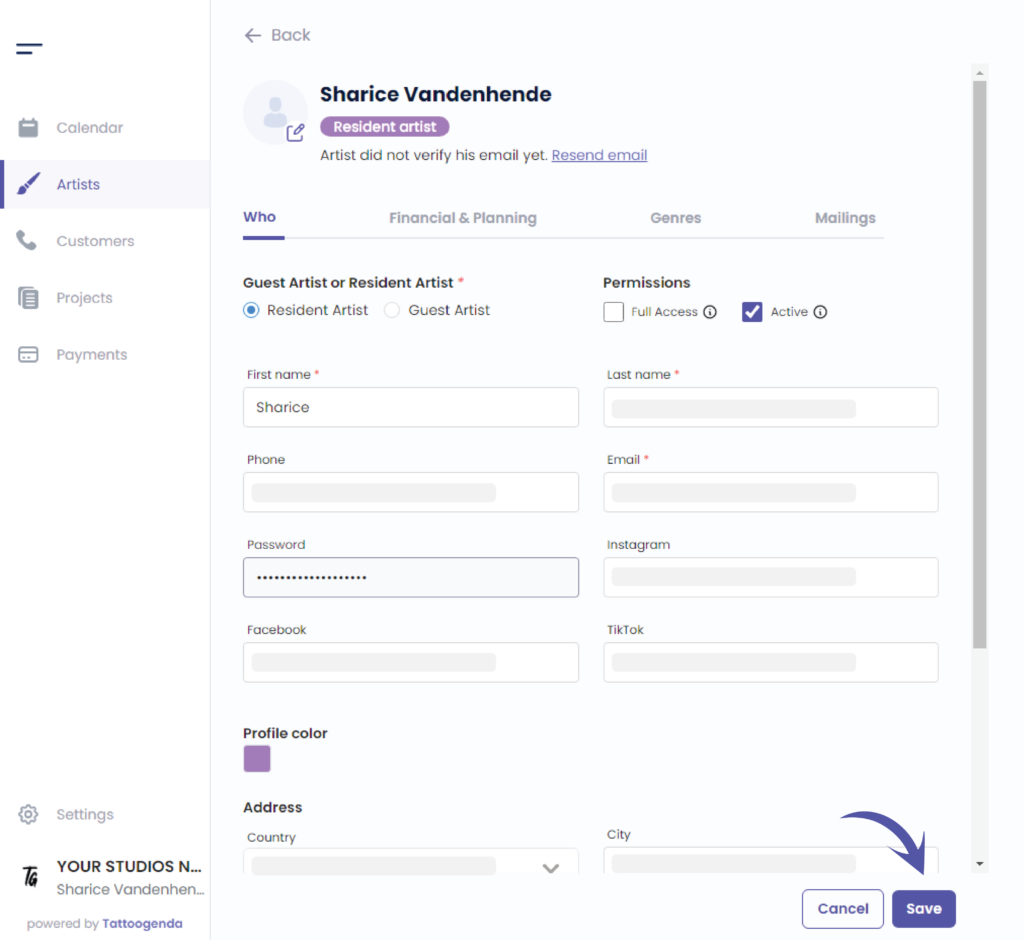
If your artist did not receive their email you can click on ‘Resend email’.

Edit your artist according to your needs, you are able to go through all of these tabs.
How to add a profile picture per artist. #
You can add a picture for your artist.
How to change my artists color? #
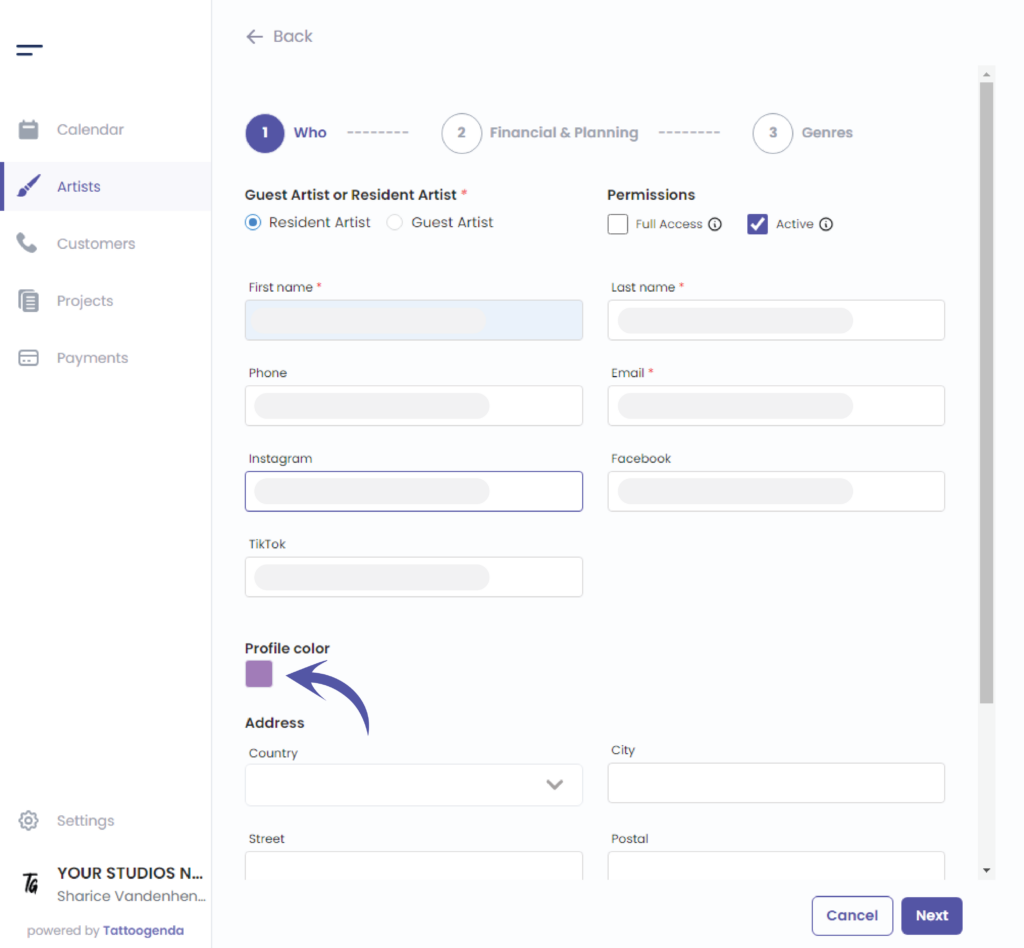
Edit the color by clicking on the colored square.
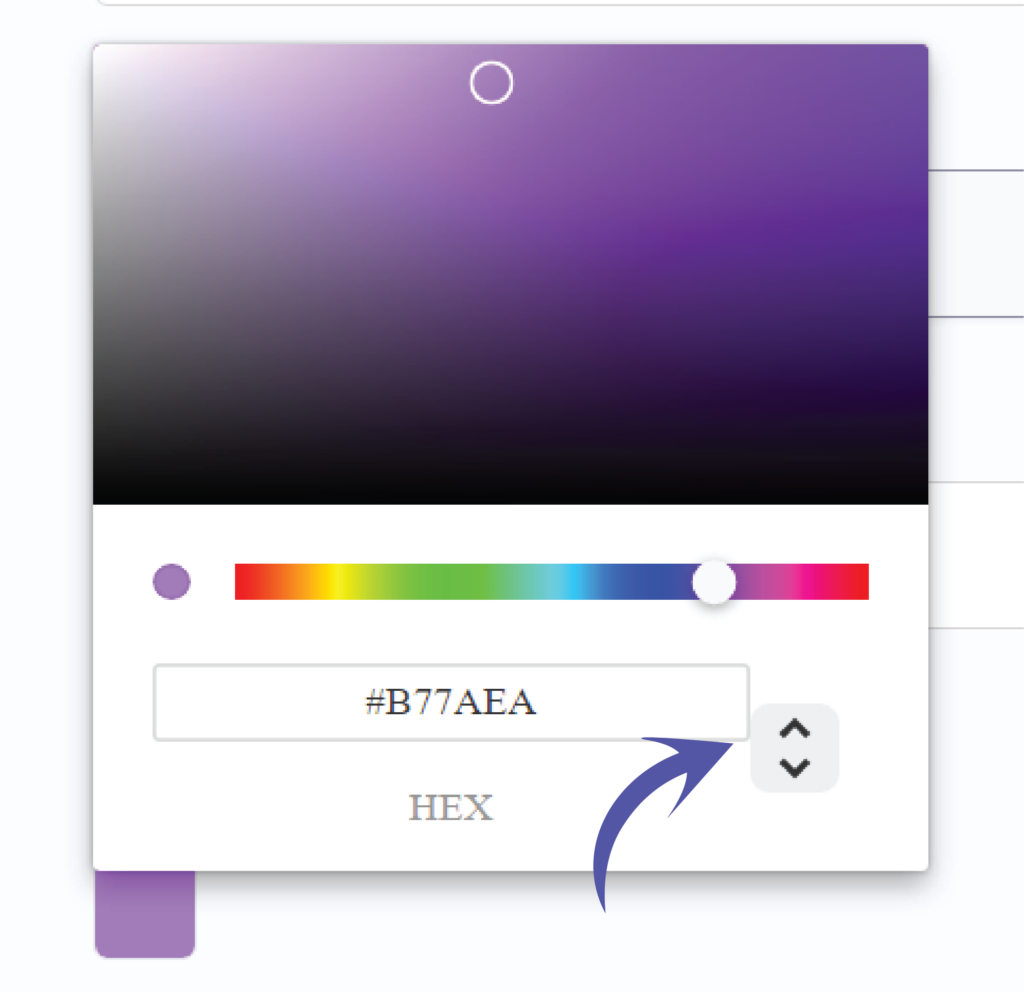
You can choose your color in two different ways.
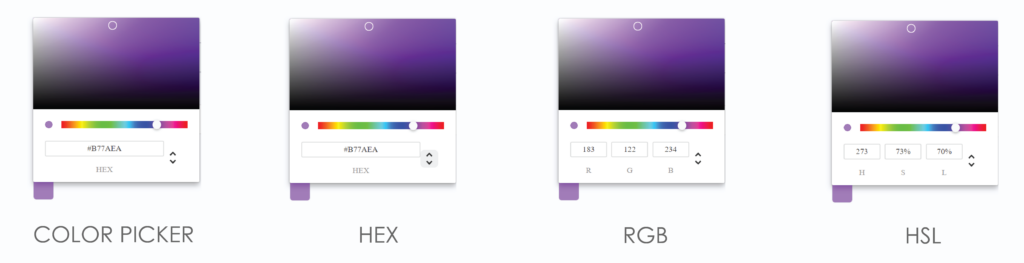
By the color picker.
By entering a Hex code.
By entering a RGB code.
By entering a HSL code.
You can switch possibilities by clicking on the up or down arrow.
We’ve put the possibilities for you together so you can see the difference.
Click on save to save your artists changes.
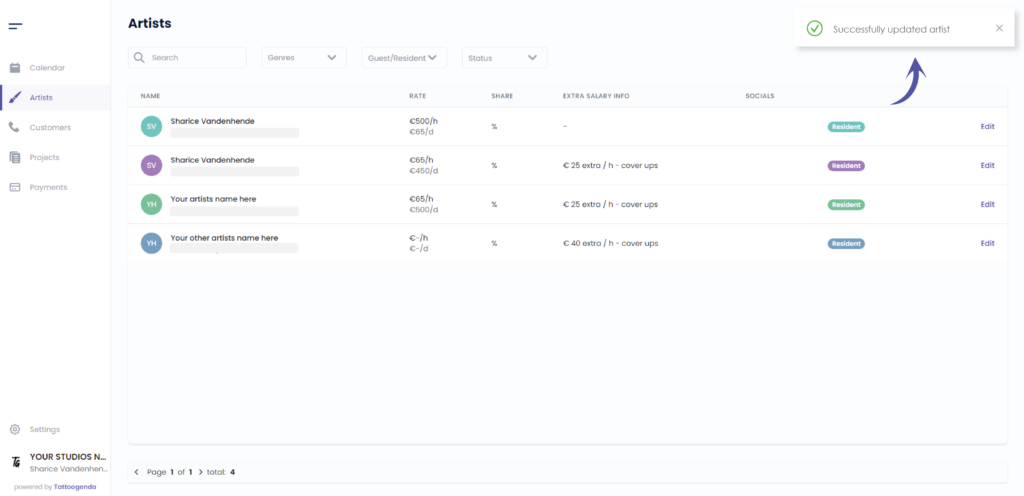
You will see a notification saying that you have ‘Successfully updated your artist’.
Vous avez encore un problème ou une question ?
Vous trouverez ci-dessous un petit lien intitulé ‘Toujours bloqué ? Comment pouvons-nous vous aider ?’
Rédigé par
Sharice Vandenhende
Par Tattoogenda


 English
  Dutch
Dutch  Dutch (Belgium)
  French
  German
  Spanish