

BELANGRIJK
Elk abonnement heeft een bepaald aantal plaatsen beschikbaar voor artiesten
More information on how to find out what your current subscription plan is here
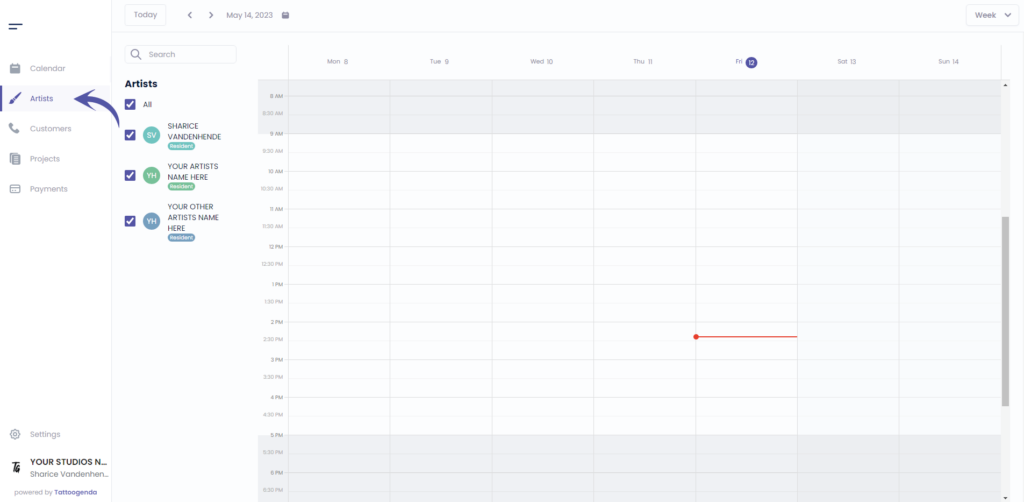
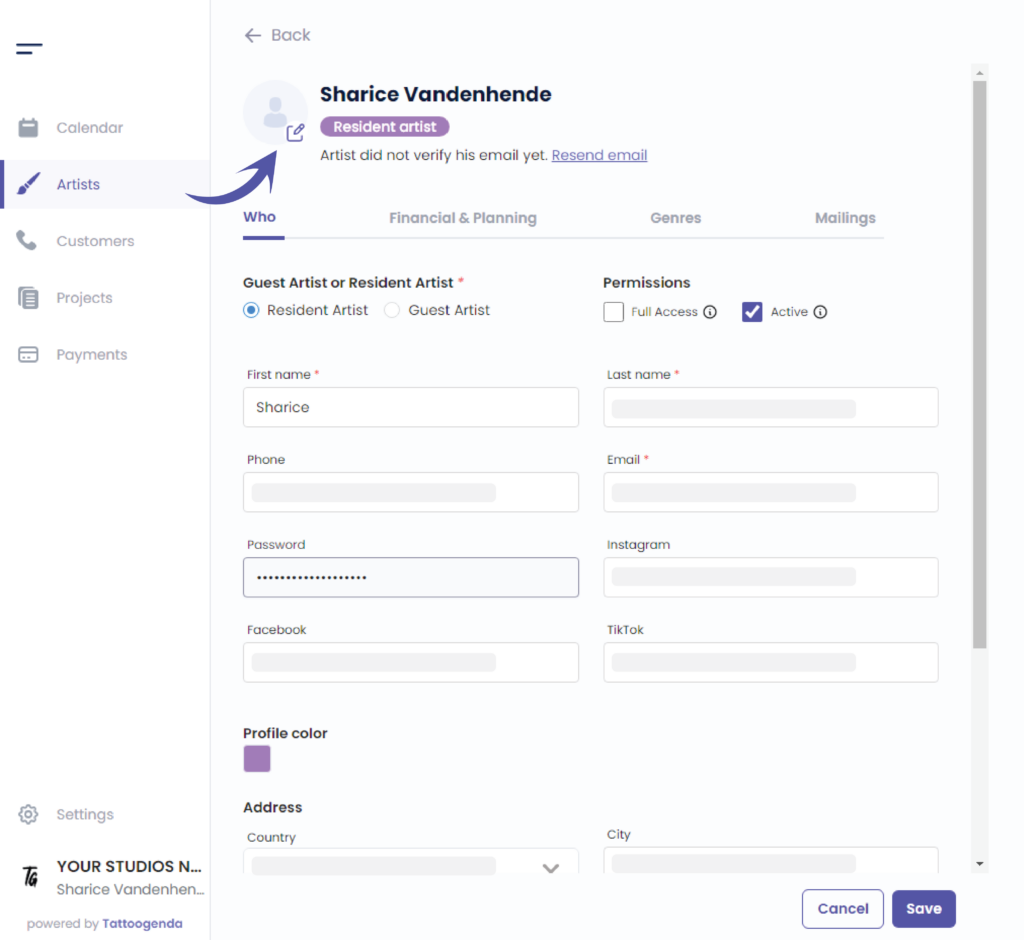
Ga naar ‘Kunstenaars’.
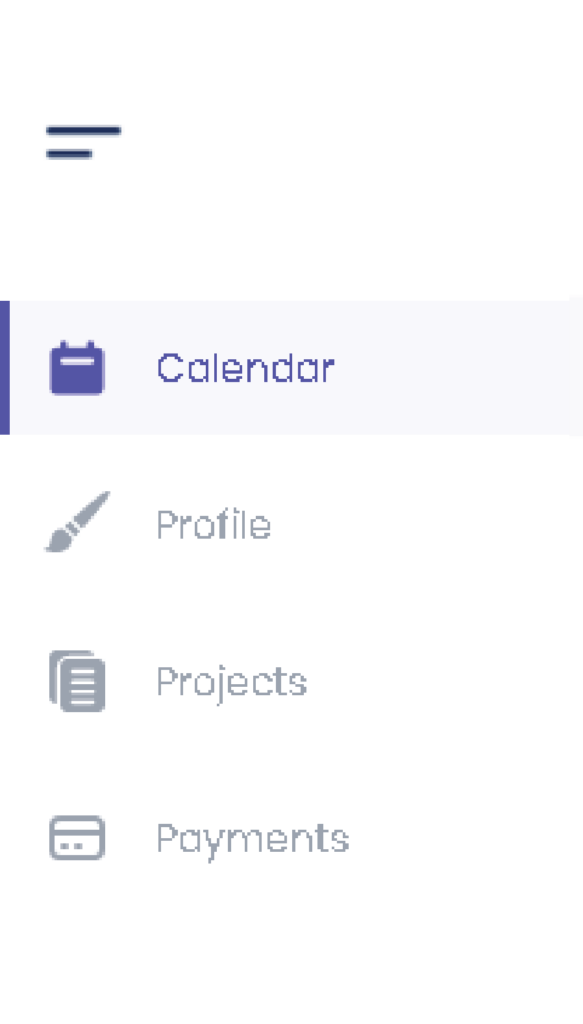
Als je ingelogd bent als artiest moet je naar ‘Profiel’. Je menu ziet er dan zo uit.
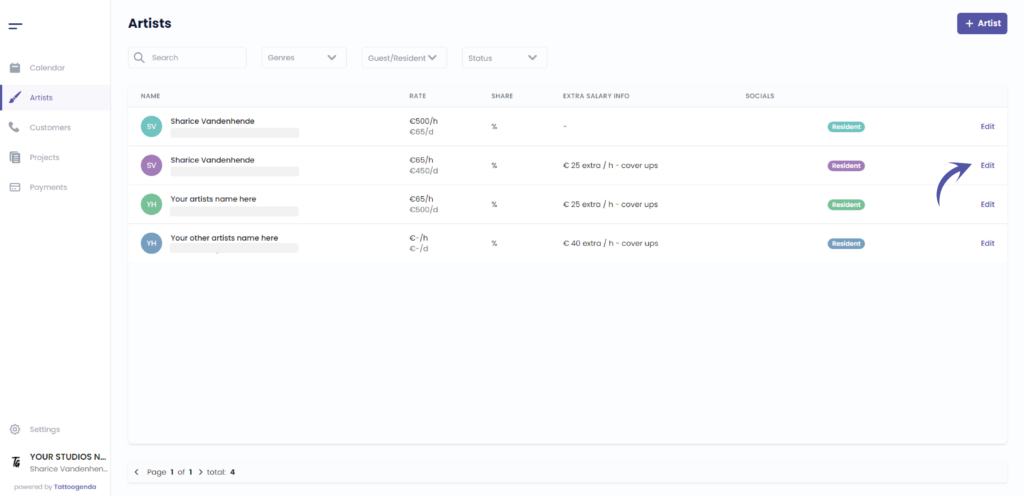
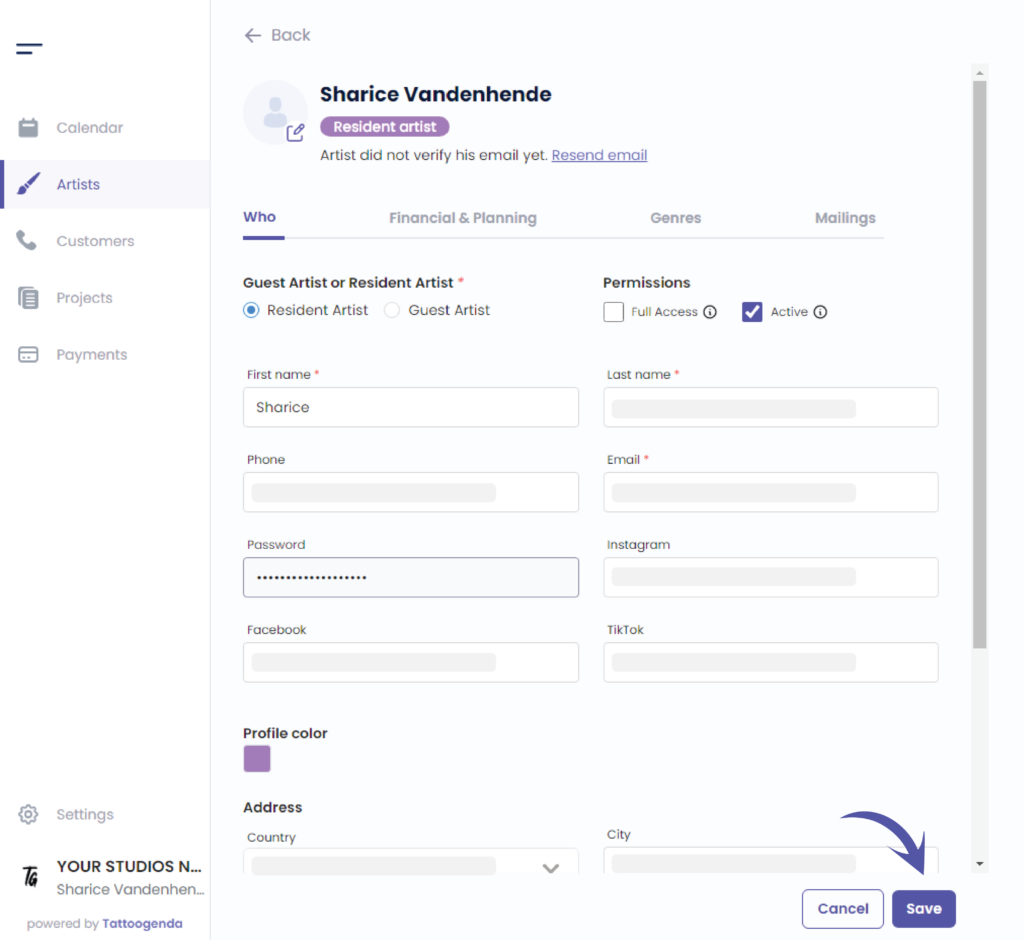
Klik op ‘Bewerken’ the artist , or if you are an artist you will automatically go to your own profile.
In dat geval kunt u deze schermafbeelding overslaan.
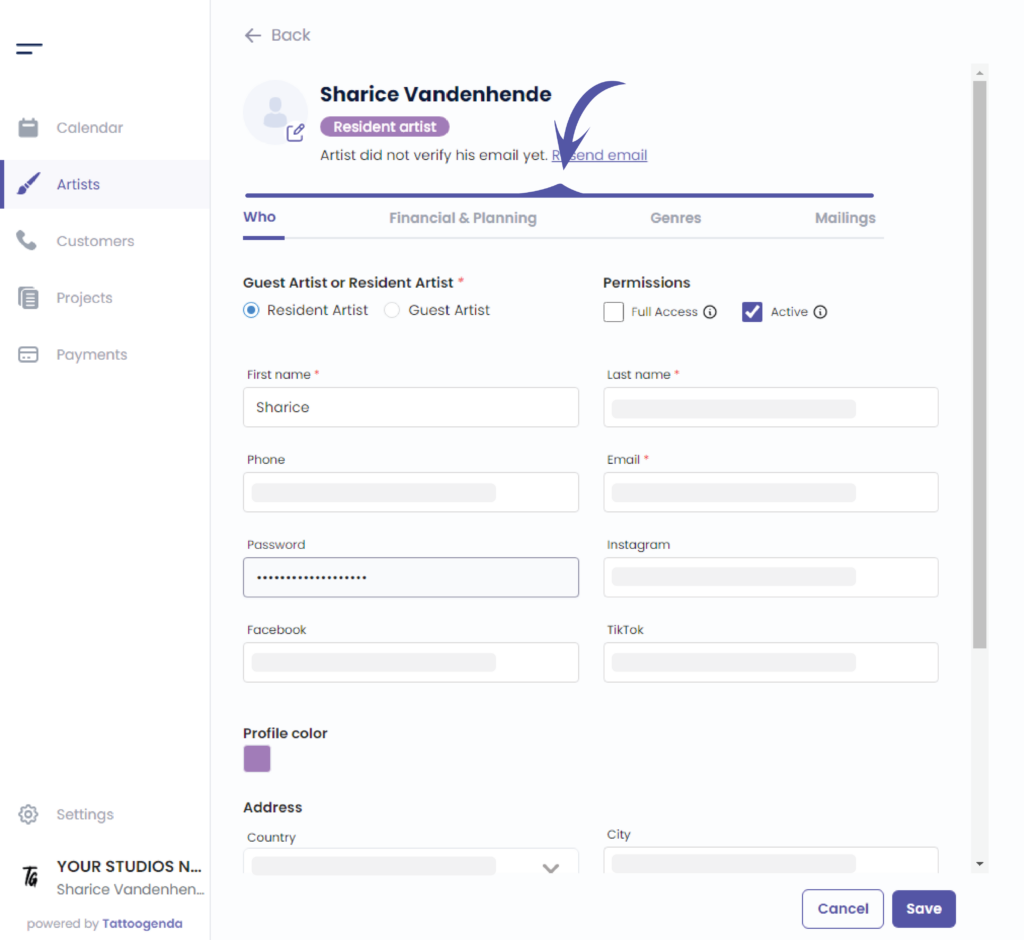
Uitnodigingsmail van artiest opnieuw versturen. #
Als je artiest geen e-mail heeft ontvangen, kun je klikken op ‘E-mail opnieuw verzenden’.

Edit your artist according to your needs, you are able to go through all of these tabs.
How to add a profile picture per artist. #
You can add a picture for your artist.
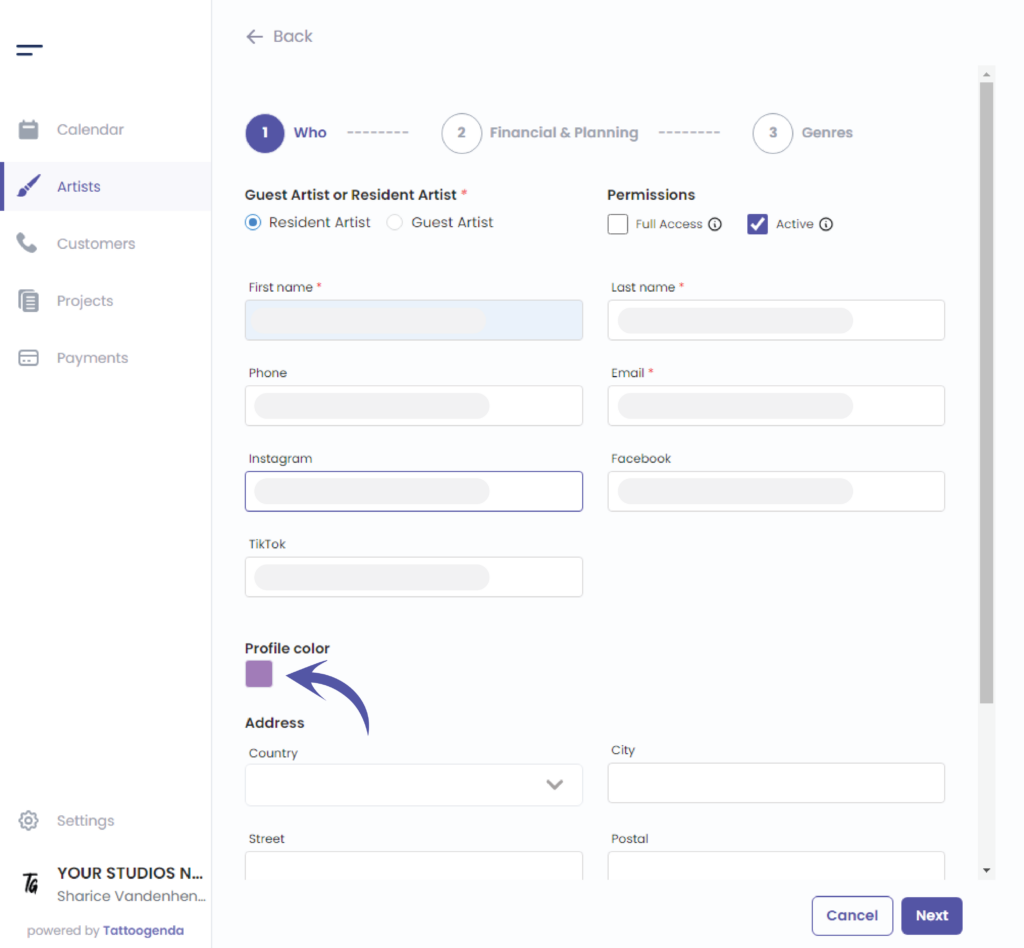
How to change my artists color? #
Edit the color by clicking on the colored square.
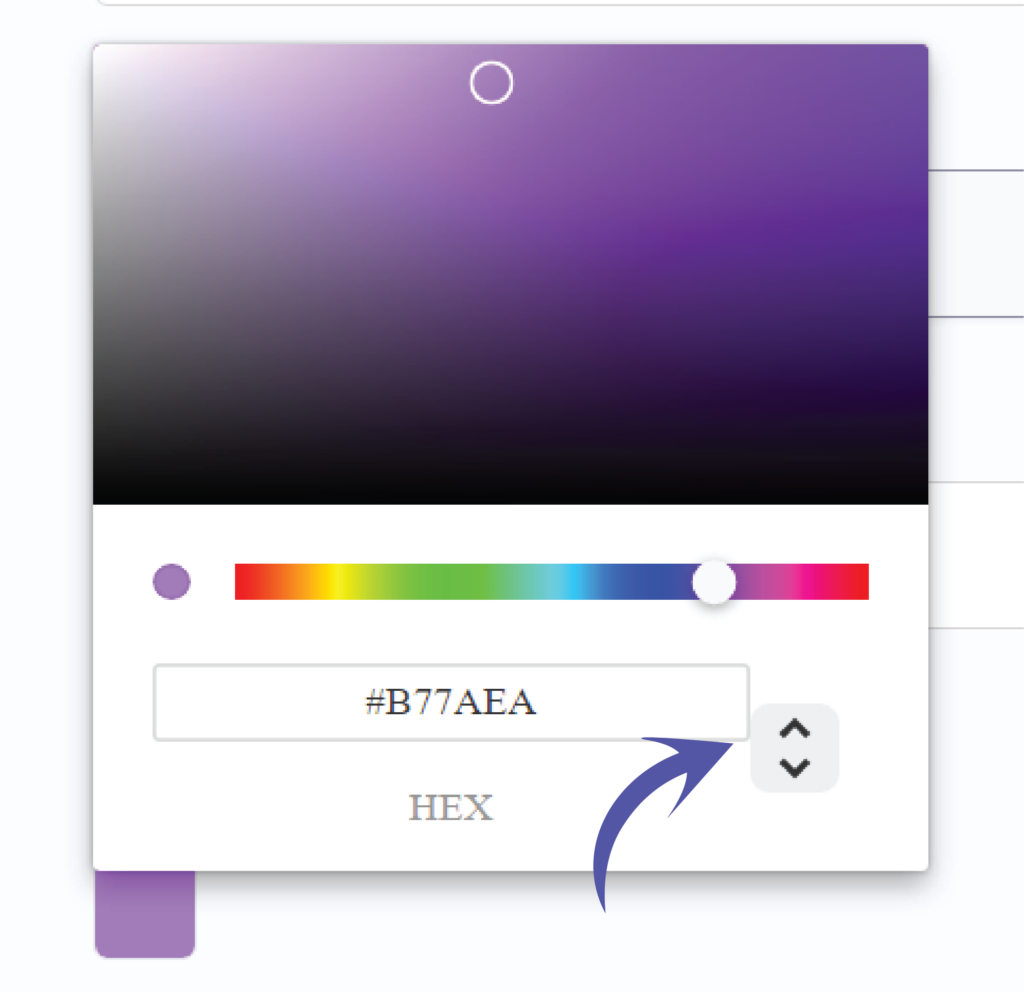
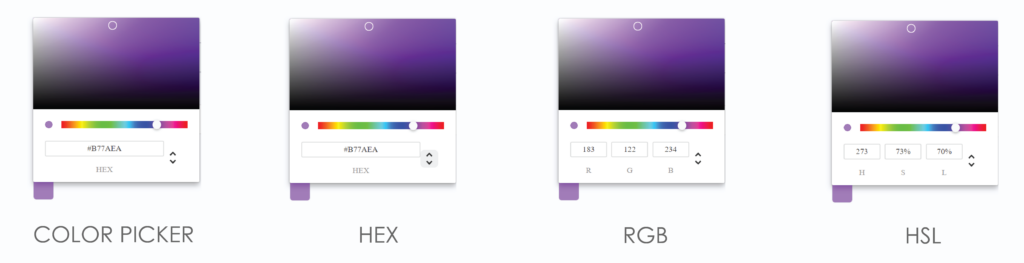
Je kunt je kleur op twee verschillende manieren kiezen.
By the color picker.
By entering a Hex code.
By entering a RGB code.
By entering a HSL code.
Je kunt van mogelijkheid wisselen door op de pijl omhoog of omlaag te klikken.
We’ve put the possibilities for you together so you can see the difference.
Click on save to save your artists changes.
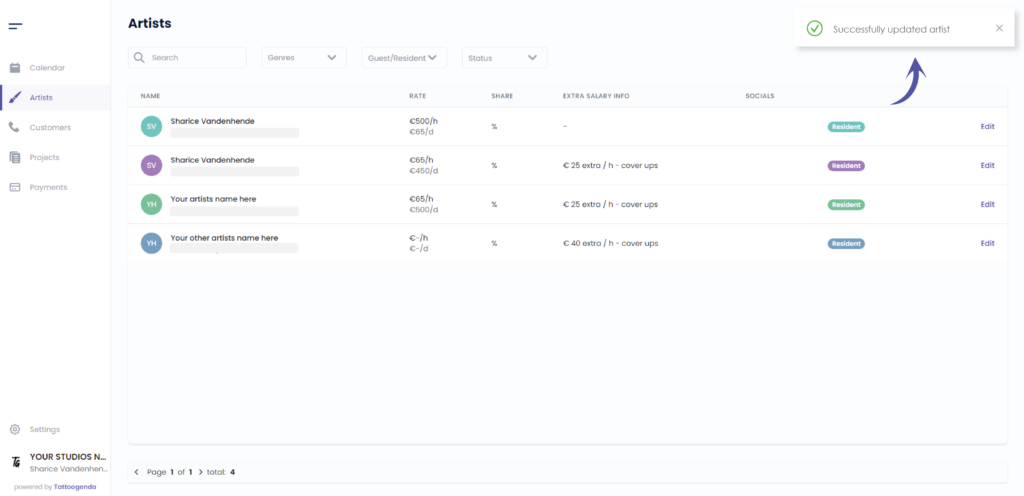
U ziet een melding dat u ‘Successfully updated your artist’.
Heb je nog steeds een probleem of een vraag?
Hieronder vind je een kleine link met de naam ‘Nog steeds vast? Hoe kunnen we helpen!’
Geschreven door
Sharice Vandenhende
Door Tattoogenda


 English
  Dutch
Dutch  Dutch (Belgium)
  French
  German
  Spanish