
BELANGRIJK
Certain features in this guide require different subscription plans
Deze opties zullen niet beschikbaar zijn for you when you do not have this plan or higher

EDIT A CUSTOMER THROUGH AN APPOINTMENT #
Ga naar ‘Kalender’
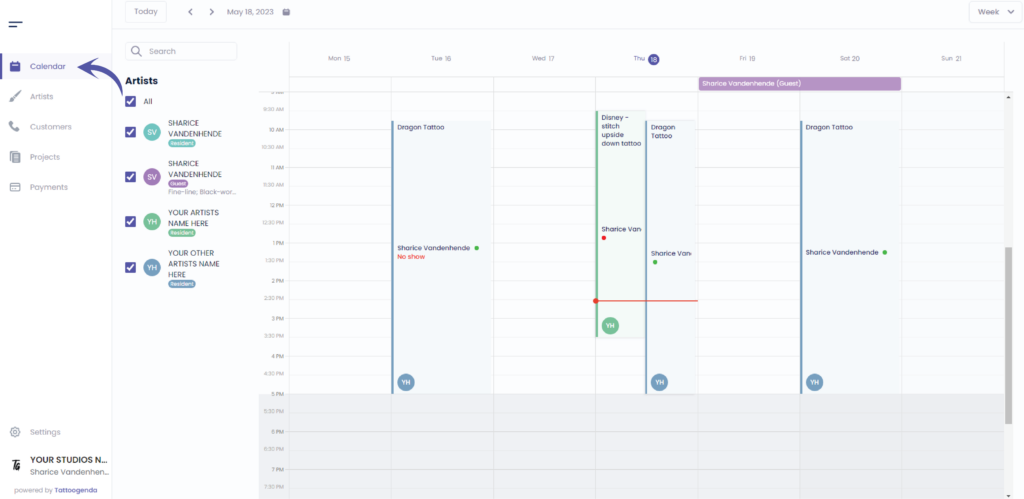
Click on the appointment of the customer

U ziet het volgende pop-upscherm
The payment tab will not be available for you if you do not own the ‘Grotere studio’ plan or higher.
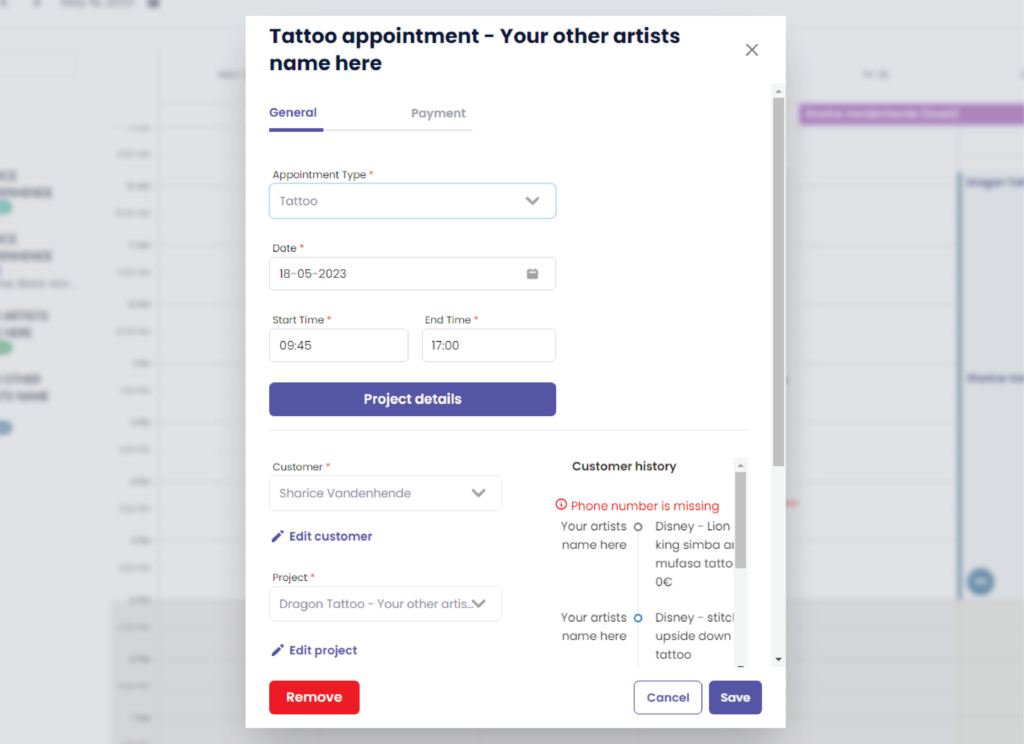
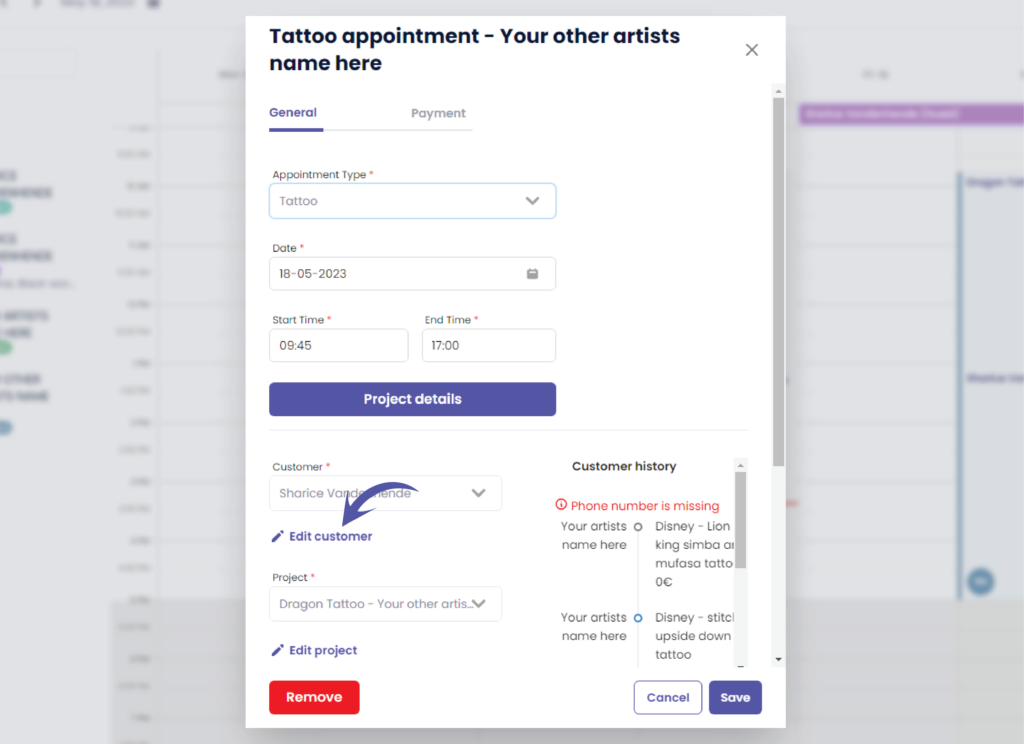
Klik op ‘ Edit customer’
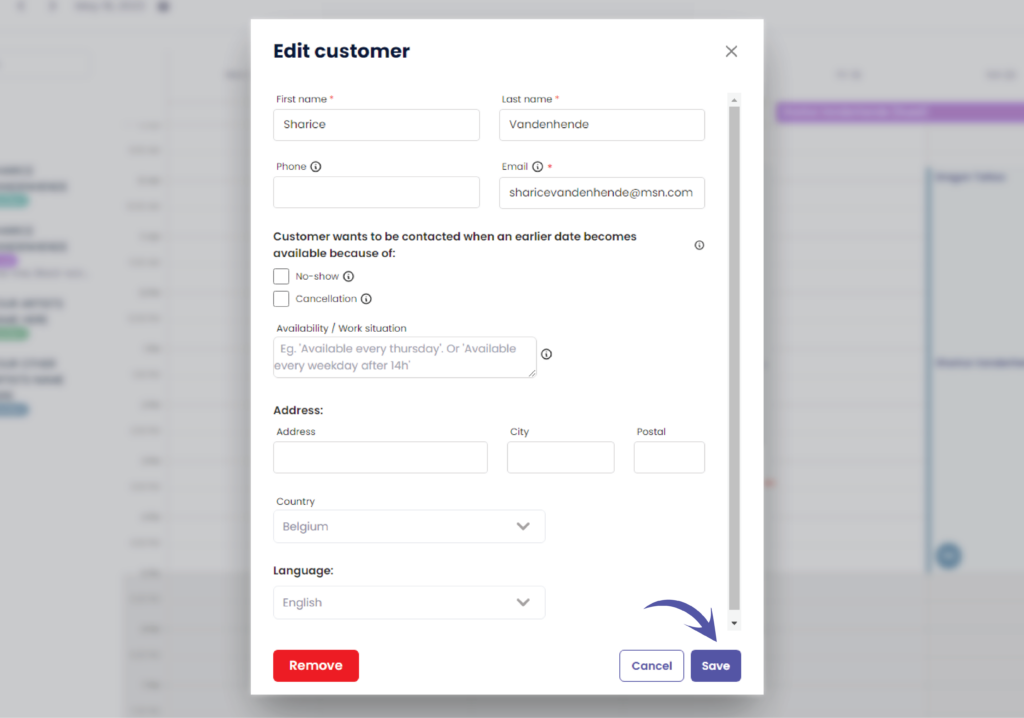
Edit the customer to your needs
U ziet het volgende pop-upscherm
Some of these fields might niet beschikbaar zijn for you if you do not own the ‘Grotere studio’ plan or higher.
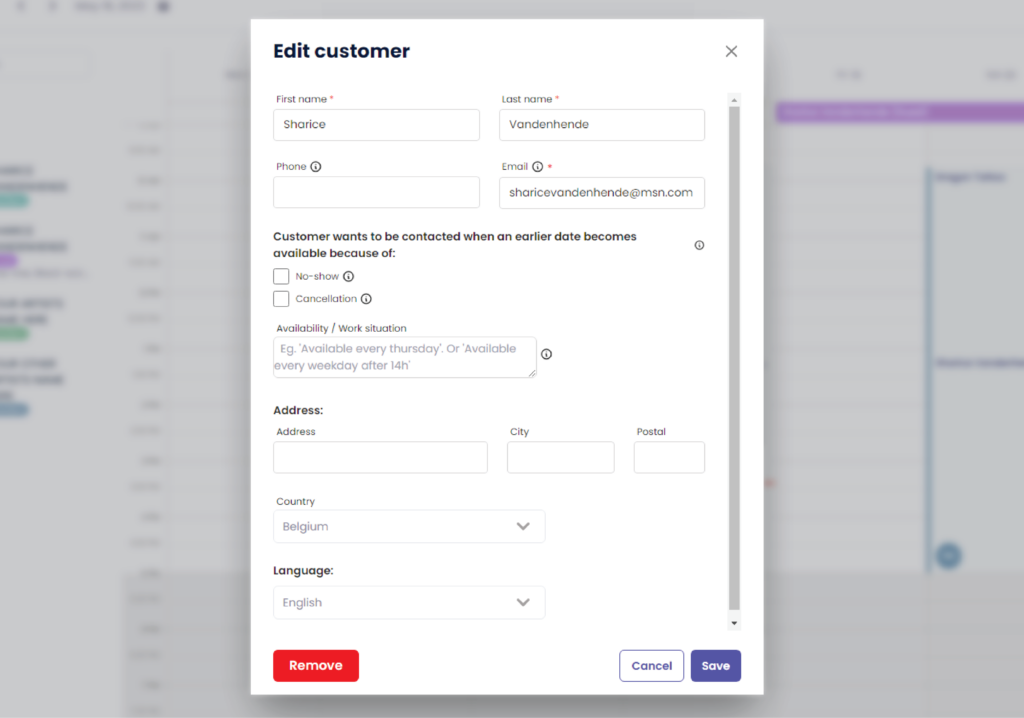
Klik op ‘Opslaan’ to save your changes

EDIT A CUSTOMER THROUGH CUSTOMERS #
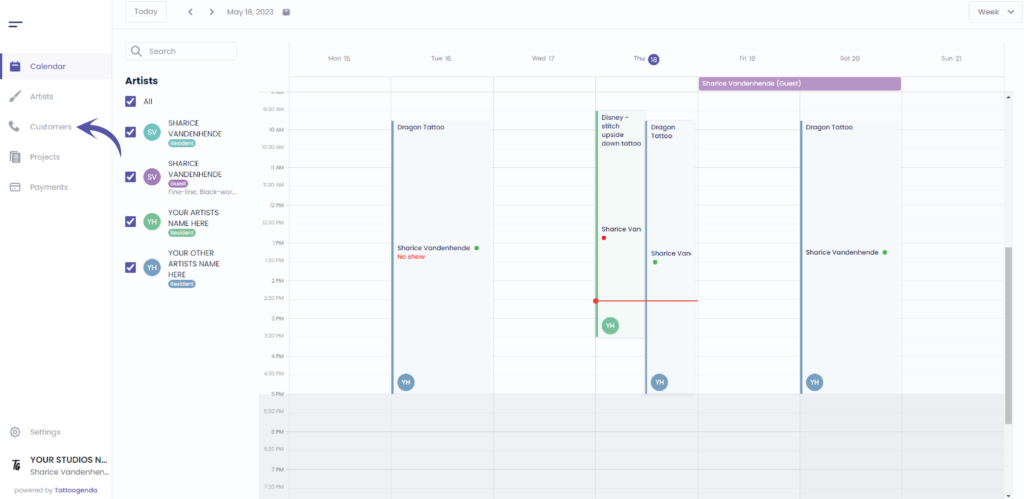
Ga naar ‘Klanten’
U ziet het volgende scherm
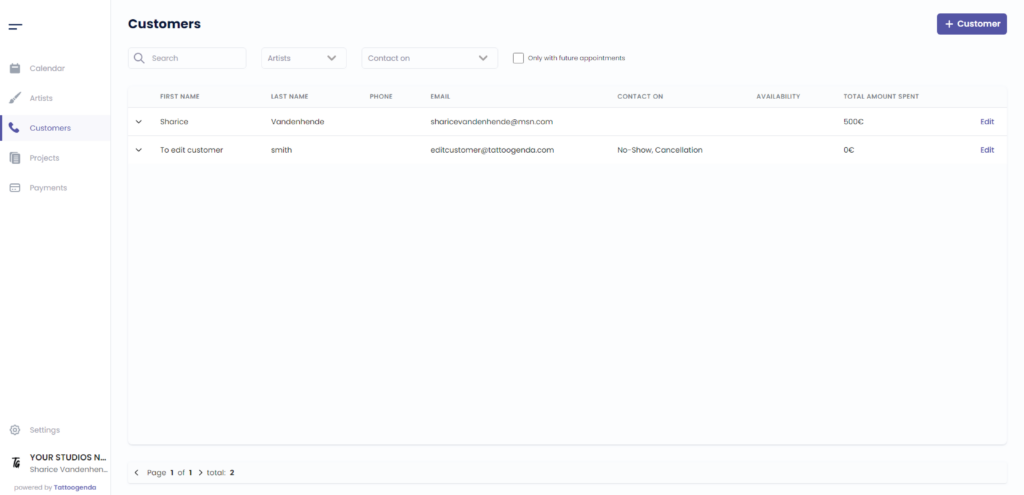
Klik op ‘ Edit’
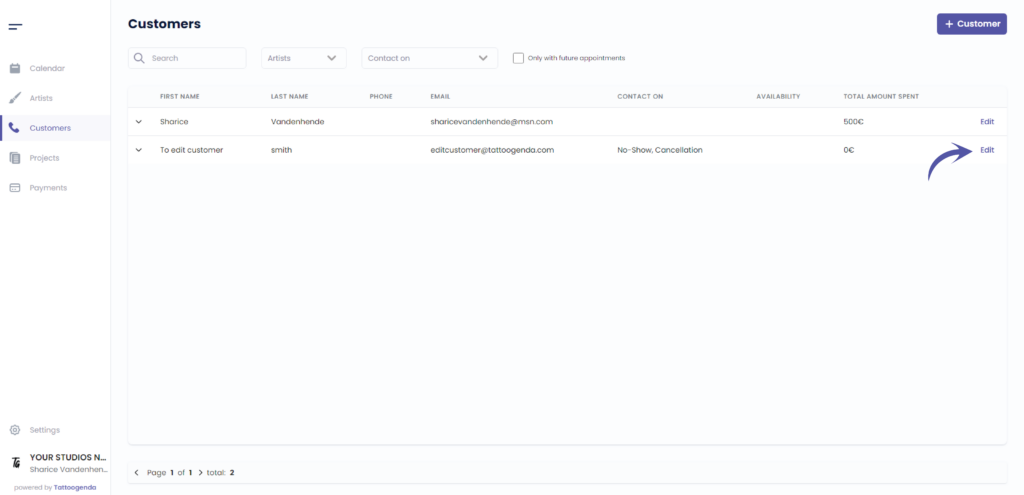
U ziet het volgende scherm
U ziet het volgende pop-upscherm
Some of these fields might niet beschikbaar zijn for you if you do not own the ‘Grotere studio’ plan or higher.
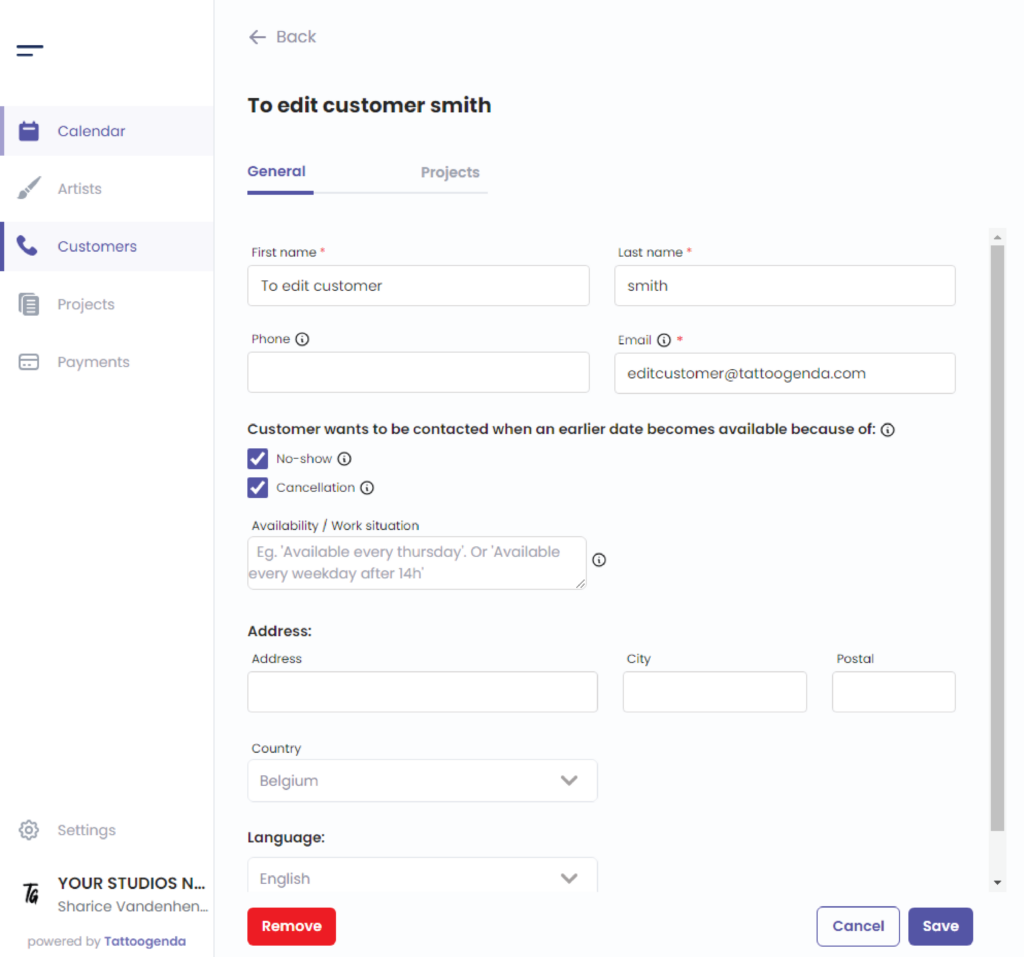
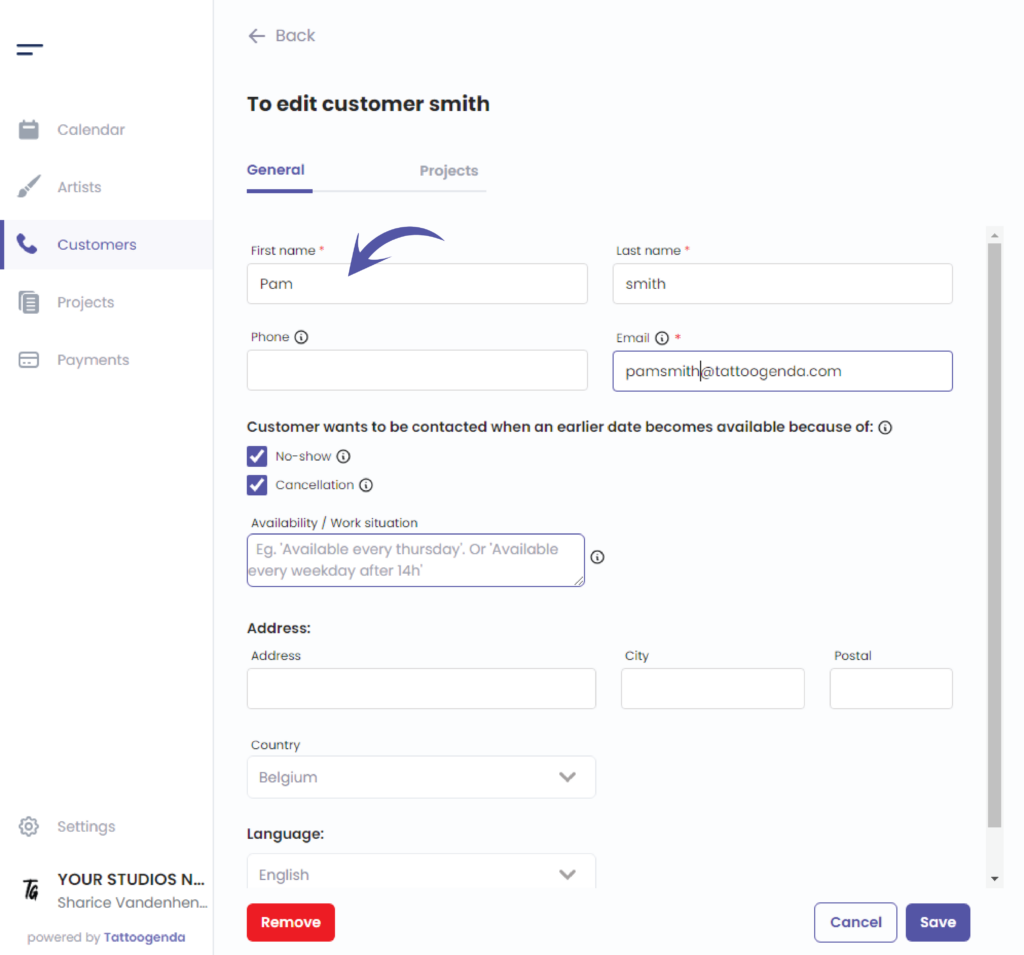
In this example we will change the name and email and klik op opslaan
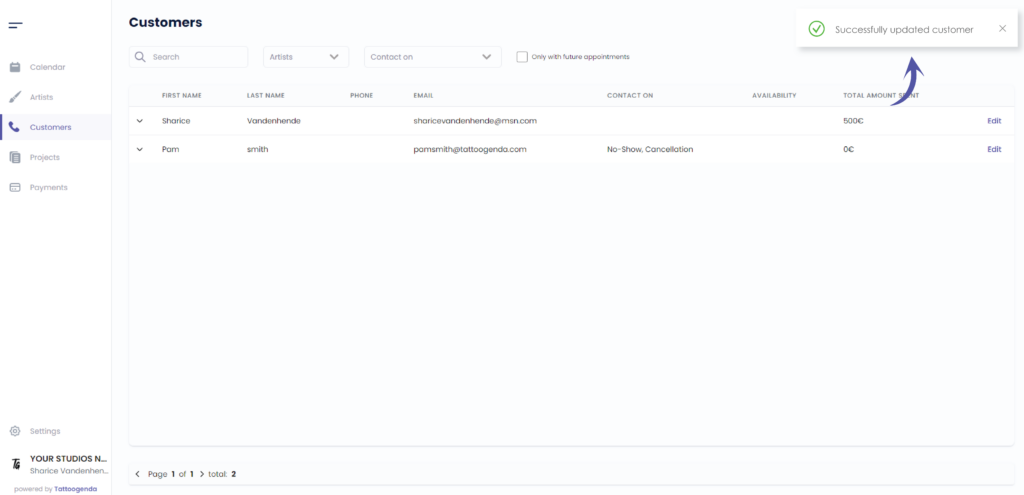
You will see a notification that says you have ‘Successfully updated your customer’
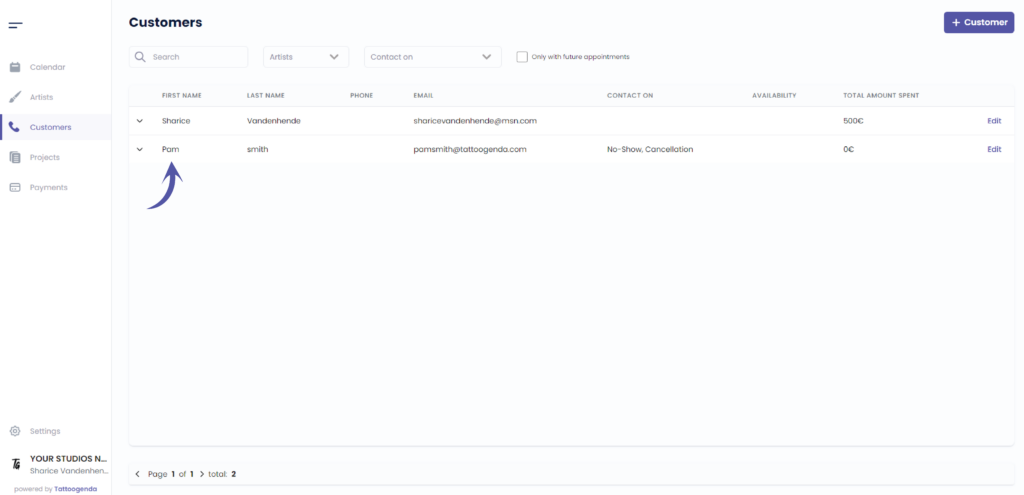
You can see that the name has changed
Heb je nog steeds een probleem of een vraag?
Hieronder vind je een kleine link met de naam ‘Nog steeds vast? Hoe kunnen we helpen!’
Geschreven door
Sharice Vandenhende
Door Tattoogenda


 English
  Dutch
Dutch  Dutch (Belgium)
  French
  German
  Spanish