
When creating or editing an artist as a studio account you can choose to set your artist active or inactive.
Depending on what you chose your artist or will not be showing into your calendar or appointment bookings.
This feature exists to make you effortlessly find your artists without seeing those artists who might be on holiday, are guest artists or not always available into your studio or who are simply not returning to your studio but you do not wish to loose related data such as customer history, customer spending and more. The data related this artist remains into your software when you set them on inactive.

ACTIEF
INACTIEF
✓
Showing into the calendar
✓
Able to select in calendar
✓
Able to select in payments
✓
Showing up into filters
✓
Showing up customer list
✓
Active in artist list
✓
All related data still saved
VS.
✖
Showing into the calendar
✖
Able to select in calendar
✖
Able to select in payments
✖
Showing up into filters
✖
Showing up customer list
✓
Inactive in artist list
✓
All related data still saved
Into the artist list you can see inactive artists as gray background and active artist with the normal white background
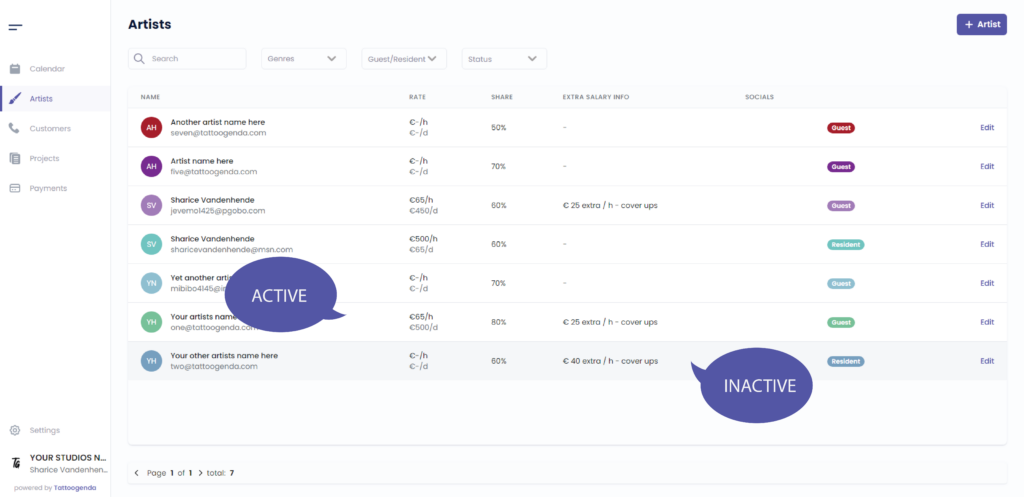
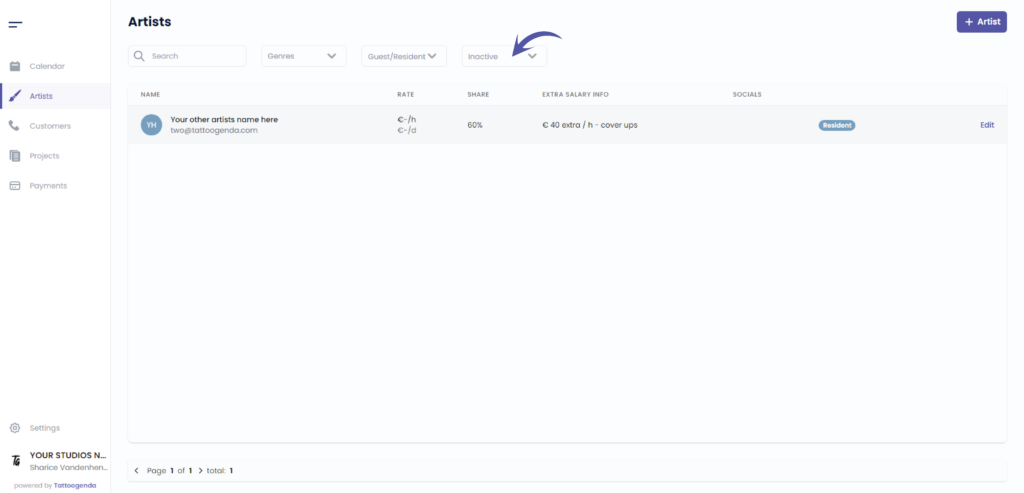
You can filter in artists for active or inactive artists
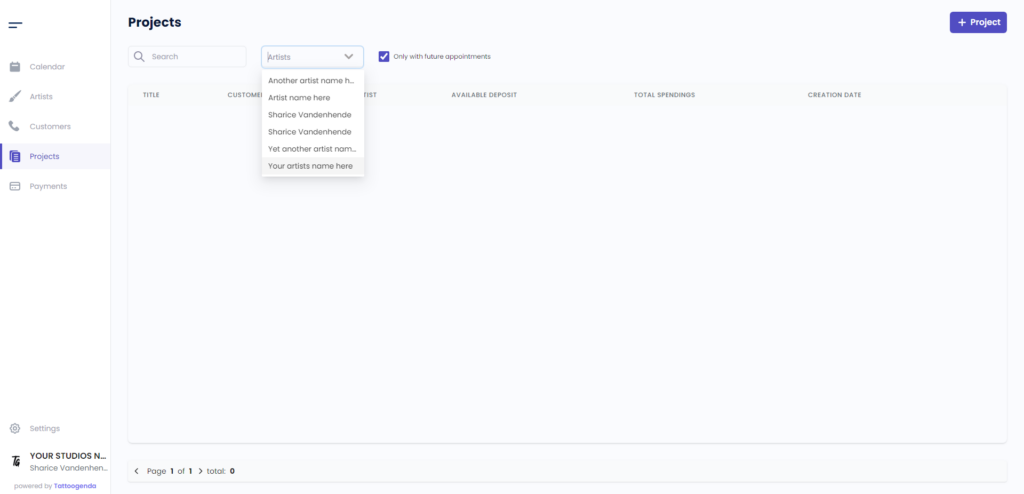
An inactive artist does not show up in search lists in projects
You can see that Your other artist name here is not in this list
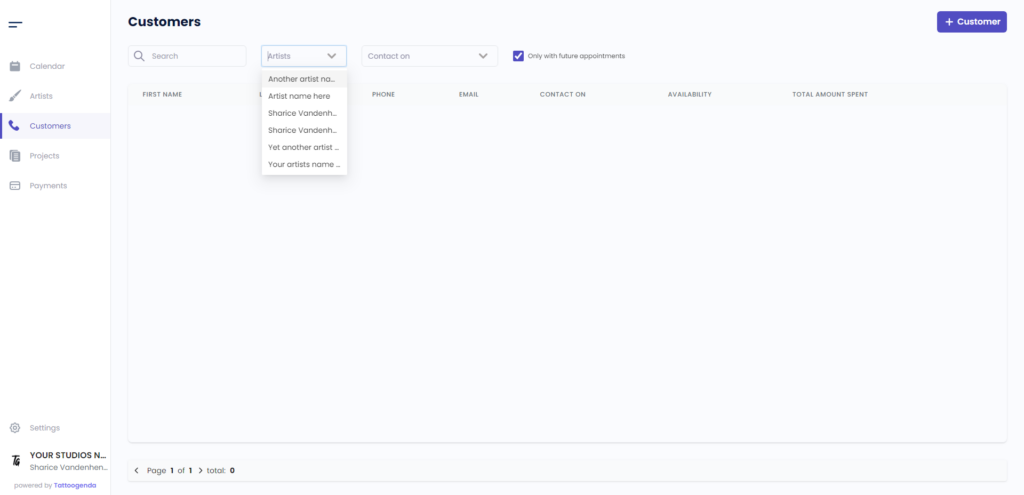
An inactive artist does not show up in search lists in customers
You can see that Your other artist name here is not in this list
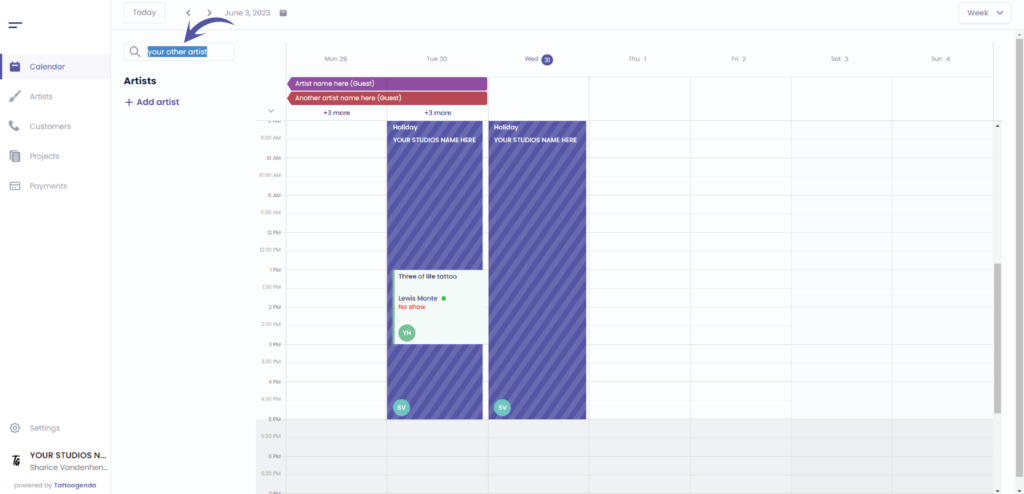
We can see that when we search for ‘your other artist name’ we cannot find this artist when inactive
Heb je nog steeds een probleem of een vraag?
Hieronder vind je een kleine link met de naam ‘Nog steeds vast? Hoe kunnen we helpen!’
Geschreven door
Sharice Vandenhende
Door Tattoogenda


 English
  Dutch
Dutch  Dutch (Belgium)
  French
  German
  Spanish