

BELANGRIJK
HEB JE HET VOLGENDE ABONNEMENT NODIG
The aftercare instructions email is available starting from the ‘Grotere studio’ plan.
Deze opties zullen niet beschikbaar zijn voor jou als je dit plan niet of niet hoger hebt.
In uw Tattoogenda studio software,
U vindt uw instellingen linksonder in uw scherm boven uw studionaam.
Ga naar je instellingen en kies ‘Meldingen’
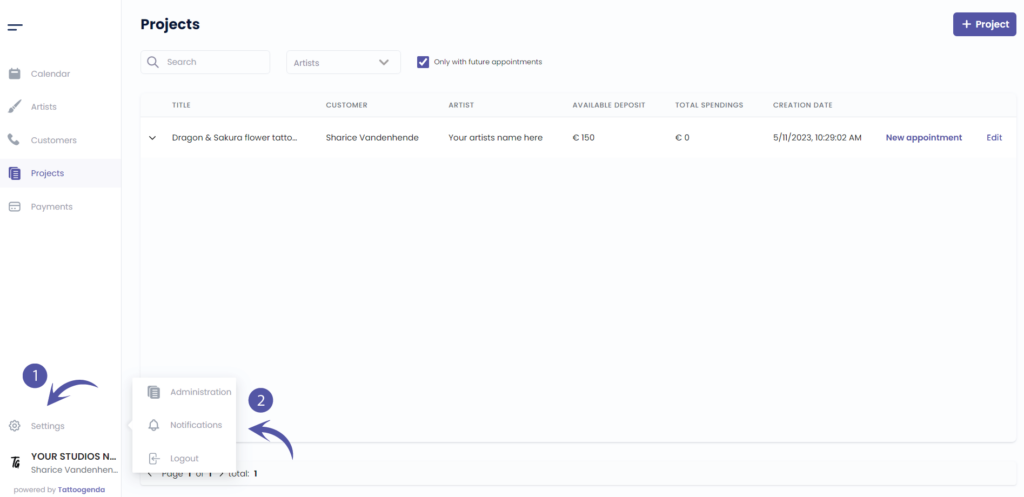
MELDINGEN SCHEMA
Je scherm zou eruit kunnen zien als de schermafbeelding hieronder.
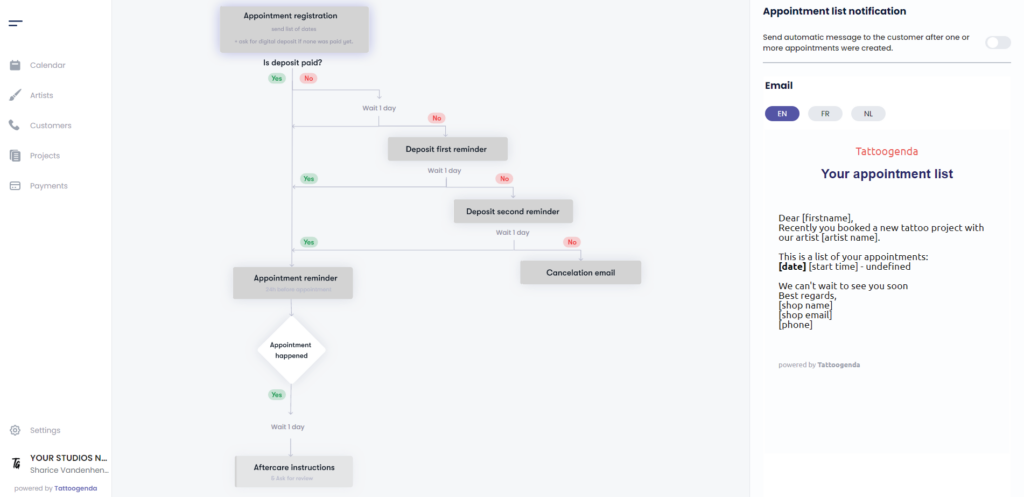
HOW IT LOOKS LIKE WHEN YOUR AUTOMATED EMAILS ARE ACTIVE
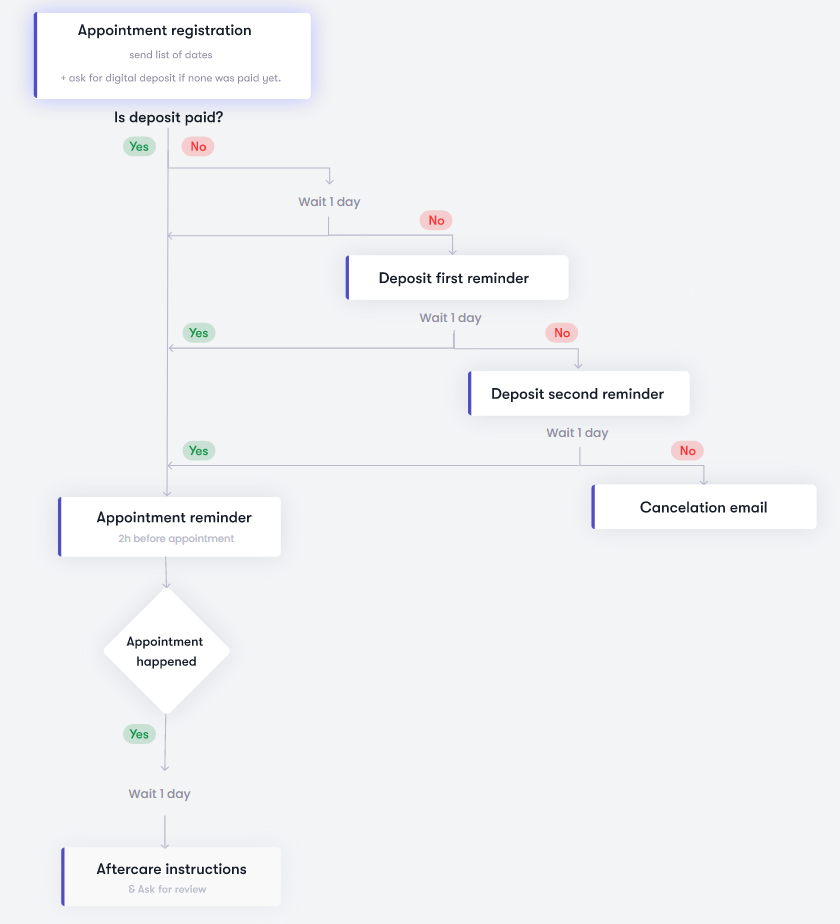
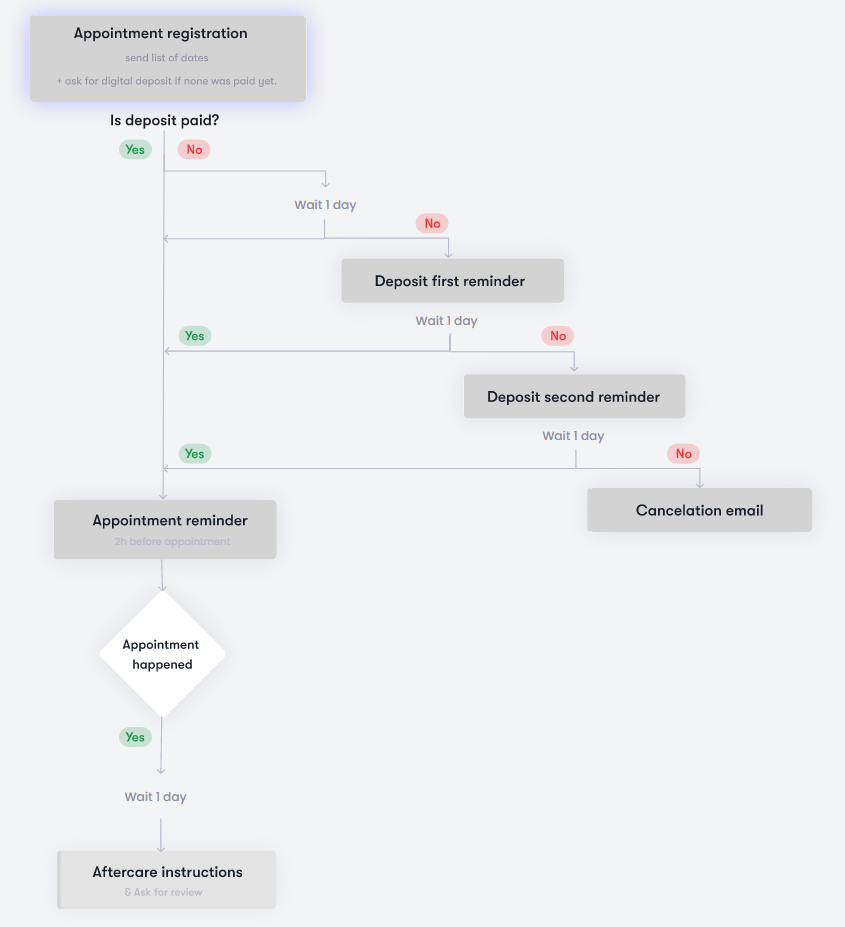
HOW IT LOOKS LIKE WHEN YOUR AUTOMATED EMAILS ARE INACTIVE
INGESCHAKELD
Uw geautomatiseerde e-mail of optie is actief

UITGESCHAKELD
Uw geautomatiseerde e-mail of optie is inactief

AFTERCARE & REVIEWS CONFIGURATION #
Klik op je schema op ‘Aftercare instructions’.
U ziet de ‘Aftercare instructions’ appear with two toggle buttons and an input field.
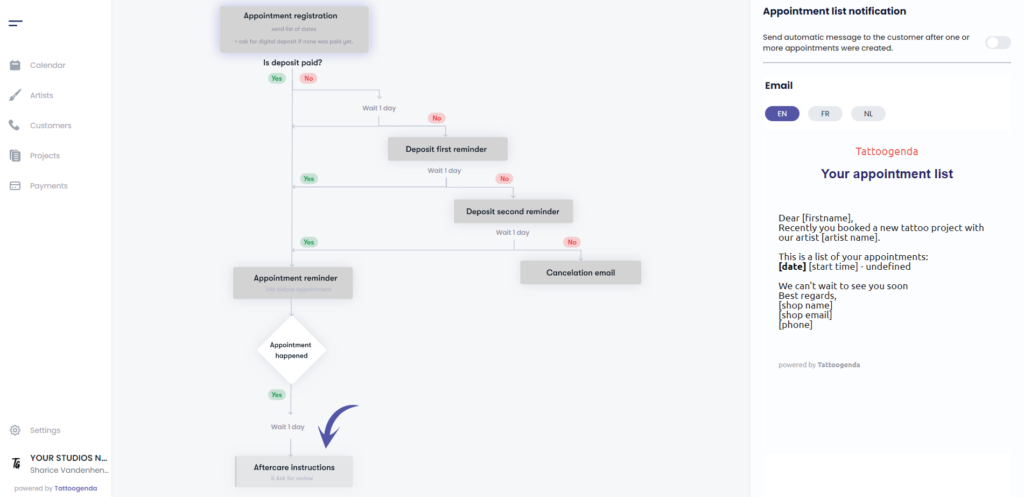
Schakelen op your aftercare instructions
Merk op dat het wit is geworden op je schema
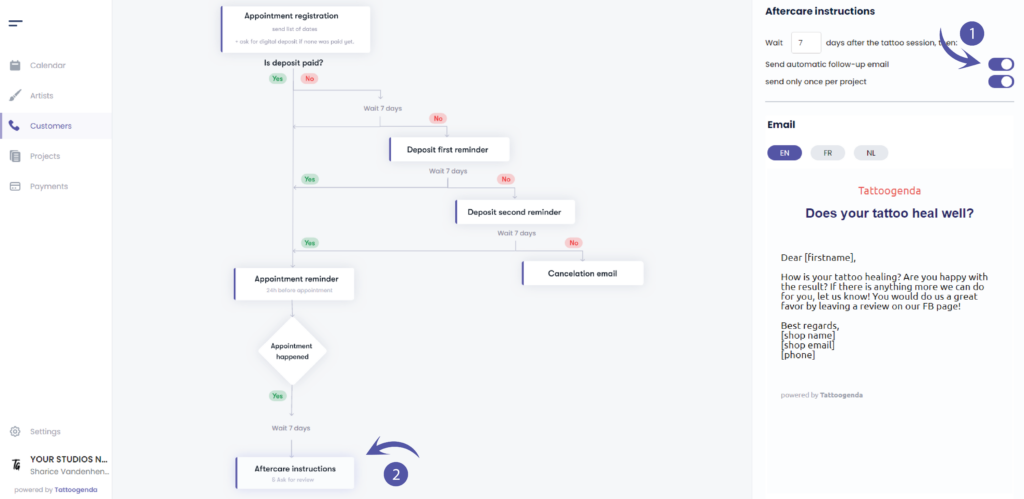
Make sure to toggle on ‘Send automatic follow-up email’ if you’d like your customer to receive one.
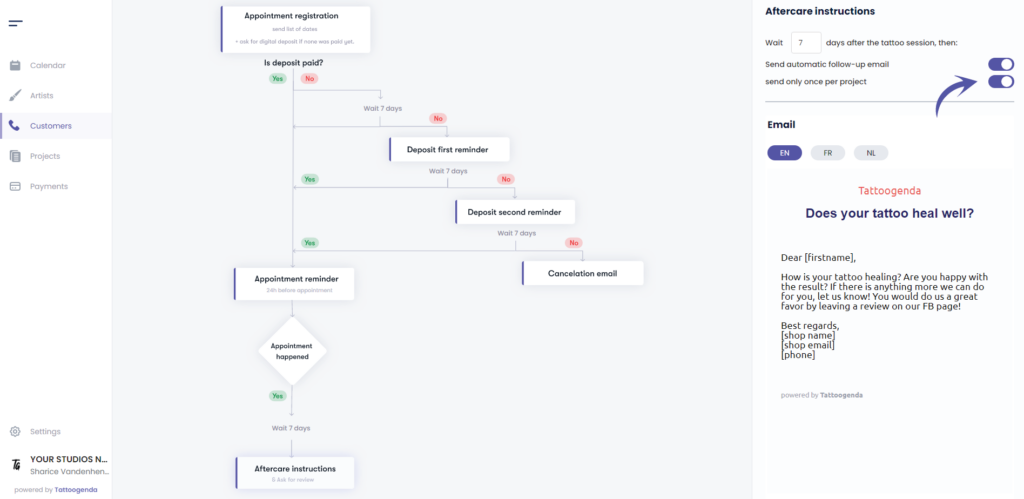
You can choose the option ‘send only once per project’ this will only send the aftercare email after the first appointment, but not anymore after next appointments.
If you do not select this option it will send one out / tattoo appointment.
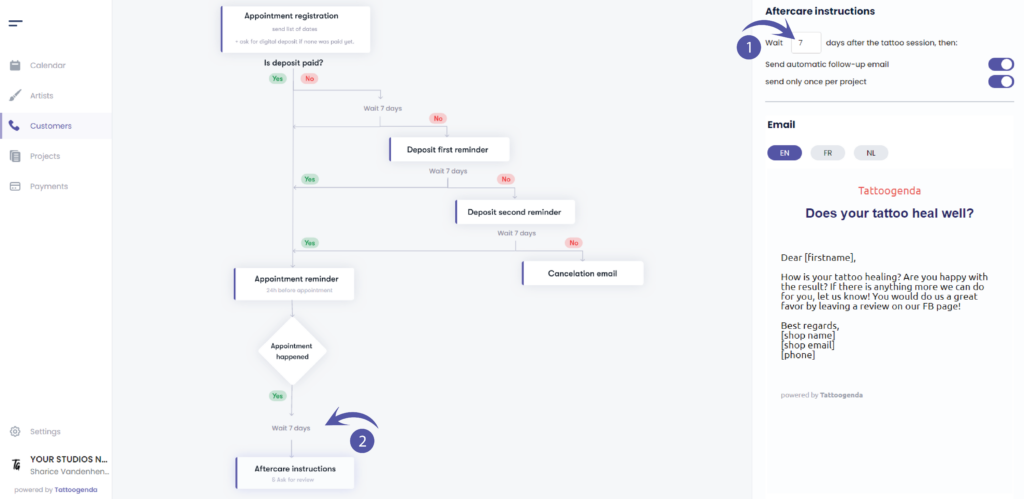
Vul in hoeveel dagen after the tattoo session you want to send out your aftercare email.
In this email you also ask them to leave a review.
( e.g. In this example we’ve set it to wait 7 days, but 1 day would make more sense)
Notice that it also changed on your schematic.
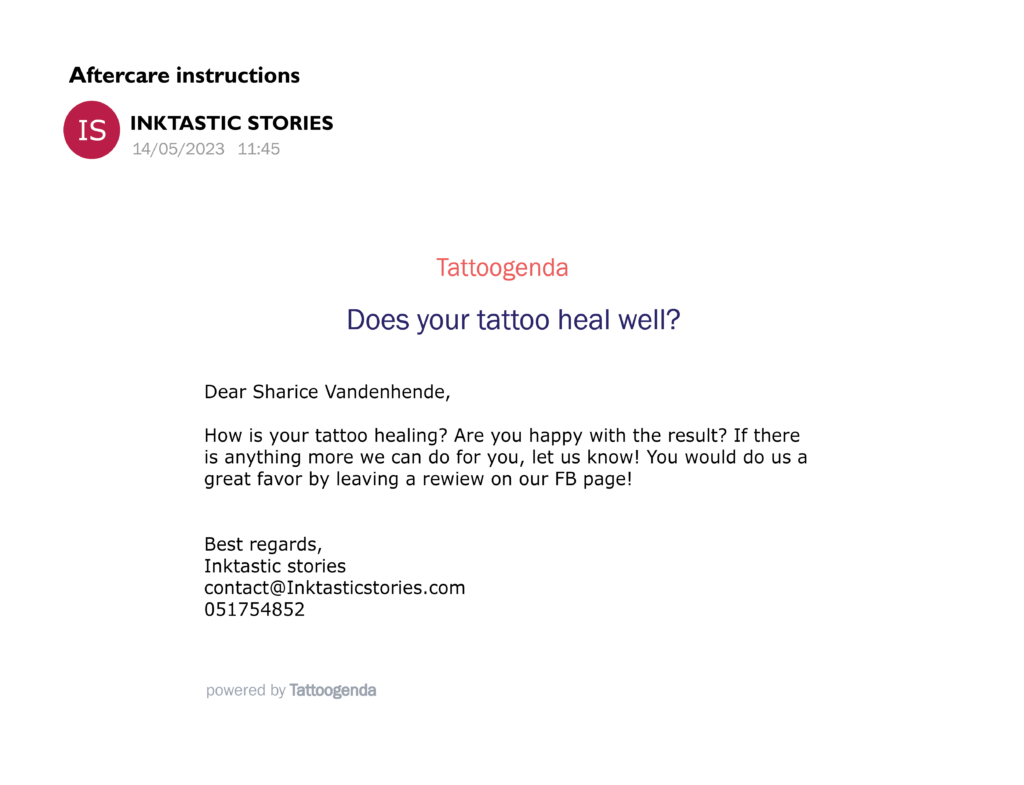
VOORBEELD EMAIL
In this email you are asking your customer if their tattoo is healing well and if they are happy with the results
and last but certainly not least you ask them for a review.
You are also able to fill out your studios after care instructions and other information you wish to share with you customer.
Inhoud personaliseren #
Je kunt je notificatie-e-mails personaliseren!
Aan het einde van je e-mail met meldingen kun je je eigen inhoud toevoegen.
Lees hier meer over in het onderstaande artikel!
Meldtalen #

U kunt een standaard taal selecteren voor je winkel.
Als de standaardtaal van je winkel EN is, dan zal elke nieuwe klant standaard EN zijn.
Tijdens het maken of bewerken kun je de taal van elke klant wijzigen in een van de beschikbare talen uit de lijst.
Dit is vooral handig voor winkels in landen waar je klanten met verschillende talen moet bedienen.
(in België hebben we bijvoorbeeld Frans en Nederlands).
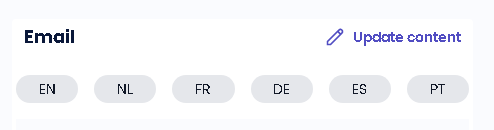
Elke melding is beschikbaar in meerdere talen.
Hier kun je de inhoud van de notificatie-e-mail bewerken, kun je dat voor elke taal doen.
(bijv. Als de taal van je klant EN is, krijgt hij de EN e-mails. Als de klant Frans is, krijgt hij de Franse e-mails, enz...)
WIST JE DAT?
Als u een andere taal aanvragen optie wees niet bang om ons te mailen support@tattoogenda.com
Heb je nog steeds een probleem of een vraag?
Hieronder vind je een kleine link met de naam ‘Nog steeds vast? Hoe kunnen we helpen!’
Geschreven door
Sharice Vandenhende
Door Tattoogenda


 English
  Dutch
Dutch  Dutch (Belgium)
  French
  German
  Spanish