

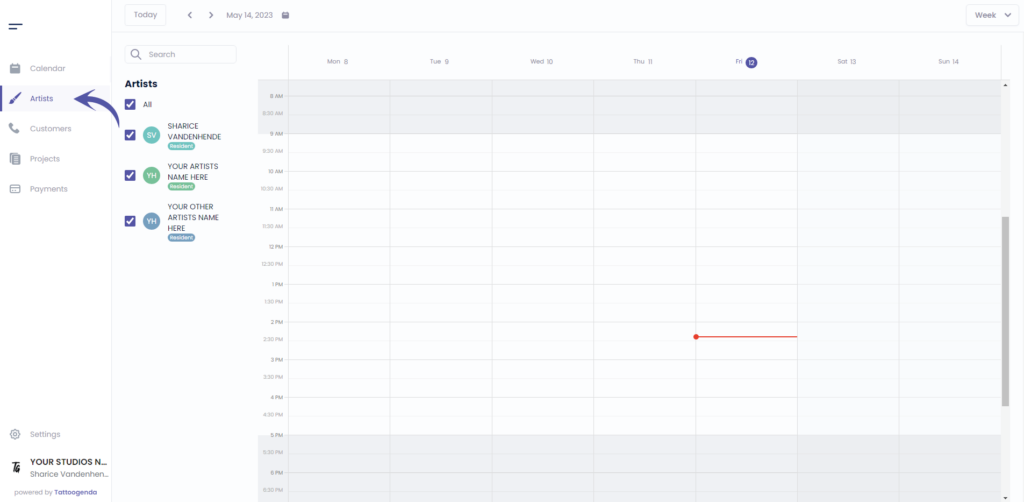
Aller à ‘Artistes’ if you are logged into as a receptionist or owner.
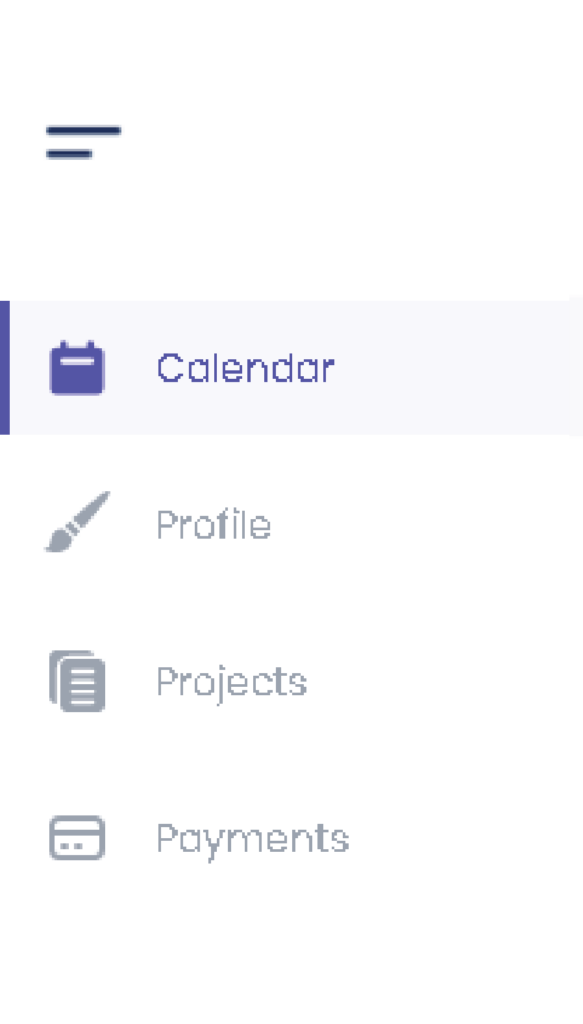
Si vous êtes connecté en tant qu'artiste, vous devez vous rendre à l'adresse suivante ‘Profil’. Votre menu se présentera comme suit.
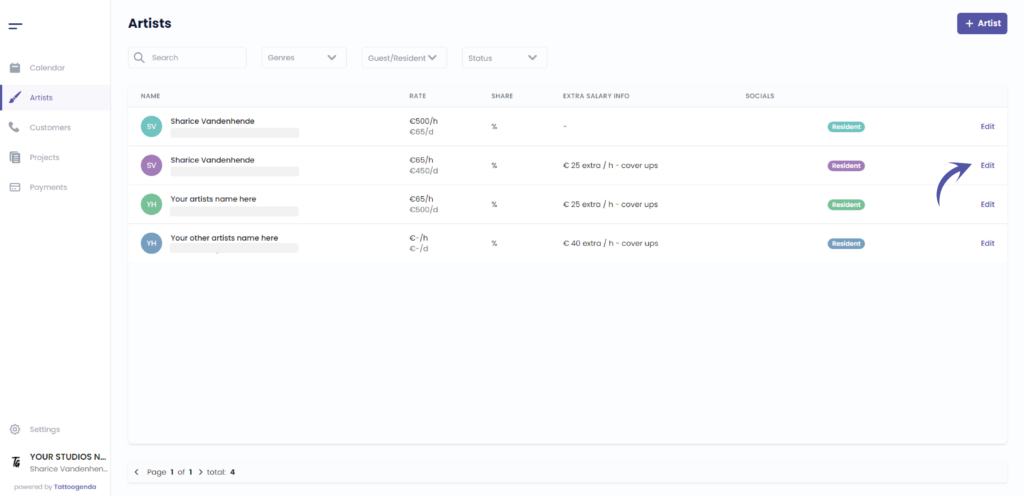
Cliquez sur ‘Edit’ (modifier)’.
Si vous êtes un artiste, vous accéderez automatiquement à votre propre profil.
Dans ce cas, vous pouvez ignorer cette capture d'écran.
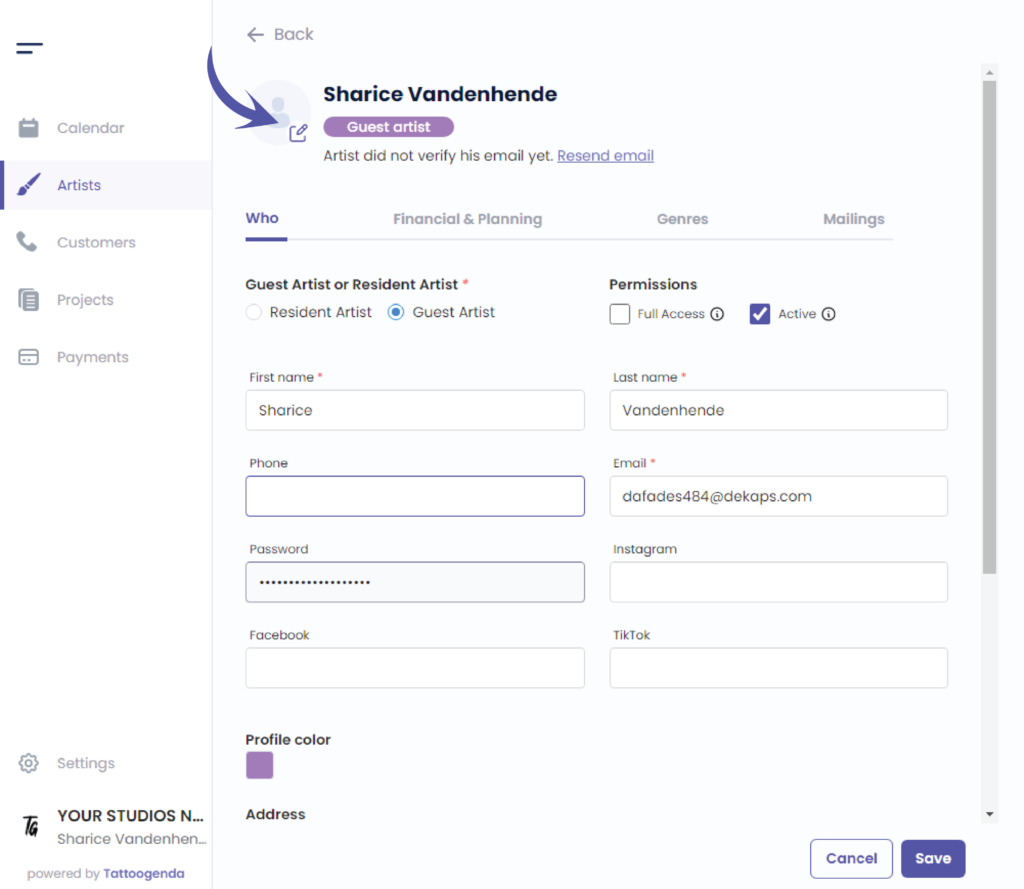
You will see the following screen.

CHANGE PROFILE IMAGE #
Click on the following icon to select a profile image on your device.
CHANGE PROFILE COLOR #
Edit the color by clicking on the colored square.
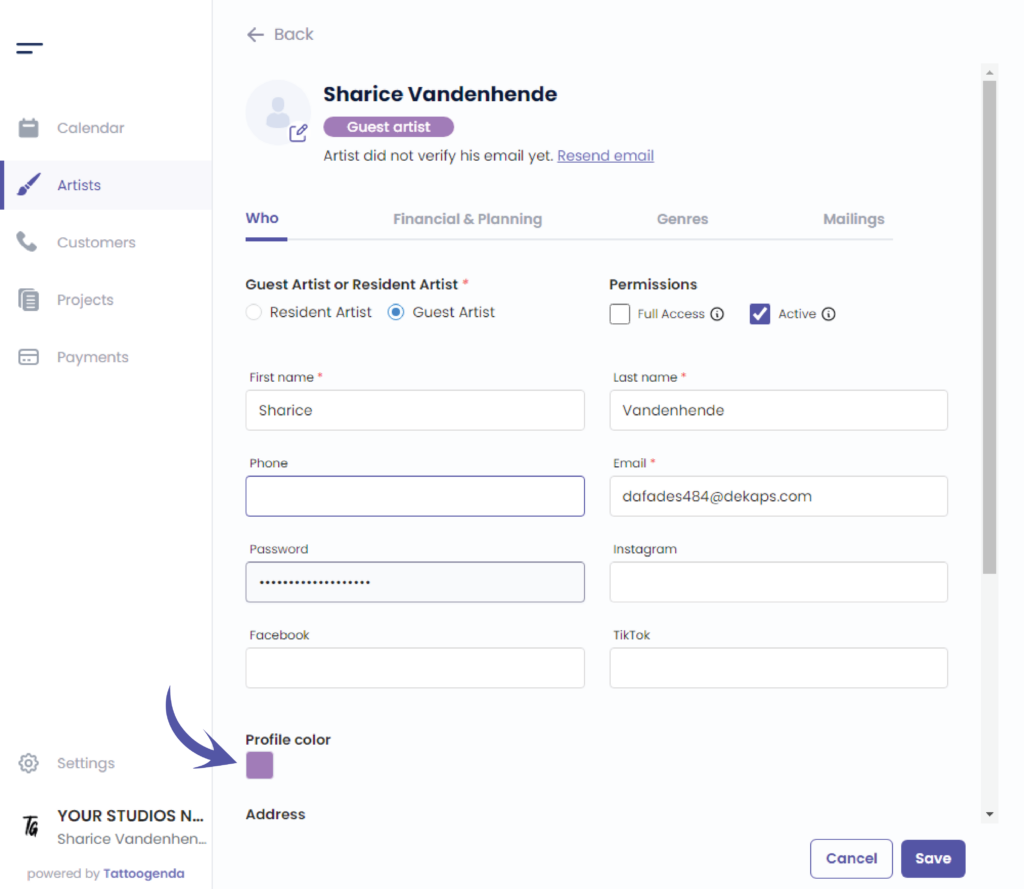
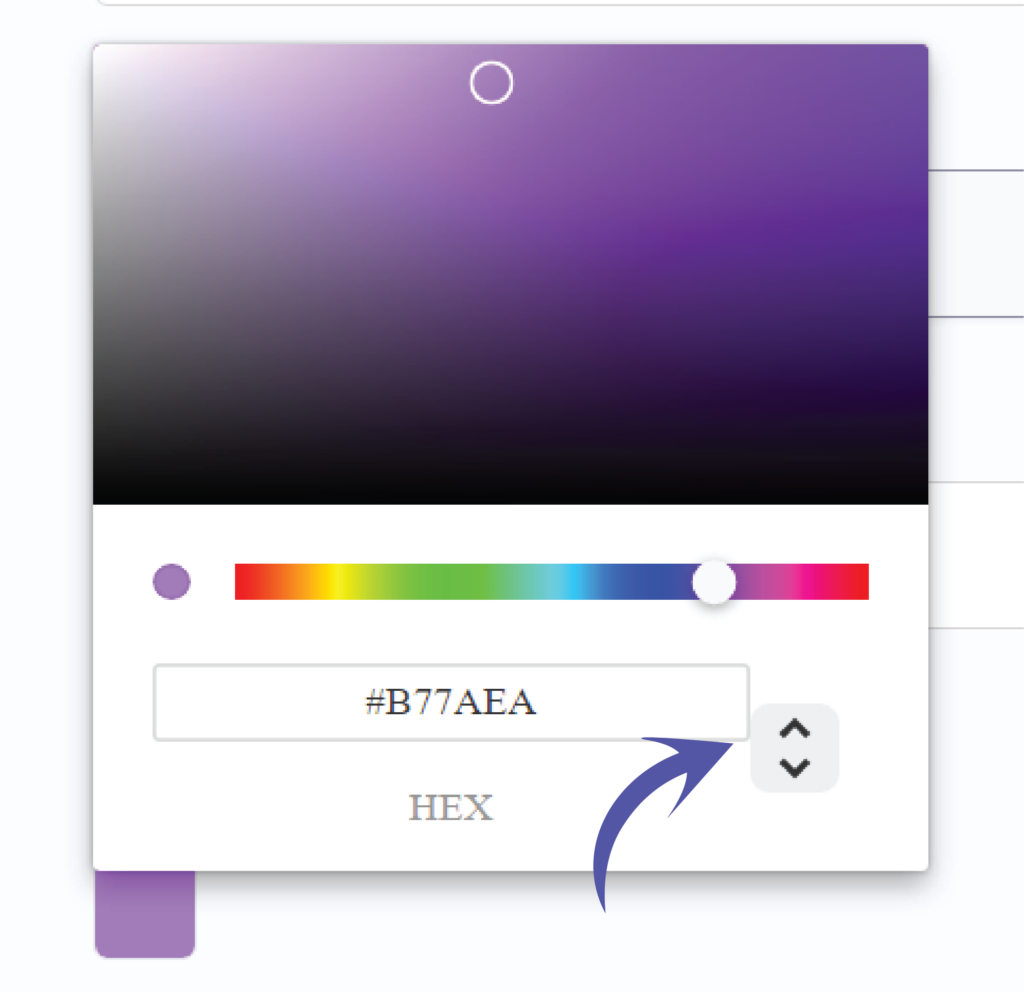
You can choose your color in two different ways.
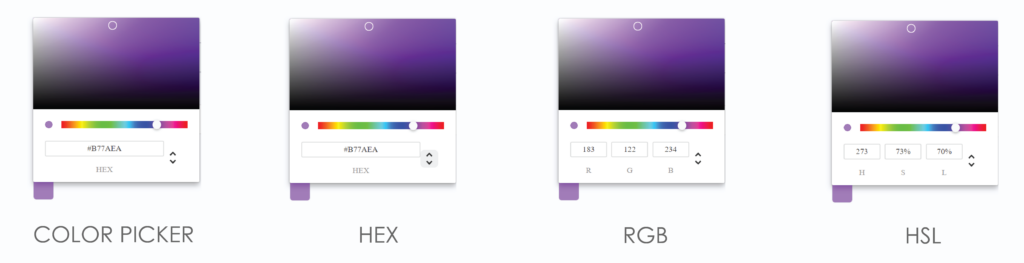
By the color picker.
By entering a Hex code.
By entering a RGB code.
By entering a HSL code.
You can switch possibilities by clicking on the up or down arrow.
We’ve put the possibilities for you together so you can see the difference.
Click on save to save your artists changes.
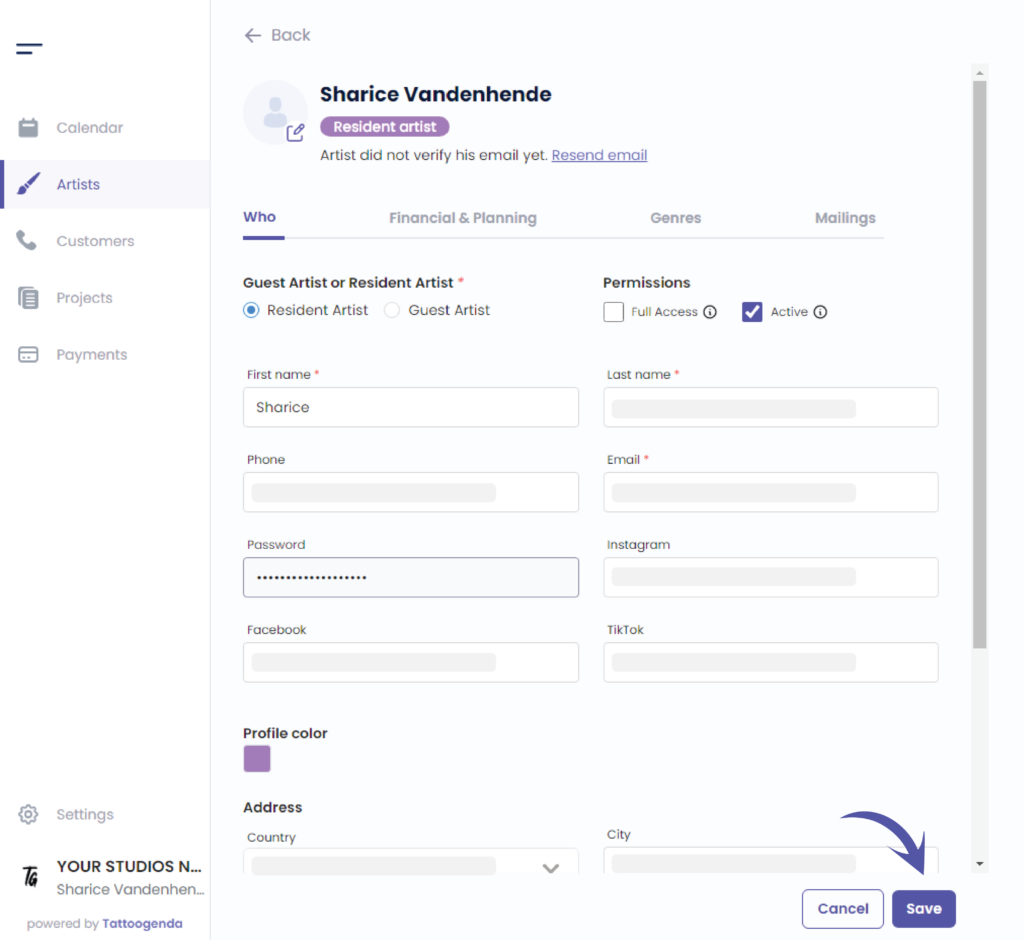
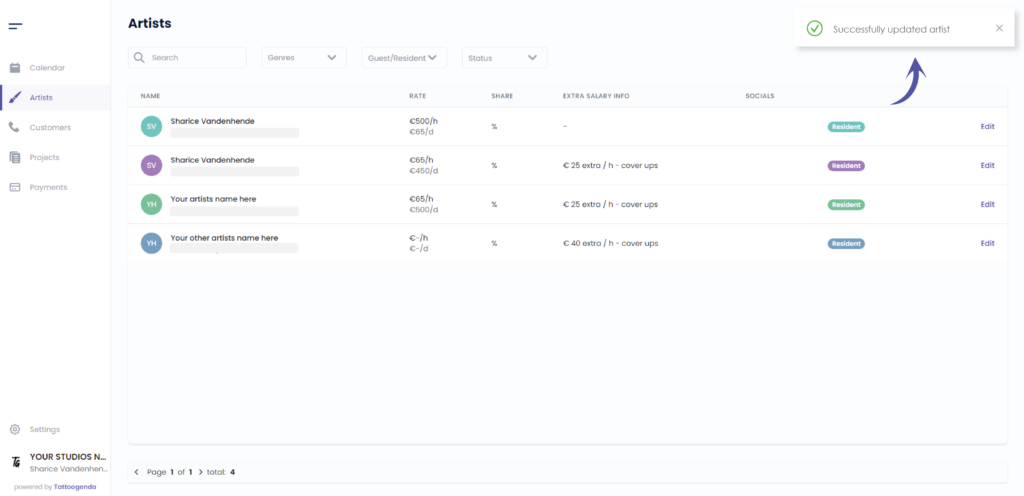
You will see a notification saying that you have ‘Successfully updated your artist’.
Vous avez encore un problème ou une question ?
Vous trouverez ci-dessous un petit lien intitulé ‘Toujours bloqué ? Comment pouvons-nous vous aider ?’
Rédigé par
Sharice Vandenhende
Par Tattoogenda


 English
  Dutch
Dutch  Dutch (Belgium)
  French
  German
  Spanish