
When your customer does not show up or cancels too late you can choose to use the deposit according to your deposit rules of your studio.
Before you check on the type of cancellation there’s a few things we need to do to use the deposit amount.

Aller à ‘Calendrier’
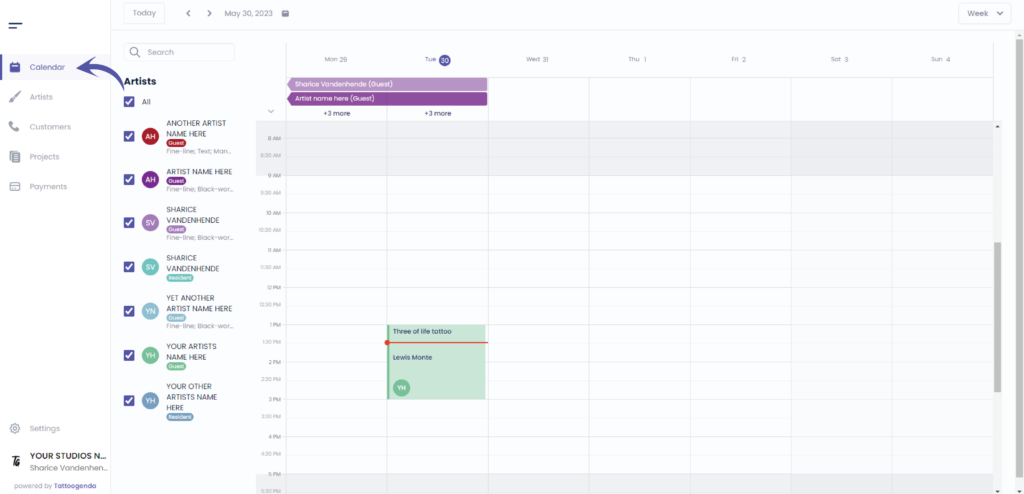
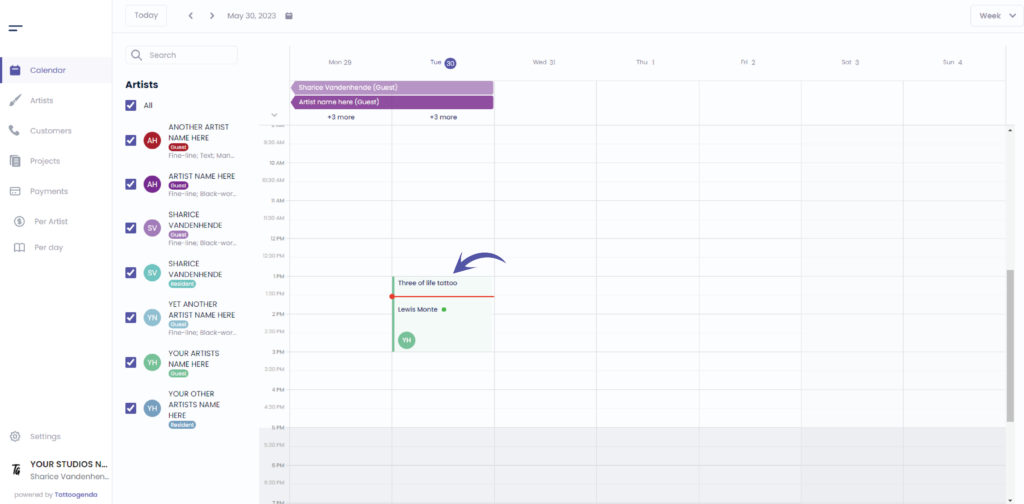
This red line indicates the current time
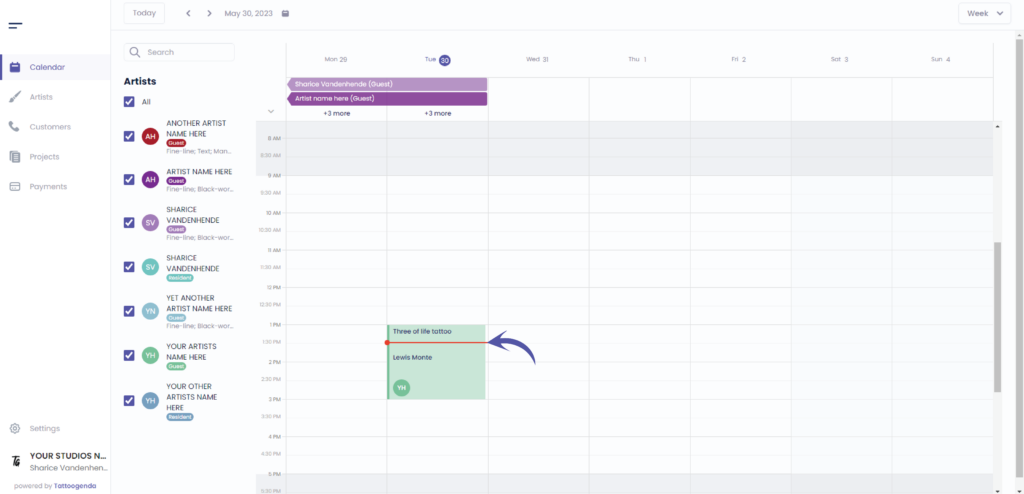
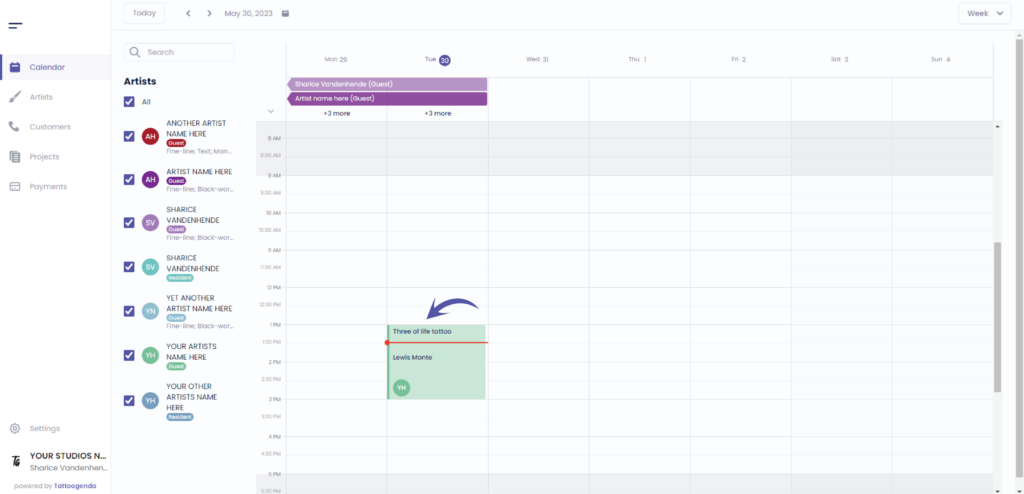
Click on the appointment
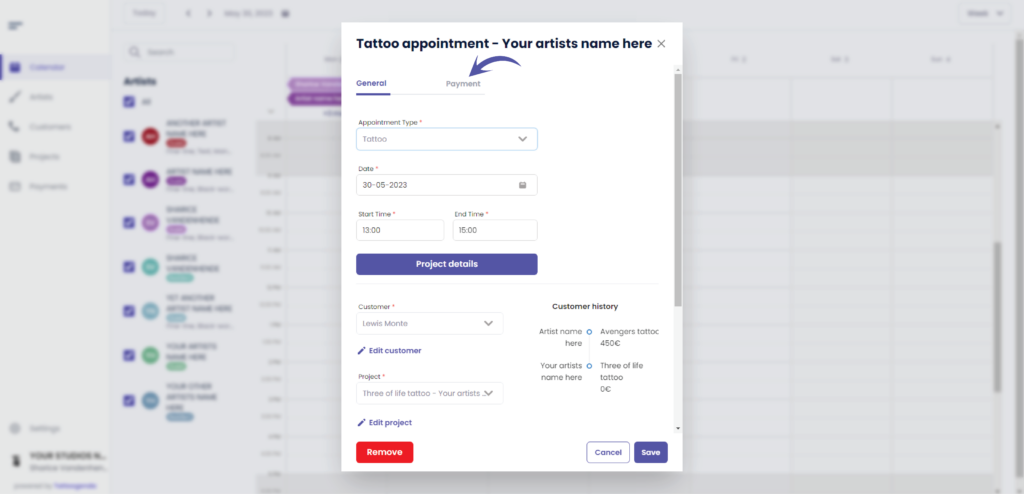
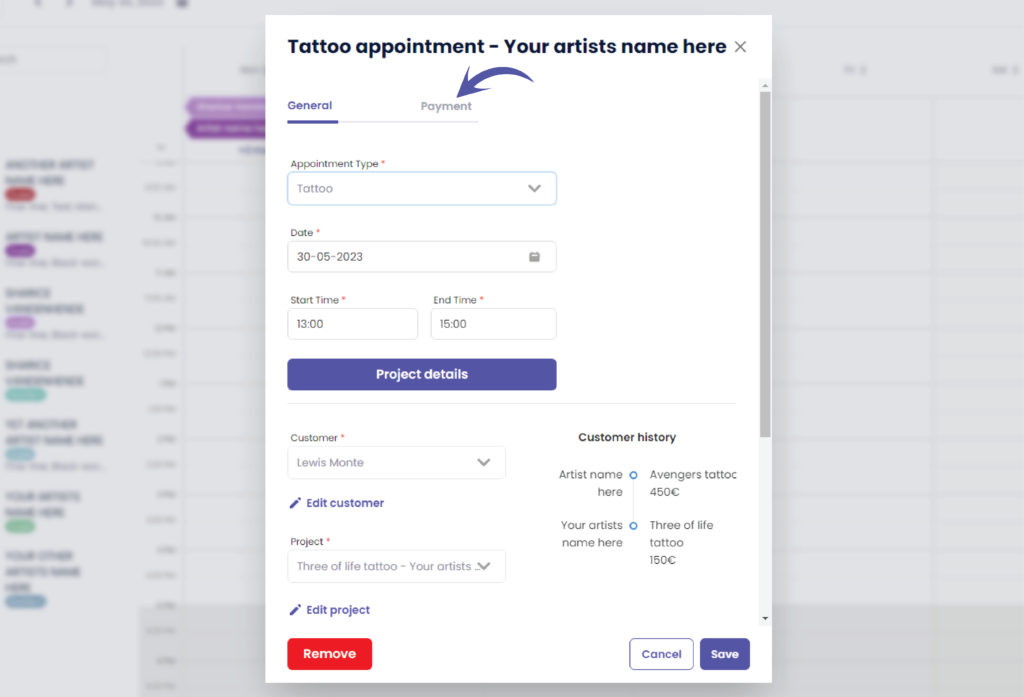
L'écran suivant s'affiche
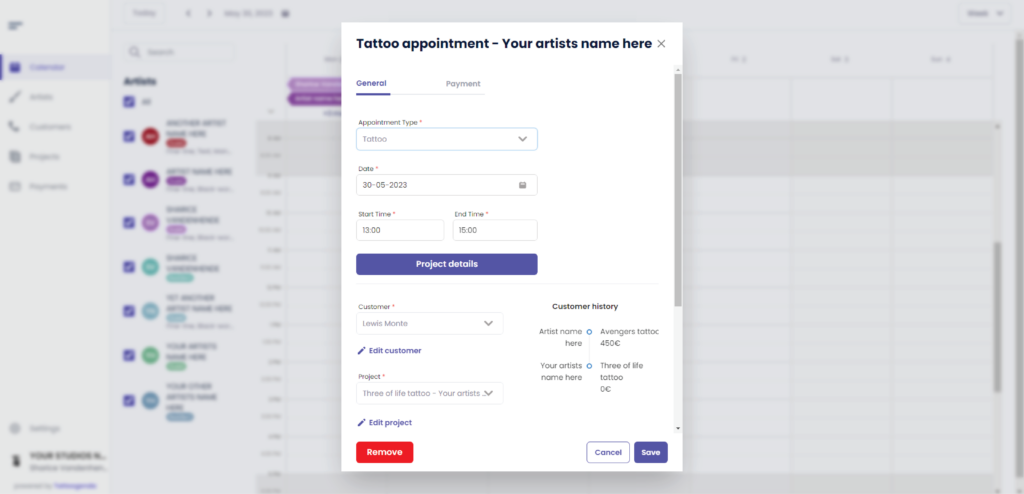
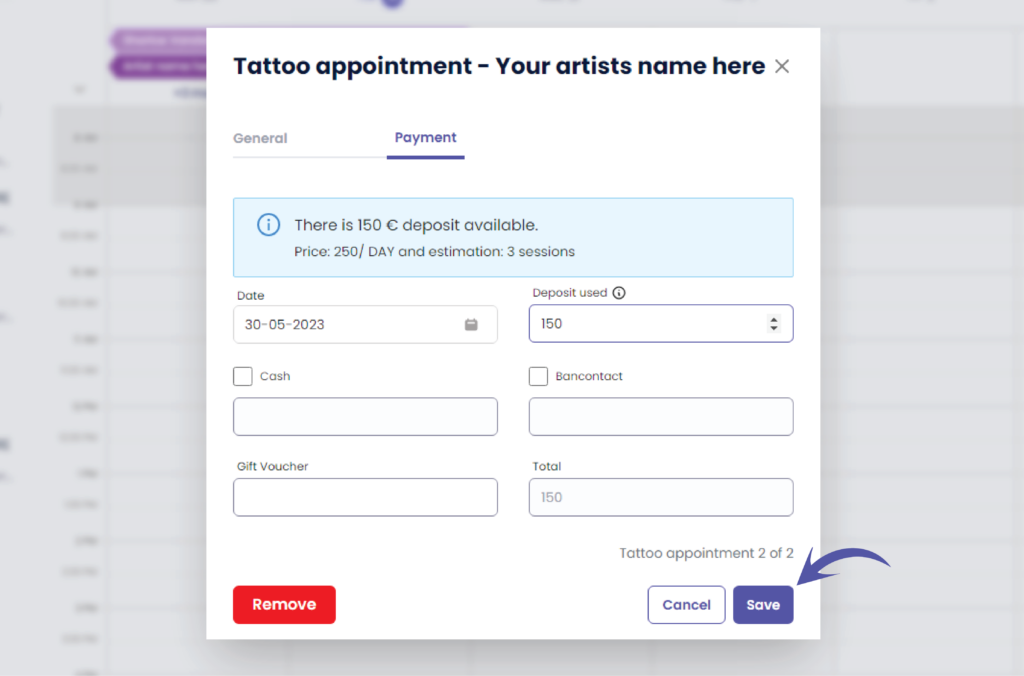
Cliquez sur ‘Paiement’
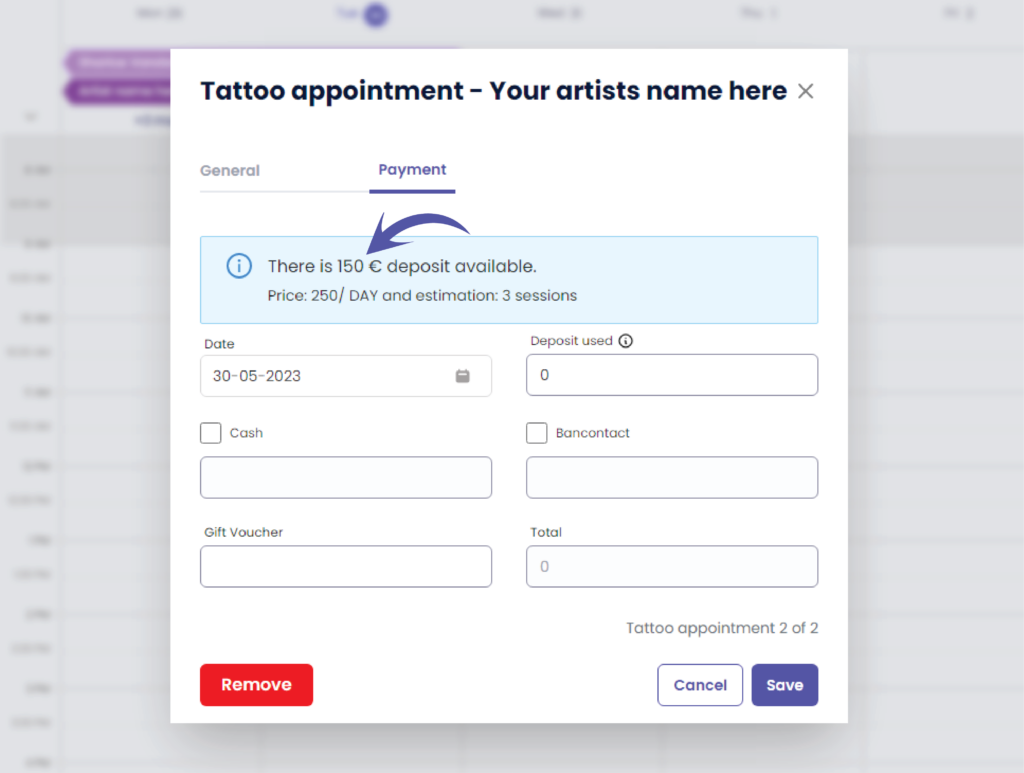
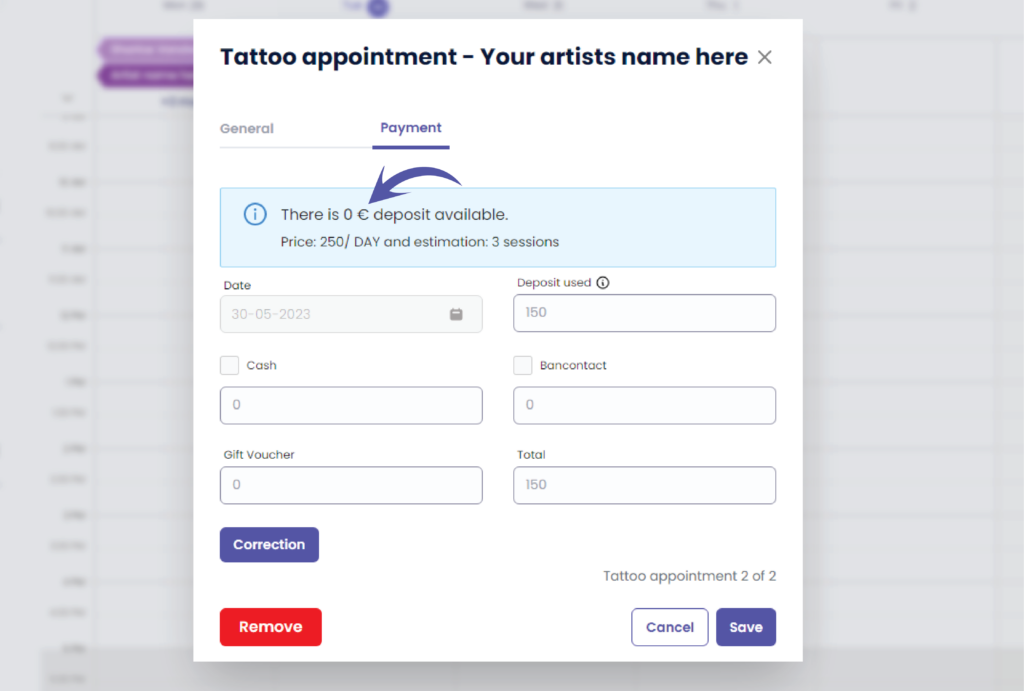
Here you can see if there is a deposit available
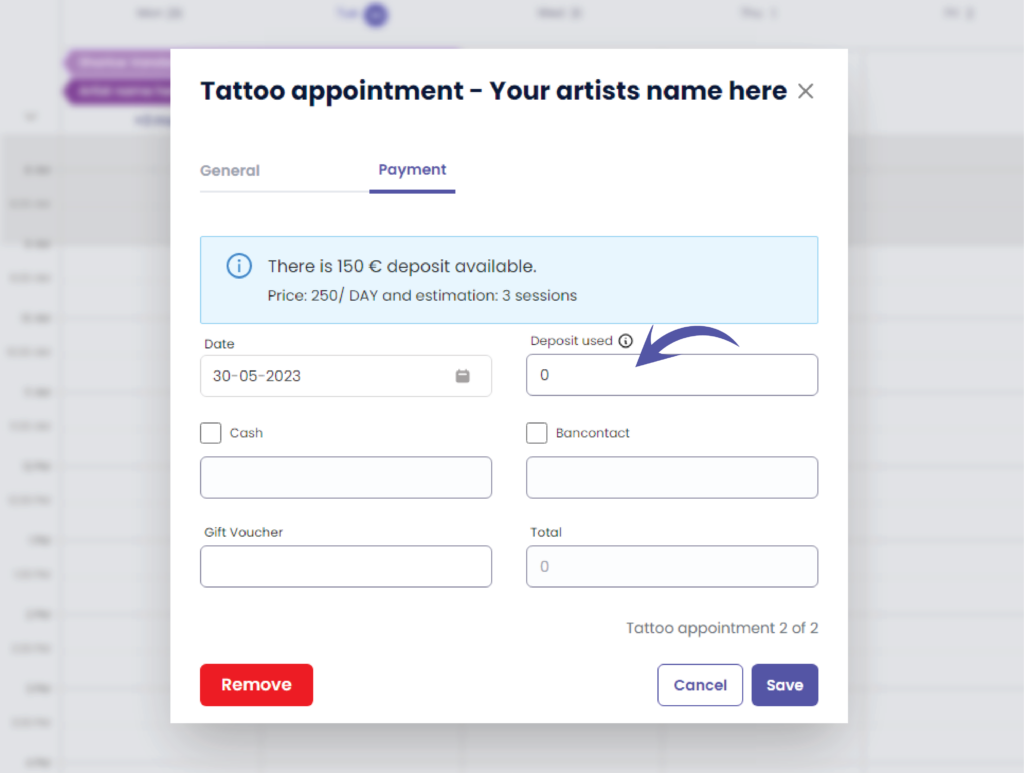
Enter the amount you wish to use
( e.g. the customer did not show up so you could use the full deposit amount )
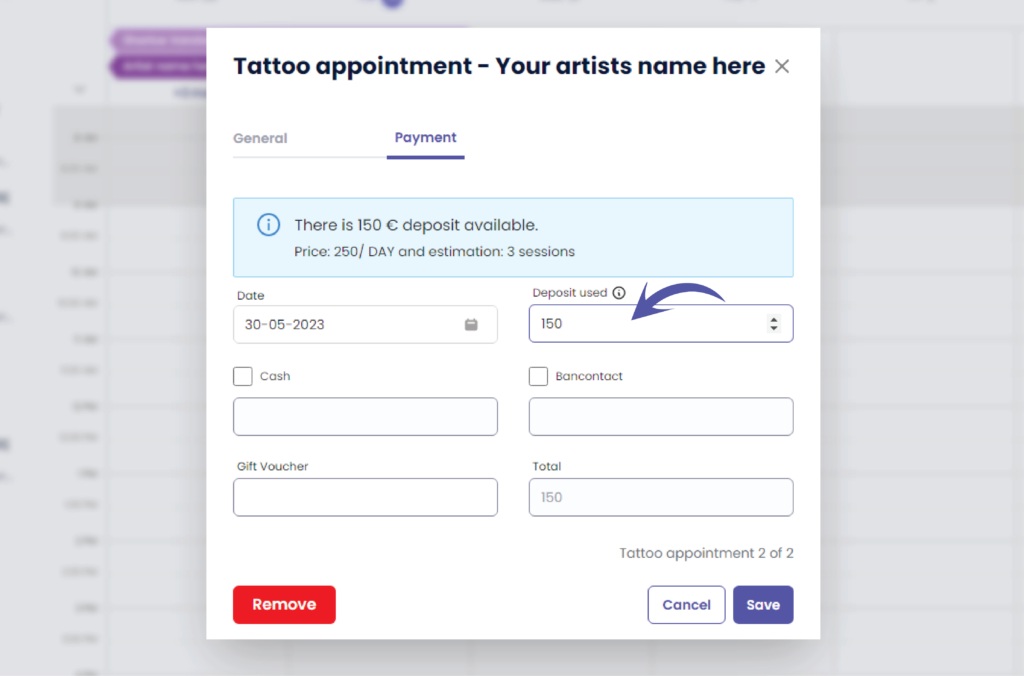
Cliquez sur ‘Sauvegarder’
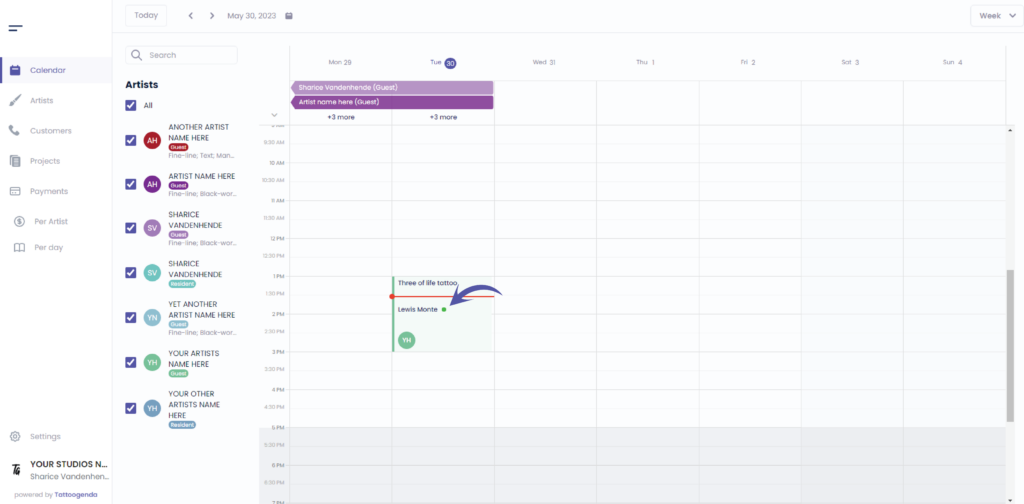
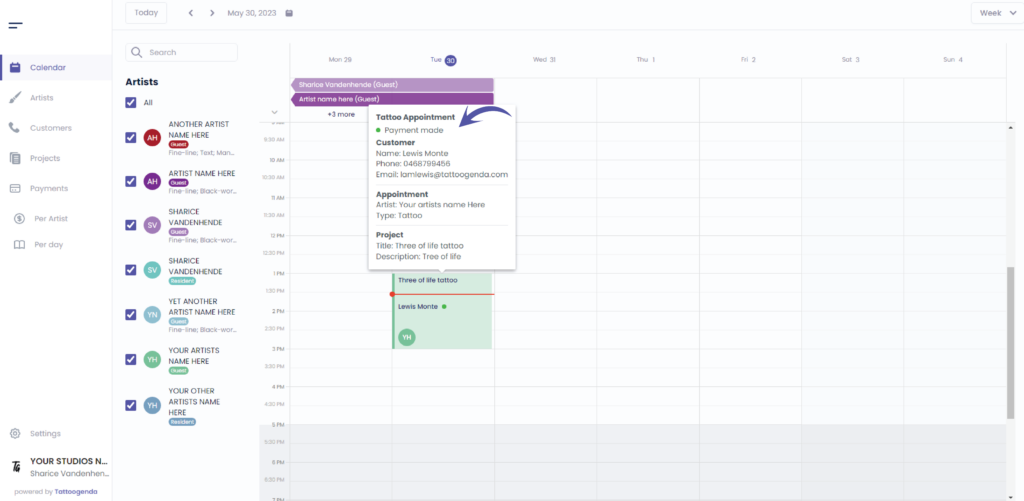
You can see that there is a green dot into your appointment this means a payment has been made for this appointment
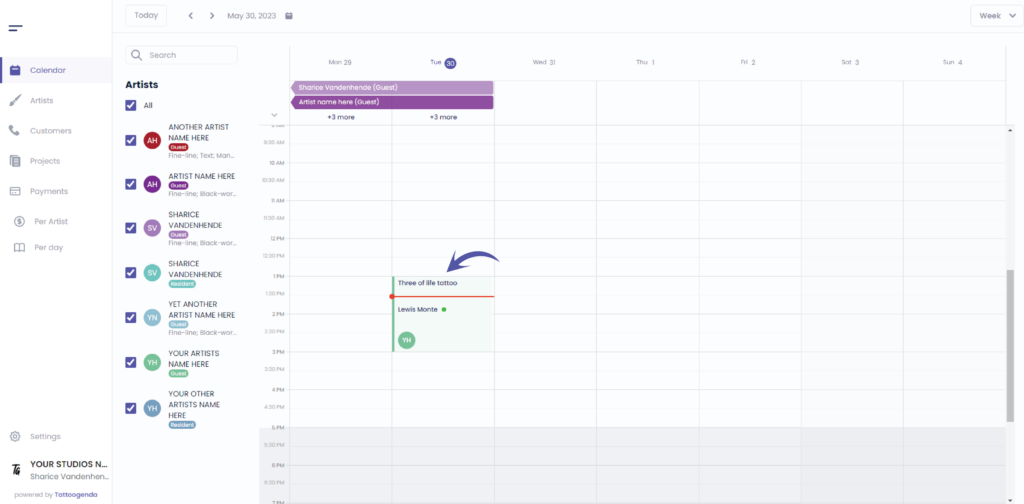
Hover over votre rendez-vous
You will get this pop up detail summary
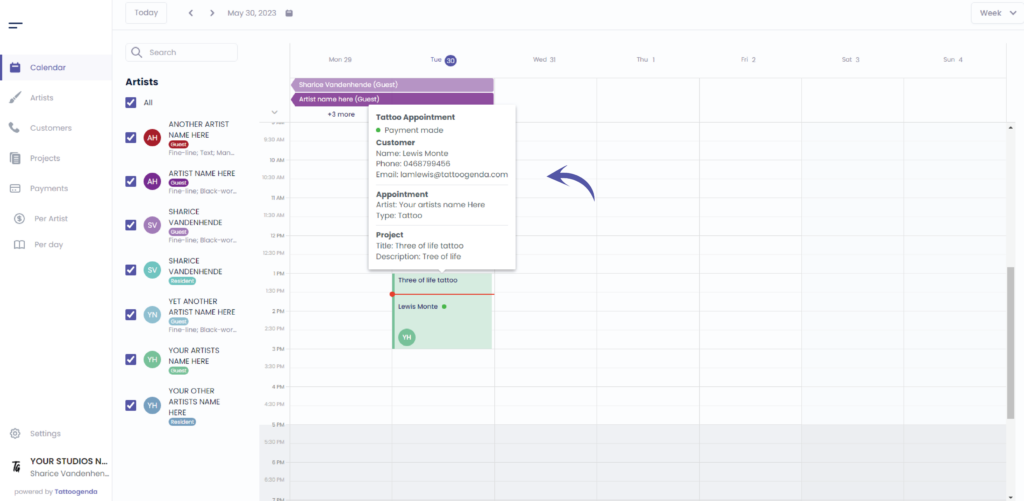
We can see the green dot means a payment was made
Cliquez sur your appointment
Aller à ‘Paiement’
We can now see that there is no deposit available
Go back to ‘General’
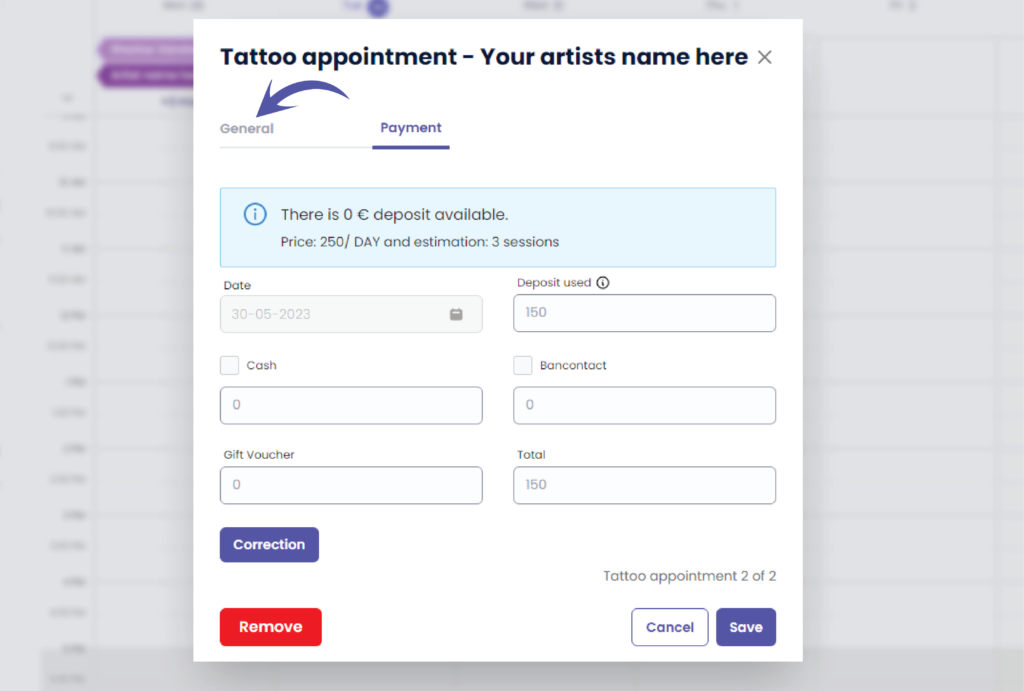
We will now check it as a cancellation or a no show
Use the scrollbar to scroll down
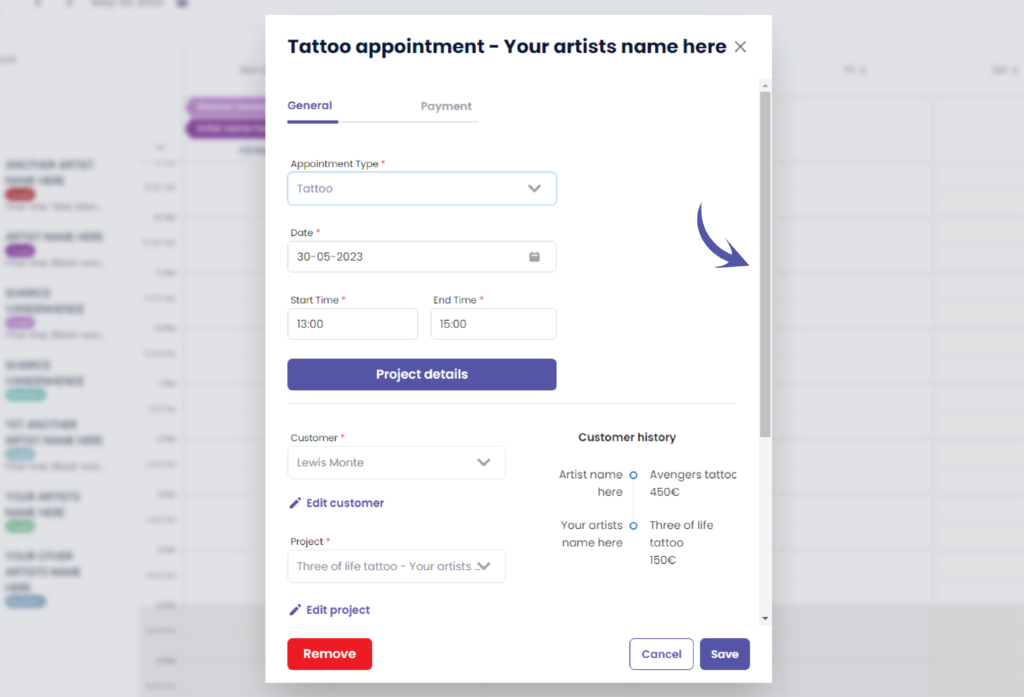
Scroll down until you see the following options
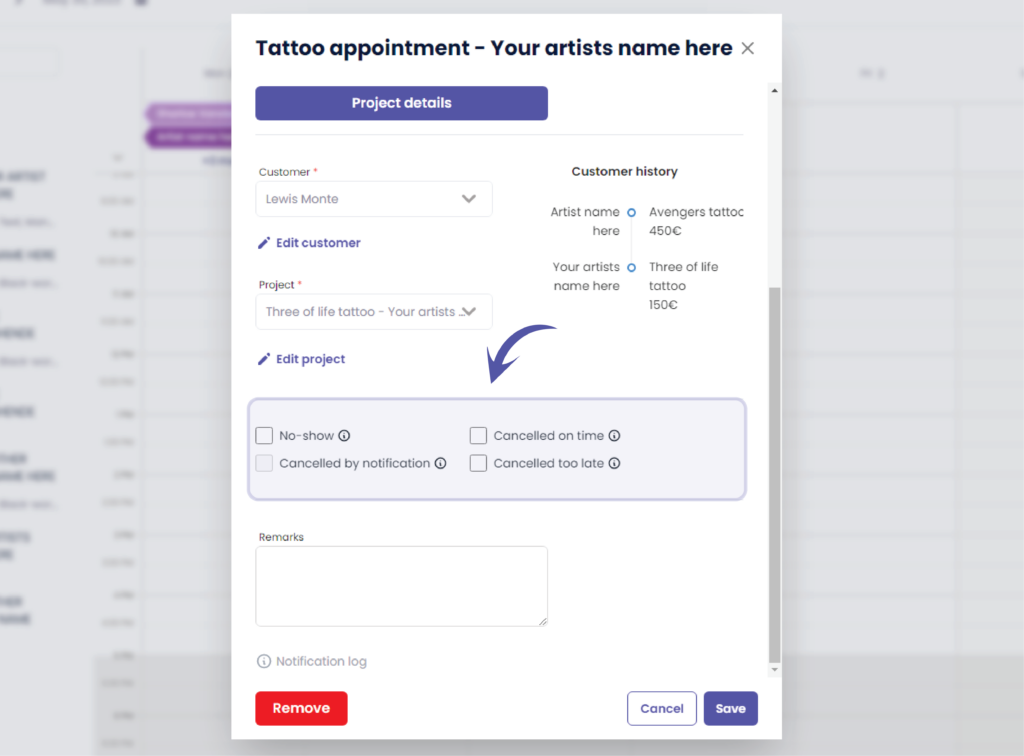
Choose your cancellation type and click save
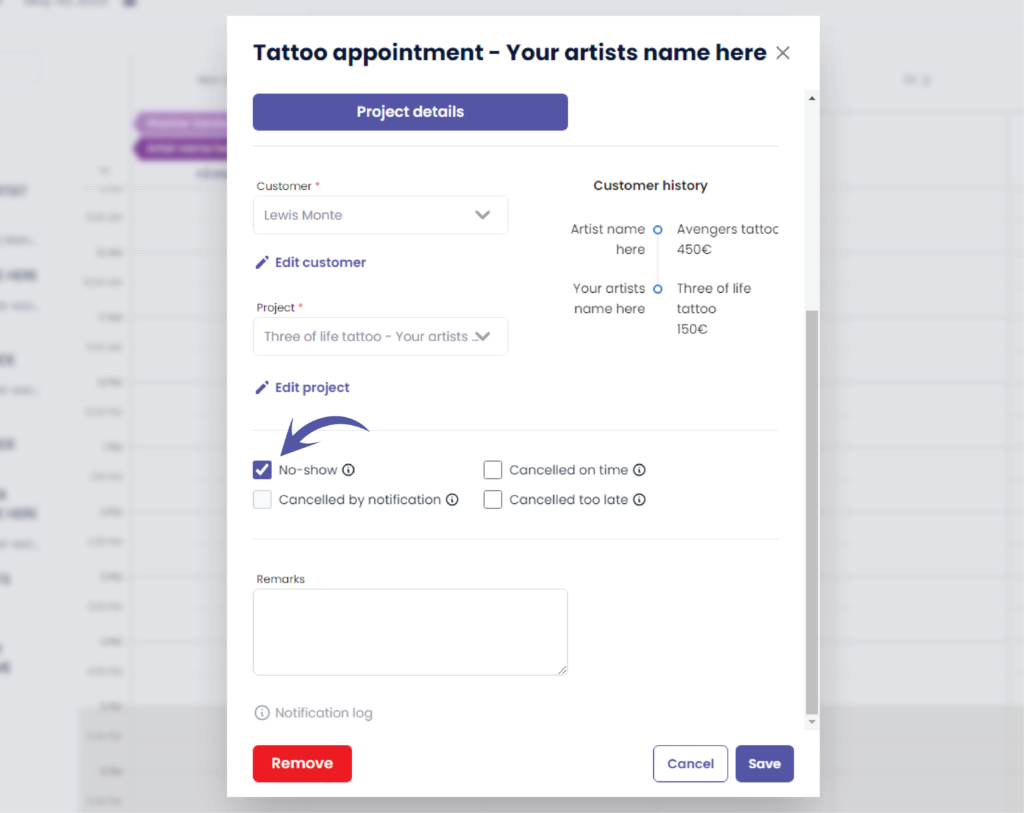
You will go back to your calendar automatically
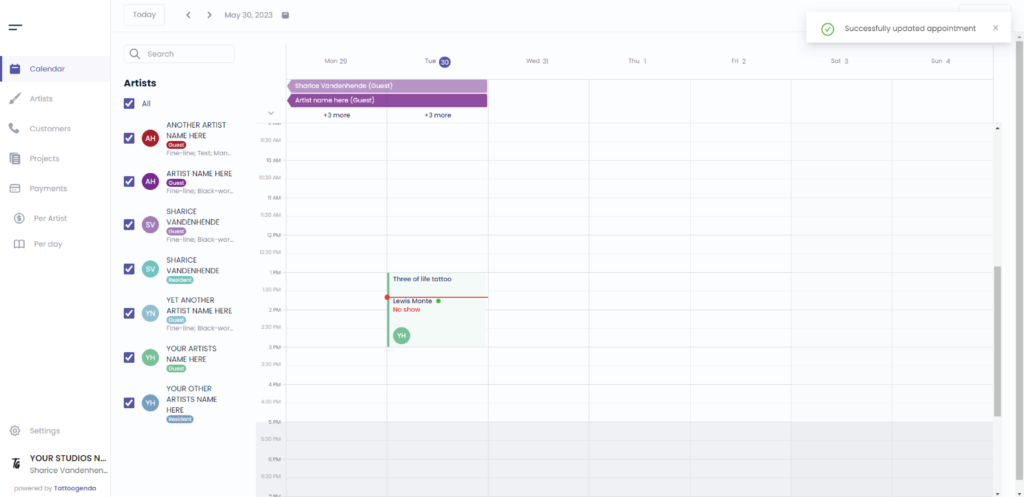
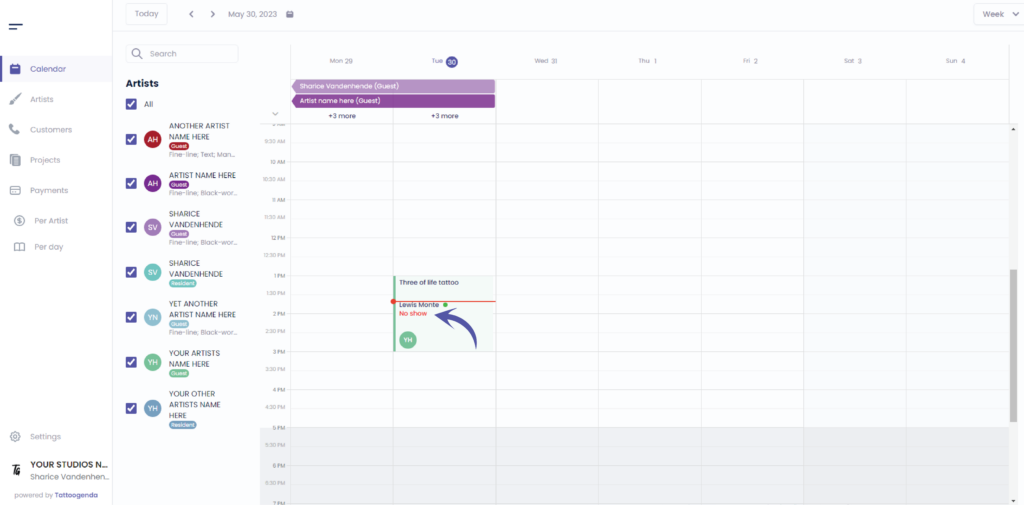
We can now see that this appointment was a no show but we have use the deposit
Vous avez encore un problème ou une question ?
Vous trouverez ci-dessous un petit lien intitulé ‘Toujours bloqué ? Comment pouvons-nous vous aider ?’
Rédigé par
Sharice Vandenhende
Par Tattoogenda


 English
  Dutch
Dutch  Dutch (Belgium)
  French
  German
  Spanish