

How to subscribe as a new user #
Aller à https://tattoogenda.com/pricing/
Select the plan you would like to subscribe to
Each plan has a Essai gratuit de 14 jours
On the website scroll down to view our membership options
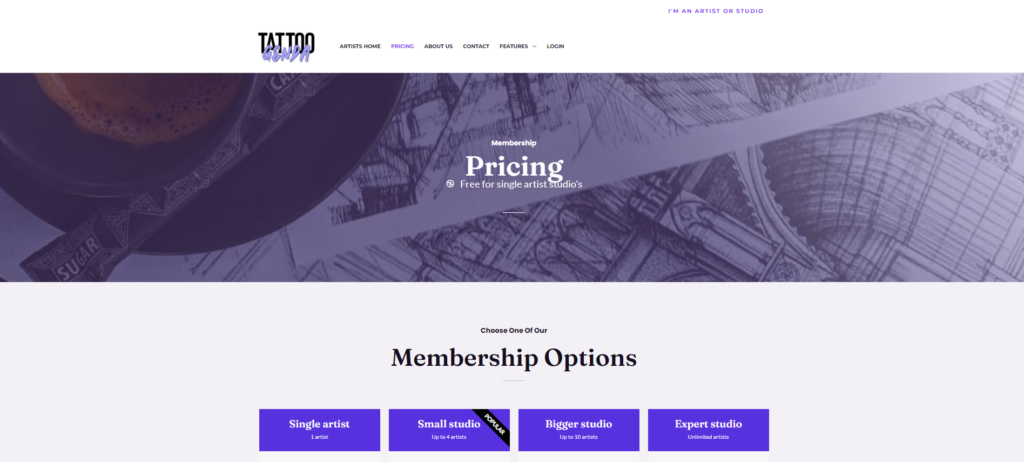
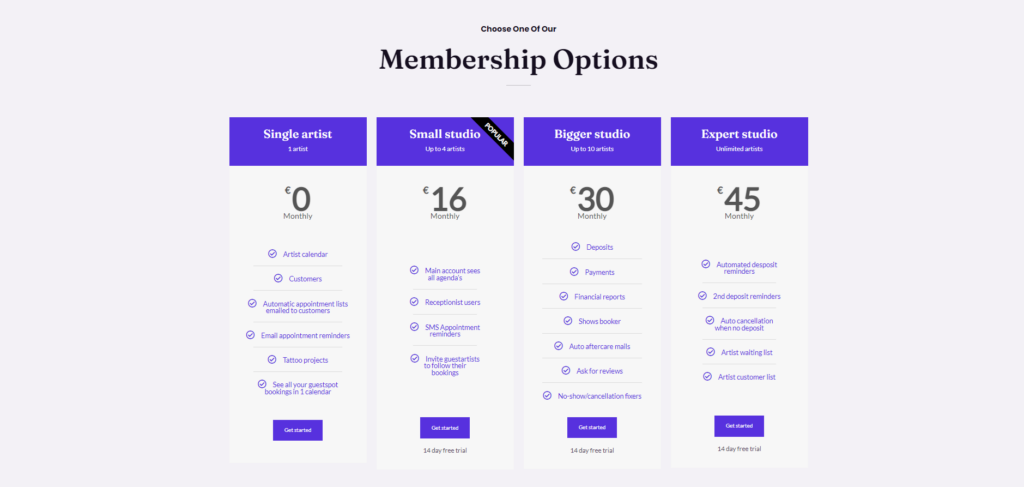
Scroll even more down if you’d like to see all our features / plan
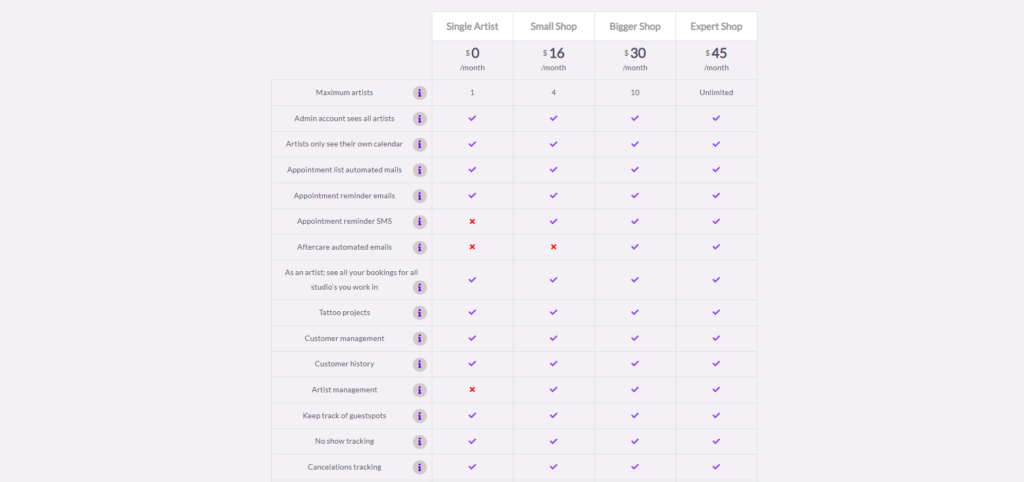
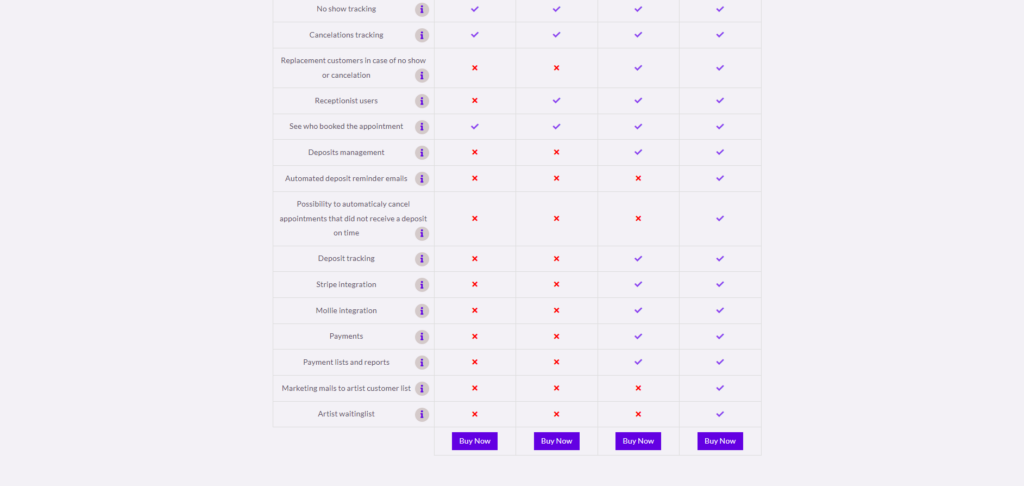
Scroll back up if you are not already there to our membership options
Choose the plan of your liking this will take you to a new tab in your browser
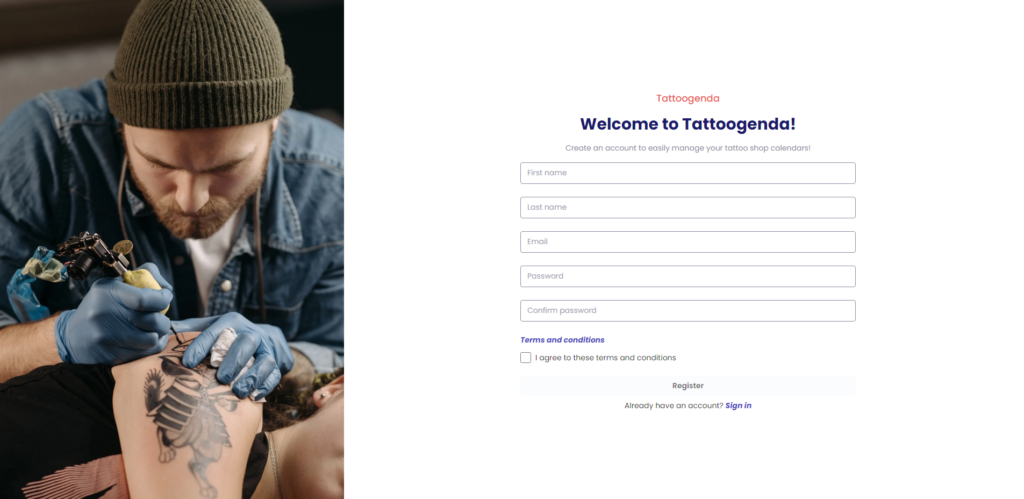
Fill out your information and accept the terms and conditions
Cliquez sur registre

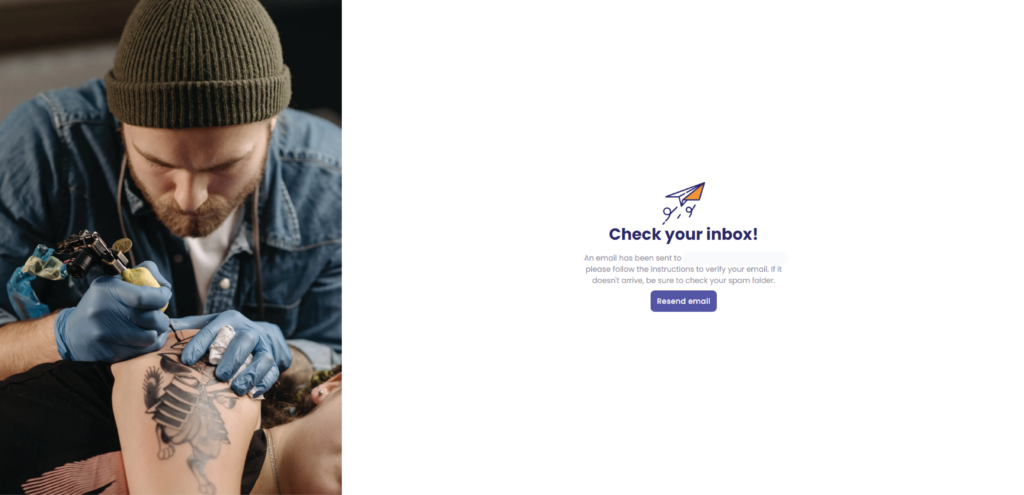
You will see the following page
Go to your mail inbox
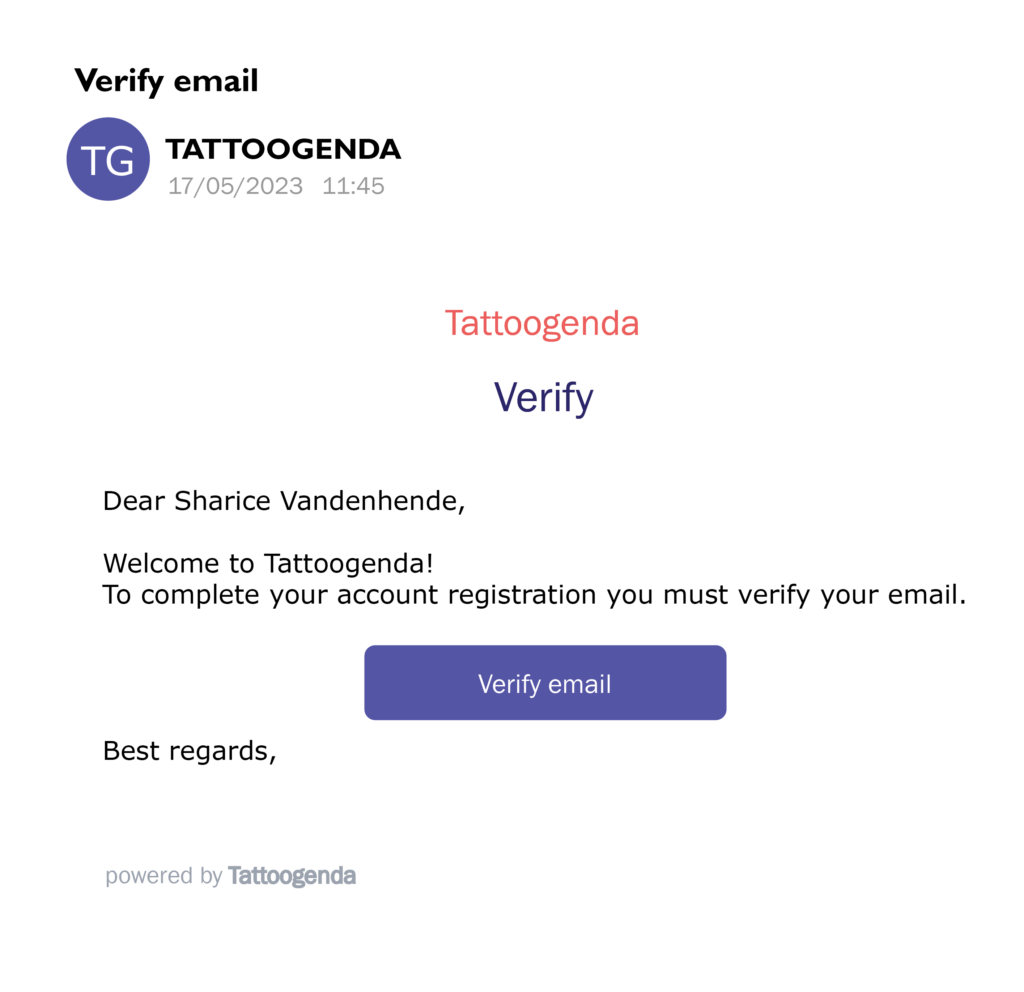
Click the ‘Verify email’ button into your email
When you clicked the Verify email button into your email, you will be brought back to your browser in the following tab.
Cliquez sur ‘Let’s do it’
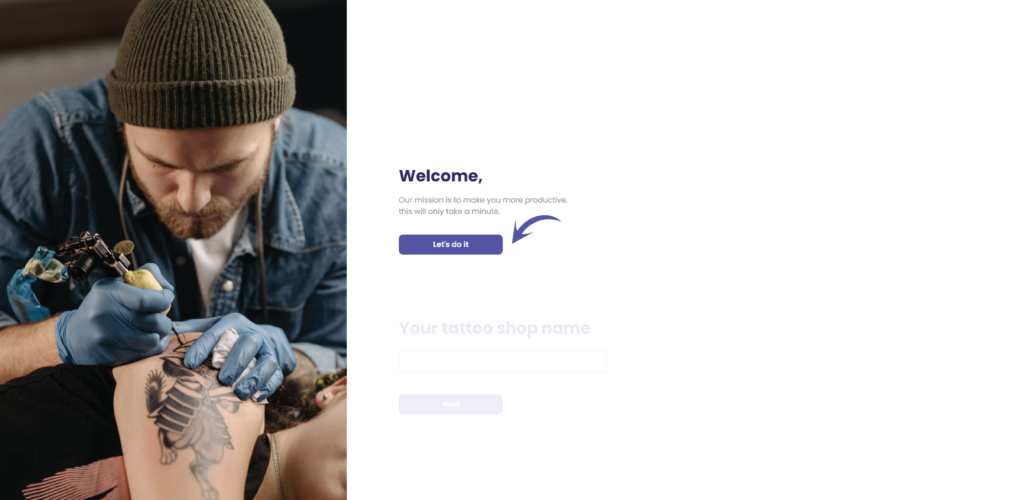
Enter you studio’ name
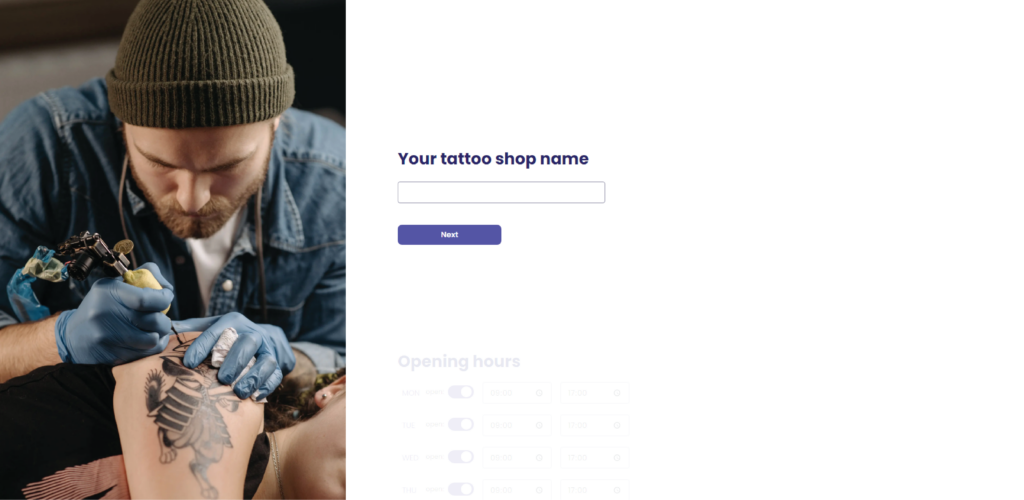
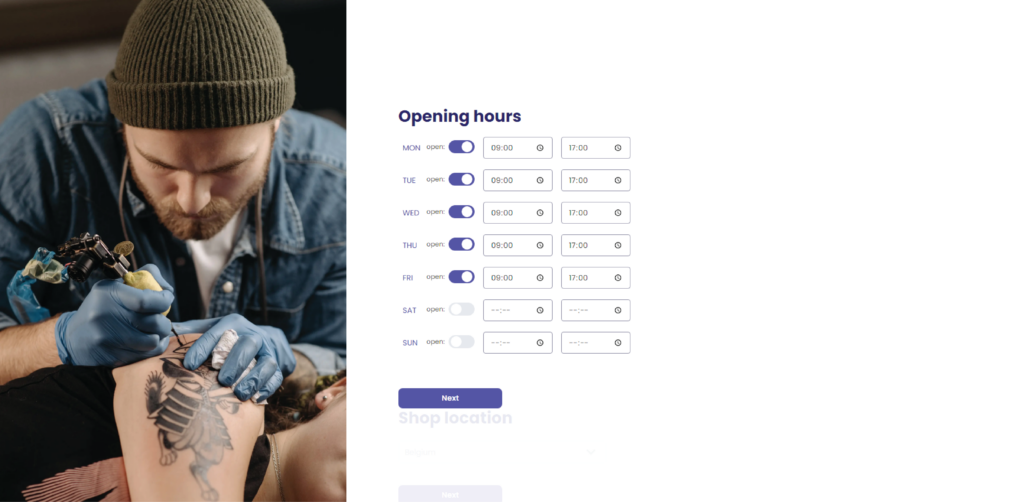
Choose your opening hours
Choose your studio’s location

Choose your shop’s color or upload your logo
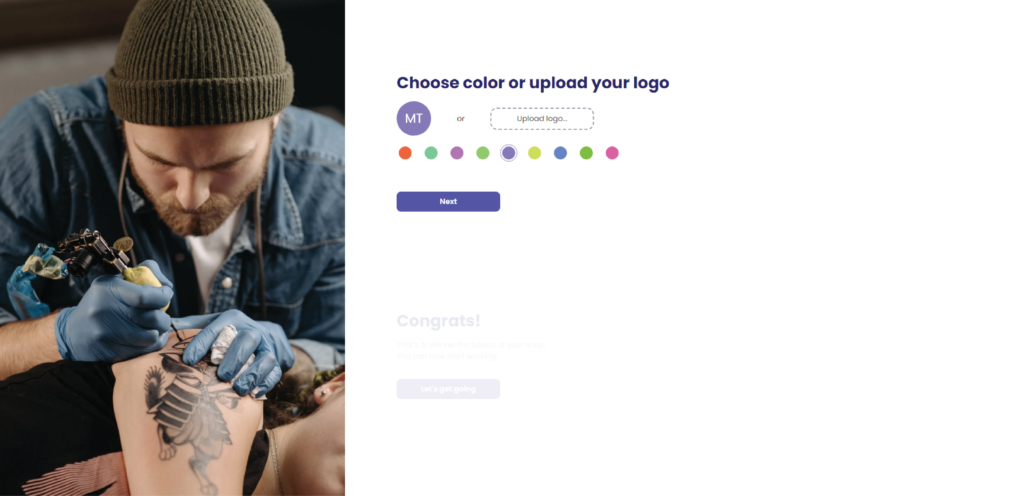
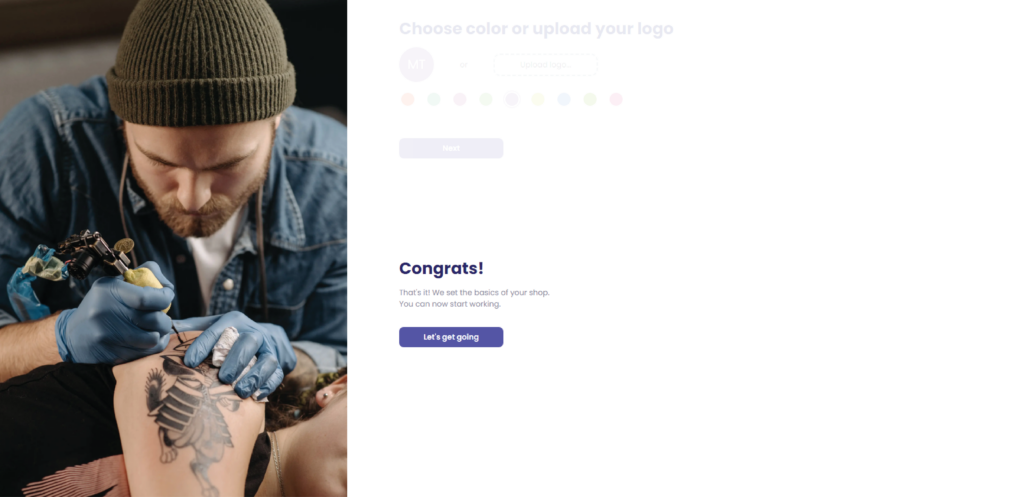
Cliquez sur ‘Let’s get going’
You will go to your brand new Tattoogenda studio software!
Welcome to your brand new Tattoogenda studio software!
You can click on ‘Start learning’ if you which to follow a wizard that explains you everything. Or you can clik the ‘x’ in top right corner to close this wizard.
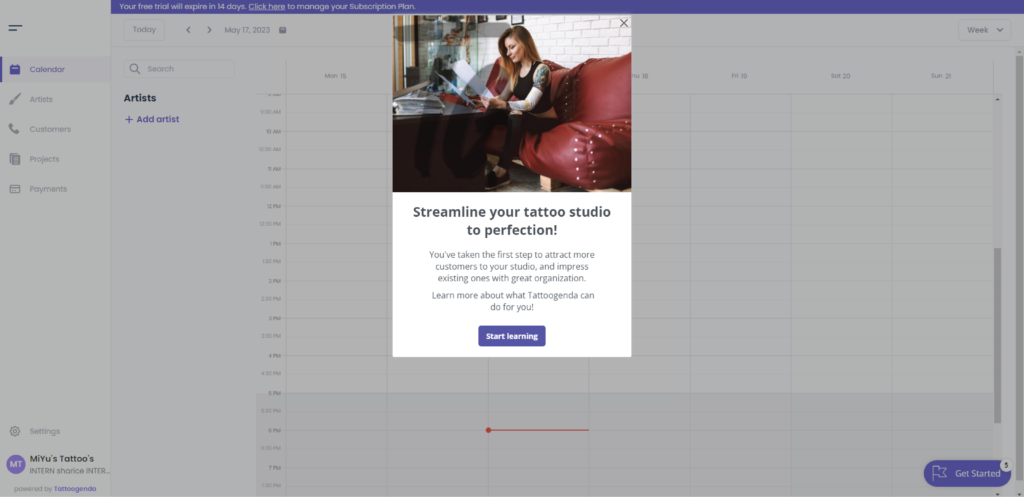
On the top of your screen if you selected a free trial you will see the following.
If you’ve choosen the ‘Artiste unique‘ subscription, you will not see this free trial bar, since it’s free forever.

Cliquez sur ‘Click here’

You will automatically go to your billing page
Here you can see your current subscription plan
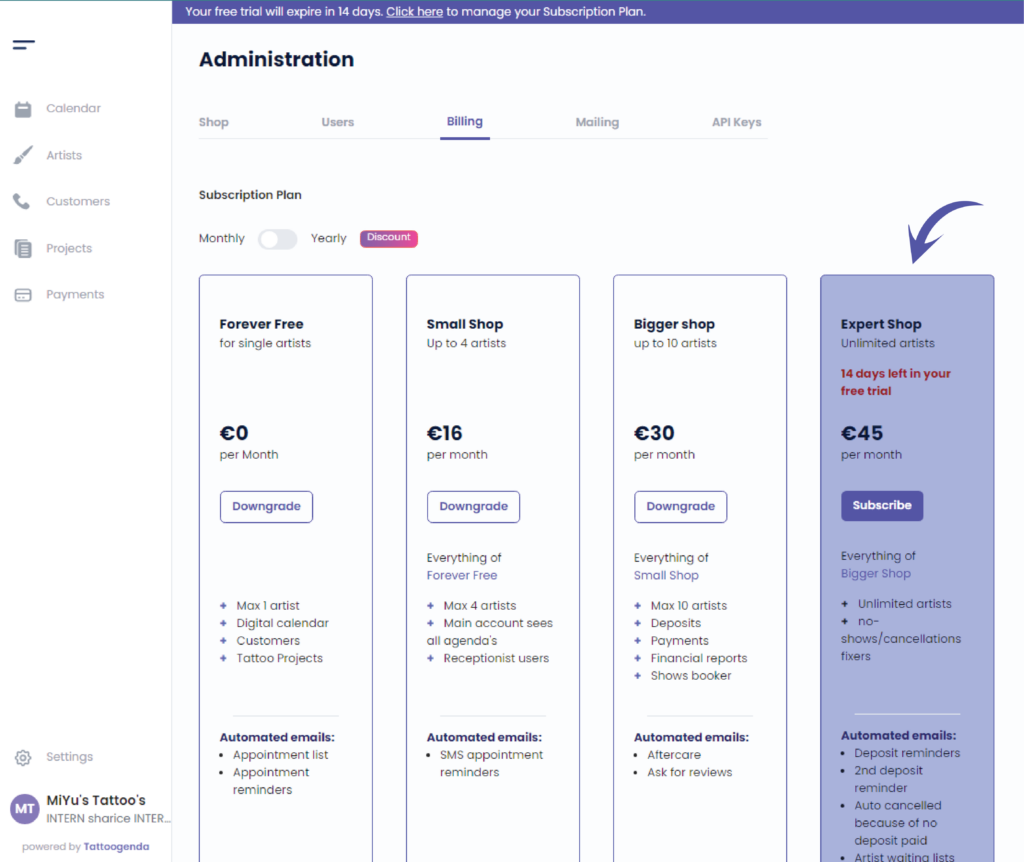
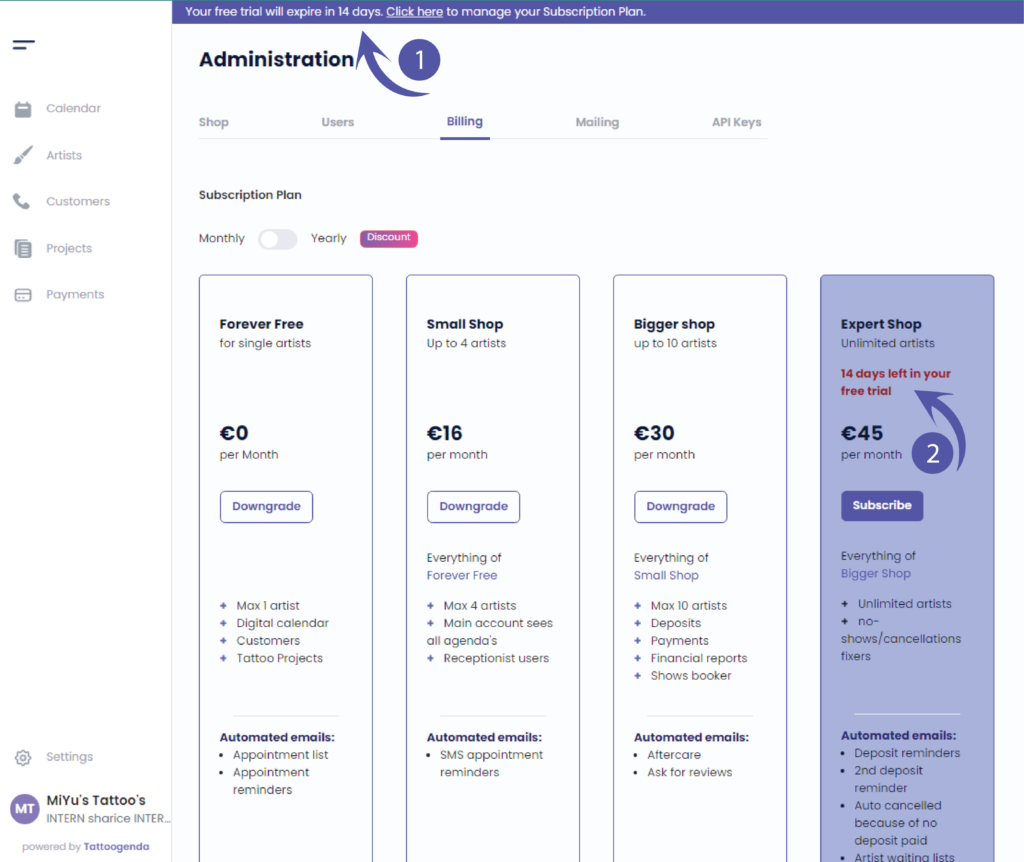
You can spot your remaining trial time at two places.
When the trial time expires, you will still be able to login to your TG, but you will be guided to this billing page, where you can then click ‘subscribe’ and enter your payment details.
There’s no need to subscribe with a payment method before the trial ends.
ENJOY YOUR TATTOOGENDA SOFTWARE!
How to subscribe as an existing user #
Dans votre Logiciel Tattoogenda studio,
vous trouverez vos paramètres en bas à gauche de votre écran
au-dessus du nom de votre studio.
Accédez à vos paramètres et choisissez ‘Administration’

Aller à ‘Facturation’
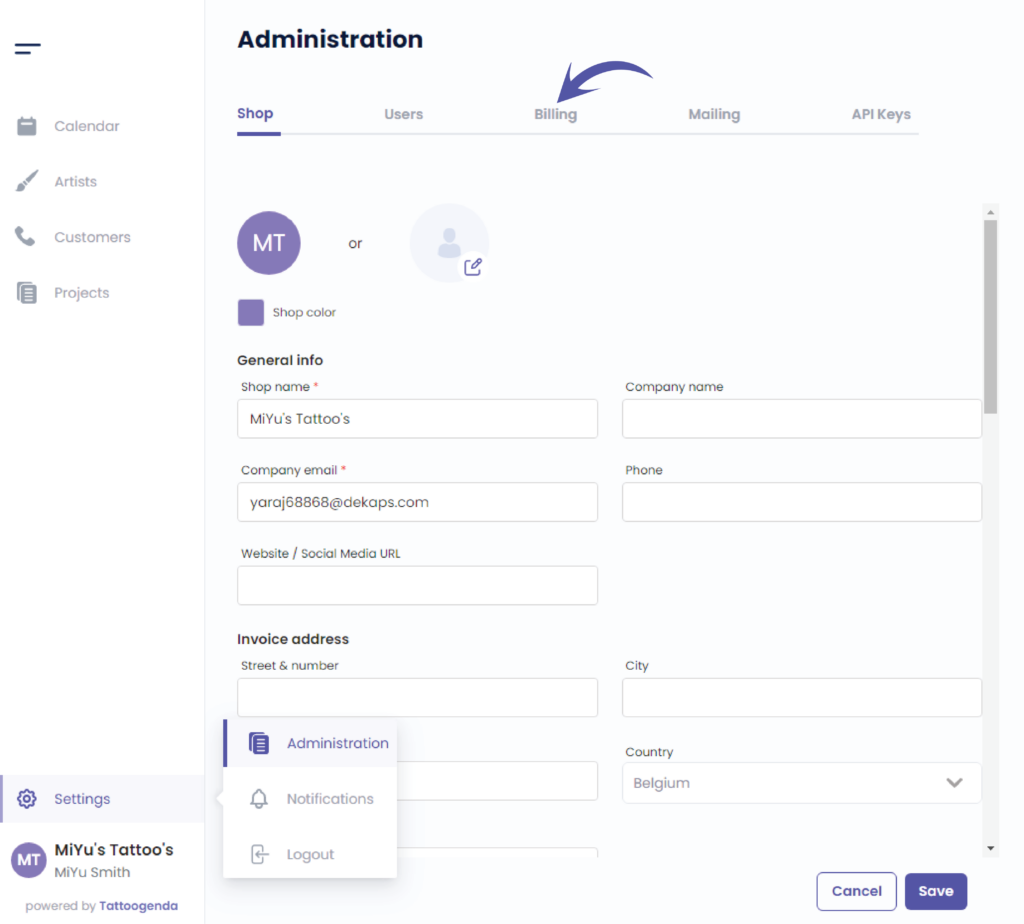
This indicates you are at the billing tab

This is your current plan
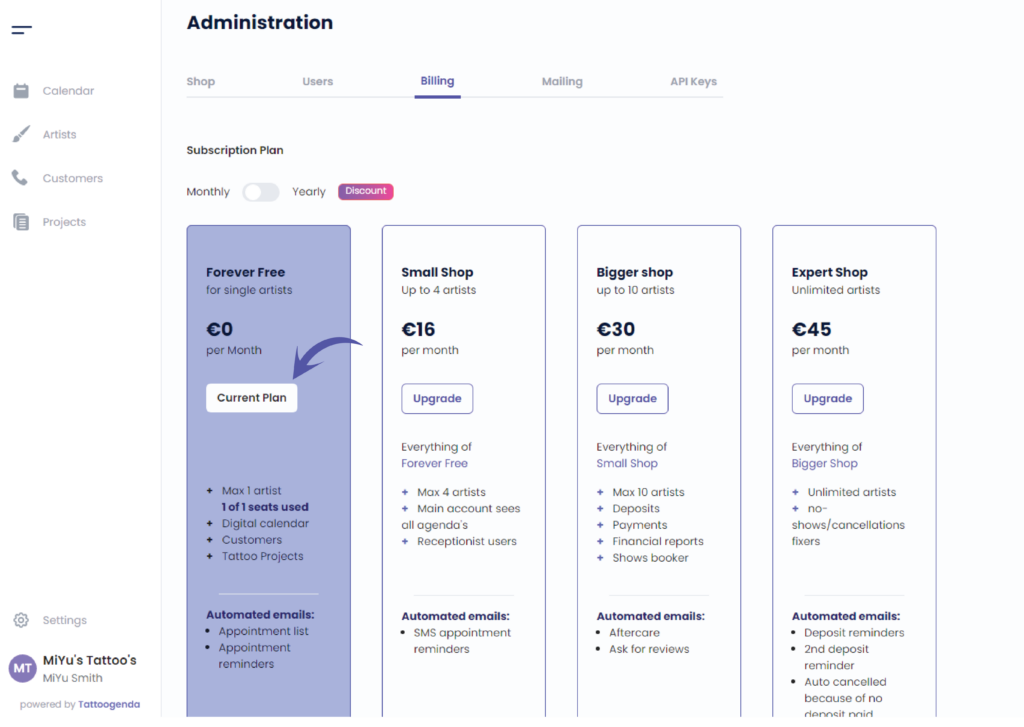
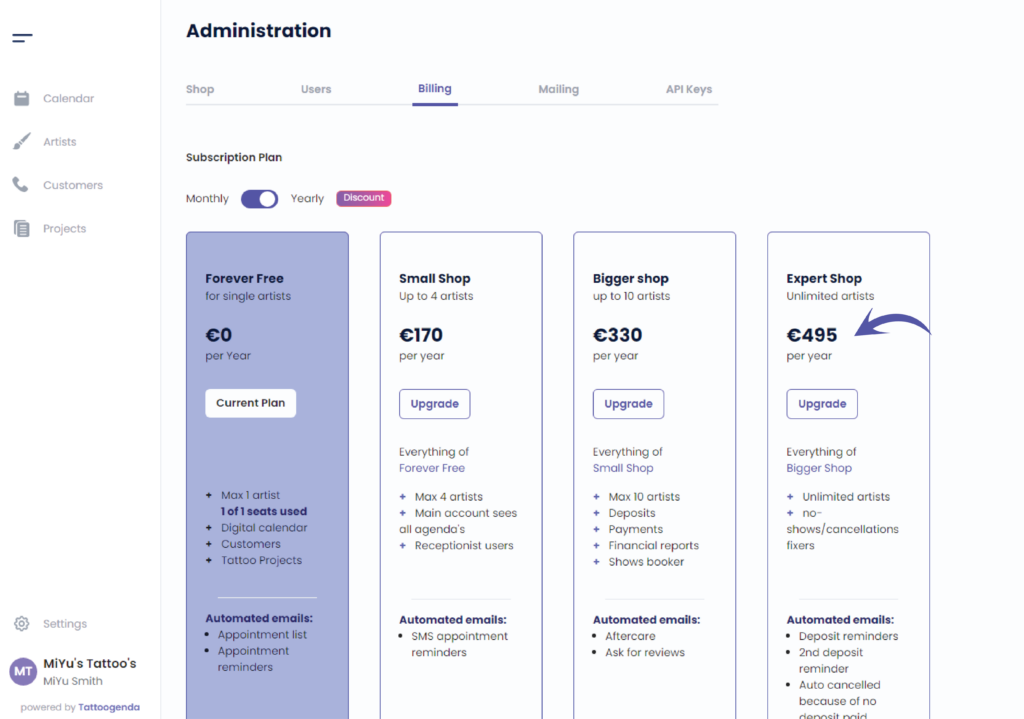
Vous pouvez toggle on yearly to see how much you’d save when you’d pay your subscription / year

We will click on ‘Upgrade’ for the ‘Studio d'experts’ plan
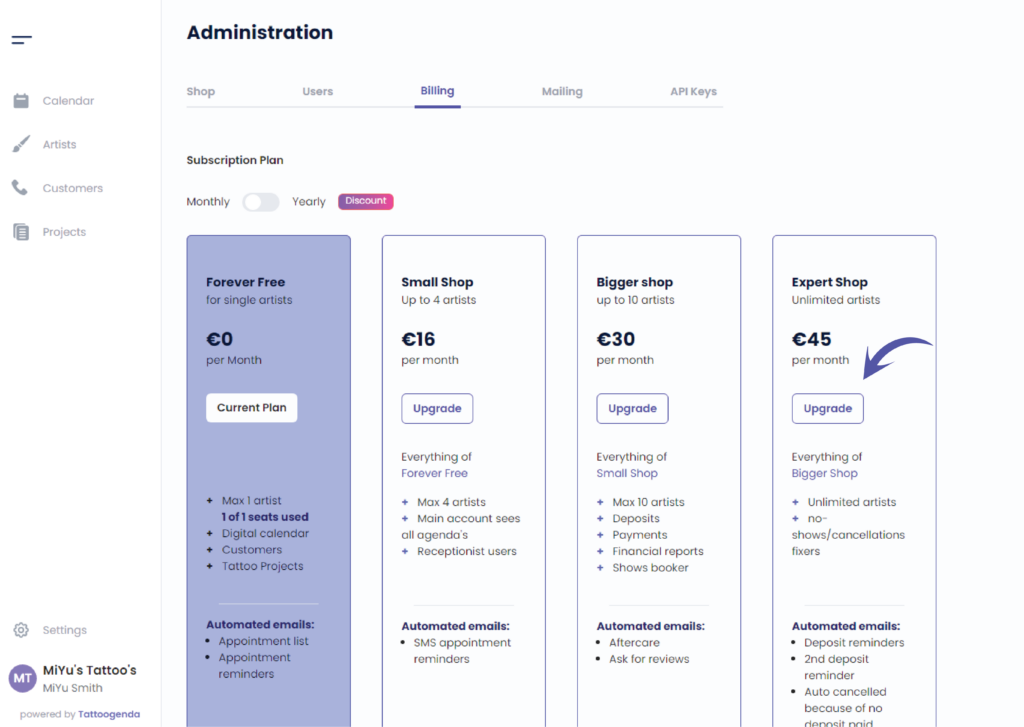
This action will take us to a new tab into our browser
Subscription plans prices on our Tattoogenda software are without VAT
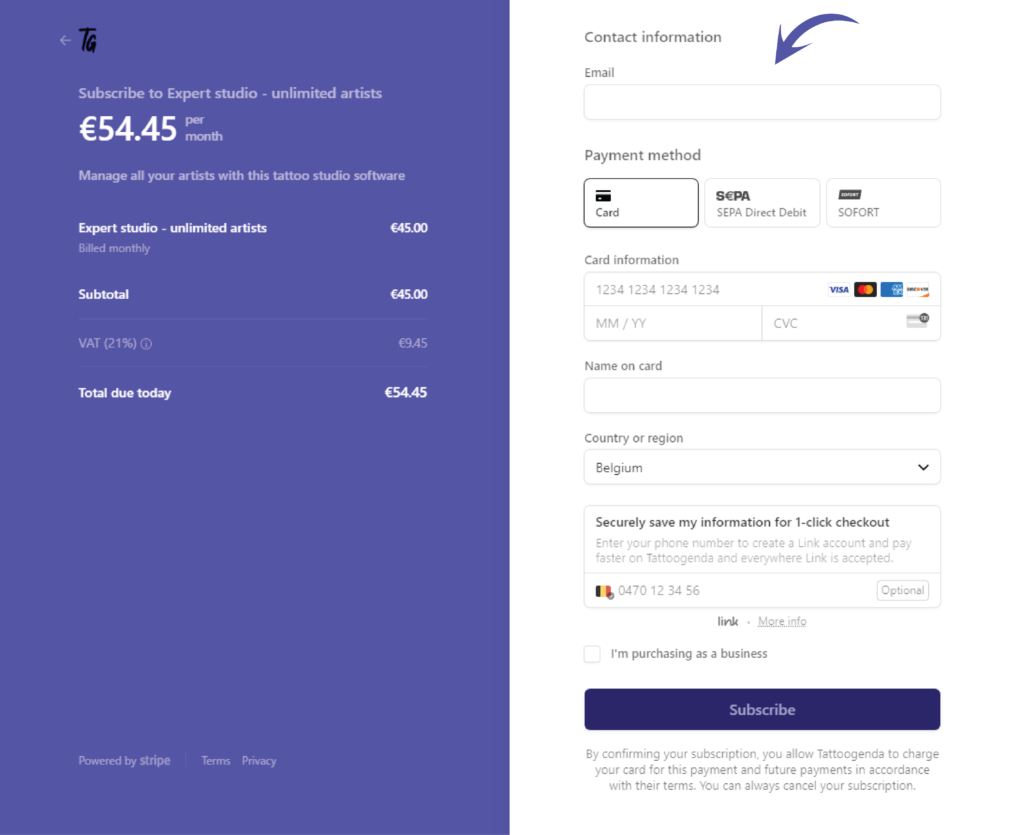
In this next step you will see the price with VAT included.
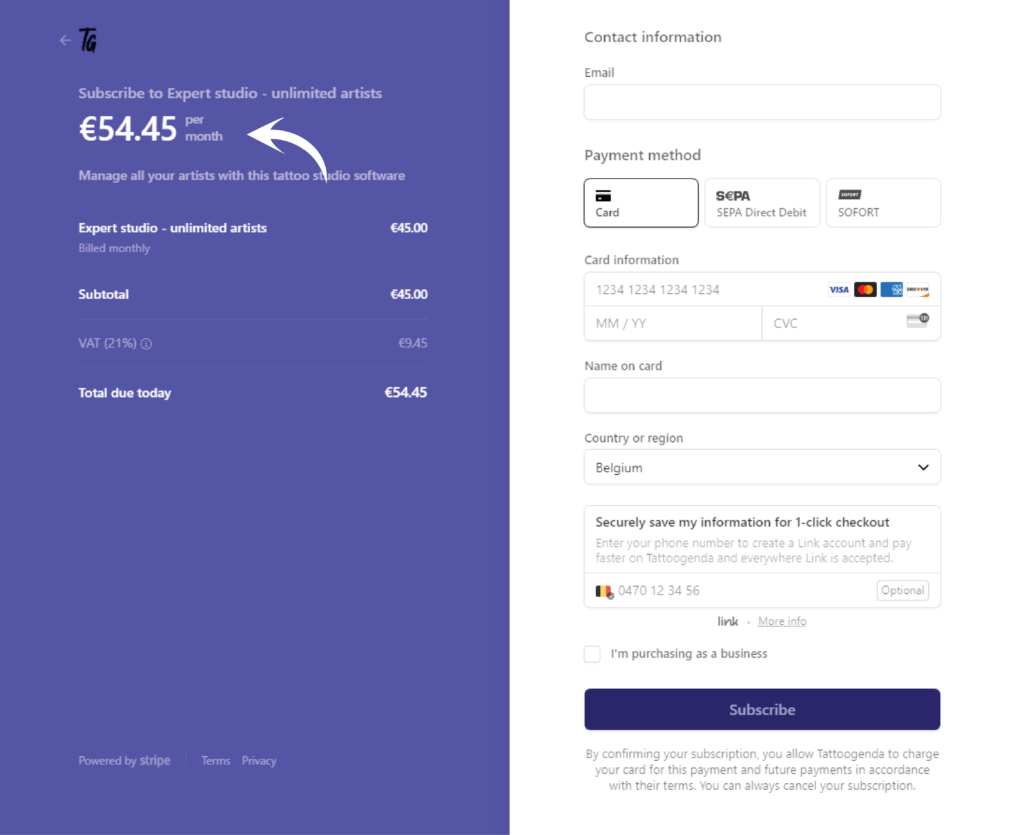
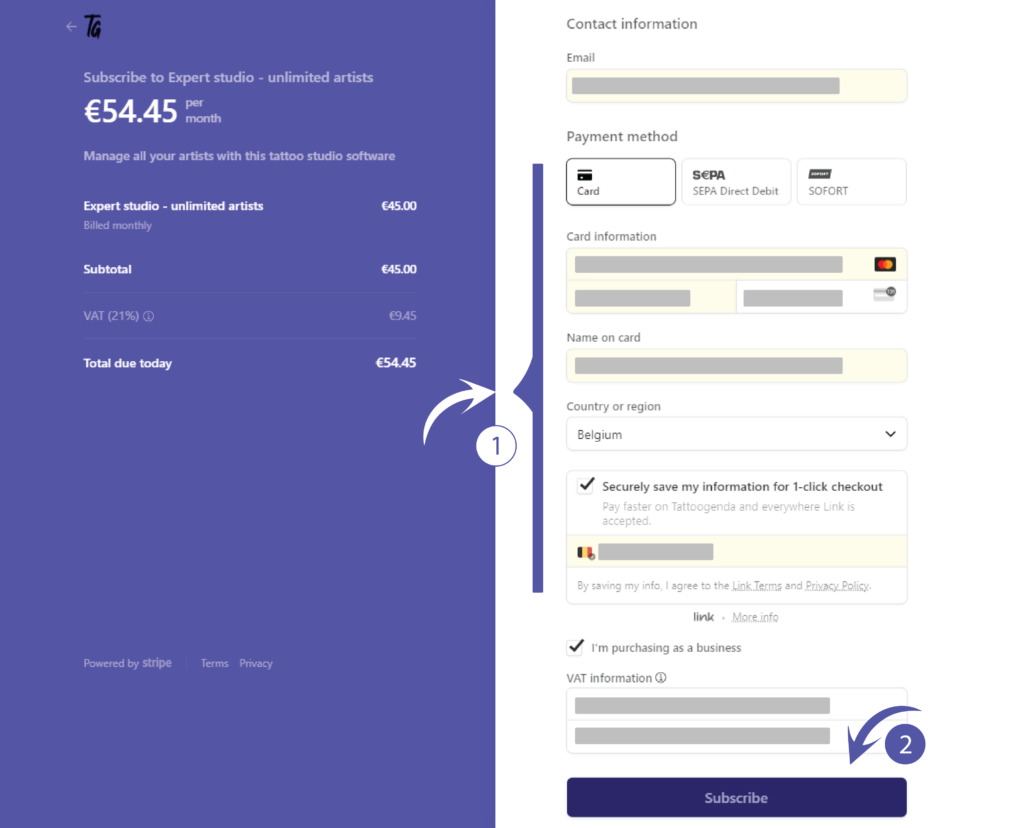
Fill out the required information.
Always check ‘I’m purchasing as a business’, since you are a tattoo artist you are a business.
Cliquez sur subscribe
Depending on your choice of payment you may need to verify this purchase
After you have successfully gone through the payment you will be brought back to your Tattoogenda software
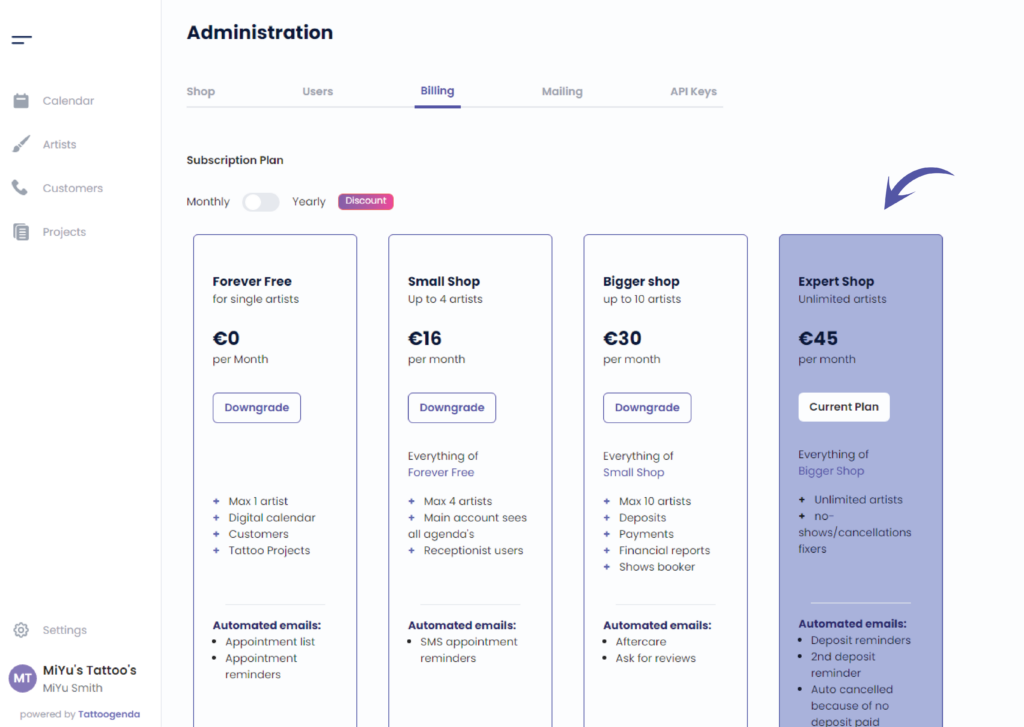
You can now see that your current plan is the Expert shop
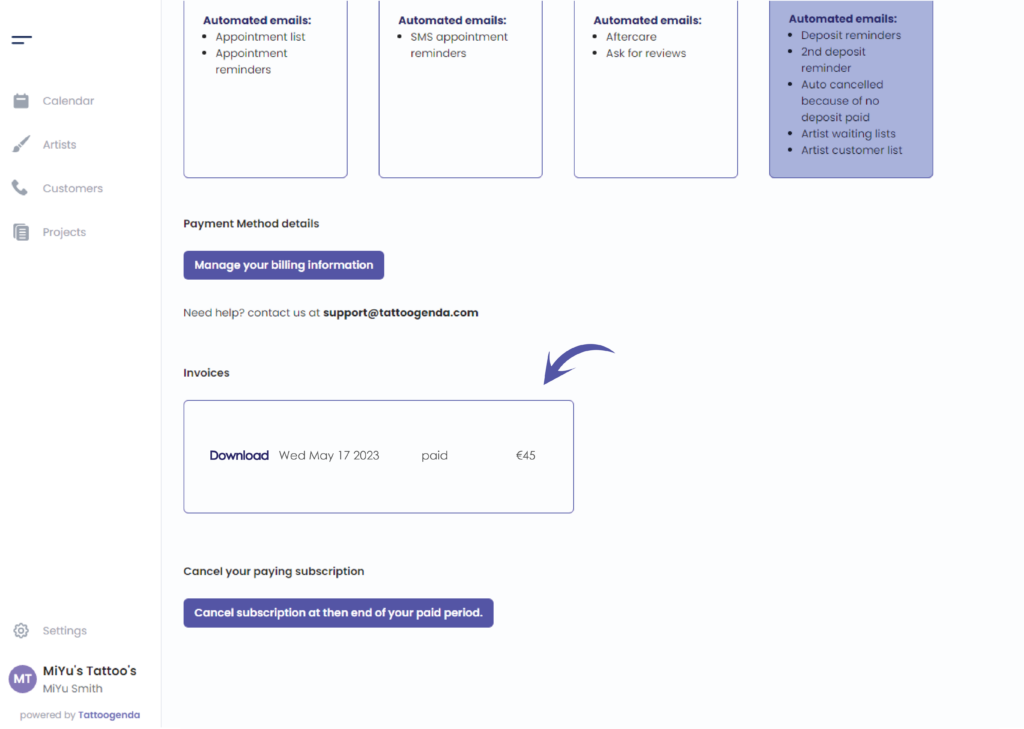
When you scroll down you can see your invoices
Vous avez encore un problème ou une question ?
Vous trouverez ci-dessous un petit lien intitulé ‘Toujours bloqué ? Comment pouvons-nous vous aider ?’
Rédigé par
Sharice Vandenhende
Par Tattoogenda


 English
  Dutch
Dutch  Dutch (Belgium)
  French
  German
  Spanish