
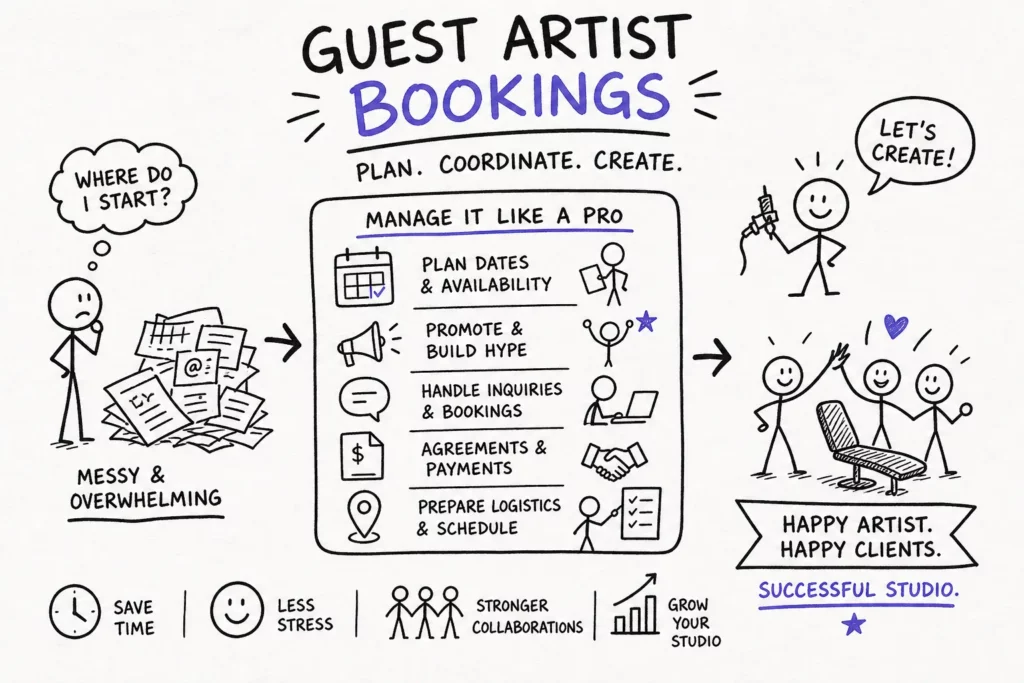
If you’ve ever asked yourself “how do I manage bookings for guest artists visiting my tattoo studio?”, you already know the pain point. Guest artists bring fresh energy, new clients, and extra revenue. Without a clean system, they also bring schedule tangles, deposit confusion, and last-minute chaos. Most studios improvise the first few times and pay for it in stress and unfilled time. You can avoid that with a repeatable workflow that runs the same way every visit.
The plan below takes you from first inquiry to final payout, with clear steps and scripts you can copy. I’ll reference how Tattoogenda supports each step, since the platform is built to handle resident and visiting artist schedules together. Use these principles with any setup, then standardize them so every guest spot runs clean.
1. How to manage bookings for guest artists visiting your tattoo studio, intake and approval
What your guest artist inquiry form needs to include
Most booking problems start before the guest arrives. Studios confirm dates too early, skip vetting, or hold time for artists who aren’t a fit for the space. A simple inquiry form filters that out and gives you everything you need to approve or decline before anyone touches the calendar. It also centralizes all your guest artist information in one place, which becomes critical as you scale up the number of visits per year. Learn how to manage guest artists in your tattoo studio so your intake process feeds clean data into your calendar and contracts.
- Portfolio link, style focus, and recent work clients can book from
- Preferred dates, length of stay, and daily hours the artist wants to work
- Equipment and consumables needed, and what the artist will bring
- Whether they’ll bring their own clients or rely on walk-ins and shop leads
- Payout preference or rate expectation, plus tax details if needed
- Travel or visa constraints, and proof of insurance if your region requires it
- Social handles and a short bio for promo
Route all inquiries to one place. Using booking software for tattoo studios that connects your intake form to a CRM lets you tag the artist, attach the contract, and move them from inquiry to approved without juggling separate tools. A single intake form is typically far more reliable than scattered DMs, and far easier to track. If you need a reference for the best booking app for tattoo artists, that guide compares common options and feature sets to help you choose the right tool.
The short-form contract every guest spot needs
Keep it short and clear. Cover the essentials so both sides know the rules before any work starts: dates and schedule, payment terms, who supplies what, liability and insurance, IP ownership for photos and designs, and how to end the arrangement if something changes. You’re not trying to intimidate a guest; you’re building shared expectations so the visit runs smoothly.
Use plain language. For example: “Term: June 12, 14, 10:00, 18:00 daily. Compensation: 50% of client payments; studio keeps deposits on no-shows. Studio provides chair, power, and sharps disposal; artist provides machines, needles, and inks. Insurance: artist carries liability and provides certificate. Media: studio may post photos with credit. Termination: either party with 7 days’ notice. Disputes: governed by [your city/state].” Send the contract with the approval email, before the calendar is blocked, not after.
2. Build the schedule: calendar blocks, buffers, and avoiding overlap
Why you should use blocks, not individual appointment slots
Hourly stacking invites overcommitment. For guest tattoo artist scheduling, build half-day or full-day blocks that reflect realistic production time. Blocks protect the artist from scope creep, give your front desk a clear inventory to sell, and leave room for design tweaks or longer stencil time. They also make it easier to communicate availability to clients, “three full-day slots remaining” is cleaner than a patchwork of hourly openings.
Label blocks by session type so the roster is readable at a glance: consult, flash, long session, touch-up, and a walk-in buffer if you run hybrid days. Color-coding helps the team spot what’s still open and what’s locked. Blocks create focus; a grid of individual slots creates friction for everyone involved. These practices help you make quality bookings for your tattoo studio that match the artist’s production rhythm and the client’s expectations.
Managing guest artist bookings: calendar sync and buffers
Default to 15, 30 minutes between sessions. Go longer for first-timers, complex pieces, or if the guest prefers more thorough breaks. Add a prep buffer at the start of each day for setup and a close-down buffer for cleanup and photos so you don’t eat into paid session time.
Prevent overlap by keeping guest calendars inside your main studio system. Tattoo studio booking management works best when resident and visiting artist schedules live in the same place, that way, holds are visible to everyone. If your artist relies on Google or Outlook, enable two-way sync (or at minimum one-way) so nothing falls through the gaps. If your software doesn’t support sync, assign a single coordinator to own all updates and require every change to pass through that person.
3. Deposits and cancellation policies that actually protect you
How to structure your deposit terms
A booking without a deposit is just a conversation. Collect a non-refundable deposit before the slot is confirmed, apply it to the final balance, and show the math in writing. State exactly when the balance is due and what happens if the client moves the date.
Use simple, copy-ready language: “To reserve your session, pay a non-refundable deposit of €100. The deposit applies to your total on the day. Reschedules with 48+ hours’ notice keep the deposit; late reschedules or cancellations forfeit it.” Take the deposit before you hold the date, not after. Many booking platforms, including those built for tattoo studios, can require payment at booking and capture policy acceptance alongside the invoice, which removes the awkwardness of chasing payment separately.
Reschedule windows, no-show rules, and how to communicate them
A common studio policy: one free reschedule with 48 or more hours’ notice, deposit forfeiture on late reschedule, and a full session fee on no-show. The policy only works if clients see it before they book and agree to it in writing. Use a checkbox at checkout or attach the terms to the confirmation for an e-signature.
Automate the awkward parts where possible. Good booking software for tattoo studios will display your cancellation policy during booking, send automated reminders, and flag unconfirmed appointments before the session date. When the system enforces the rules you’ve set, your team isn’t debating edge cases at the front desk.
4. Client communication from booking confirmation to aftercare
Confirmation messages, reminders, and pre-arrival instructions
Silence invites no-shows and unprepared clients. Your confirmation should include the deposit receipt, date and time, arrival instructions, parking details, what to bring, and a link to consent and intake forms. Follow up with a 48-hour reminder and a 24-hour reminder that includes prep notes on hydration, rest, and skin care.
- “You’re booked for Friday 14:00, 18:00 with [Guest Name]. Arrive 10 minutes early. Bring a valid ID and eat beforehand.”
- “Complete your consent form now to save time at check-in: guest intake form.”
- “Questions or changes? Reply to this message at least 48 hours before your session.”
Getting paperwork done before arrival saves 15, 20 minutes on the day, keeps the artist in flow, and cuts lobby congestion. With Tattoogenda, reminders and form links are automated by session type, so consults, flash sessions, and long sessions each receive the right guidance without manual setup for each booking.
Consent forms, waivers, and the paperwork clients actually need to sign
Cover informed consent to the procedure, health and safety acknowledgment, photo and media release, and a dated signature. Keep it digital and mobile-friendly so clients can sign directly from the confirmation email. If your region requires additional disclosures, fold them into the same flow rather than sending a separate document.
Store all documents in the client’s record, not as loose PDFs scattered across email threads. That way, if a question comes up later, you can pull history, photos, and signed terms in seconds. Studios that collect consent in advance run on time and stay protected.
5. Payout splits, invoicing, and promoting the guest visit
Payout models studios use for short-term guest spots
Keep compensation simple so invoicing is straightforward and accurate. Common setups include a flat day rate where the artist rents the chair, a deposit-plus-balance split where the studio manages payments and remits the artist’s share, or a straight revenue share like 50/50 on client payments. Pick the model that matches your volume and admin capacity.
- Invoice fields to include: studio and artist info, dates of the guest spot, line items by day or session, deposit received, taxes or fees, and balance due with due date.
- Lock the payout schedule in the contract: daily cash-out, end-of-visit transfer, or weekly batch with a full report.
- Track tips separately and specify whether tips pass 100% to the artist.
Tattoogenda lets you tag each payment to the artist profile, track commission or revenue splits, and export a payout report for clean record-keeping. Financial clarity prevents the one argument that can sour an otherwise great visit.
How to promote the visit and fill the guest artist’s calendar
Treat the guest spot like an event. Announce it two to four weeks ahead on social media and your email list, include a direct booking link from day one, and emphasize limited availability. Feature three to five portfolio pieces that match your audience’s taste, then reach out directly to past clients who’ve booked that style before.
Post availability updates using the same graphic template so followers recognize the series. Pin the booking link to your bio, add it to Stories with a “Book now” prompt, and ask the guest to share the same link with their own audience. Studios that package guest spots as time-limited events fill faster than those that simply announce openings. Tattoogenda generates a dedicated booking link for the guest artist so every promotion points to the right calendar, no manual redirects needed.
6. Why one platform makes this entire workflow easier
Managing resident and visiting artists in one shared calendar
Running separate tools for visiting artists creates blind spots and duplicated work. Tattoogenda keeps every artist profile in one studio account, so resident and guest schedules live together without conflicts. The guest gets a dedicated booking link and session blocks, clients book directly into those slots, and you see the full shop roster from one dashboard. If you want to understand how to manage tattoo artists in a single system, that feature set explains the artist-level controls and permissions.
No spreadsheets, no DM chains to confirm availability, no manual color-coding that drifts out of date. If you prefer a different system, general schedulers like Square Appointments or Picktime’s tattoo booking app features and tattoo-native tools such as Tattoo Studio Pro’s studio operations, Porter, or Venue Ink can cover parts of this workflow. Tattoogenda is designed to bring all of it together in one place, purpose-built for studio operations.
Deposits, consent forms, reminders, and payouts handled automatically
The same platform that holds your calendar should collect deposits, send automated SMS and email reminders, deliver digital consent forms, and track balances. Tattoogenda connects these steps so your policy is enforced by design rather than by manual follow-up. Appointment locks and reschedule rules run in the background without requiring your team to chase anything.
On the business side, integrated POS and CRM keep client history clean, while analytics highlight which guest spots generated the most revenue and strongest reviews. That feedback loop helps you decide who to invite back and when to schedule your next guest artist event. Build the workflow once, and reuse it for every visit.
Conclusion
If you’ve been wondering how to manage bookings for guest artists visiting your tattoo studio, the answer is a repeatable system: intake and approval, calendar blocks with buffers, deposit-first booking with clear policies, automated confirmations with digital consent, straightforward payout terms, and an event-style promo plan. Each step is manageable on its own. Run them inside one platform and the whole process becomes something you can hand off or scale.
Put this workflow into Tattoogenda and you’ll manage guest artist bookings alongside your resident roster, enforce deposits without the awkwardness, and fill the right blocks with the right clients, without reinventing the process every time a new artist comes through the door. Build it once. Run it every time.

 English
  Dutch
Dutch  Dutch (Belgium)
  French
  German
  Spanish