
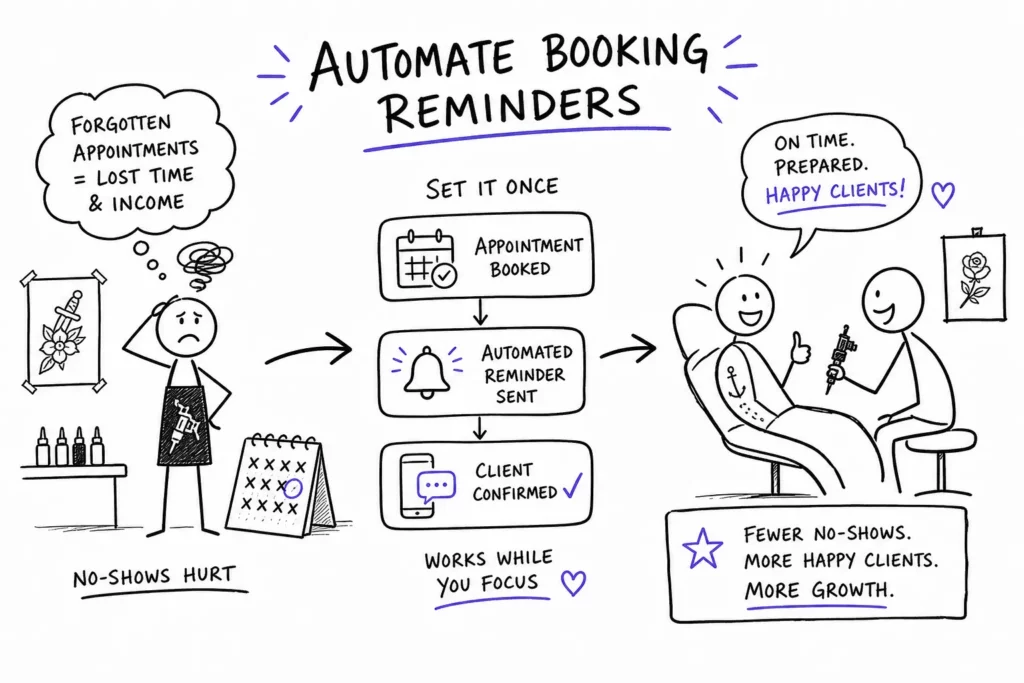
Picture this: a client books a four-hour custom sleeve session, takes up your best Saturday slot, and simply doesn’t show. No text, no call. Just an empty chair and four hours of lost revenue. That scenario has one consistent cause, a reminder that never went out. Not because anyone forgot to care, but because no one built a system to send it automatically. This guide covers exactly how to send automatic booking reminders to tattoo clients so you stop losing prime studio time to preventable no-shows.
Automated booking reminders are the most direct lever a tattoo studio has for cutting no-shows without adding a single task to your daily workflow. SMS open rates run between 90 and 98 percent compared to roughly 20 to 30 percent for email, which means a well-timed text before an appointment is one of the highest-ROI actions your studio can take. The studios already winning at this aren’t doing anything heroic. They set up a reminder sequence once, and the system handles every booking from that point forward.
Tattoogenda was built specifically around this problem. The moment a client confirms a booking, the reminder sequence is already queued and ready to fire, zero setup required per appointment. This article walks through the timing that works, the templates that get clients to respond, and the tool decisions that make the whole thing run without you touching it.
Why manual reminder systems fail tattoo studios
A missed four-hour session at $150 per hour represents $600 in lost gross revenue. Across two no-shows per month, that’s $14,400 per year walking out the door before the needle ever touches skin. Even if deposits offset part of that loss, the blocked time can’t be recovered. That math alone is worth treating reminder automation as a business-critical system, not a nice-to-have feature.
Manual follow-ups break down in predictable ways. Artists forget to text when they’re deep in a session. Reminders go out the morning of the appointment instead of 48 hours prior, giving clients no realistic window to reschedule. Message tone is inconsistent across artists, and there’s no central record of who confirmed and who didn’t. Add a second or third artist to the shop, and the problem compounds fast, the coordination burden multiplies with every calendar.
Automation changes the structure, not just the convenience. A manual system can’t reliably deliver consistent timing, consistent messaging, and a clean confirmation trail at scale. When reminders are tied to booking confirmation rather than someone’s memory, every client gets the same professional communication sequence regardless of which artist they booked, what day it is, or how busy the shop is. That’s the shift worth making.
Choosing tattoo booking software that handles this automatically
Not all scheduling tools are built the same way. The features that actually matter for reminder automation are SMS and email channels in the same platform, reminder triggers tied to booking confirmation rather than manual sends, customizable timing windows, and the ability to include deposit policy language and a reschedule link directly inside the message. Multi-artist calendar support matters too, especially for any shop managing more than one chair.
Automated Email & SMS Reminders That Cut Tattoo No-Shows handles this at the platform level. When a client confirms a booking, the reminder sequence triggers automatically, no checklist for your front desk, no dependency on any individual artist remembering to follow up. You configure the sequence once during setup, and every future booking inherits it. Reminders are a function of the booking itself, not a separate task layered on top. Because Tattoogenda was built by active studio owners for studio workflows, features like deposit logic, consent form delivery, and ink passport tracking are all part of the same system rather than bolted-on integrations.
Other platforms worth considering include Bookedin’s roundup of tattoo booking apps, Acuity Scheduling, and Square Appointments. All three offer reminder functionality, and all three support multi-staff calendars. The distinction is context: built for general business categories, they require workarounds that a tattoo-native platform doesn’t, deposit-conditional reminders, digital consent form delivery, and ink passport tracking either need additional configuration or aren’t supported at all. They’re capable tools. For a tattoo studio running a full client lifecycle, however, the fit requires more effort to get right.
How to send automatic booking reminders to tattoo clients: timing and sequence
A seven-day reminder isn’t necessary for every booking. For standard sessions or repeat clients who know the drill, it adds noise without much value. Where it earns its place is with large custom pieces, multi-session projects, and first-time clients who need lead time to prepare, and to reschedule without penalty if something comes up. Think of it as an optional layer for complex work rather than a default for every appointment on the calendar.
The 48-hour reminder is where the real no-show prevention happens. It tells clients what to do before they sit (stay hydrated, eat a full meal, avoid alcohol and blood thinners), reinforces the deposit policy in plain language, and includes a direct link to reschedule if needed. Clients who receive clear prep instructions and a visible reschedule path are far less likely to go dark because they understand exactly what’s expected and have a low-friction option if their schedule changes.
The day-of reminder, sent about three hours before the session, covers logistics and nothing else. Parking, studio entrance, what to wear, expected session length, and a final confirmation prompt. Keep it short. “Reply YES to confirm your spot” works well here because it asks for one specific action and gives you a clear signal of who’s actually coming. Policy language belongs at 48 hours, not here.
SMS and email templates that get clients to respond
SMS templates should follow a consistent structure regardless of timing: client name, artist name, date and time, one clear action, and the cancellation consequence in plain language. Here are three ready-to-use versions:
48-hour reminder template
- 48-hour confirmation: “Hi [First Name], your tattoo appointment with [Artist] at [Shop] is on [Day] at [Time]. Stay hydrated and eat before your session. Reply C to confirm or use this link to reschedule: [Link]. Late cancellations may forfeit your deposit.”
Day-of reminder: wording
- Same-day logistics: “Hi [First Name], we’re looking forward to seeing you today at [Time] at [Shop]. Arrive 10 minutes early and wear something that gives easy access to the area we’re working on. Reply YES to confirm your spot.”
First-time client reminder template
- First-time client: “Hi [First Name], welcome to [Shop]. Your first appointment with [Artist] is on [Day] at [Time]. Please bring a valid ID and arrive 10 minutes early. Reply C to confirm or R to reschedule.”
Email handles what SMS can’t fit: full appointment details, parking instructions, care prep guidance, and the complete deposit and cancellation policy. Subject line format matters here. “Reminder: tattoo appointment on [Day] at [Time]” consistently outperforms generic subject lines because it puts the specific appointment detail at the front. The body should open with the key details (artist, date, time, location), move into prep instructions, and close with the reschedule link and cancellation policy in plain language.
Personalization details that lift confirmation rates include using the client’s first name, referencing the artist by name, and linking directly to a reschedule page rather than listing a phone number alone. Messages that state the deposit policy in clear, simple terms reduce late cancellations because clients understand exactly what’s at stake well before the morning of the appointment.
For additional example copy and broader reminder variations, the collection of 87 appointment reminder samples is a useful reference when you want alternative phrasing or industry-tested variations. If you’re focused specifically on tattoo shops, resources that discuss appointment reminders for tattoo studios walk through industry-specific timing and wording that resonates with clients in this space.
For practical, shop-level reminders and tips tailored to tattoo businesses, see this overview on tattoo shop appointment reminders, which highlights common pitfalls and easy wins for SMS workflows.
To dive deeper into alert-driven messaging and template variants that increase confirmations, check out the curated set of prompts in Tattoo Appointment Alerts: 12 Templates to Cut No-Shows, which you can adapt for your own reminder sequence.
Connecting reminders to deposits, rescheduling, and consent forms
The most effective reminder systems don’t send the same message to every client. They branch based on deposit status. A client who hasn’t paid a deposit gets a deposit-confirmation prompt rather than a standard prep reminder. A client who has paid gets the full prep sequence. This conditional logic separates a basic reminder tool from a studio-grade workflow, clients in unconfirmed slots never receive confirmation messages for appointments they haven’t actually secured.
Every reminder in your sequence should include a direct reschedule link, not just a phone number. A client who can’t make their appointment has two realistic options: find the link and move the booking, or go silent and hope the problem resolves itself. When rescheduling requires calling the studio during business hours, many clients choose silence. Studios that add embedded reschedule links to their reminder messages consistently recover appointments that would otherwise become no-shows, that single addition alone tends to justify the platform investment.
Digital consent forms belong in the reminder sequence, not at check-in. A 48-hour reminder that includes a “please complete your consent form before your session” link saves time at the front desk, ensures clients arrive prepared, and gives your team a clear record before the session begins. Tattoogenda’s consent form workflow integrates directly into the reminder sequence, so the form link goes out automatically alongside the prep instructions. No separate step, no chasing clients on the day of the appointment. For guidance on automating deposit handling alongside reminders, this piece on tattoo deposits and payment automation explains common patterns and payment flows.
If your focus is on SMS specifically, including opt-in language and short confirmation flows, the technical how-to for text reminders is covered in How to set up automated text reminders for tattoo shops, tattoogenda.com, which walks through consent, timing, and the reply-driven confirmations that make “Reply YES” effective.
Build the system once, let it run the studio
The most important thing to understand about how to send automatic booking reminders to tattoo clients is this: it only works reliably when reminders are built into the booking confirmation itself, not added on afterward. The sequence matters, a seven-day heads-up for complex or custom work, a 48-hour message for prep and deposit reinforcement, a day-of touchpoint for logistics and final confirmation. The templates matter, clear action language, deposit policy in plain terms, a direct reschedule link in every message. But the platform underneath all of it is the deciding factor.
Tattoogenda handles the entire reminder chain from the moment a client books. No manual configuration per appointment. No checklist for your staff. No inconsistency between artists or locations. Set up the sequence once, and every client who books gets the same professional, timely communication from booking confirmation to session day. Fewer no-shows, a schedule that stays intact, and artists who spend their energy on the work rather than the follow-up.
Ready to see how to send automatic booking reminders to tattoo clients inside a platform built for studio workflows from the ground up? Your next booked client will already have their reminders queued before you close the tab. Explore Tattoogenda and set up your first automated sequence today by reviewing these implementation notes on Automated Email & SMS Reminders That Cut Tattoo No-Shows and adapting the templates from Tattoo Appointment Alerts: 12 Templates to Cut No-Shows.

 English
  Dutch
Dutch  Dutch (Belgium)
  French
  German
  Spanish