

HOW TO EDIT AN APPOINTMNET THROUGH THE CALENDAR #
Ga naar ‘Kalender’
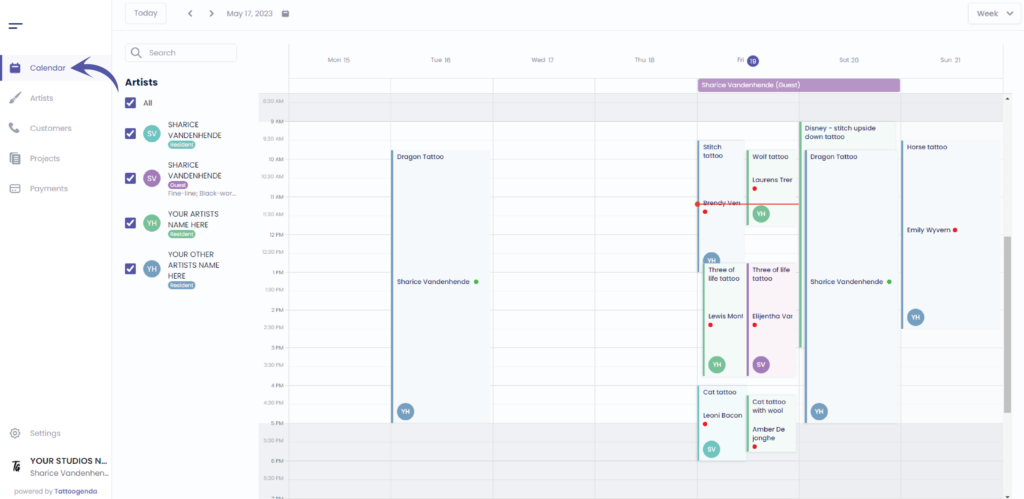
U ziet het volgende scherm
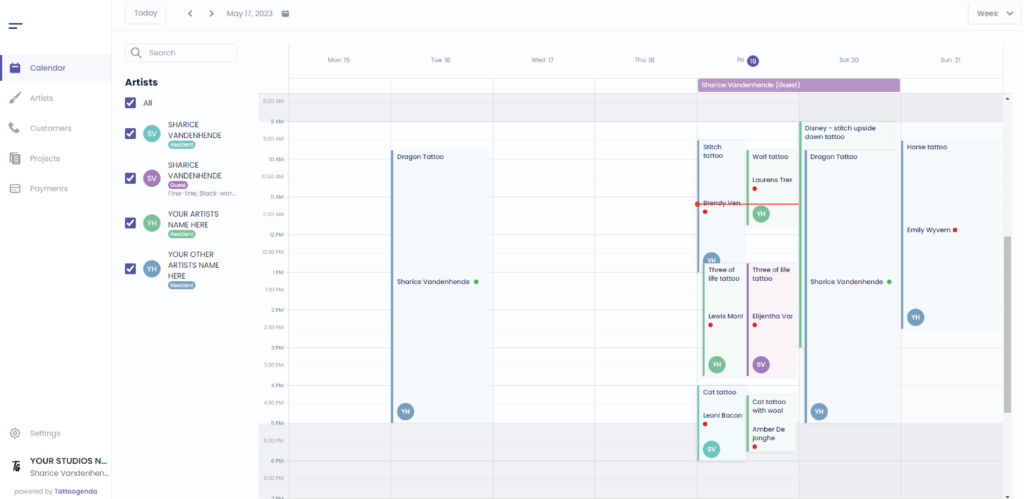
You can update an appointment date and time in in two ways:
Click on the appointment you wish to edit
OR
Select, drag and drop the appointment
Video how to update an appointment with drag and release
Click on the appointment you wish to edit
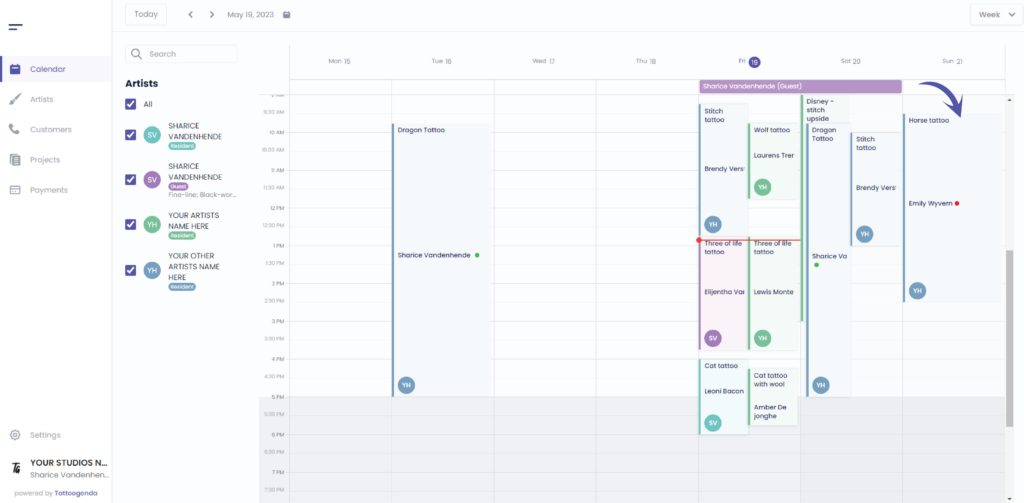
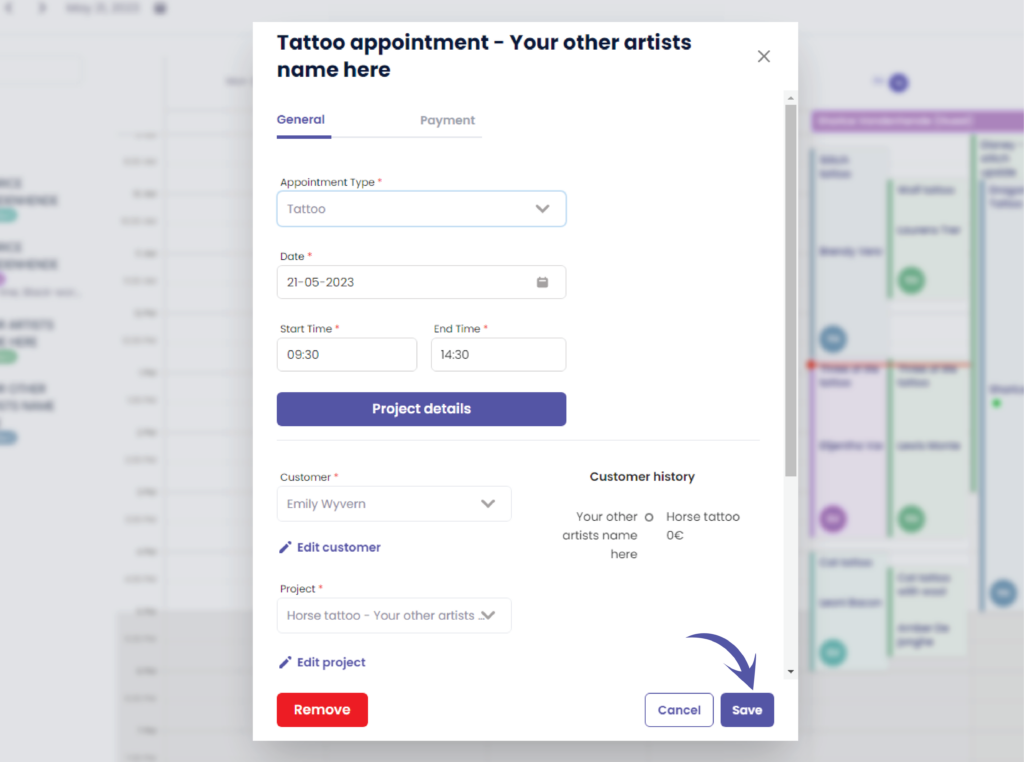
U ziet het volgende scherm
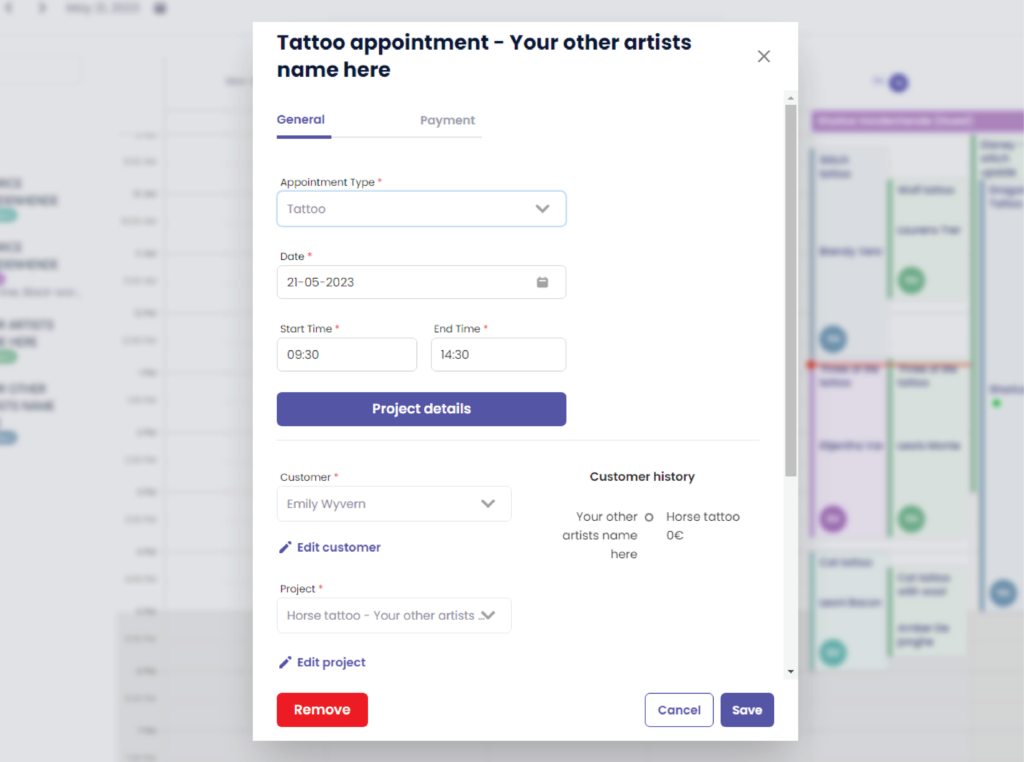
Update the appointment according to your needs
Klik op ‘Opslaan’ to save your changes
HOW TO EDIT APPOINTMENTS THROUGH PROJECTS #
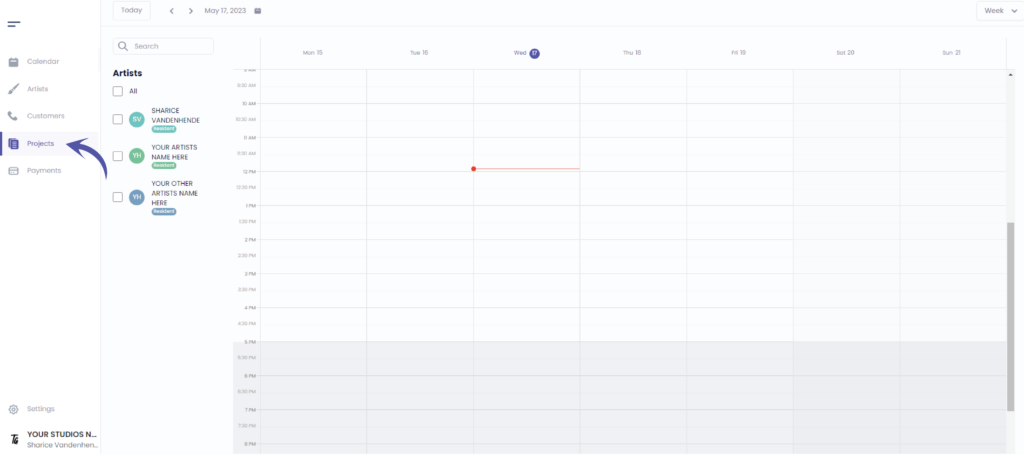
Ga naar ‘Projects’
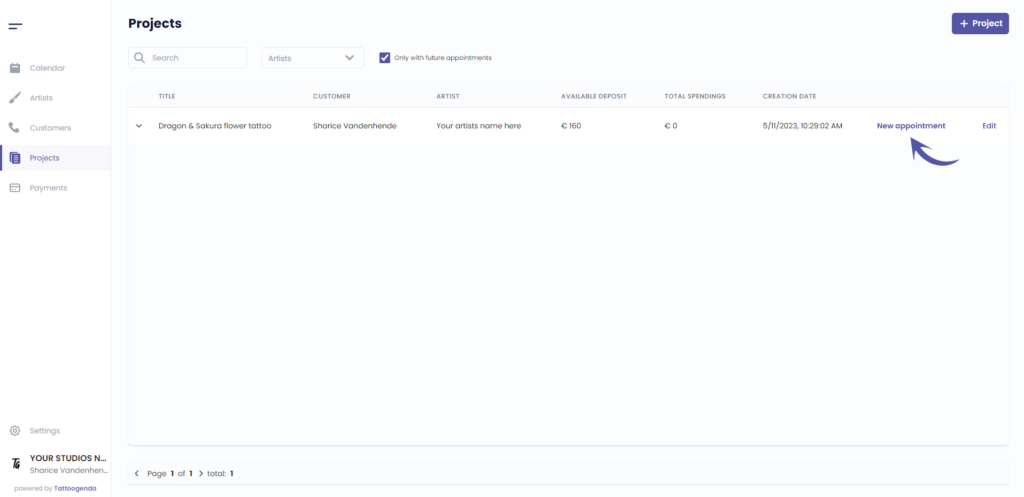
Naar add an appointment to an existing project
HOW TO EDIT APPOINTMENTS THROUGH CUSTOMERS #
Ga naar ‘Klanten’
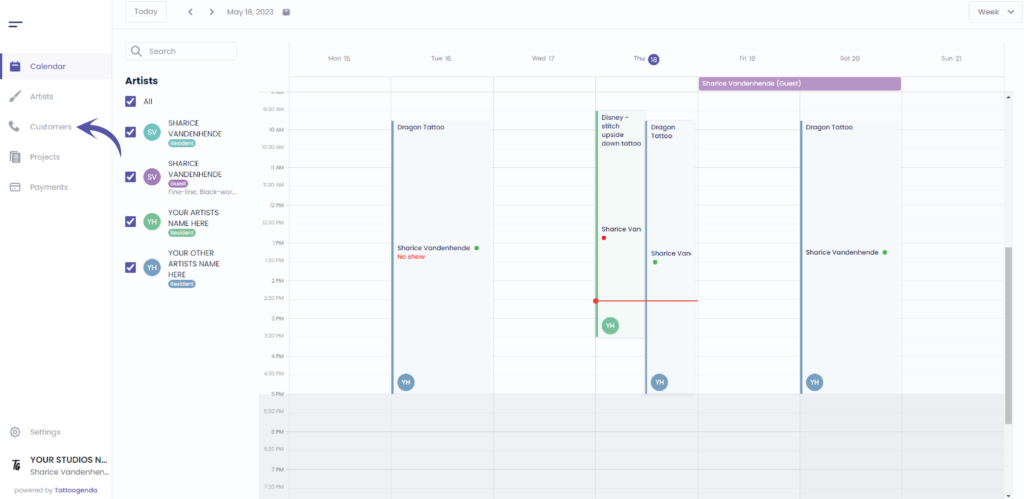
U ziet het volgende scherm
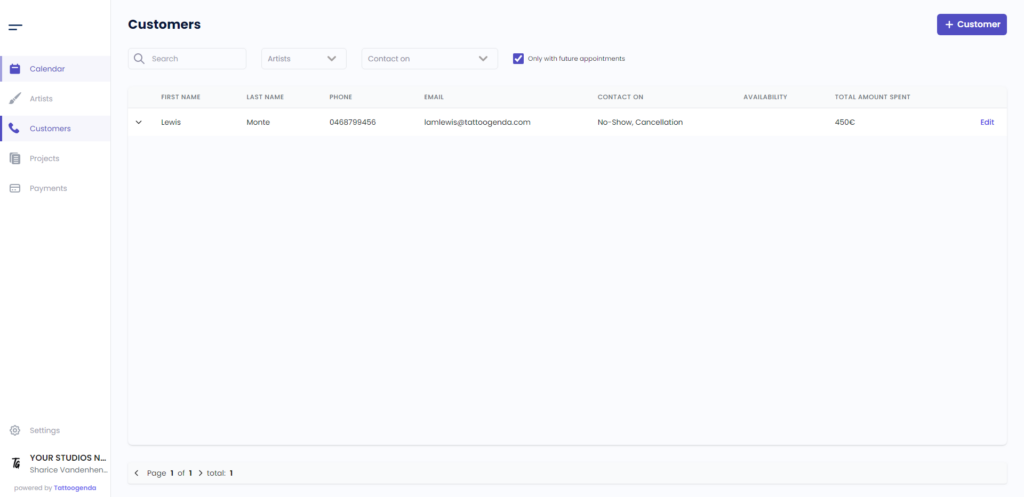
Click on the arrows to fold open more information about appointments
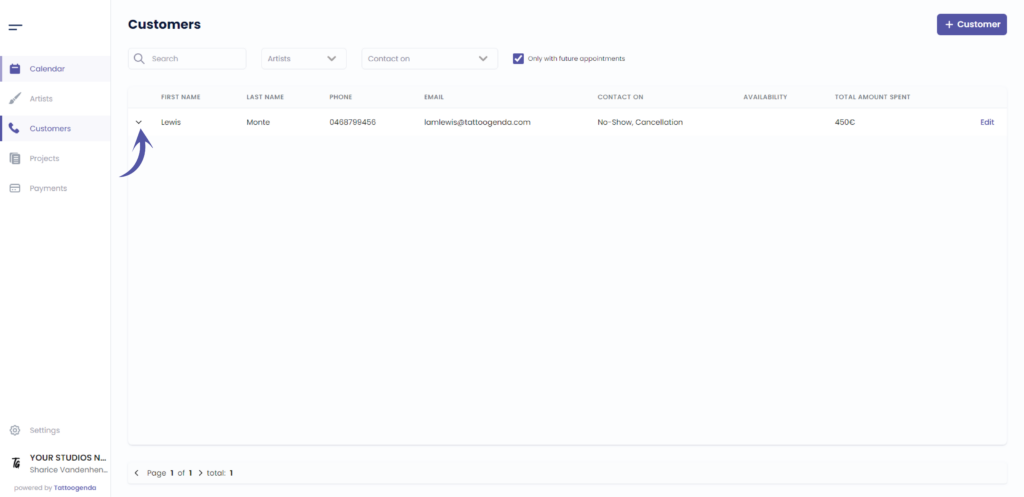
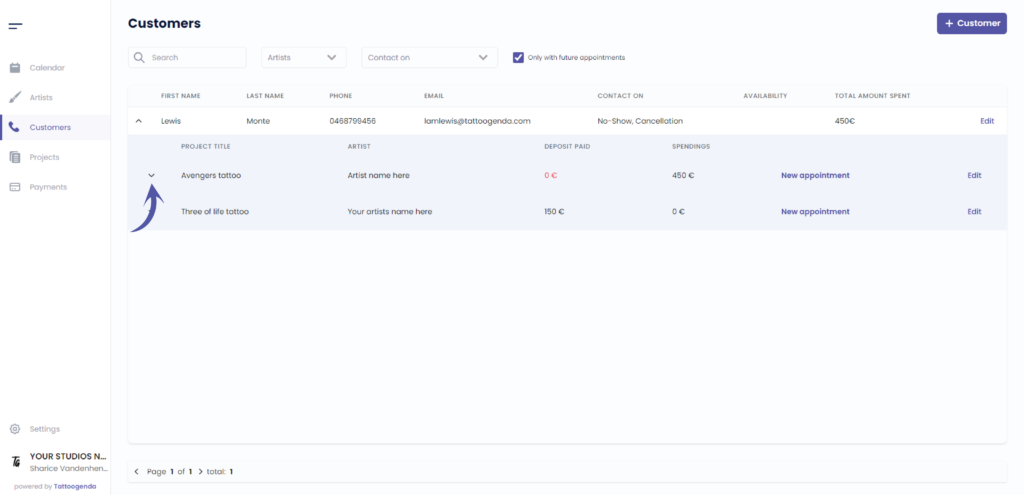
Click edit to edit an existing appointment
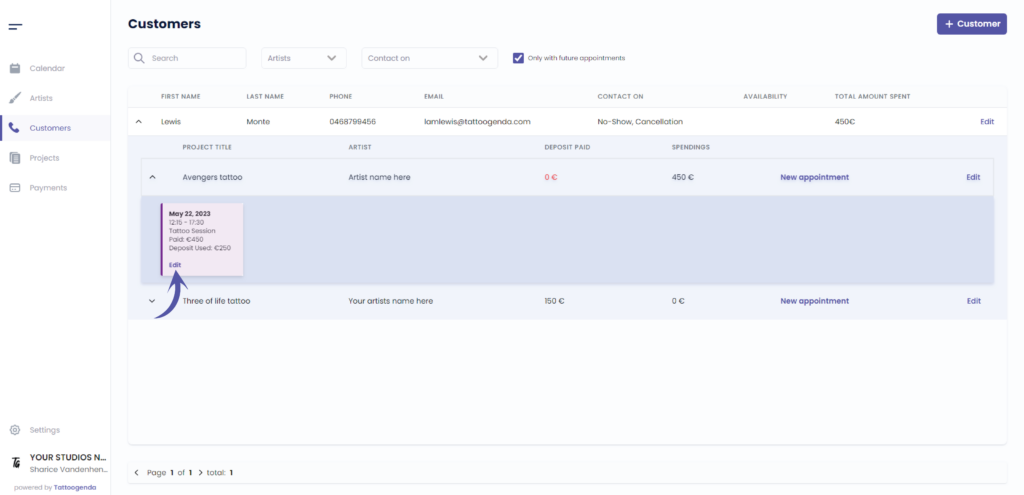
You will get the following pop up screen
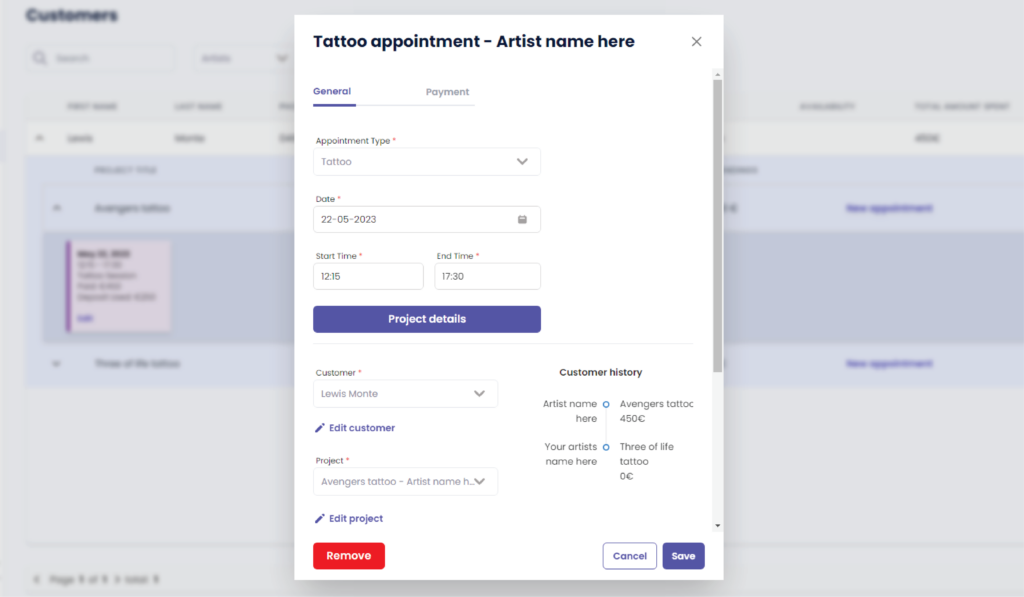
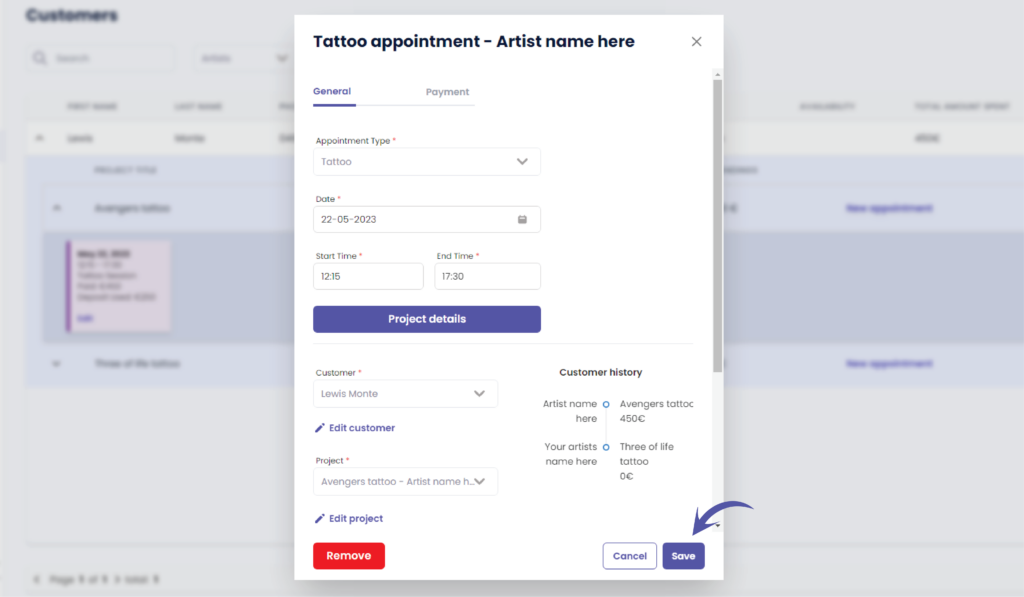
Click save after you edited your appointment
Heb je nog steeds een probleem of een vraag?
Hieronder vind je een kleine link met de naam ‘Nog steeds vast? Hoe kunnen we helpen!’
Geschreven door
Sharice Vandenhende
Door Tattoogenda


 English
  Dutch
Dutch  Dutch (Belgium)
  French
  German
  Spanish