
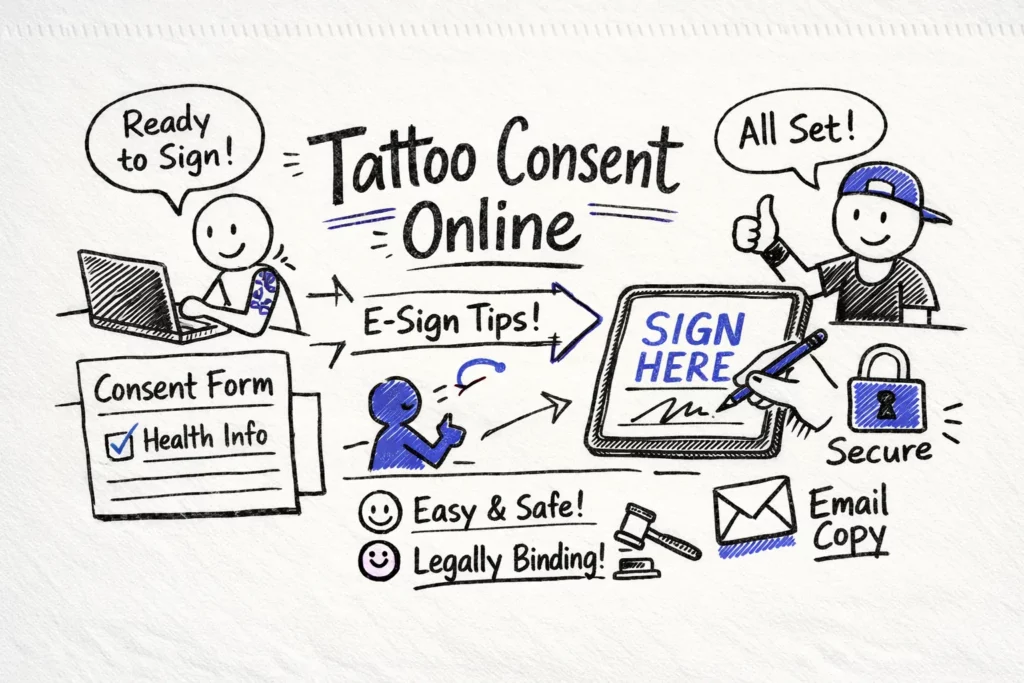
Start bookings with an online consent form: it turns a casual yes into timestamped proof of what the client understood and agreed to. Digital forms let you collect signatures, embed short aftercare videos, and save a retrievable copy of each e-consent. Below are simple templates, e-signature tips, and guidance on when a paper waiver still makes sense so you stop losing time to preventable disputes.
Signed consent documents the client’s acknowledgment of risks, procedures, and aftercare, and that record helps protect your shop if complaints or chargebacks arise. For example, one studio resolved a refund claim quickly after producing a timestamped consent that showed the client had reviewed and signed aftercare instructions. A clear, well-structured form does not remove liability, but it makes any defense cleaner and faster to present.
Key takeaways
- Make the online consent form the first booking step and require completion 24 to 48 hours before the appointment. That timing reduces disputes, speeds check-in, and gives staff time to review any flagged responses.
- Choose e-signature methods that meet ESIGN and UETA standards and record intent, attribution, and an audit trail. For routine work, click-to-sign with an emailed copy and basic metadata is usually sufficient.
- Encrypt consents, enforce role-based access controls, and keep immutable timestamps so records are defensible. Make exportability and automated backups part of your storage plan.
- Embed the form in booking confirmations and automate reminders and signed copy delivery. Tattoogenda templates can attach consents to client records, trigger artist alerts, and reduce manual follow-up.
Why an online consent form matters for tattoo clients
Below is a step-by-step guide to building a consent form template that clearly covers risks, media permissions, and aftercare. Follow these steps to keep the form concise and defensible for routine studio work.
Step-by-step: build an online consent form for tattoo clients
- Collect essential fields: full name, date of birth, contact details, emergency contact, area to be tattooed, current medications, allergies, keloid history, and pregnancy or breastfeeding status.
- Add explicit consent items: consent to proceed, photo-release checkbox, deposit and cancellation terms, and disclosures for research or publishing where applicable.
- Write plain-language clauses: use active voice, one idea per sentence, short “I have read…” or “I confirm…” statements, and include opt-outs for marketing and a clear contact for questions.
- Match field types and use conditional logic: radio buttons for yes/no, checkboxes for opt-ins, short text for medications, multi-line for medical history, and date pickers for DOB; show follow-ups only when relevant and validate age for minors.
- Integrate and automate: map fields into your booking system (for example, Tattoogenda), attach signed PDFs to client records, trigger artist alerts, and send automated reminders and signed copies to clients.
Best practices for question wording and field design
Design questions so clients can answer quickly and confidently by using plain language, short bullets, and clear confirmations. Use “I confirm” for medical and eligibility statements to make affirmative consent explicit. Test readability and aim for a 6th to 8th grade reading level to keep language accessible across clients.
Keep fields specific and non-leading, and present checkbox-ready statements that clients can affirm or decline. Use a small free-text field for details when a client answers yes. Use statements such as “I confirm I am not currently taking blood thinners,” “I confirm I am not pregnant or trying to become pregnant in the next 30 days,” and “I confirm I have not had a chemical peel or laser treatment to this area in the last 30 days.” End each section with a required signature or e-consent checkbox to capture agreement.
Include a concise set of mandatory health and risk checkboxes, then allow a free-text field for explanations. Must-have items include anticoagulant use, diabetes and autoimmune conditions, recent sunburn or cosmetic procedures near the area, and allergies to latex or ink. Flag elevated-risk responses for staff review and prompt clients to consult a physician when appropriate.
Use short, copy-ready snippets for photo and marketing permissions and for parental consent. For example: “I agree to photos or video of my procedure for studio use; I understand I can opt out at any time,” “Yes, I want occasional updates and offers via email or SMS,” and “I am the parent or legal guardian and consent to this procedure.” Verify guardianship with ID for minors and require an in-person signature or an uploaded parental ID when validating parental consent online.
Choose e-signature methods and audit trails that hold up
Start with the legal baseline: ESIGN and UETA require evidence of the signer’s intent to agree, consent to transact electronically, and a reliable way to attribute the signature. For routine tattoo work, a clear click-to-sign action that sends an emailed copy and captures basic metadata is usually enough. Reserve stricter controls for regulated cases covered by 21 CFR Part 11, which require formal validation and controls.
Log the right audit fields to show who signed and when. Capture the signer’s full name and email, an exact timestamp, IP address or device fingerprint, the form version or ID, and a PDF snapshot of the completed form. Together these items provide identity, timing, and a visual record useful in audits or disputes.
Keep authentication proportional to risk. Low-friction methods like email one-time passcodes or SMS verification work well for routine consents and provide basic assurance. Use higher-assurance measures—government ID upload, two-factor authentication, or video verification—for minors, photo-release permissions, or when local regulations require stronger proof of identity.
Design a signing flow that balances defensibility with conversion and require stronger checks only where needed. Always store snapshots and version history, and document your dispute-handling policy. Once controls are decided, build the signing flow into your booking process so completing consent becomes routine.
Secure storage, retention and data subject rights
Treat data hygiene as policy: encrypt records in transit and at rest, enforce role-based access, and keep an immutable audit log that records who viewed or changed a record. Limit routine access to the artist and a named manager to reduce accidental exposure, and host records on secure cloud infrastructure with automated backups for resilience. Make sure your platform can export a timestamped PDF that includes signer details and device metadata.
Be explicit about what you store and why, since identity scans increase risk and require tighter controls and separate justification. Keep an offline copy for inspections and make exportability part of your shop tech checklist. Make automated backups and regular access reviews standard practice.
Set and document a clear retention schedule even if local rules do not prescribe one. If you adopt HIPAA-like or IRB-style practices, retain consents for at least six years; otherwise choose a conservative period and review it annually. Mark records as archived rather than deleted when retention applies so you can meet inspection requests.
For EU clients, record the legal basis for processing personal data and provide a simple path to withdraw marketing consent while explaining any limits to withdrawal when legal obligations apply. Create a workflow to respond to access and deletion requests within statutory timeframes, and retain only the minimal records required by law when continued retention is mandatory. The Tattoogenda platform can help automate these exports and audit logs. See basic GDPR consent guidance for handling withdrawals and consent records.
Deploy the online consent form in your studio workflow with Tattoogenda templates
Integrate the online consent form into your booking confirmation so clients receive it right after they book, and require completion 24 to 48 hours before the session. With Tattoogenda you can choose a soft gate that sends escalating reminders or a hard gate that prevents check-in until the form is signed. For walk-ins, create a short in-shop form and a staff checklist to verify identity and risk factors before work begins.
Automate reminders, deposit rules, and artist alerts in a single flow. Use Tattoogenda triggers to send SMS or email reminders for unsigned forms, tie form completion to deposit release or refund policies, and notify the assigned artist the moment a consent finishes. Completed consents should auto-attach to the client record as a PDF with timestamp and signer proof so check-in is fast and disputes are easier to resolve.
Start with a compact checklist for the standard online consent form, then create an IRB-ready variant if you plan to use the form for study or publishing purposes. Essentials include identity and DOB, medical history and allergy flags, explicit risks and procedures, photo-release opt-in, aftercare acknowledgement, and a visible signature with timestamp and encryption notice. For an IRB-ready form add study purpose, expected duration, benefits, alternatives, and a contact for questions to meet research disclosure standards (see HHS informed consent guidance and 45 CFR 46.116).
Before going live, test the form on mobile, tablet, and with screen readers, and run a client-journey QA with staff. Train the team to verify ID for minors, confirm the form version, resend signed PDFs, and handle updated or withdrawn consents. Lock in retention and storage rules so records remain defensible and accessible once the form is live.
Online consent form: quick takeaways and next steps
Make the form part of the appointment record so consent lives with the client history rather than on a loose sheet. To get started, log into Tattoogenda, open Consent forms, create a new online consent form with the essentials above, enable e-signature, and turn on automated reminders before your next booking. That simple setup cuts no-shows, speeds check-in, and reduces time spent chasing signatures.
 English
  Dutch
Dutch  Dutch (Belgium)
  French
  German
  Spanish