
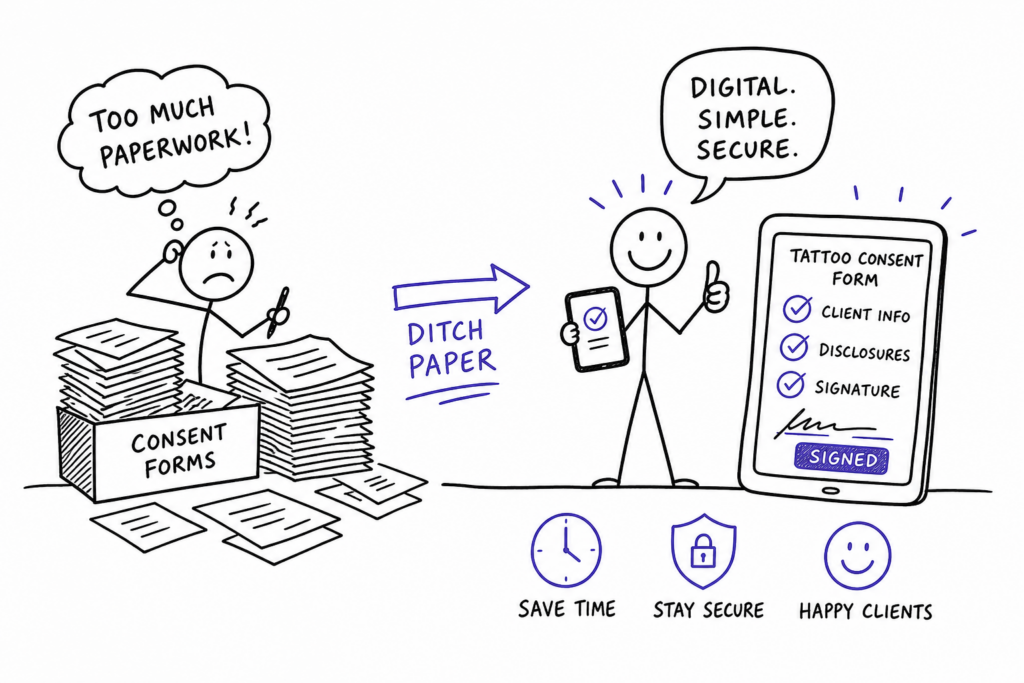
If you’ve ever asked yourself “how can I replace paper consent forms with digital ones in my tattoo studio?”, you already know the scene. A client shows up five minutes before their appointment, grabs the clipboard from the front desk, scrawls something that might be a signature, and hands it back. The form goes into a folder. The folder goes into a drawer. Six months later, when that same client returns and asks about a touch-up, nobody can find the original disclosure. That’s not just an admin headache. It’s a liability that compounds every single day your studio stays on paper.
Paper consent forms are slow to collect, difficult to store securely, easy to lose, and increasingly hard to defend if a dispute lands in front of a licensing board or a lawyer. The good news is that switching to digital is not the complicated overhaul most studio owners assume it is. The legal framework is settled under the ESIGN Act and GDPR, the hardware is affordable, and platforms like Tattoogenda build digital consent forms directly into the standard booking flow, so most clients complete the process before they ever walk through your door.
This guide covers everything you need to make the switch: what your form must include legally, how to choose the right software, what hardware to set up, and how to store records in a way that satisfies both GDPR and US health regulations.
Why paper consent forms are holding your studio back
Every paper form a client fills out at your front desk is a small tax on session time. A client who arrives unprepared, or who takes ten minutes reading and completing a multi-page form by hand, is a client whose appointment starts late. Multiply that across six chairs and a back-to-back Saturday, and you’re looking at meaningful revenue lost to paperwork before a needle ever touches skin.
The filing problem gets worse over time. A single-artist studio generating 20 sessions a week produces over 1,000 paper forms a year. Where do they go? In most studios, into a filing cabinet that nobody has a consistent retrieval system for. When a client returns after a skin reaction, or when a licensing inspector asks to review recent consent records, pulling a specific form from a physical archive is slow and unreliable. There’s also no audit trail: no way to confirm when a field was completed, whether a client skipped a medical disclosure question, or whether a form was altered after signing.
The compliance risk hiding in that filing cabinet is real. Forms with incomplete fields, undated signatures, or missing allergy disclosures may be insufficient to prove valid informed consent in many jurisdictions, always consult a legal professional for guidance specific to your state. They’re documents that give the appearance of compliance without actually providing it. Local health licensing requirements in many US states mandate specific form content, and a paper system with no version control makes it difficult to prove your forms meet the current standard.
What your digital tattoo consent form must include
A legally sound electronic tattoo waiver covers five core areas. Structuring them clearly from the start makes your online tattoo consent template easier to adapt as state requirements evolve. If you need a quick starting point, check out available tattoo consent form templates and must-have clauses to ensure no critical field is missed.
Client identity and explicit consent
Capture the client’s full legal name, date of birth, and contact details alongside explicit consent to proceed with the described procedure. These two elements form the foundation of any enforceable consent record.
Medical disclosure
This section should cover allergies, skin conditions, medications, bleeding disorders, pregnancy status, and any recent use of blood thinners or alcohol. Don’t let clients skip it. A digital form can require completion of this section before the signature field even becomes active.
Age verification
Age verification language needs to go beyond a generic “I confirm I am 18 or older” checkbox. Under US federal e-signature law (the ESIGN Act and UETA, adopted in most states), an electronic signature carries the same legal weight as a handwritten one, but state tattoo law governs the age requirements separately. California, Texas, Florida, and New York all permit e-signed waivers, but their rules for minors vary significantly. Some states allow tattooing minors with written parental consent; others require the parent to be physically present; others prohibit it outright. Your form should reflect your state’s specific requirement, not a one-size-fits-all clause.
If your studio does work on minors where permitted, the form needs a dedicated parental or guardian signature field, an ID upload requirement, and a guardianship documentation note.
Aftercare acknowledgment and risk disclosure
Include an aftercare acknowledgment confirming the client understands their post-session responsibilities, alongside a plain-language risk list naming infection, allergic reaction to pigments, scarring, pigment migration, and the possibility of unsatisfactory healing.
Photo and video release
Keep this as a separate, optional section, never bundled into the primary consent language. Clients need to see that agreeing to be tattooed and agreeing to appear in your marketing content are two distinct decisions.
How can I replace paper consent forms with digital ones in my tattoo studio, choosing the right software
Not all digital waiver tools are built the same, and for a tattoo studio, the non-negotiable features are specific. You need ID photo upload capability, a time-stamped audit trail, encrypted cloud storage, and e-signature capture. These aren’t premium add-ons; they’re baseline requirements if you want your electronic tattoo release forms to hold up to scrutiny. Offline signing mode and multi-location support are genuinely useful if your studio operates across multiple chairs or sites. For practical advice on digitizing tattoo and piercing consent forms, see this guide on how to digitize tattoo and piercing consent forms.
The bigger strategic question is whether to use a standalone waiver app or an integrated platform. Bolt-on waiver tools create a workflow gap: a client books in one system, signs a waiver in another, and the two records never connect. Your front desk ends up manually checking both before every session, which defeats the purpose of going digital. The right setup means a signed consent form automatically attaches to the client’s profile the moment it’s completed, and the artist can pull it up on session day without asking anyone. If you want a comparison of digital waiver options geared toward tattoo businesses, this overview of digital waivers and consent forms for tattoo and piercing is a useful reference.
Tattoogenda is designed around exactly this flow. When a client books an appointment, the consent form is sent automatically as part of the confirmation sequence. The signed record attaches to the client’s profile alongside their appointment history, ink passport, and any previous disclosures. There’s no separate waiver tool to manage, no chasing clients at the door, and no loose files to audit at month-end. For studios already using Tattoogenda for bookings and scheduling, adding the consent workflow requires no new systems. For a deeper dive into e-consent best practices, read E-consent for tattoo studios: go paperless and stay legal.
Hardware setup that actually works in a real studio
The two most practical hardware configurations for in-studio signing are a tablet kiosk at reception and a QR-code pre-signing option sent at booking confirmation. A tablet kiosk works best for walk-ins and first-time clients who arrive without completing the form in advance, it keeps signing supervised, contained, and consistent. A QR-code or booking-link option works best for studios with a full calendar and repeat clients who appreciate arriving ready to start.
Most studios benefit from running both in parallel: QR pre-signing for regulars and booked clients, tablet kiosk as the fallback for everyone else. Whether a client uses a stylus-drawn signature or types their legal name, both carry the same legal weight under ESIGN and UETA. A stylus captures a signature-like mark that may reduce disputes about authorship in practice, while a typed-name option increases accessibility and ensures no client gets slowed down by unfamiliar hardware. Build both into your setup and let the client choose.
On cost: a solid front-desk tablet runs between $200 and $500. Add $20 to $130 for a stylus depending on the device, and a stand or kiosk case typically adds another $30 to $80. Standalone digital waiver software runs $10 to $40 per month for most studios. If your studio management platform already includes consent form functionality, that cost drops to zero. A realistic all-in setup for a single-location studio lands well under $600 upfront, often less if you’re already on a platform that covers the software side.
Making the switch without disrupting your workflow
Before you move anything client-facing, audit your existing paper form. Identify every field that needs to carry over, flag any clauses written for paper that don’t translate cleanly to digital, and update any language that doesn’t reflect your current state’s requirements. This is also the right moment to add fields you’ve always wanted but couldn’t enforce on paper, such as an ID upload requirement or a photo release toggle. If you want a ready-made form to adapt, consider a tattoo consent form template you can customize for your studio.
When you roll out the change to clients, keep the communication brief and positive. A line at booking confirmation works well: “We’ve moved to digital consent forms for faster check-in.” Most clients won’t push back. For the occasional client who prefers not to pre-sign remotely, the tablet at the desk handles it without confrontation. For your existing paper files, scan and archive them, set a documented retention date aligned with your state’s requirements, and note the transition date in your records. For a helpful reference on retention timelines, review this summary of consent retention requirements by jurisdiction.
Run three to five mock bookings end-to-end with staff before going live. Check that the form reaches the client, that the signature attaches to the correct profile, and that the artist can access the record on session day. Fix any friction before your busiest booking week, not during it. For a broader practical perspective on digital tattoo waivers and studio workflows, see the Digital tattoo waivers: the studio owner’s practical guide.
Storing and protecting client consent records
Encryption is the foundation. Your platform should use TLS in transit and AES-256 at rest, both are baseline standards, not premium features. Role-based access matters too: front-desk staff, artists, and managers don’t all need the same level of access to client health disclosures. Time-stamped audit logs covering views, downloads, and any edits are what protect you if a consent dispute arises months after a session. Without them, you have a signed form but no proof of what happened to it afterward. For guidance on securing patient data and encryption considerations specific to digital consent forms, this article on securing patient data in digital consent forms is a useful primer.
Retention requirements vary by state, based on secondary summaries of state regulations that may change, verify the current statute for your jurisdiction. As a general reference: New York requires a one-year minimum, Texas and Hawaii require two years, Maryland requires three, Kansas and Nebraska require five, and New Hampshire requires seven. Treat these as minimums, not recommended practices. A written retention policy with automatic reminders for secure deletion at end of period is more reliable than manual file management. Group your approach by retention period, shorter-term states (one to two years) allow for more frequent purges, while longer-term states (five to seven years) require a more durable archiving setup.
For studios operating in Europe, GDPR classifies health disclosure data, including allergies, skin conditions, and medication histories, as special-category personal data. Processing it requires explicit, informed consent with clear language about why it’s collected, how long it’s retained, and how clients can request deletion. Data minimization applies: collect only what the procedure actually requires. Store consent records on encrypted, access-controlled systems, never on personal devices, shared public computers, or unencrypted drives.
Going paperless is a professional standard, not a tech project
Replacing paper consent forms with digital ones in your tattoo studio isn’t about modernizing for its own sake. Digital records protect you legally, give clients a faster check-in experience, and eliminate the “did they sign?” scramble from every pre-session checklist. Under the ESIGN Act and UETA in the US, and GDPR in Europe, the legal groundwork for electronic waivers is firmly in place, though state and regional variation still requires you to tailor your forms accordingly. The hardware investment is modest. And when the consent workflow is built into your booking system rather than bolted on as a separate tool, it adds no friction at all.
The storage, compliance, and legal requirements covered in this guide are all manageable with the right platform. You don’t need to build a new system from scratch or juggle multiple tools. Tattoogenda connects the full flow, booking confirmation, digital consent form delivery, signed record storage, and profile attachment, so your artists walk into every session with documentation already in place. If you want to see exactly how the workflow runs, book a demo and we’ll walk you through it.
 English
  Dutch
Dutch  Dutch (Belgium)
  French
  German
  Spanish