
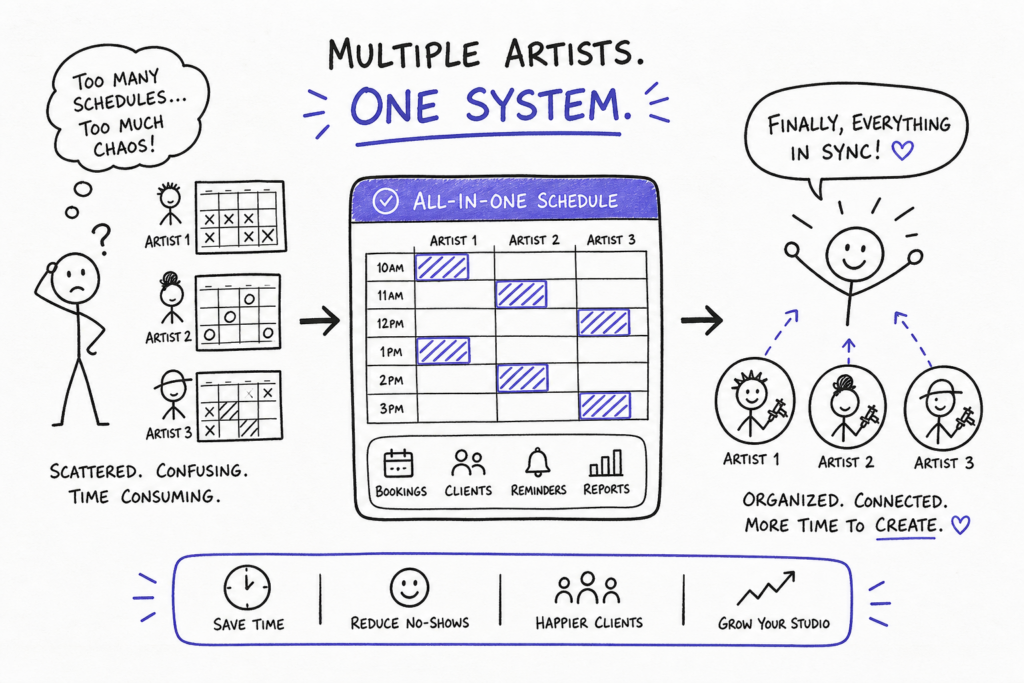
If you’ve ever asked yourself how do I manage multiple tattoo artist schedules with one booking system, the honest answer is: not with sticky notes, not with a group chat nobody reads, and not with four separate apps that have never spoken to each other. Picture the alternative, four artists, three scheduling tools, a whiteboard covered in reminders, and a DM thread that buries half your bookings. That’s not a studio system. That’s a liability. When bookings live in separate places, conflicts stack up fast, deposits get missed, rooms get double-booked, and artists lose income they should have earned.
The fix isn’t hiring a full-time coordinator to manually wrangle four different calendars. It’s running every artist through one centralized booking system that handles the coordination automatically. Studio-focused booking platforms like Tattoogenda are designed for exactly this: one dashboard, every artist, zero calendar collisions. This article walks through how to set that up properly, from building your roster to handling guest spots, so your studio runs like a professional operation, not a group project.
Why separate systems break down under a multi-artist roster
Fragmented tools create invisible conflicts. Two artists unknowingly block the same consultation room. A client confirms an appointment through Instagram DMs but pays a deposit through a completely different channel. These aren’t rare edge cases, they’re weekly occurrences in shops that rely on personal Google Calendars, paper appointment books, and back-and-forth text threads. The problem isn’t that your artists are disorganized; it’s that the tools were never designed to talk to each other. For studios dealing with multiple calendar sources, solutions like scheduling pages for people with multiple calendars can help consolidate bookings into a single public scheduling surface.
The cost adds up quickly. A single double-booking during a full-day session can mean hundreds of dollars in lost revenue and a frustrated client who won’t return. Multiply that across a four-artist roster over a year, and the inefficiency becomes a serious financial problem. Studios operating without a shared system often don’t realize how much revenue they’re losing until they finally audit the chaos.
Centralized doesn’t mean everyone shares one generic calendar. It means each artist has their own individual schedule, services, and availability, all visible and manageable from a single admin view. The studio owner sees the full picture. Clients book the right artist for the right service. Nothing slips through. That’s the core of managing multiple tattoo artist schedules effectively, and it’s what separates a professional studio from a well-intentioned mess.
How do I manage multiple tattoo artist schedules with one booking system?
Start with individual artist profiles. Every artist gets their own setup inside the shared system: their working hours, the services they offer (custom work, flash, cover-ups, fine line, blackwork), and the duration assigned to each service type. This isn’t just administrative housekeeping, it’s the foundation that prevents every scheduling conflict downstream. If your system doesn’t know that a sleeve consultation takes 90 minutes, it’ll happily let a client book a 30-minute slot right in the middle of one. For practical workflows and checklists about managing bookings across a team, see Managing booking appointments across your tattoo shop team, tattoogenda.com.
Longer sessions need accurate time blocks configured from the start. Half-day and full-day bookings should occupy the calendar in full so clients can’t accidentally slip a new appointment into the middle of an ongoing session. Many tattoo-specific booking platforms let you build custom service durations rather than forcing everything into hourly slots. Use that flexibility from day one.
Once service durations are set, add recovery buffers between appointments. A 15-minute gap between clients gives artists time to clean their station, do a quick check-in, or simply reset before the next session. Studios should also configure daily booking limits per artist to prevent back-to-back overloading across an entire shift. These aren’t just quality-of-life features; they directly affect the quality of work clients receive, and they protect your artists from the kind of burnout that shows up in the work.
Per-artist booking rules that protect everyone’s time
Not every artist works the same hours or takes bookings the same way, and your shared calendar needs to reflect that. Configure minimum lead times so clients can’t book same-day for complex custom work that requires design prep. Add blackout dates for conventions, guest spots at other studios, or scheduled vacations. Set start and end times that match each artist’s actual working day, not a generic studio default. Per-artist rules like these prevent clients from booking slots that look available on paper but don’t work in practice.
Role-based access is just as important as the calendar configuration itself. In a multi-artist studio, not everyone needs full admin access. The studio owner needs the complete view; individual artists should see and manage only their own calendar. Clear permissions keep things organized, prevent accidental edits to someone else’s bookings, and become especially critical when you’re scaling to more artists or opening a second location. A system that doesn’t handle permissions properly creates a different kind of chaos, too many people touching the wrong things.
Deposit workflows and no-show protection across your whole team
Deposits shouldn’t vary randomly from artist to artist based on individual preference or whoever remembered to ask. A consistent policy across the studio is easier to enforce and sets a more professional tone for every client interaction. A practical tiered framework looks like this:
- Small flash sessions: flat fee in the $50, $100 range, collected at booking
- Half-day bookings (3, 4 hours): equivalent to approximately one hour of the artist’s rate, or a fixed percentage of the estimated total
- Full-day or multi-session projects: $500, $1,000 fixed deposit, credited toward the final session
The deposit is non-refundable and serves a specific purpose: it holds the date, compensates for design and prep time, and filters out clients who aren’t serious. That last function matters more than studios often acknowledge. A client who won’t pay a $100 deposit for a custom piece is a client who may not show up on the day.
Automated deposit enforcement
manual deposit enforcement is inconsistent. The booking system should handle it: block the confirmation until the deposit clears, send automated reminders 48 hours before the appointment, and communicate cancellation terms clearly at the point of booking. No-show protection workflows built into studio management software mean artists don’t have to chase clients themselves. The system does it for every appointment, every time, not just when someone remembers to follow up.
Guest artists and multi-location bookings without the confusion
Guest artists are a scheduling wild card. They come with their own clientele, their own pace, and often their own booking habits. The studio’s job is to get them live in the system quickly, without disrupting the existing roster. The process is straightforward: create a temporary artist profile, set their guest dates as their working hours, assign the relevant services they’ll be offering, and generate their personal booking link. Share that link with their audience so their clients can book directly, through your system, not through a separate DM thread that bypasses your deposit workflow entirely. For best practices around guest artists and conventions, read more about tattoo booking software for guest artists and conventions.
That last point matters. When guest artists bring their own clients, those clients need to go through the same deposit and intake process as anyone else in your studio. A centralized system enforces that automatically, regardless of whether it’s a resident artist or someone visiting for a week. Once the platform is already configured, onboarding a guest artist is typically a quick process rather than a half-day project.
Multi-location studios face an added layer of complexity: an artist who splits their week between two shops, or a client with a standing appointment at the second location. A centralized platform should let you tag each booking by location and view a combined schedule across all venues from one place. Resource conflicts, travel gaps, and cross-location double bookings become manageable when everything are visible in one dashboard. Tools that explicitly support multi-location appointments can save hours of manual coordination when you scale beyond a single shop.
What to look for in booking software built for tattoo studios
Generic scheduling tools can handle basic multi-staff calendars, but they weren’t built for the specific realities of a tattoo studio. They don’t understand that a “session” might run eight hours, that consent forms need to be tied to individual appointments, or that deposit rules need to fire automatically the moment a client selects a service. The features that actually matter for managing multiple tattoo artist schedules are specific: per-artist booking links, session-length customization, integrated deposit collection, digital consent forms linked to individual appointments, and client history accessible from the calendar view. Everything else is secondary, useful, maybe, but not what separates a functional studio from a dysfunctional one. For a roundup of options, see Tattoo shop schedulers compared: best 7 apps for 2026, and for feature-level guidance review this overview of tattoo booking app features.
Tattoogenda is a studio-focused platform built around the real workflows of tattoo and piercing businesses rather than adapted from a generic SaaS template. The platform offers centralized artist calendars with individual booking links, automated deposit collection, SMS and email reminders, digital consent forms, client history, all accessible from one place. It’s designed to scale across multiple artists and locations without requiring you to rebuild your setup from scratch every time you add someone new. Studio owners can start without dismantling their current workflow; the system is designed to reduce the friction that fragmented tools create from day one.
Building the system once and letting it run
Managing multiple tattoo artist schedules doesn’t require more admin hours. It requires one system, set up properly, that every artist actually runs through. Once each artist’s availability, services, and booking rules are in one place, the studio runs with far less friction. Deposits get collected automatically, no-shows drop, guest artists slot in without disrupting the roster, and the owner finally has a clear view of the entire operation without having to check three different apps before answering a single question.
The goal isn’t to manually control every appointment. It’s to build a system that handles the predictable, repeatable work so your artists can focus on what they’re actually there to do. Set it up once, configure it properly, and your booking system becomes the most reliable member of your team, the one that never forgets a reminder, never misses a deposit, and won’t let two clients occupy the same chair.
If you’re still figuring out how to manage multiple tattoo artist schedules with one booking system, Tattoogenda’s appointment management tools are a practical starting point, whether you’re running a one-chair studio or a ten-artist shop across multiple locations. The infrastructure is there. You just have to configure it.

 English
  Dutch
Dutch  Dutch (Belgium)
  French
  German
  Spanish